
Listen to this Post
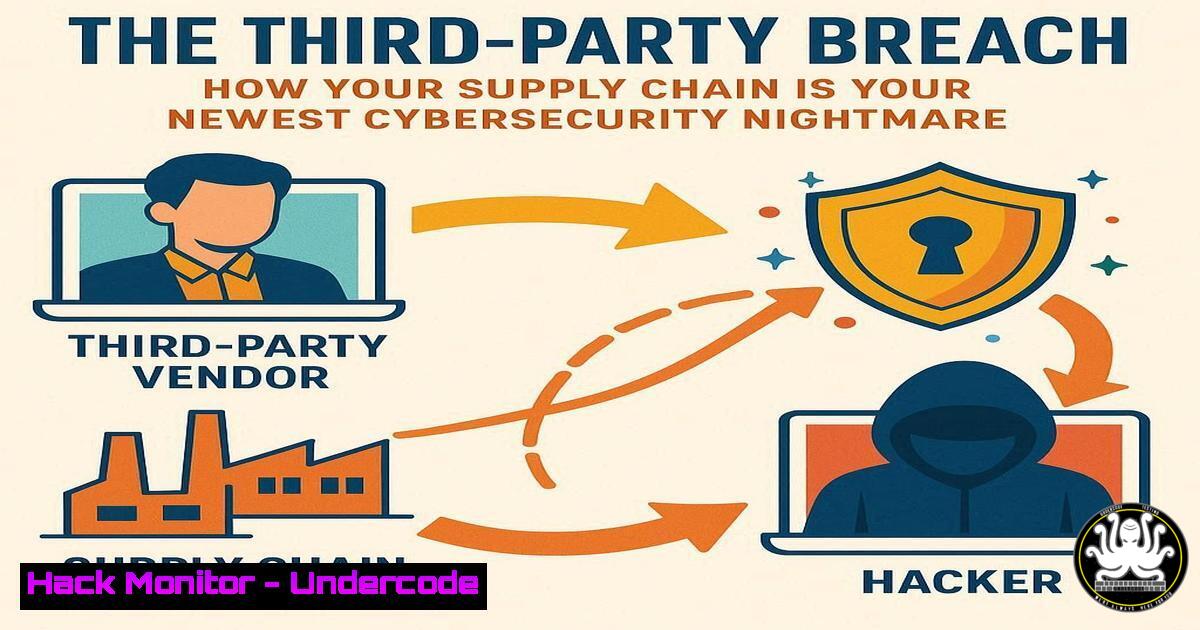
Introduction:
Modern organizations are fortifying their own digital castles, but the drawbridge is often left down by trusted third-party vendors. Supply chain attacks represent a systemic risk, where a breach in a single supplier can cascade into a catastrophic incident for dozens of enterprises. This article provides the technical blueprint for defending against this pervasive threat.
Learning Objectives:
- Understand and implement critical security controls for vendor risk management.
- Master command-line tools for continuous third-party security monitoring.
- Develop incident response playbooks specifically for supply chain compromises.
You Should Know:
1. Mapping Your Digital Supply Chain with Nmap
Before you can defend your ecosystem, you must map it. Nmap is the industry-standard tool for network discovery and security auditing.
 Basic service discovery on a vendor's provided IP range
nmap -sV -sC 192.168.1.0/24

Aggressive scan to identify all live hosts and OS details
nmap -A -T4 203.0.113.0/29

Scan for specific vulnerabilities (e.g., Log4Shell)
nmap -sV --script http-vuln-cve2021-44228 vendor-domain.com
Step-by-step guide:
The `-sV` flag probes open ports to determine service/version info, while `-sC` runs a default set of scripts for deeper reconnaissance. The `-A` flag enables OS detection, version detection, script scanning, and traceroute. Regularly scanning authorized vendor IP ranges helps identify unauthorized services or changes in the vendor’s external attack surface.
2. Assessing Vendor Web Application Security with Nikto
Third-party web portals are prime targets. Nikto is an open-source web scanner that performs comprehensive tests against web servers.
 Basic web server vulnerability scan
nikto -h https://vendor-portal.example.com

Scan with specific output format for reporting
nikto -h https://vendor-portal.example.com -o nikto_scan.xml -Format xml

Scan using a specific proxy for testing
nikto -h https://vendor-portal.example.com -useproxy http://localhost:8080
Step-by-step guide:
Nikto automatically checks for over 6,700 potentially dangerous files/CGIs, outdated server versions, and specific version-specific problems. The `-o` and `-Format` flags are crucial for generating evidence for audit reports and compliance requirements, providing tangible data to present to vendors during security reviews.
3. Hardening Cloud Storage Permissions (AWS S3)
Misconfigured cloud storage at a vendor is a leading cause of data leaks. These AWS CLI commands help audit and enforce S3 bucket security.
 Check S3 bucket permissions
aws s3api get-bucket-acl --bucket vendor-data-bucket

Check if bucket is publicly accessible
aws s3api get-bucket-policy-status --bucket vendor-data-bucket

Apply a bucket policy denying non-HTTPS traffic
aws s2api put-bucket-policy --bucket vendor-data-bucket --policy file://secure-policy.json
Step-by-step guide:
The `get-bucket-acl` command reveals granted permissions, which should be regularly audited. The `get-bucket-policy-status` indicates if the bucket is publicly writable—a critical finding. The `put-bucket-policy` command applies a JSON policy file that can enforce encryption-in-transit and restrict access to specific IP ranges.
4. Vulnerability Scanning with OpenVAS
OpenVAS is a full-featured vulnerability management system that can be used to conduct credentialed scans of vendor-provided assets.
 Target creation for vendor external IPs
omp -u admin -w password --xml="<create_target><name>Vendor_External</name><hosts>203.0.113.5</hosts></create_target>"

Task creation using the latest SCAP and NVT feeds
omp -u admin -w password -C -c d21f6c81-2b88-4ac1-b7b4-a2a9f2ad4663 --target Vendor_External

Start the scanning task
omp -u admin -w password -S <task_id>
Step-by-step guide:
This process involves creating a target (the vendor’s system), selecting a scan configuration (like the `d21f6c81` GUID for a full and fast scan), and executing the task. The results provide a CVSS-based scoring of vulnerabilities, which can be contractually mandated in vendor security agreements.
- Implementing Software Bill of Materials (SBOM) with Syft
An SBOM provides a formal, machine-readable inventory of software components, crucial for identifying vulnerable dependencies in supplied software.
 Generate an SBOM for a vendor software container
syft vendor-app:latest -o cyclonedx-json > sbom_vendor_app.json

Scan a directory for all components
syft /opt/vendor-software/ -o table

Output in SPDX format for compliance
syft vendor-app:latest -o spdx-json > sbom_vendor_app.spdx.json
Step-by-step guide:
Syft catalogs packages and libraries within container images and filesystems. The CycloneDX and SPDX output formats are industry standards that can be integrated into security tools to automatically alert when a known vulnerability is detected in a vendor-supplied component, enabling proactive patching.
6. Detecting Lateral Movement with Windows Security Logs
When a vendor is compromised, attackers often move laterally into your network. These PowerShell commands help detect such activity.
 Query for Pass-The-Hash attack indicators
Get-WinEvent -FilterHashtable @{LogName='Security'; ID=4624} | Where-Object {$_.Message -like "-2"}

Check for unusual service creations (vendor accounts)
Get-WinEvent -FilterHashtable @{LogName='System'; ID=7045} | Where-Object {$_.Message -like "vendor"}

Monitor for WMI events used for lateral movement
Get-WinEvent -FilterHashtable @{LogName='Microsoft-Windows-WMI-Activity/Operational'; ID=5861}
Step-by-step guide:
Security Event ID 4624 with a Logon Type of 3 (network logon) from vendor IP spaces should be baselined. Event ID 7045 can reveal new services installed via vendor remote access tools. WMI Event ID 5861 may indicate attackers using WMI for execution and lateral movement, a common technique following a supply chain breach.
7. Container Security Scanning with Trivy
Vendor-provided container images often contain vulnerabilities. Trivy scans containers, filesystems, and Git repositories for known threats.
 Scan a vendor container image for vulnerabilities
trivy image vendor-registry.com/app:latest

Scan only for critical vulnerabilities
trivy image --severity CRITICAL vendor-registry.com/app:latest

Scan and output results to a JSON file for CI/CD integration
trivy image -f json -o trivy_results.json vendor-registry.com/app:latest
Step-by-step guide:
Integrating Trivy into your CI/CD pipeline allows for automated scanning of all vendor-provided container images before deployment. The `–severity CRITICAL` flag helps prioritize the most dangerous vulnerabilities, and the JSON output can be used to break builds if critical issues are found, enforcing security gates.
What Undercode Say:
- The perimeter is now dynamic, extending to every vendor with network access.
- Compliance frameworks must evolve from checkbox exercises to continuous technical validation.
The traditional security model of a hardened internal perimeter is obsolete. The Brussels Airport incident exemplifies how a single vendor compromise can paralyze critical infrastructure. Organizations must shift from trust-based relationships to verify-always technical enforcement. This requires contractual mandates for API-based security auditing, real-time SBOM analysis, and automated security controls that scale across the entire digital supply chain. The technical commands outlined provide the foundational toolkit for this new paradigm, moving vendor risk management from an annual questionnaire to a continuous, evidence-based process.
Prediction:
Within two years, regulatory bodies will mandate real-time SBOM monitoring and third-party security attestations, forcing a technological arms race in automated supply chain security. We will see the emergence of AI-driven platforms that continuously correlate vendor threat intelligence with internal telemetry to preempt attacks. However, this will also lead to sophisticated AI-powered supply chain attacks that autonomously identify and exploit the weakest link in a target’s vendor ecosystem, making the defense automation outlined here not just advantageous, but essential for survival.
🎯Let’s Practice For Free:
IT/Security Reporter URL:
Reported By: Activity 7382105068721942528 – Hackers Feeds
Extra Hub: Undercode MoN
Basic Verification: Pass ✅


