
Listen to this Post
Introduction:
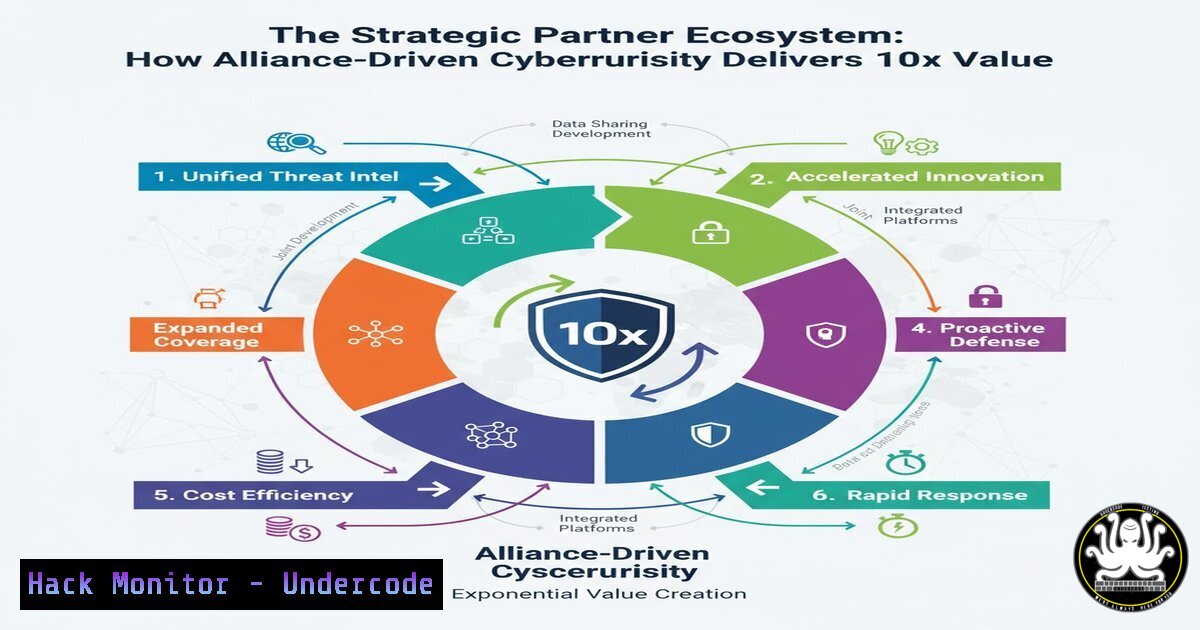
In the modern threat landscape, no single organization possesses all the expertise required for comprehensive cyber defense. The paradigm is shifting from transactional vendor relationships to integrated strategic partnerships, where shared knowledge and tools create a security posture greater than the sum of its parts. This collaborative model, as championed by forward-thinking providers, leverages collective intelligence to anticipate threats and implement robust, layered defenses.
Learning Objectives:
- Understand the critical role of strategic partnerships in enhancing cybersecurity resilience and threat intelligence sharing.
- Learn practical commands and techniques for securing cloud identities, a common focus area for security alliances.
- Develop skills for API security monitoring, cloud hardening, and incident response using integrated toolkits.
You Should Know:
- Securing Identity and Access Management (IAM) in Multi-Partner Environments
In a partnership ecosystem, managing cross-organizational access is paramount. The following AWS CLI commands help enforce the principle of least privilege.
 List all IAM users in an AWS account
aws iam list-users

List access keys for a specific user
aws iam list-access-keys --user-name <username>

Get a user's attached policies to review permissions
aws iam list-attached-user-policies --user-name <username>

Simulate a policy to check specific permissions
aws iam simulate-principal-policy --policy-source-arn arn:aws:iam::ACCOUNT-ID:user/USERNAME --action-names "s3:GetObject" "ec2:RunInstances"
Step-by-step guide:
First, use `list-users` to get an inventory of all identities. For each user, run `list-access-keys` to identify old or unused keys that should be deactivated. The `list-attached-user-policies` command reveals the direct permissions assigned, which should be minimal. Finally, use `simulate-principal-policy` to proactively test if a user’s effective permissions allow unintended actions, helping to tighten policies before an audit or incident.
2. Hardening Linux Servers for Partner Access
When providing managed services, partners often require secure, auditable server access. These commands establish a hardened baseline.
 Check for failed login attempts, indicating brute force attacks
sudo lastb -a

Verify SSH configuration for security (disallow root login, use key-based auth)
sudo grep -E "(PermitRootLogin|PasswordAuthentication|Protocol)" /etc/ssh/sshd_config

List all services listening on network ports
sudo netstat -tulpn

Check file integrity with AIDE (Advanced Intrusion Detection Environment)
sudo aide --check

Set immutable attribute on critical logs to prevent tampering
sudo chattr +i /var/log/auth.log
Step-by-step guide:
Regularly review `lastb` to spot brute force patterns from unknown IPs. Validate your SSH config to ensure `PermitRootLogin` is `no` and `PasswordAuthentication` is set to no, forcing key-based logins. Use `netstat` to identify and close any unnecessary listening services. Implement AIDE to create a database of critical file hashes and run periodic checks for unauthorized modifications. Finally, use `chattr +i` to make crucial log files immutable, preventing attackers from covering their tracks.
3. Windows Active Directory Security for Partner Integrations
Partners often integrate with internal AD for seamless access. These PowerShell commands help secure the environment.
 Find inactive user accounts that could be compromised
Search-ADAccount -AccountInactive -TimeSpan 90.00:00:00 -UsersOnly | Select-Object Name, SamAccountName

Get a list of users in privileged groups like Domain Admins
Get-ADGroupMember -Identity "Domain Admins" | Select-Object name, objectClass

Check for Kerberoastable accounts (service accounts with SPNs and weak encryption)
Get-ADUser -Filter {ServicePrincipalName -ne "$null"} -Properties ServicePrincipalName, PasswordLastSet | Where-Object {$_.PasswordLastSet -lt (Get-Date).AddDays(-180)}

Enable PowerShell logging for audit trails
Set-ItemProperty -Path "HKLM:\SOFTWARE\Policies\Microsoft\Windows\PowerShell\ModuleLogging" -Name "EnableModuleLogging" -Value 1
Step-by-step guide:
Run the `Search-ADAccount` cmdlet quarterly to identify and disable stale accounts. Regularly audit the `Domain Admins` group membership and remove any non-essential users. Use the Kerberoasting query to find service accounts with old passwords and weak encryption types (like RC4), which are prime targets; update these to modern standards. Finally, enable full PowerShell logging via Group Policy to detect malicious scripts and living-off-the-land techniques.
- API Security Monitoring and OWASP Top 10 Mitigation
APIs are the connective tissue between partners and a major attack surface. These commands help monitor and secure them.
 Use jq to parse and analyze API logs for high error rates (potential scanning)
tail -f /var/log/api/access.log | jq '. | select(.status >= 400) | .remote_addr' | sort | uniq -c | sort -nr

Scan for common API vulnerabilities with a tool like Nikto
nikto -h https://yourapi.example.com -C all

Check for exposed .env files or API keys using curl
curl -s https://yourapi.example.com/.env | grep -E "(API_KEY|SECRET|PASSWORD)"

Test for Broken Object Level Authorization (BOLA) with a simple IDOR check
curl -H "Authorization: Bearer <token>" https://yourapi.example.com/api/users/12345
curl -H "Authorization: Bearer <token>" https://yourapi.example.com/api/users/12346
Step-by-step guide:
Continuously monitor API logs with `jq` to detect IPs generating a high volume of 4xx/5xx errors, which can indicate fuzzing or scanning. Run periodic `nikto` scans against your API endpoints to identify misconfigurations and known vulnerabilities. Proactively test for information leaks by attempting to access common sensitive files like .env. To test for IDOR, use two different authenticated tokens to check if a user can access objects belonging to another user by changing the object ID in the request.
5. Cloud Infrastructure Hardening with CSPM Principles
Cloud Security Posture Management (CSPM) is a shared responsibility in a partnership. These commands audit your cloud footprint.
 Use ScoutSuite for a multi-cloud security assessment
python3 scout.py aws --access-keys <access_key> <secret_key>
python3 scout.py azure --cli

Check for publicly accessible S3 buckets in AWS
aws s3api list-buckets --query "Buckets[].Name" --output text | xargs -I {} aws s3api get-bucket-acl --bucket {} --output text | grep -E "(ALLUSERS|AUTHENTICATEDUSERS)"

Audit Azure Blob Storage for public containers
az storage account list --query [].name --output tsv | xargs -I {} az storage container list --account-name {} --query "[?properties.publicAccess!='None'].name" --output tsv

Ensure CloudTrail logging is enabled across all regions
aws cloudtrail describe-trails --region us-east-1 --query "trailList[?IsMultiRegionTrail==<code>true</code>]"
Step-by-step guide:
Run ScoutSuite regularly to get a comprehensive, human-readable report of your cloud misconfigurations. Use the S3 and Azure Blob commands to list all storage containers and their access policies, ensuring none are set to public (ALLUSERS or AUTHENTICATEDUSERS). Verify that a multi-region CloudTrail trail is active, as this is critical for auditing and incident response across a distributed partner network.
6. Incident Response and Forensic Triage Commands
When a partner reports a potential breach, these commands enable rapid initial triage.
 On Linux, capture network connections and listening ports
sudo lsof -i -P -n

Dump process tree to identify suspicious parent-child relationships
ps auxf

Capture a memory snapshot for later analysis (requires LiME or similar)
sudo insmod /path/to/lime.ko "path=/tmp/memdump.lime format=lime"

On Windows via CMD, list all established network connections
netstat -ano | findstr ESTABLISHED

On Windows PowerShell, get a detailed process list with hashes
Get-Process | Select-Object Id, ProcessName, Path | Get-FileHash -Algorithm SHA256
Step-by-step guide:
Upon a security alert, immediately run `lsof` and `netstat` to capture all active network connections, comparing them to a known-good baseline. Use `ps auxf` on Linux or `Get-Process` on Windows to analyze the process tree for anomalies, such as a web server spawning a bash shell. If advanced forensics is required, use a tool like LiME to acquire a volatile memory image without writing to the potentially compromised disk. Collect file hashes of all running processes for threat intelligence matching.
7. Automating Security with Integrated Partner Toolkits
True partnership value is unlocked through automation and integration. These API calls and scripts exemplify this.
 Python script to query a threat intelligence partner's API (e.g., VirusTotal)
import requests

def check_hash_virustotal(file_hash, api_key):
url = f"https://www.virustotal.com/vtapi/v2/file/report"
params = {'apikey': api_key, 'resource': file_hash}
response = requests.get(url, params=params)
return response.json()

Example usage
result = check_hash_virustotal("<file_hash>", "<your_api_key>")
print(result.get("positives", 0), "engines detected this file as malicious.")
 Automate a security finding via a shared Slack channel using a webhook
curl -X POST -H 'Content-type: application/json' --data '{"text":"ALERT: Critical vulnerability found in container image <image_id> by partner scan."}' <SLACK_WEBHOOK_URL>
Step-by-step guide:
Integrate threat intelligence APIs directly into your SIEM or orchestration platform. The provided Python script is a template for querying a service like VirusTotal to automatically score file hashes discovered in your environment. For communication, use simple `curl` commands to post critical alerts to a shared Slack or Teams channel that all partners have access to, ensuring rapid, transparent communication during an incident. This creates a seamless, automated feedback loop between all security stakeholders.
What Undercode Say:
- A strategic, ethically-aligned partner ecosystem is not a luxury but a critical force multiplier in cybersecurity, creating a defensive web that is inherently more resilient than any single entity.
- The technical integration between partners—through shared APIs, standardized hardening scripts, and joint incident response playbooks—is what transforms philosophical goodwill into tangible, 10x security outcomes.
The shift from transactional vendor relationships to deeply integrated security partnerships represents the next evolutionary step in cyber defense. The “no dickheads” policy, while informal, underscores a crucial truth: trust and mutual benefit are the bedrock of effective collaboration. The technical commands and procedures outlined are the practical manifestation of this philosophy. They enable transparency, shared responsibility, and automated intelligence sharing. In an era of advanced persistent threats (APTs) and sophisticated supply chain attacks, an organization that attempts to fortress itself alone is fighting a losing battle. The future belongs to interconnected alliances that can collectively see more, respond faster, and innovate quicker than the adversaries they face.
Prediction:
The “partner-first” security model will become the dominant enterprise strategy within five years, drastically reducing the impact of major breaches for participating organizations. As AI-driven attacks lower the barrier to entry for cybercriminals, the defensive response will necessitate AI-powered, collective defense networks. Organizations that fail to cultivate these deep, technologically integrated partnerships will find themselves isolated and disproportionately targeted, becoming the weak links in the global digital economy. The value of a security provider will be measured not by their individual tools, but by the strength and responsiveness of their alliance network.
🎯Let’s Practice For Free:
IT/Security Reporter URL:
Reported By: Billy Hosking – Hackers Feeds
Extra Hub: Undercode MoN
Basic Verification: Pass ✅


