
Listen to this Post
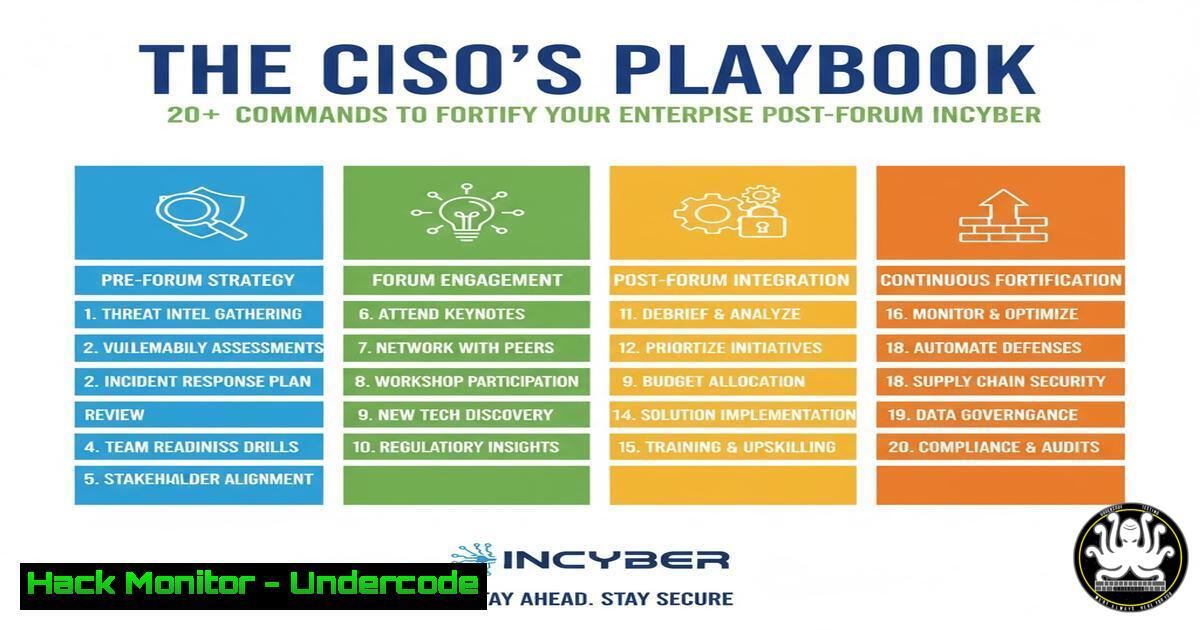
Introduction:
The recent Forum INCYBER (FIC) Canada highlighted a critical shift in cybersecurity, moving beyond siloed technical solutions towards integrated, cross-border collaboration. As global leaders from political, military, and commercial sectors convene, the shared threat landscape demands a unified and proactive defense posture. This article translates the high-level discourse from such forums into actionable technical commands, providing a toolkit for security professionals to harden their environments immediately.
Learning Objectives:
- Implement critical command-line controls for Linux and Windows to enhance system integrity.
- Configure cloud and network security settings to mitigate emerging threats.
- Develop skills in vulnerability scanning and log analysis for proactive threat hunting.
You Should Know:
1. Linux System Hardening and Integrity Checks
A foundational step in any defense strategy is securing your core infrastructure. Linux servers are a prime target, and basic hardening can prevent a significant number of attacks.
Verified Commands & Code Snippets:
1. `sudo systemctl status ssh` – Check if SSH service is active.
2. `sudo grep PermitRootLogin /etc/ssh/sshd_config` – Verify root login via SSH is disabled (should be PermitRootLogin no).
3. `sudo grep PasswordAuthentication /etc/ssh/sshd_config` – Enforce key-based authentication (should be PasswordAuthentication no).
4. `sudo ufw status` – Check the status of the Uncomplicated Firewall.
5. `sudo ufw enable` – Enable the firewall.
6. `sudo ufw allow 443/tcp` – Explicitly allow HTTPS traffic.
7. `sudo chmod 700 /home/
8. `sudo chmod 600 /home/
9. `sudo apt update && sudo apt upgrade` – Update all system packages (Debian/Ubuntu).
10. `sudo find / -type f -perm -4000 -ls 2>/dev/null` – Find all SUID files, which can be potential privilege escalation vectors.
Step-by-Step Guide:
Begin by auditing your SSH configuration. Use commands 1-3 to ensure remote access is locked down. Next, enable and configure your host-based firewall using UFW (commands 4-6) to only allow necessary traffic. Finally, conduct a system integrity check by updating packages (command 9) and auditing for unusual SUID binaries (command 10), which could indicate a prior compromise or a misconfiguration ripe for exploitation.
2. Windows Security Policy and Audit Configuration
Windows environments require granular control over user privileges and detailed auditing to detect malicious activity. Local Security Policy is a key tool for this.
Verified Commands & Code Snippets:
1. `secpol.msc` – Open the Local Security Policy editor.
2. `Get-LocalUser | Format-Table Name, Enabled, LastLogon` – PowerShell cmdlet to list all local users and their status.
3. `net localgroup administrators` – List members of the local administrators group.
4. `auditpol /get /category:` – Display the current audit policy.
5. `auditpol /set /subcategory:”Process Creation” /success:enable /failure:enable` – Enable auditing for process creation.
6. `Get-WinEvent -FilterHashtable @{LogName=’Security’; ID=4688} -MaxEvents 10` – PowerShell to retrieve recent process creation events (Event ID 4688).
7. `Set-MpPreference -DisableRealtimeMonitoring $false` – Ensure Windows Defender Real-time protection is enabled via PowerShell.
8. `Get-NetFirewallProfile | Format-Table Name, Enabled` – Check the status of Windows Firewall profiles.
Step-by-Step Guide:
Run `secpol.msc` to open the graphical policy editor. Navigate to `Local Policies > User Rights Assignment` and review critical assignments like “SeDebugPrivilege” and “SeBackupPrivilege.” Then, use an elevated PowerShell to enable detailed process auditing with `auditpol` (command 5). This allows you to use `Get-WinEvent` (command 6) to hunt for suspicious executables that have been launched on the system, a crucial step in identifying post-exploitation activity.
3. Cloud Security Posture Management (CSPM) Fundamentals
As emphasized in modern forums, cloud misconfigurations are a top attack vector. Command-line checks are essential for rapid assessment.
Verified Commands & Code Snippets (AWS CLI):
1. `aws iam get-account-authorization-details` – Retrieve IAM policies, users, and roles.
2. `aws iam generate-credential-report` – Generate a report on all IAM users and their credential status.
3. `aws s3api list-buckets` – List all S3 buckets.
4. `aws s3api get-bucket-acl –bucket
5. `aws ec2 describe-security-groups` – List all security groups and their rules.
6. `aws configservice describe-config-rules` – Check if AWS Config rules are enabled for compliance auditing.
Step-by-Step Guide:
After configuring the AWS CLI with appropriate credentials, start by assessing your identity and access management landscape. Generate a credential report (command 2) to identify users with old passwords or inactive access keys. Then, list all S3 buckets (command 3) and meticulously check each bucket’s ACL (command 4) to ensure none are configured for public read or write access, a common cause of data breaches.
4. Network Defense and Vulnerability Scanning
Understanding what is on your network and what services are exposed is the first step in defense, a topic consistently raised by leaders like Maneesh Agnihotri.
Verified Commands & Code Snippets:
1. `nmap -sV -sC -O
2. `nmap –script vuln
3. `netstat -tuln` – List all listening ports on a Linux/Windows host.
4. `ss -tuln` – Modern alternative to `netstat` on Linux.
5. `nessuscli scan start –policy “Basic Network Scan” –targets
6. `sudo tcpdump -i any -w capture.pcap host
Step-by-Step Guide:
Use `nmap -sV -sC` (command 1) to create a detailed map of all live hosts and their running services within a target subnet. This identifies unexpected or unauthorized services. Follow up with `netstat -tuln` (command 3) on individual critical servers to correlate the internal view with the external nmap results. Any discrepancies should be investigated immediately.
5. Proactive Log Analysis and Threat Hunting
Merely collecting logs is insufficient; actively querying them is where true defensive prowess lies, a skill vital for handling “one of the biggest, toughest CISO roles.”
Verified Commands & Code Snippets (Linux & Splunk SPL):
1. `sudo tail -f /var/log/auth.log` – Follow new entries in the authentication log (Debian/Ubuntu).
2. `sudo grep “Failed password” /var/log/auth.log` – Search for failed SSH login attempts.
3. `sudo journalctl -u ssh –since “1 hour ago”` – View SSH logs from the last hour using journalctl.
4. `index=linux sourcetype=secure “Failed password” | stats count by src` – Splunk query to count failed logins by source IP.
5. `index=windows EventCode=4625 | stats count by src_ip` – Splunk query for Windows failed logins (Event ID 4625).
6. | tstats `count` from datamodel=Authentication where `Authentication.tag=failure` by `Authentication.src` _timespan=1h – A more efficient Splunk query using the Authentication Data Model.
Step-by-Step Guide:
On a Linux system, use `grep “Failed password”` (command 2) to quickly identify brute-force attempts. For a more scalable, enterprise-wide view, use a SIEM like Splunk. The SPL query (command 4) will aggregate all failed Linux logins, allowing a security analyst to quickly identify the most aggressive source IPs and block them at the network perimeter.
What Undercode Say:
- Collaboration is the New Firewall. The technical controls listed are meaningless without the cross-border and cross-departmental relationships championed at FIC. Security is a human problem amplified by technology, not the other way around.
- The Command Line is Your Single Source of Truth. GUIs can obscure reality; the command line provides unambiguous evidence of your security posture, from cloud misconfigurations to local privilege anomalies.
The analysis from events like FIC Canada reveals a clear trajectory: the era of the isolated security team is over. The most resilient organizations are those whose technical operators can execute the commands above with precision, while their leadership, like George A. and Maneesh Agnihotri, foster the “thoughtful calm” and external relationships necessary to navigate the complex geopolitical threats of today. The technical skills to harden a system are now table stakes; the strategic wisdom to build alliances is the differentiator.
Prediction:
The emphasis on international cooperation at FIC foreshadows a future where cyber defense will be mandated through shared, automated threat intelligence platforms. The commands for log analysis and network scanning will evolve from being used in isolated environments to being part of federated systems that automatically ingest IOCs (Indicators of Compromise) from global partner networks. Failure to participate in these collaborative ecosystems will leave organizations vulnerable to the fastest-moving state-sponsored and cybercriminal threats, which already operate without borders. The CISO of 2026 will be judged not just on their internal security metrics, but on their contribution to their industry’s collective defense.
🎯Let’s Practice For Free:
IT/Security Reporter URL:
Reported By: George Y – Hackers Feeds
Extra Hub: Undercode MoN
Basic Verification: Pass ✅


