Listen to this Post
Introduction:
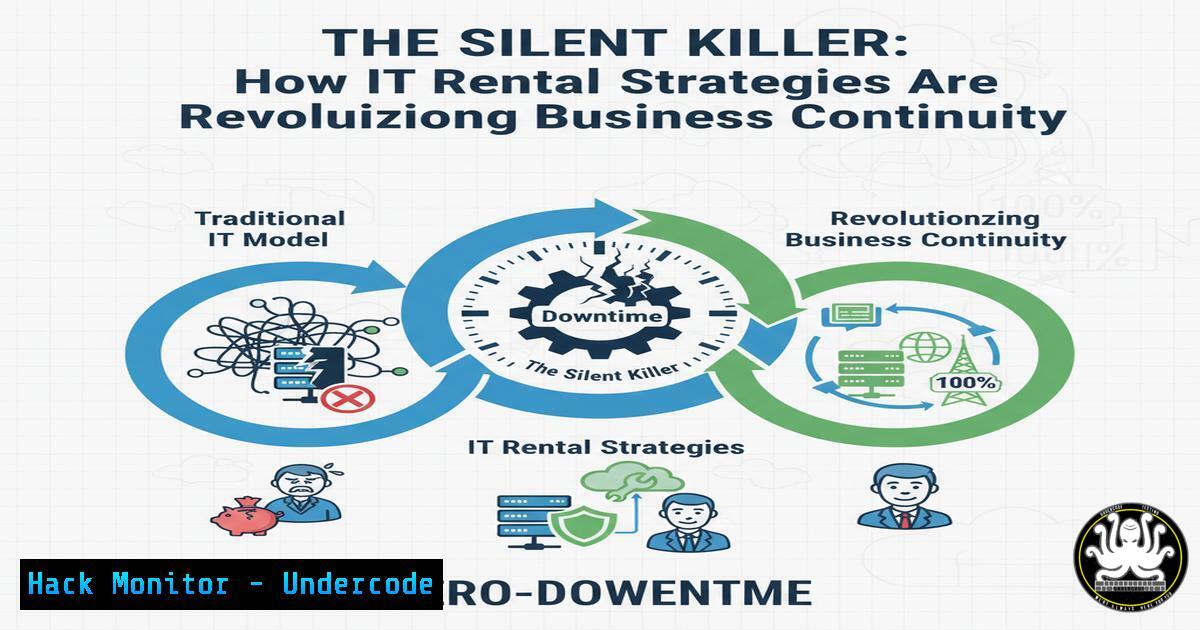
In today’s hyper-connected digital economy, unplanned server downtime is not an inconvenience; it is an existential threat. The paradigm for business continuity is shifting from traditional, capital-intensive hardware redundancy to agile, operational-expenditure models like strategic IT rentals. This approach provides enterprises with a formidable weapon to combat the astronomical costs of operational paralysis, transforming disaster recovery from a cost center into a competitive advantage.
Learning Objectives:
- Understand the critical role of IT rentals in a modern, resilient business continuity and disaster recovery (BCDR) plan.
- Learn to configure and deploy rapid-replacement infrastructure, including servers, workstations, and network storage.
- Master essential commands for system diagnostics, data integrity checks, and secure data migration during a recovery event.
You Should Know:
1. Pre-Crisis: Hardware Inventory and Readiness Assessment
Before a crisis strikes, proactive inventory of your critical systems is paramount. This allows for swift and accurate provisioning of rental equipment.
Verified Commands & Guides:
- Linux: `lshw -short` – This command provides a concise, structured list of all hardware components.
- Step-by-step: Run `sudo lshw -short` to get a quick overview of system hardware, including CPU, memory, and storage controllers, which is crucial for specifying rental server requirements.
- Windows: `systeminfo | findstr /C:”Total Physical Memory” /C:”Processor(s)”` – Filters system information to show key specs.
- Step-by-step: Execute in Command Prompt. This instantly reveals processor count and total RAM, ensuring you order a rental machine with equivalent or greater capacity.
- PowerShell: `Get-Disk | Format-List Number, Size, FriendlyName` – Lists all disks with their sizes.
- Step-by-step: This PowerShell cmdlet helps you document your storage configuration, making it easy to request appropriate rental storage arrays.
2. Rapid Deployment: Automating OS and Service Configuration
When the rental hardware arrives, time is of the essence. Automation is key to rapid deployment.
Verified Commands & Guides:
- Linux (Cloud-Init): `cloud-init modules –mode config` – Checks the configuration modules for a cloud-init setup.
- Step-by-step: Pre-configure a `user-data` file with packages, users, and scripts. On boot, the rental server auto-configures itself, slashing setup time from hours to minutes.
- Windows (Answer File): Using an Unattend.xml file for automated Windows installation.
- Step-by-step: Create an Unattend.xml file that specifies the product key, regional settings, and user accounts. Reference it during Windows setup on the rental hardware for a hands-off installation.
- Docker: `docker-compose up -d` – Deploys a multi-container application.
- Step-by-step: Store your application’s `docker-compose.yml` file in version control. On the new rental server, install Docker, pull the file, and run this command to instantly spin up your entire application stack.
3. Data Integrity and Secure Migration
Ensuring data is intact and securely transferring it to the new system is a critical, sensitive phase.
Verified Commands & Guides:
- Linux (Checksum): `sha256sum /path/to/critical_backup.tar.gz` – Generates a SHA-256 checksum.
- Step-by-step: Generate a checksum for your backup file on the source. After transfer, generate it again on the rental server. Matching hashes guarantee data integrity.
- Rsync: `rsync -avz –progress /source/folder/ user@rental-server-ip:/destination/folder/` – Securely synchronizes files.
- Step-by-step: This command copies files over SSH (
-zfor compression, `-a` for archive mode). It’s efficient for syncing live data directories to the new rental infrastructure. - PowerShell (Robocopy): `robocopy C:\Data \\rental-server\C$\Data /MIR /Z /R:5 /W:5` – Robust file copying for Windows.
- Step-by-step: The `/MIR` mirrors the directory tree, `/Z` allows restartable mode, and `/R/W` set retry limits. This ensures a complete and resilient copy of Windows file shares.
4. Network Hardening and Service Verification
Once systems are live, immediate verification and hardening are necessary to maintain security posture.
Verified Commands & Guides:
- Nmap: `nmap -sS -O rental-server-ip` – Conducts a SYN scan and OS detection.
- Step-by-step: Run this from a trusted management station against the new rental server to quickly identify which network ports are open and confirm the OS, uncovering any unintended exposures.
- Netcat (Listener Test): `nc -lvnp 443` – Listens on a specified port.
- Step-by-step: On the rental server, run this to listen on port 443. From another machine, try
nc rental-server-ip 443. A connection confirms the service port is accessible, a basic but crucial network connectivity test. - Windows Firewall: `Get-NetFirewallRule -DisplayGroup “Remote Desktop” | Enable-NetFirewallRule` – Enables RDP firewall rules via PowerShell.
- Step-by-step: This cmdlet quickly enables the necessary Windows Firewall rules for Remote Desktop access, a common requirement for administering a rental Windows server.
5. Application-Level Health Checks
Beyond the OS, your applications must be verified as functional and performing correctly.
Verified Commands & Guides:
- cURL for API Endpoints: `curl -X GET https://rental-server-ip/api/health -H “Authorization: Bearer
“` – Tests a REST API health endpoint. - Step-by-step: This command simulates a client checking your application’s status. A `HTTP 200` response indicates the core application service is running correctly.
- PostgreSQL Check: `pg_isready -h rental-server-ip` – Checks the connection status of a PostgreSQL database.
- Step-by-step: A simple command to verify that your database service on the rental server is accepting connections, a fundamental prerequisite for application functionality.
- Log Inspection (Linux): `journalctl -u your-application-service –since “10 minutes ago” –no-pager` – Queries systemd logs for a specific service.
- Step-by-step: Use this to inspect the most recent logs for your application, looking for `”started”` confirmations or error messages immediately after service launch.
6. Performance Baselining on New Hardware
Ensure the rental infrastructure meets or exceeds the performance of your failed hardware.
Verified Commands & Guides:
- Linux (I/O Test): `dd if=/dev/zero of=/tmp/testfile bs=1G count=1 oflag=dsync` – Tests sequential write speed.
- Step-by-step: This writes a 1GB file, providing a rough benchmark of the disk’s write performance. Compare the output MB/s to your baseline.
- Windows (PerfMon): `perfmon /report` – Generates a system performance and health report.
- Step-by-step: Run this in Command Prompt. It collects data for 60 seconds and generates a detailed HTML report on CPU, memory, disk, and network performance of the rental machine.
- Memory Stress Test: `memtester 1G 1` – Tests a portion of RAM for errors (install via package manager).
- Step-by-step: Allocates and tests 1GB of memory for one iteration. It’s a quick check to ensure the rental system’s memory is not faulty, which is critical for stability.
7. Post-Recovery: Decommissioning and Secure Data Wiping
Once the permanent solution is in place, the rental equipment must be decommissioned securely to protect sensitive data.
Verified Commands & Guides:
- Linux (Secure Wipe): `shred -v -n 1 /dev/sdX` – Overwrites a storage device once to hide data.
- Step-by-step: WARNING: This is destructive. Replace `/dev/sdX` with the correct disk. This command overwrites the entire disk on the rental unit, preventing data leakage before return.
- Windows (Cipher): `cipher /w:C:\` – Wipes free space on a Windows volume.
- Step-by-step: Run this as Administrator on the rental server’s C: drive after you’ve migrated data off. It overwrites the deleted data’s free space three times, ensuring deleted files cannot be recovered.
- NVMe Secure Erase: `nvme format /dev/nvme0n1 -s 1` – Issues a cryptographic erase for NVMe SSDs.
- Step-by-step: This command, run from an admin shell, instantly renders all data on the SSD unreadable by erasing the encryption key, which is the fastest and most secure method for modern SSDs.
What Undercode Say:
- Strategic Flexibility is the New Redundancy. Building a fortress of owned hardware is no longer the pinnacle of resilience. True modern resilience lies in the contractual and technical ability to pivot instantly to a rental supply chain, treating physical infrastructure as a fluid, on-demand resource.
- The BCDR Playbook is Now a Live Document. A static disaster recovery plan is a liability. Your BCDR must be a living document, integrated with automated deployment scripts (Docker, cloud-init, PowerShell DSC) and pre-vetted vendor contacts, ready to be executed at a moment’s notice. The technical commands and procedures outlined are not just for the crisis moment; they are for the continuous testing and refinement of this live playbook.
The analysis suggests that the convergence of hardware-as-a-service models and robust infrastructure-as-code practices is rendering the traditional “cold standby” data center obsolete. Companies that master the logistics and technical orchestration of IT rentals effectively create an “elastic” balance sheet for their physical IT assets, converting fixed costs into variable ones while simultaneously boosting their recovery speed. This is not merely a tactical fix for hardware failure; it is a strategic re-architecting of operational continuity.
Prediction:
The 2024 Uptime Institute data highlighting the severe cost of downtime will catalyze a fundamental shift in enterprise risk management. Within the next 3-5 years, we predict that over 70% of major enterprises will formally integrate pre-negotiated IT rental agreements into their core BCDR strategies. This will be coupled with a rise in “Disaster-Recovery-as-a-Service” (DRaaS) platforms that automate the entire rental provisioning and deployment workflow via APIs. Failure to adopt this agile hardware model will not just be seen as a technological oversight, but as a gross failure of fiduciary duty, leaving companies strategically vulnerable to competitors who can recover from disruptions in hours, not days.
🎯Let’s Practice For Free:
IT/Security Reporter URL:
Reported By: Basantupadhyay Businesscontinuity – Hackers Feeds
Extra Hub: Undercode MoN
Basic Verification: Pass ✅


