Listen to this Post
Introduction:
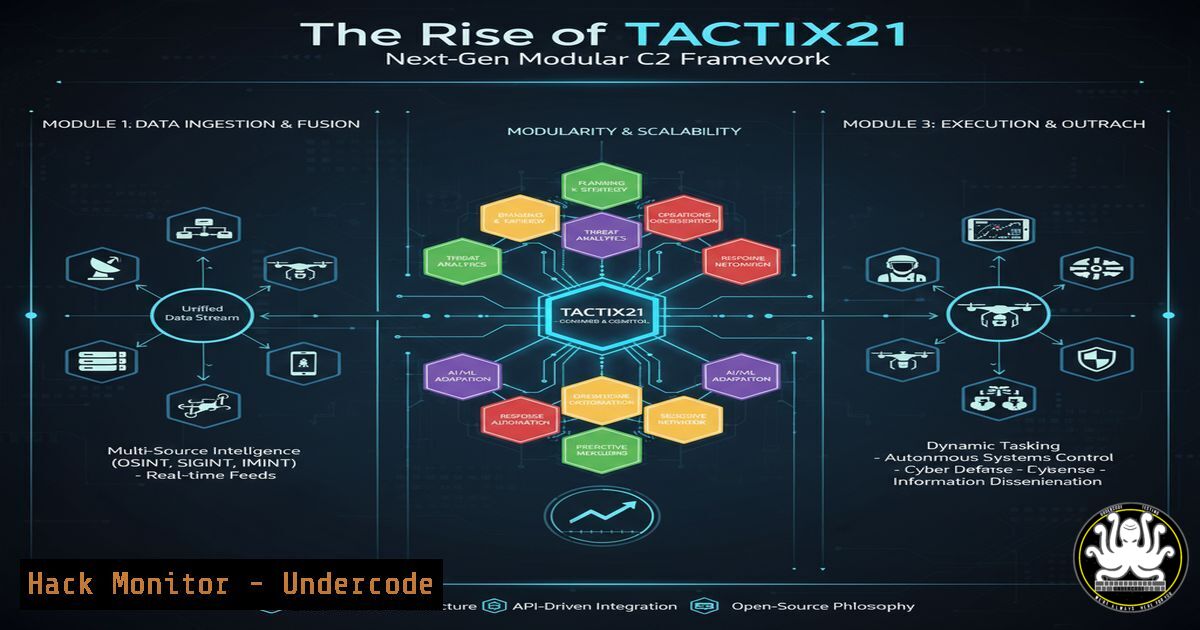
The Command and Control (C2) landscape is evolving with the advent of more sophisticated, evasive frameworks. Tactix2.1 represents a significant leap, moving beyond basic reverse shells to a Fully Undetectable (FUD) system built on a REST API client/server model. This modular, reflectively loaded architecture promises to redefine post-exploitation tradecraft for red teams and pose a substantial new challenge for blue team defenders.
Learning Objectives:
- Understand the core architecture and evasion techniques of modern C2 frameworks like Tactix2.1.
- Learn essential commands for detecting and analyzing reflective loading and lateral movement.
- Develop mitigation strategies to harden networks against advanced post-exploitation activities.
You Should Know:
1. Detecting Reflective DLL Loading
Reflective loading allows malware to map a DLL directly from memory into a process without using the Windows API, bypassing traditional monitoring.
Command (Windows – PowerShell):
Get-Process | ForEach-Object { $<em>.Modules } | Group-Object ModuleName | Where-Object { $</em>.Count -eq 1 } | Select-Object Name
Step-by-step guide:
This PowerShell command enumerates all loaded modules (DLLs) across running processes. It then groups them by name and filters for modules that appear only once. A uniquely loaded DLL in a single process can be a potential indicator of reflective injection, as legitimately signed Windows DLLs are typically loaded into multiple processes. Correlate this with processes that have no disk presence (e.g., Get-Process | Where-Object { $_.Path -eq $null }) for a stronger signal.
2. Monitoring for Unusual Network Protocols
Tactix2.1’s ability to operate over HTTP, HTTPS, TCP, and SMB requires broad network monitoring.
Command (Linux – tcpdump):
sudo tcpdump -i any -n 'tcp port not (22 or 53 or 80 or 443) and udp port not 53'
Step-by-step guide:
This `tcpdump` filter captures all TCP and UDP traffic that is not using common, expected ports like SSH (22), DNS (53), HTTP (80), and HTTPS (443). This helps identify beaconing or C2 communication happening over non-standard or potentially malicious channels like raw TCP or SMB (ports 139/445). Analyze the captured packets to identify the source and destination IPs and the protocol in use.
3. Hunting Beaconing Activity with Sigma
Beaconing is a hallmark of C2 communication. Using a SIEM with Sigma rules can help detect it.
Sigma Rule Snippet (YAML):
title: Potential C2 Beaconing Activity
logsource:
category: firewall
detection:
selection:
dst_port: 443
action: allow
timeframe: 5m
condition: selection | count() by src_ip > 50
falsepositives:
- Legitimate update services
level: medium
Step-by-step guide:
This Sigma rule detects potential beaconing by counting the number of outbound connections to a specific port (e.g., 443 for HTTPS) from a single source IP within a 5-minute window. A high count (e.g., >50) suggests automated, periodic check-ins. Import this rule into your SIEM (like Elasticsearch, Splunk) and tune the `timeframe` and count threshold based on your network’s baseline to reduce false positives.
4. Investigating Lateral Movement via SMB
Tactix2.1’s lateral movement capabilities likely leverage SMB for network propagation.
Command (Windows – Command Prompt):
net session | findstr "\\"
Step-by-step guide:
This command lists all active SMB sessions to the local computer. The output will show the source computer name (e.g., \\WORKSTATION-7). Unusual or unexpected SMB sessions, especially from workstations or servers that do not typically need to access file shares on the host, can indicate lateral movement attempts. Investigate the source machine immediately.
5. Analyzing Process Hollowing
The “BOF-style” modular execution may use techniques like process hollowing.
Command (Windows – Sysinternals Process Explorer):
Graphical Tool: Use Process Explorer’s “Verify” feature.
- Download and run Sysinternals Process Explorer as Administrator.
2. Right-click on a suspicious process.
3. Select “Verify”.
- A result of “Unable to verify” or a mismatch in the company name for a common process (like
svchost.exe) indicates the executable image in memory has been replaced or hollowed out.
6. Auditing for WMI Persistence and Lateral Movement
Attackers often use WMI for persistence and lateral movement.
Command (Windows – PowerShell):
Get-WmiObject -Namespace root\Subscription -Class __EventFilter | Select-Object Name, Query
Step-by-step guide:
This command queries WMI Event Filters, which are often used in persistence mechanisms (e.g., WMI Event Subscription). Review the output for any filters with suspicious names or queries that trigger on events like user logon or system startup. Malicious filters will often have randomly generated names or queries that execute payloads. To investigate further, look at the associated `__EventConsumer` and `__FilterToConsumerBinding` classes.
7. Hardening API Endpoints
Given the REST API foundation, protecting your own APIs is critical.
Command (Linux – nmap):
nmap -p 80,443,8080,8443 --script http-methods,http-security-headers <target_ip_or_domain>
Step-by-step guide:
This `nmap` command scans a target web server for common API ports and runs two scripts. The `http-methods` script identifies allowed HTTP methods (e.g., PUT, DELETE); disable any that are unnecessary. The `http-security-headers` script checks for the presence of security headers like `Content-Security-Policy` and Strict-Transport-Security. The absence of these headers makes the API more vulnerable to attacks. Use the output to configure your web server to only allow necessary methods and implement robust security headers.
What Undercode Say:
- The shift towards API-driven, modular C2 frameworks lowers the barrier for sophisticated attacks, allowing less skilled actors to leverage advanced capabilities.
- Defensive strategies must pivot from pure signature-based detection to behavioral analysis, focusing on anomalous process memory, network patterns, and privileged WMI usage.
The emergence of Tactix2.1 is not an isolated event but part of a clear trend in the weaponization of software development principles. By adopting a REST API and a plugin-based architecture, these frameworks are becoming more resilient, user-friendly, and adaptable. This mirrors legitimate software development, making them harder to distinguish from normal traffic and easier to extend. The defensive community’s focus must expand beyond initial exploitation to the entire post-exploitation chain, where the real damage occurs. Detecting the subtle artifacts of in-memory execution and anomalous internal protocol usage is now paramount.
Prediction:
The modular, API-first design of frameworks like Tactix2.1 will become the industry standard for offensive tooling within two years. This will lead to a surge in “C2-as-a-Service” models in the cybercriminal underground, drastically reducing the cost and skill required for complex network intrusions. Consequently, defense-in-depth strategies will become non-negotiable, forcing widespread adoption of Zero-Trust architectures, rigorous application control, and advanced Endpoint Detection and Response (EDR) systems capable of real-time memory analysis. The cat-and-mouse game will intensify, with AI-driven security models becoming essential to parse the noise and identify these stealthy, persistent threats.
🎯Let’s Practice For Free:
IT/Security Reporter URL:
Reported By: Jwallaceni Pentesting – Hackers Feeds
Extra Hub: Undercode MoN
Basic Verification: Pass ✅


