
Listen to this Post
Introduction:
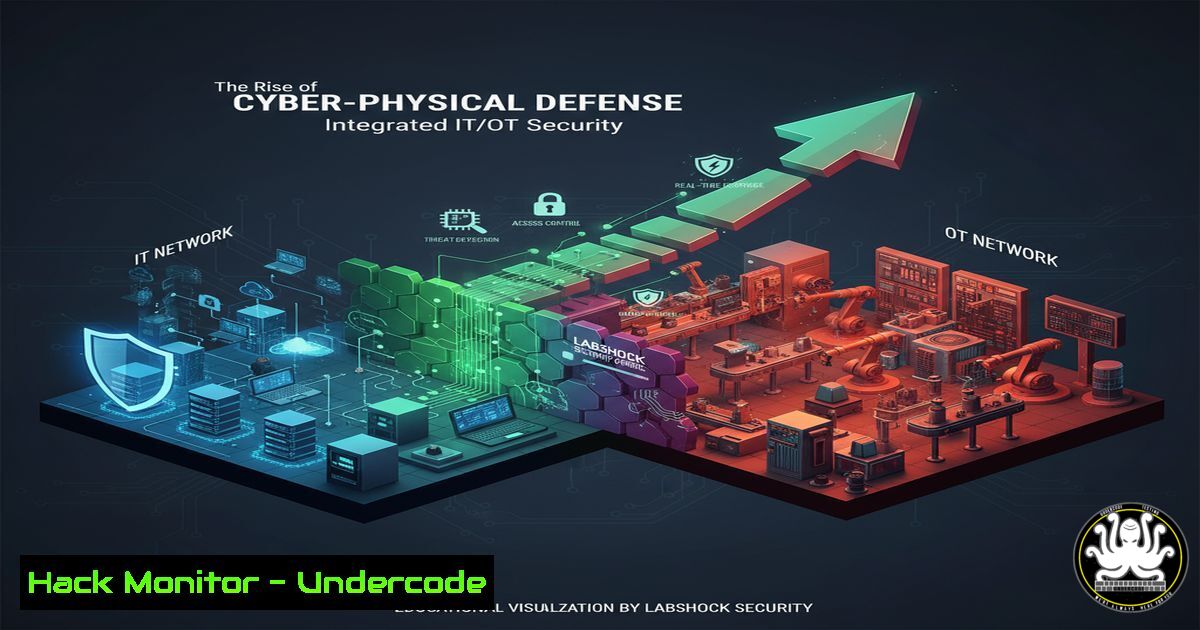
The convergence of operational technology (OT) and information technology (IT) has created a new frontier in cybersecurity, where digital attacks have direct physical consequences. Labshock Security, demonstrated at a recent industry conference, emerges as a powerful platform designed to secure these critical environments by providing real-time monitoring and control of industrial processes, proving that effective cyber-physical security is not just a concept but an operational reality.
Learning Objectives:
- Understand the core components and capabilities of a modern OT security platform like Labshock.
- Learn essential commands for monitoring and securing both IT and OT environments.
- Develop a methodology for implementing cyber-physical security controls and incident response.
You Should Know:
1. Monitoring Industrial Network Protocols
Modern OT security platforms rely on deep packet inspection to monitor proprietary industrial protocols. Using tools like `tcpdump` is fundamental for initial traffic analysis.
`tcpdump -i eth0 -A ‘tcp port 502’`
This command captures all traffic on the `eth0` interface destined for TCP port 502, commonly used by the Modbus OT protocol. The `-A` flag prints each packet in ASCII, which can help in decoding plain-text commands sent to industrial controllers.
Step-by-step guide: First, identify the network interface connected to the OT network using ip addr. Install tcpdump if necessary (sudo apt-get install tcpdump). Run the command and initiate a process change in your OT environment. The captured packets will reveal the command and control traffic, allowing you to baseline normal operations and identify anomalous commands that could indicate a cyber-attack.
2. Asset Discovery in OT Environments
You cannot secure what you don’t know. Automating asset discovery is the first step in OT security hardening.
`nmap -sS -sU -O -p- 192.168.1.0/24`
This Nmap command performs a SYN scan (-sS), a UDP scan (-sU), and OS fingerprinting (-O) against all ports (-p-) on the entire subnet. In OT networks, this helps identify Programmable Logic Controllers (PLCs), Human-Machine Interfaces (HMIs), and engineering workstations.
Step-by-step guide: Ensure you have scanning approval to avoid disrupting sensitive devices. Run the command from a machine on the OT network. Analyze the output for open ports associated with OT protocols (e.g., 502 for Modbus, 20000 for DNP3). The OS fingerprinting can often identify the vendor and model of an industrial device.
3. Windows Security Logging for ICS Hosts
Industrial Control System (ICS) hosts like HMIs are high-value targets. Robust logging is critical for detection.
`Get-WinEvent -LogName Security -MaxEvents 10 | Where-Object {$_.Id -eq 4625}`
This PowerShell command retrieves the last 10 failed logon events (Event ID 4625) from the Windows Security log. A spike in these events can indicate a brute-force attack on a critical engineering workstation.
Step-by-step guide: Open PowerShell with administrative privileges. Run the command to review recent authentication failures. To create a continuous monitoring script, incorporate this command into a scheduled task that alerts an administrator when failures from a single source IP exceed a threshold within a minute.
4. Hardening PLC Configurations
Preventing unauthorized changes to PLC logic is a core tenet of OT security. This often involves changing default credentials and disabling unused services.
`python3 plc_passwd_reset.py –ip 192.168.1.10 –newpassword ‘S7r0ngP@ss!’`
(This is a conceptual example using a hypothetical Python script). Many PLC vendors provide proprietary tools or APIs for management. The command illustrates resetting a default password to a strong, unique one.
Step-by-step guide: Consult the vendor documentation for your specific PLC model to find the correct CLI tool or web API endpoint. Never leave default credentials in place. As part of the hardening process, also disable any unused network services or ports on the PLC itself to reduce the attack surface.
5. Container Security for OT Application Deployment
Platforms like Labshock may be deployed in containerized environments. Securing these containers is paramount.
`docker run –cap-drop=ALL –read-only -v /opt/labshock/config:/config:ro labshock/app:latest`
This `docker run` command starts a Labshock application container in a highly secure manner. It drops all Linux capabilities (--cap-drop=ALL), runs the root filesystem in read-only mode, and mounts a configuration directory as read-only.
Step-by-step guide: When deploying containerized applications in an OT environment, adopt a least-privilege model. Use `–cap-drop=ALL` and then only add back specific capabilities if absolutely required. The `–read-only` flag prevents an attacker from persisting malware or altering the application binary on the filesystem.
6. API Security for Cyber-Physical Data
OT platforms communicate via APIs. Securing these endpoints prevents data manipulation that could lead to physical impacts.
curl -H "Authorization: Bearer $JWT_TOKEN" -H "Content-Type: application/json" https://labshock-api/api/v1/sensors/temperature/feed`https://`) to encrypt data in transit. The API server should validate the JWT signature and permissions for every request to ensure that only authorized systems can submit or retrieve operational data.
This `curl` command demonstrates how to securely call a Labshock API endpoint to feed temperature sensor data. It uses a JSON Web Token (JWT) in the Authorization header for secure, stateless authentication.
Step-by-step guide: Generate a JWT token through a separate authentication service. Always use HTTPS (
7. Incident Response: Isolating a Compromised OT Asset
When a device is suspected of being compromised, network isolation is a key mitigation step.
`iptables -A INPUT -s 192.168.1.55 -j DROP && iptables -A OUTPUT -d 192.168.1.55 -j DROP`
These Linux `iptables` commands immediately isolate the compromised asset with IP 192.168.1.55 by dropping all incoming traffic from it and all outgoing traffic to it. This contains the threat while investigation occurs.
Step-by-step guide: First, ensure your incident response plan defines the authority for taking such actions to avoid unnecessary operational disruption. SSH into the network gateway or firewall managing the OT segment. Run the commands to block the IP. Log the action and begin forensic analysis on the isolated device.
What Undercode Say:
- The Era of Vaporware is Over. The demonstration of Labshock on a fully isolated OT platform, responding to a physical E-Stop, validates that mature, functional cyber-physical security solutions are now available. Vendors can no longer hide behind promises and fancy dinners; the market will now demand live, in-booth proofs of concept.
- Operational Clarity Drives Adoption. The positive feedback from major corporations, who noted Labshock’s superior operational display over incumbent solutions, highlights a critical success factor. For security tools to be adopted in OT environments, they must enhance, not hinder, the operator’s situational awareness and control. The integration of real-time sensor data and clear alert statuses directly addresses this need.
The success of Labshock’s demo signals a pivotal shift in the ICS/OT security landscape. The focus is moving from theoretical frameworks to practical, demonstrable solutions that provide tangible value. The platform’s ability to integrate physical events (E-Stop, stack light status) with cybersecurity alerting creates a unified operational picture that has been sorely lacking. This forces the entire industry to elevate its game, prioritizing engineering excellence and user-centric design over marketing hype. The bar for what constitutes a credible OT security vendor has been permanently raised.
Prediction:
The demonstrated success of integrated platforms like Labshock will catalyze a wave of innovation and consolidation in the OT security market over the next 18-24 months. Legacy vendors will be forced to acquire or rapidly develop similar cyber-physical capabilities to remain competitive. We will see a sharp increase in the demand for Security Orchestration, Automation, and Response (SOAR) platforms specifically tailored for OT, where automated playbooks can respond to cyber-threats by initiating controlled physical safety procedures, much like the bypass mode shown in the demo. This will fundamentally blur the lines between safety and security systems, leading to the emergence of a new, unified discipline: Cyber-Physical Resilience Engineering.
🎯Let’s Practice For Free:
IT/Security Reporter URL:
Reported By: Kevin Kumpf – Hackers Feeds
Extra Hub: Undercode MoN
Basic Verification: Pass ✅


