Listen to this Post
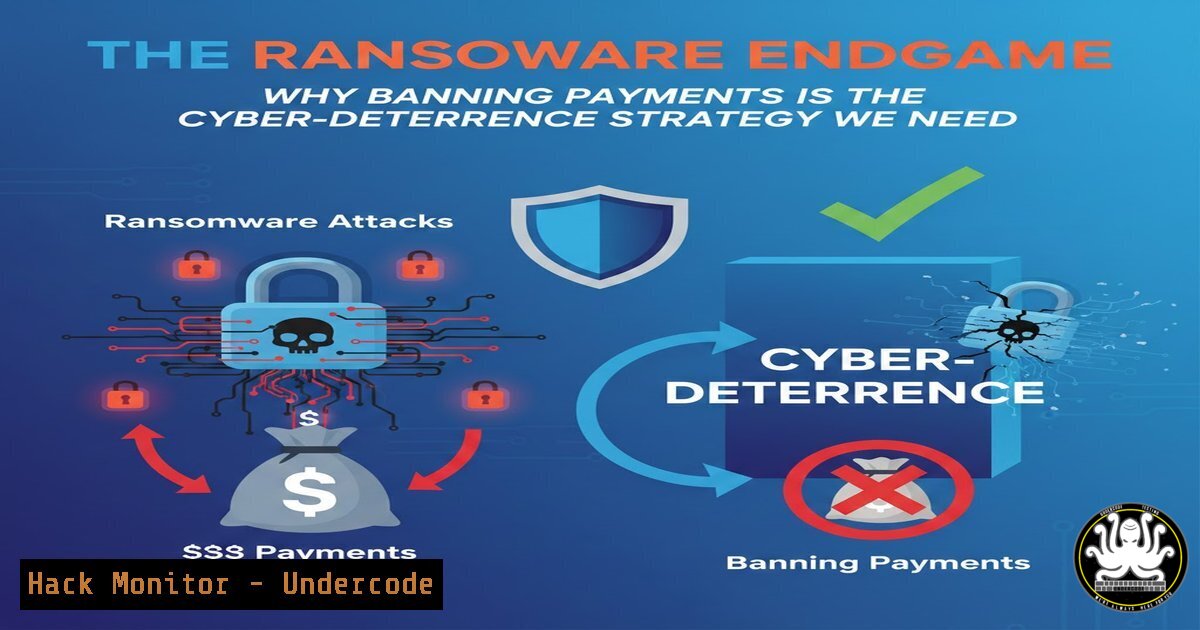
Introduction:
The debate over banning ransomware payments is intensifying as attacks cripple critical infrastructure and drain billions from the global economy. While paying a ransom seems like the fastest path to recovery, it fuels a vicious cycle that empowers criminal enterprises. A legal prohibition, though fraught with complexity, could fundamentally reshape the cybersecurity landscape by dismantling the financial incentives driving these attacks.
Learning Objectives:
- Understand the economic and security implications of a comprehensive ransom payment ban.
- Implement technical controls and recovery strategies to operate effectively in a potential no-pay environment.
- Develop proactive defense-in-depth measures to prevent ransomware from achieving initial compromise and lateral movement.
You Should Know:
1. The Hardening of Network Perimeters and Endpoints
The first line of defense is preventing initial access. This requires a multi-layered approach spanning network segmentation, endpoint protection, and rigorous patch management.
Step-by-step guide explaining what this does and how to use it.
Network Segmentation: Isolate critical systems from general corporate networks. An attacker breaching a user’s workstation should not be able to reach SCADA systems or primary databases.
How to use it: Create separate VLANs for different trust zones (e.g., Corporate, DMZ, Operational Technology). Enforce strict firewall rules that only allow necessary communication between segments. The principle of least privilege should apply to network traffic.
Linux/Windows Commands:
Linux (using iptables): To block all traffic from the `192.168.10.0/24` subnet to the `10.0.0.50` server (your database), you would use: `sudo iptables -A FORWARD -s 192.168.10.0/24 -d 10.0.0.50 -j DROP`
Windows (using PowerShell): You can use the `New-NetFirewallRule` cmdlet. To block a specific port, e.g., TCP 445 (SMB) which is often exploited by ransomware, run: `New-NetFirewallRule -DisplayName “Block_SMB_In” -Direction Inbound -Protocol TCP -LocalPort 445 -Action Block`
Endpoint Detection and Response (EDR): Deploy EDR solutions that use behavioral analysis to detect and block ransomware activities, such as mass file encryption.
How to use it: Ensure EDR agents are installed on all servers and workstations. Configure policies to block processes that attempt to modify a high volume of files in a short period or that use known ransomware-like APIs (e.g., CryptoAPI for encryption without user interaction).
2. Immutability: The Unbreakable Backup
Traditional backups are often the first target for sophisticated ransomware gangs. Immutable backups cannot be altered or deleted for a specified retention period, making them a reliable recovery option.
Step-by-step guide explaining what this does and how to use it.
What it does: Immutability is typically implemented at the object storage level (e.g., on AWS S3, Azure Blob Storage, or on-premises solutions like Veeam Hardened Repository). Once set, an object cannot be overwritten or deleted, even by an administrator with root access, until the retention lock expires.
How to use it:
- Cloud (AWS S3 Example): When creating your S3 bucket for backups, enable S3 Object Lock. You can set a retention period in days or years. Objects written with this lock are immutable.
- On-Premises (Veeam Hardened Repository): Deploy a Linux server as your backup repository. Use Veeam’s configuration to make it a “Hardened Repository,” which leverages immutability. A common command to set immutability on the Linux filesystem level (XFS) is using the `chattr` command, which the Veeam software manages automatically:
chattr +i /path/to/backupfile.vbk. The `+i` flag sets the immutable attribute.
Verification: Regularly test your recovery process by performing a “fire drill” to restore a non-critical server from an immutable backup. This validates both the integrity of the backup and your operational procedures. -
Exploiting and Mitigating the Human Factor with Security Training
Phishing remains the primary initial attack vector. Continuous security awareness training is not a “nice-to-have” but a critical control layer.
Step-by-step guide explaining what this does and how to use it.
What it does: Training transforms users from the weakest link into a human firewall. It teaches them to identify phishing attempts, suspicious attachments, and social engineering tactics.
How to use it:
- Simulated Phishing Campaigns: Use platforms like KnowBe4 or Cofense to run regular, controlled phishing simulations against your own employees.
- Gamified Learning: Implement short, engaging training modules that cover topics like password hygiene, reporting procedures, and current threat trends.
- Measure and Adapt: Track click rates on simulated phishing emails. Provide immediate feedback to users who fail the test and offer targeted training.
-
Hunting for Living Off the Land Binaries (LOLBins)
Advanced attackers avoid deploying custom malware and instead use trusted system tools (like PowerShell or Windows Management Instrumentation) to avoid detection.
Step-by-step guide explaining what this does and how to use it.
What it does: LOLBin attacks make malicious activity look like legitimate administrative work. Monitoring for anomalous use of these tools is key.
How to use it (Windows – PowerShell Logging):
1. Enable Script Block Logging: In a Group Policy Object (GPO) or locally via gpedit.msc, navigate to Administrative Templates -> Windows Components -> Windows PowerShell. Enable “Turn on PowerShell Script Block Logging”. This logs the contents of all scripts executed.
2. Monitor with SIEM: Forward these Windows Event Logs (specifically Event ID 4104) to your SIEM (Security Information and Event Management) system. Create alerts for PowerShell scripts that contain known-bad keywords or that are launched from unusual parent processes.
PowerShell Command to check logging status: `Get-ItemProperty -Path “HKLM:\SOFTWARE\Policies\Microsoft\Windows\PowerShell\ScriptBlockLogging” -Name “EnableScriptBlockLogging”`
5. The Zero Trust Mandate: “Never Trust, Always Verify”
Zero Trust is a security model that requires strict identity verification for every person and device trying to access resources on a private network, regardless of whether they are sitting within the network perimeter or not.
Step-by-step guide explaining what this does and how to use it.
What it does: It minimizes the attack surface by ensuring access is granted on a per-session, per-resource basis. It assumes breach and verifies explicitly.
How to use it:
- Implement Multi-Factor Authentication (MFA): MFA should be mandatory for all users, especially for administrative and cloud console access. This is the single most effective control to prevent credential theft.
- Adopt Micro-Segmentation: Go beyond network VLANs. Use host-based firewalls or software-defined networking to control traffic between individual workloads, even within the same subnet.
- Use Conditional Access Policies: In environments like Microsoft Azure AD, you can create policies that block access from non-compliant devices, untrusted locations, or when a risky sign-in is detected.
What Undercode Say:
- A ransom payment ban, while politically and ethically challenging, is the only long-term solution to break the criminal business model. The short-term pain of forced recovery would be outweighed by the long-term collapse of the ransomware economy.
- The focus must shift from “how to pay and recover” to “how to prevent and resist.” Investment will naturally flow towards immutable backups, advanced EDR, and robust security hygiene, creating a more resilient digital ecosystem.
- The concept of “traceable currency” or “hacking back” is a dangerous fantasy. It introduces significant legal and operational risks and distracts from the core mission of building defensible infrastructure.
Analysis:
The debate is not merely about legality but about economic signaling. Every payment is a venture capital investment in the ransomware-as-a-service industry. A ban would be a seismic shock, forcing all organizations to confront their cybersecurity deficiencies head-on. While critics rightly point to the potential for catastrophic downtime in critical sectors during a transition period, this overlooks the unsustainable trajectory we are already on. The current approach of paying ransoms is a form of collective action failure; a ban would compel collective action towards resilience. The role of government would also evolve, potentially including subsidized cyber insurance for those who meet hardened security standards and national support teams for incident response.
Prediction:
In the next 3-5 years, we will see a fractured global approach, with some nations implementing strict bans and others allowing payments under specific circumstances. This will create a complex regulatory environment for multinational corporations. However, the relentless increase in attack frequency and cost will make the status quo untenable. The convergence of AI-powered threats and potentially catastrophic attacks on physical infrastructure will ultimately tip the scales in favor of a payment ban, catalyzing a new era of security-by-design and mandatory resilience standards. The organizations that survive and thrive will be those that acted as if the ban was already in place.
🎯Let’s Practice For Free:
IT/Security Reporter URL:
Reported By: Danlohrmann Should – Hackers Feeds
Extra Hub: Undercode MoN
Basic Verification: Pass ✅


