Listen to this Post
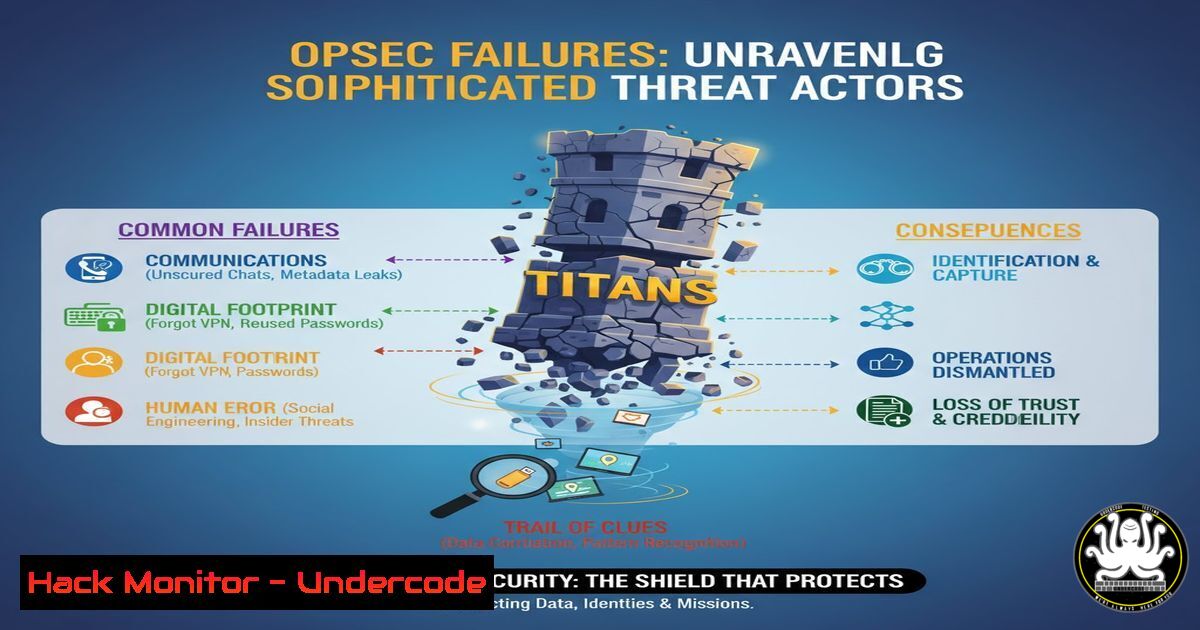
Introduction:
Operational security (OPSEC) is the critical discipline of protecting your data and digital footprints from adversaries. As revealed in recent intelligence research, even well-funded, sophisticated threat groups are consistently compromised not by advanced cyber weapons, but by fundamental OPSEC failures, providing intelligence agencies with a decisive advantage.
Learning Objectives:
- Identify the most common and critical OPSEC vulnerabilities in offensive cyber operations.
- Implement verified commands and techniques to harden your digital footprint across platforms.
- Understand how intelligence agencies exploit these failures to attribute and counter threats.
You Should Know:
1. OSINT Footprint Analysis with `theHarvester`
The first step in understanding your exposure is to see what an adversary can see. The `theHarvester` tool is a cornerstone of OSINT (Open-Source Intelligence) gathering.
Command:
theHarvester -d yourcompany.com -b all -l 500 -f results.html
Step-by-step guide:
What it does: This command scrapes public data from dozens of sources including search engines, PGP key servers, and Shodan to find emails, subdomains, hosts, and employee names associated with a target domain.
How to use it:
- Install `theHarvester` from its GitHub repository (`git clone https://github.com/laramies/theHarvester`).
- Run the command in your terminal, replacing `yourcompany.com` with your target domain.
- The `-b all` flag specifies all available data sources.
- The `-l 500` limits the number of results per source to 500.
- The `-f results.html` outputs the findings to an HTML file for easy review.
- Analyze the output to understand your public-facing digital footprint.
2. Network Anonymity and Tor Routing
Using personal infrastructure for operational activities is a primary failure. Routing traffic through the Tor network is a fundamental obfuscation technique.
Command (Linux):
sudo systemctl start tor && torsocks firefox
Step-by-step guide:
What it does: This command first ensures the Tor service is running and then launches the Firefox web browser through torsocks, which routes all of the browser’s traffic through the Tor network, masking your real IP address.
How to use it:
- Install `tor` and `torsocks` via your package manager (e.g.,
sudo apt install tor torsocks). - Run `sudo systemctl start tor` to start the Tor daemon.
- Launch Firefox with
torsocks firefox. All web traffic from this instance will now be anonymized. - Verify your IP address by visiting a site like
whatismyipaddress.com.
3. Windows Host Firewall Hardening
A misconfigured host firewall can leak data or allow unauthorized access. Windows Defender Firewall with Advanced Security provides granular control.
Command (Windows PowerShell as Administrator):
New-NetFirewallRule -DisplayName "Block Outbound SMB" -Direction Outbound -Protocol TCP -RemotePort 445 -Action Block
Step-by-step guide:
What it does: This PowerShell command creates a new outbound firewall rule that blocks all traffic on TCP port 445, commonly used for Server Message Block (SMB). This can prevent data exfiltration or lateral movement via this protocol.
How to use it:
1. Open Windows PowerShell with Administrator privileges.
- Execute the command. The `-DisplayName` gives the rule a recognizable name.
- To verify the rule is active, run
Get-NetFirewallRule -DisplayName "Block Outbound SMB". - Apply similar rules for other non-essential ports (e.g., 135, 139, 23) to reduce attack surface.
4. Detecting Persistence via Scheduled Tasks
Adversaries often establish persistence through scheduled tasks. Regularly auditing these tasks is crucial for defense.
Command (Windows Command Prompt):
schtasks /query /fo LIST /v
Step-by-step guide:
What it does: This command queries all scheduled tasks on the Windows system and presents them in a detailed list format, showing the task name, run time, executable path, and user account.
How to use it:
1. Open Command Prompt.
2. Run `schtasks /query /fo LIST /v`.
- Scrutinize the output for suspicious tasks. Look for tasks running from unusual locations (e.g.,
C:\Temp\, user `AppData` folders) or with obscure, randomly generated names. - To delete a malicious task, use
schtasks /delete /TN "Suspicious Task Name" /F.
5. Linux Process and Network Connection Analysis
Understanding what processes are running and what network connections they have is fundamental to detecting compromises.
Command (Linux):
netstat -tunlp | grep ESTABLISHED
Step-by-step guide:
What it does: This command lists all established (ESTABLISHED) network connections (-t for TCP, `-u` for UDP), shows numeric addresses and port numbers (-n), lists the listening ports (-l), and displays the PID and program name (-p) using each connection.
How to use it:
1. Run the command in a terminal.
- For each connection, note the foreign address and the PID/Program name.
- Investigate any unknown programs making outbound connections. Cross-reference the PID with `ps -p
 -o pid,cmd` to get the full command line.</li>
<li>This is critical for identifying reverse shells or data exfiltration channels.</li>
</ol>

<h2 style="color: yellow;">6. API Security Testing with `curl`</h2>

Improperly secured APIs are a common source of data leaks. Testing for authentication and authorization flaws is a key OPSEC step for developers.

<h2 style="color: yellow;">Command (Linux/macOS):</h2>

[bash]
curl -H "Authorization: Bearer <JWT_TOKEN>" https://api.target.com/v1/users/12345
Step-by-step guide:
What it does: This command attempts to access an API endpoint by presenting a JSON Web Token (JWT) for authentication. It’s used to test if the API properly enforces access controls.
How to use it:
- Obtain a valid JWT token from a login flow.
- Use `curl` to call a user-specific endpoint, as shown.
- Now, try changing the user ID in the URL from `12345` to `12346` (a technique known as Insecure Direct Object Reference or IDOR).
- If the request succeeds, the API has a critical vulnerability, allowing you to access another user’s data. This highlights the need for server-side authorization checks.
7. Cloud Storage Misconfiguration Scan
Publicly exposed cloud storage buckets are a rampant OPSEC failure. Tools like `s3scanner` can identify these misconfigurations.
Command:
python3 s3scanner.py --bucket-lists buckets.txt --out-file results.txt
Step-by-step guide:
What it does: This command uses `s3scanner` to check a list of Amazon S3 bucket names (from
buckets.txt) for their permissions and whether they are publicly readable or writable.How to use it:
- Install `s3scanner` (`git clone https://github.com/sa7mon/S3Scanner`).
- Create a file `buckets.txt` containing potential bucket names, one per line (e.g.,
mycompany-backup,dev-app-assets). - Run the scanner. It will output which buckets exist and their access permissions.
- Any bucket listed as `Read` or `Write` for the `AllUsers` group is a severe OPSEC failure that must be remediated immediately in the cloud provider’s console.
What Undercode Say:
- The Great Equalizer is Human Error: The most sophisticated encryption and tools are rendered useless by a single misplaced credential, a traceable personal email, or a poorly configured server. OPSEC is not a tool but a relentless mindset.
- Attribution is Inevitable: Persistent actors who neglect OPSEC fundamentals create a digital signature as unique as a fingerprint. Over time, even minor leaks of language, tools, or TTPs (Tactics, Techniques, and Procedures) allow intelligence agencies to build an unshakable profile, leading to attribution and counter-operations.
The analysis from recent case studies demonstrates a clear pattern: threat actors often possess advanced technical skills for exploitation but apply amateur-level discipline to their own security. They operate in silos where the “red team” focuses on breaking in, while the “blue team” focuses on defense, but no one is truly responsible for the operational security of the actors themselves. This creates a critical gap that national intelligence agencies are expertly positioned to exploit. They don’t need a zero-day exploit when the target uses their personal Gmail account to coordinate a campaign or hosts their C2 server on an infrastructure linked to their real identity.
Prediction:
The increasing automation of OSINT and the application of AI to correlate vast, seemingly insignificant data points will make poor OPSEC an insurmountable liability. Within the next 3-5 years, we will see the public exposure and neutralization of major threat groups not through spectacular cyber battles, but through the automated analysis of their persistent OPSEC failures. The era of anonymous hacking is rapidly closing, and the future belongs to those who can master the discipline of digital invisibility.
🎯Let’s Practice For Free:
IT/Security Reporter URL:
Reported By: Shay Maman – Hackers Feeds
Extra Hub: Undercode MoN
Basic Verification: Pass ✅🔐JOIN OUR CYBER WORLD [ CVE News • HackMonitor • UndercodeNews ]
📢 Follow UndercodeTesting & Stay Tuned:


