Listen to this Post
Introduction:
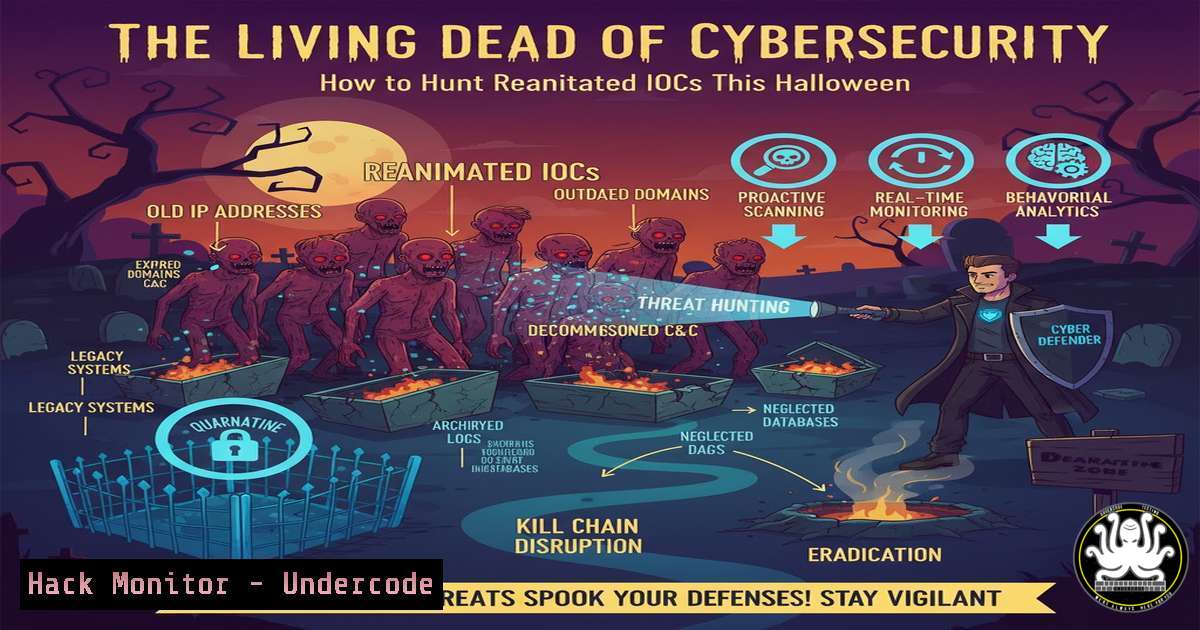
In the digital realm, cyber threats are never truly eradicated; they lie dormant like the undead, waiting to be resurrected by adversaries using Living Off the Land (LOL) techniques. This Halloween, we delve into the forensic soil to uncover these lingering Indicators of Compromise (IOCs) and arm you with the atomic tests and hunting queries to detect them before they breach your defenses. Understanding how to hunt for these reanimated artifacts is crucial for any modern Security Operations Center (SOC).
Learning Objectives:
- Identify and analyze common persistence mechanisms and forensic artifacts left by modern threats.
- Execute Atomic Red Team tests to safely emulate adversary behaviors in a controlled environment.
- Develop and implement live hunting queries to proactively search for malicious activity across endpoints.
You Should Know:
1. Hunting for Registry-Based Persistence
Verified Windows Command:
Get-ItemProperty -Path "HKLM:\SOFTWARE\Microsoft\Windows\CurrentVersion\Run", "HKCU:\SOFTWARE\Microsoft\Windows\CurrentVersion\Run" | Format-List
Step-by-step guide:
This PowerShell command queries common Windows Registry Auto-Start locations where malware often establishes persistence. By running it, you can list all programs configured to launch at user logon or system startup. Investigate any unfamiliar entries, especially those with unusual file paths or names, as they could be remnants of a past infection attempting to re-establish a foothold.
2. Uncovering Scheduled Task Zombies
Verified Windows Command:
Get-ScheduledTask | Where-Object {$<em>.State -eq "Ready" -or $</em>.State -eq "Running"} | Get-ScheduledTaskInfo | Format-Table TaskName, LastRunTime, NextRunTime
Step-by-step guide:
Scheduled tasks are a common LOLBin technique for persistence. This command retrieves all tasks that are in a ‘Ready’ or ‘Running’ state along with their execution timings. Analyze the `TaskName` and the frequency of execution. Look for tasks with random-looking names or those that execute scripts from temporary directories, as these are hallmarks of malicious scheduled tasks.
3. Detecting Lateral Movement with WMI
Verified Windows Command:
wmic /node:"TARGET_IP" process call create "cmd.exe /c whoami > C:\temp\output.txt"
Step-by-step guide:
This Windows Management Instrumentation (WMI) command demonstrates how an adversary might execute a process on a remote system for lateral movement. It runs `whoami` on the target machine and writes the output to a file. To hunt for this, monitor WMI event logs (Event ID 4688) for suspicious parent processes like `wmiprvse.exe` spawning unexpected child processes like cmd.exe.
4. Analyzing Process Lineage for Beaconing
Verified Linux Command:
ps aux --forest | grep -A 5 -B 5 "sh|bash|curl|wget"
Step-by-step guide:
This Linux command displays a process tree, highlighting common shells and network utilities. Adversaries use these to establish command and control (C2) beacons. By examining the parent-child relationships, you can identify anomalies—for instance, a `bash` process spawned by a web server user (www-data) that then executes `curl` to an external IP, indicating potential beaconing activity.
5. Emulating Payload Execution with Atomic Red Team
Verified Atomic Test (Atomics Folder):
- name: Masquerading as Linux Binary
description: Copies a malicious script to a common binary location with a similar name.
supported_platforms: linux
executor:
name: sh
command: cp $(which whoami) /tmp/whoami && /tmp/whoami
Step-by-step guide:
This Atomic Red Team test emulates a technique where an attacker places a malicious file in a directory like `/tmp` with a name similar to a legitimate binary. To use it, save the YAML to your Atomics folder and run it via the `atomic-red-team` executor. This helps validate your EDR’s ability to detect binary masquerading based on process lineage and file path.
6. Querying for Network Connections with Sysmon
Verified Windows Hunting Query (Log Analytics/Splunk):
DeviceNetworkEvents
| where ActionType == "NetworkConnection"
| where RemotePort == 443 or RemotePort == 80
| where InitiatingProcessFileName !in~ ("msedge.exe", "chrome.exe", "firefox.exe")
| summarize ConnectionCount = count() by DeviceName, InitiatingProcessFileName, RemoteIP
| where ConnectionCount > 100
Step-by-step guide:
This KQL query identifies processes making an unusually high number of web connections (ports 80/443) that are not typical browsers. A high `ConnectionCount` from a non-browser process could indicate C2 beaconing or data exfiltration. Run this in your SIEM or Microsoft Sentinel to hunt for suspicious network patterns.
7. Forensic Artifact Analysis with Shim Databases
Verified Windows Command:
for /f "tokens=2 delims= " %i in ('reg query "HKLM\SOFTWARE\Microsoft\Windows NT\CurrentVersion\AppCompatFlags\Custom" /s 2>nul') do @echo %i
Step-by-step guide:
The Windows Application Compatibility Framework (Shim) can be abused for persistence. This command queries the registry for custom shim database entries. Legitimate software uses shims; however, a custom shim pointing to an unknown executable or a non-standard location is a critical IOC that suggests an attempt to bypass User Account Control (UAC) or hide malicious code execution.
What Undercode Say:
- IOCs Have a Long Half-Life: Forensic artifacts from past attacks are often reused or lie dormant, providing a blueprint for future threats. Continuous hunting for these remnants is not optional but a core defensive requirement.
- Emulation is Key to Resilience: Using frameworks like Atomic Red Team to safely replicate adversary TTPs (Tactics, Techniques, and Procedures) is the most effective way to validate and improve your detection capabilities before a real incident occurs.
The paradigm is shifting from reactive incident response to proactive threat hunting. The “Living Dead” IOCs highlighted in events like Atomics on a Friday demonstrate that yesterday’s threats are the foundation for tomorrow’s attacks. By integrating atomic emulation and the hunting commands provided, organizations can move beyond signature-based detection and build a security posture capable of identifying the subtle, living-off-the-land techniques that define modern cyber campaigns. The goal is not just to clean up an infection but to build an environment where persistence and lateral movement are rapidly discovered and contained.
Prediction:
The normalization of LOLBin and “living off the land” techniques will force a fundamental evolution in EDR and SIEM technologies. Within two years, we predict a surge in AI-driven security platforms that focus less on static IOCs and more on behavioral analytics and process lineage analysis to identify malicious intent within legitimate tool usage. The line between adversary and administrator will blur further, making context-aware detection the new gold standard for SOCs.
🎯Let’s Practice For Free:
IT/Security Reporter URL:
Reported By: Michaelahaag On – Hackers Feeds
Extra Hub: Undercode MoN
Basic Verification: Pass ✅


