Listen to this Post
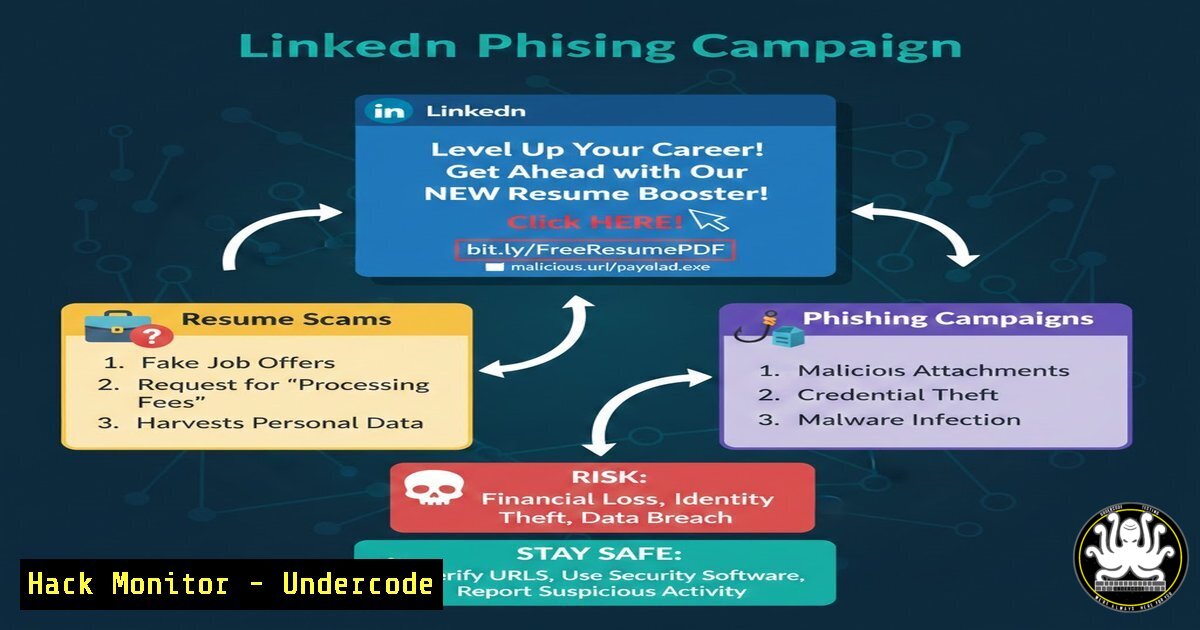
Introduction:
A seemingly innocuous LinkedIn post about overcoming negativity and “building” has been weaponized to distribute a malicious URL hidden within a comment. Disguised as a free resume optimization webinar, the link `tinyurl.com/resume-optimization-webinar` redirects users to a phishing page designed to harvest personal data and deploy malware. This article dissects the technical infrastructure behind such attacks, providing cybersecurity professionals and IT administrators with the tools to analyze, detect, and mitigate these evolving social engineering threats targeting the professional community.
Learning Objectives:
- Analyze the social engineering tactics used in professional networking platforms to distribute malicious links.
- Perform static and dynamic analysis on shortened URLs to uncover final destinations and indicators of compromise (IOCs).
- Implement network and endpoint security controls to detect and block phishing campaigns targeting job seekers and professionals.
- Harden cloud collaboration tools and email gateways against credential harvesting attacks.
- Execute step-by-step incident response procedures for a compromised professional account.
You Should Know:
- Unmasking the URL: Static and Dynamic Analysis of “tinyurl.com/resume-optimization-webinar”
The attack vector begins with a shortened URL, a common technique to obfuscate the final malicious destination. Before clicking, security professionals must perform URL analysis.
Step‑by‑step guide: Analyzing a Suspicious Short URL
This process uses Linux command-line tools and online resources to safely expand and investigate the link.
Step 1: Expand the Short URL without Visiting It.
Use `curl` with the `-I` flag to fetch the HTTP headers only. This will show the `Location:` header, revealing the redirection target.
curl -I https://tinyurl.com/resume-optimization-webinar
Expected Output (Example):
HTTP/2 301
location: https://notion-resume-scam[.]com/optimization
Note: If the location is another shortened link, repeat the process.
Step 2: Gather DNS Information.
Once the final domain is identified (e.g., notion-resume-scam[.]com), query its DNS records to find the IP address and name servers.
dig notion-resume-scam[.]com
nslookup notion-resume-scam[.]com
Step 3: Check Domain Reputation.
Use online tools like VirusTotal or URLScan.io. You can automate a reputation check via API.
curl --request GET --url 'https://www.virustotal.com/api/v3/domains/notion-resume-scam[.]com' --header 'x-apikey: YOUR_API_KEY'
Step 4: Capture a Screenshot Safely.
Use a headless browser or a service like URLScan.io to view the content of the page without risking your endpoint.
 Using a headless Chrome browser
google-chrome-headless --screenshot=screenshot.png --window-size=1280,1696 --virtual-time-budget=10000 --run-all-compositor-stages-before-draw --disable-gpu https://notion-resume-scam[.]com
This reveals the fake Notion page designed to look like a webinar signup.
- Deconstructing the Phishing Kit: Web Technology and Payload Extraction
Once the final URL is reached, the attacker typically deploys a “phishing kit”—a set of scripts and HTML mimicking a legitimate service (Notion, Google Docs, etc.) to steal credentials.
Step‑by‑step guide: Inspecting the Phishing Page Source
Using Developer Tools in a sandboxed environment (like a virtual machine) is critical.
Step 1: View Page Source.
Right-click and select “View Page Source” or use `curl` to download the HTML.
curl -O https://notion-resume-scam[.]com/index.html
cat index.html
Look for:
- Obfuscated JavaScript: Code that looks like
eval(atob("...")). - External Scripts: Links to JavaScript hosted on other domains.
- Form Actions: Where the form data is sent. It will likely be a PHP script or a data exfiltration endpoint.
Step 2: Decode Obfuscated JavaScript.
If you find Base64 encoded strings, decode them.
echo "c2NyaXB0IGNvbnRlbnQgaGVyZQ==" | base64 --decode
This might reveal the actual data-harvesting logic or the next stage of the attack.
Step 3: Analyze Network Traffic.
Open the browser’s Developer Tools (F12) and go to the “Network” tab. Fill the form with fake data (e.g., `[email protected]` / password123). Observe the POST request.
– Destination URL: Note the server IP or domain receiving the data.
– Parameters: See exactly what data is being sent (email, password, name, etc.).
– Response: Check if the server redirects to the real Notion site to avoid suspicion.
- Fortifying the Perimeter: Email Gateway and Endpoint Protection
Prevention relies on detecting these threats before the user interacts with them. This involves configuring security tools to recognize patterns from the analysis.
Step‑by‑step guide: Creating YARA Rules and SIEM Alerts
Step 1: Create a YARA Rule for the Phishing Kit.
Based on the HTML content, create a rule to detect the file on endpoints.
rule Resume_Optimization_Phish {
meta:
description = "Detects the fake Notion resume webinar phishing page"
author = "Security Team"
date = "2026-02-22"
strings:
$title = "Why your resume isn't landing interviews"
$notion_clone = "

<

div class=\"notion-app\">"
$webinar_register = "free webinar"
$suspicious_form = "action=\"/login/email\""
condition:
all of them
}
Step 2: Create a SIEM Correlation Rule.
If your organization uses a SIEM like Splunk or Elastic, create a rule to alert on DNS queries to the malicious domain.
index=dns sourcetype=dns_query
| search query="notion-resume-scam[.]com"
| stats count by src_ip, user, query
| where count > 0
Step 3: Block at the Web Gateway.
Add the domain and associated IPs to your web filter’s blacklist. On a Linux-based proxy like Squid, add to /etc/squid/blacklist.acl.
.notion-resume-scam[.]com
192.168.1.100 (The IP of the server)
4. Incident Response: Containing a Compromised Professional Account
If a user clicked the link and entered credentials, assume the account is compromised.
Step‑by‑step guide: Securing a Compromised LinkedIn/Email Account
Step 1: Force Password Reset and Enforce MFA.
Immediately revoke the user’s current session and reset credentials.
 If using Azure AD/Entra ID (for corporate accounts)
Connect-MgGraph -Scopes "User.ReadWrite.All", "AuditLog.Read.All"
Get-MgUser -Filter "userPrincipalName eq '[email protected]'" | Revoke-MgUserSignInSession
Update-MgUser -UserId "[email protected]" -PasswordProfile @{ForceChangePasswordNextSignIn=$true}
Step 2: Check for Unusual Forwarding Rules.
Attackers often set up email forwarding to maintain access.
 For Exchange Online
Get-Mailbox -Identity [email protected] | Get-MailboxForwarding
Set-Mailbox -Identity [email protected] -ForwardingSmtpAddress $null -DeliverToMailboxAndForward $false
Step 3: Audit Connected Applications.
On LinkedIn, the user should go to Settings & Privacy > Data Privacy > “Services you granted access to sign in” and revoke any unknown apps.
5. Cloud Hardening: Securing Notion and Collaboration Tools
Because the phishing page impersonated Notion, organizations using such tools must harden them against external sharing threats.
Step‑by‑step guide: Configuring Notion Security Settings
Step 1: Restrict Public Sharing.
In Notion admin settings, under “Security & permissions”:
- Disable “Allow public access” globally, or restrict it to specific workspace members.
- Enable “Require sign-in to view shared pages” to prevent anonymous access.
Step 2: Enable SAML Single Sign-On (SSO).
Force users to authenticate via your identity provider (Okta, Azure AD). This prevents password-based attacks.
<!-- SAML Assertion Configuration Example -->
<saml:Attribute Name="email">
<saml:AttributeValue>${user.email}</saml:AttributeValue>
</saml:Attribute>
This ensures only managed credentials can access company data.
What Undercode Say:
- Key Takeaway 1: The intersection of motivational content and cybersecurity is a prime hunting ground for attackers. The psychological manipulation (“Keep building,” “free webinar”) bypasses logical defenses, making technical controls the last line of defense.
- Key Takeaway 2: A single malicious comment in a popular post can serve as a patient zero for a widespread data breach. The URL analysis and incident response steps outlined above are not optional; they are mandatory checkpoints for any modern security operations center (SOC).
The analysis of this LinkedIn attack reveals a sophisticated blend of social engineering and technical deception. The use of a URL shortener to mask a phishing page hosted on a platform impersonating Notion demonstrates the attackers’ deep understanding of their target demographic—ambitious professionals seeking career advancement. By dissecting the URL, decoding the payload, and implementing layered defenses, we transform a generic scam into a valuable lesson in proactive threat hunting. The technical community must remain vigilant, recognizing that in the digital age, a piece of advice can be a delivery mechanism, and a helping hand can be a hook.
Prediction:
This specific attack chain will evolve into highly targeted “spear-phishing” campaigns using AI-generated video deepfakes of LinkedIn influencers. Within the next 6-12 months, we will see the emergence of “CEO fraud” variants on professional networks where a deepfake of a prominent founder like Luke Tobin promotes a fake webinar with a link that installs AI-powered credential stealers, making detection by traditional signature-based tools nearly impossible.
▶️ Related Video (70% Match):
🎯Let’s Practice For Free:
IT/Security Reporter URL:
Reported By: Luketobin Stop – Hackers Feeds
Extra Hub: Undercode MoN
Basic Verification: Pass ✅


