
Listen to this Post
Introduction:
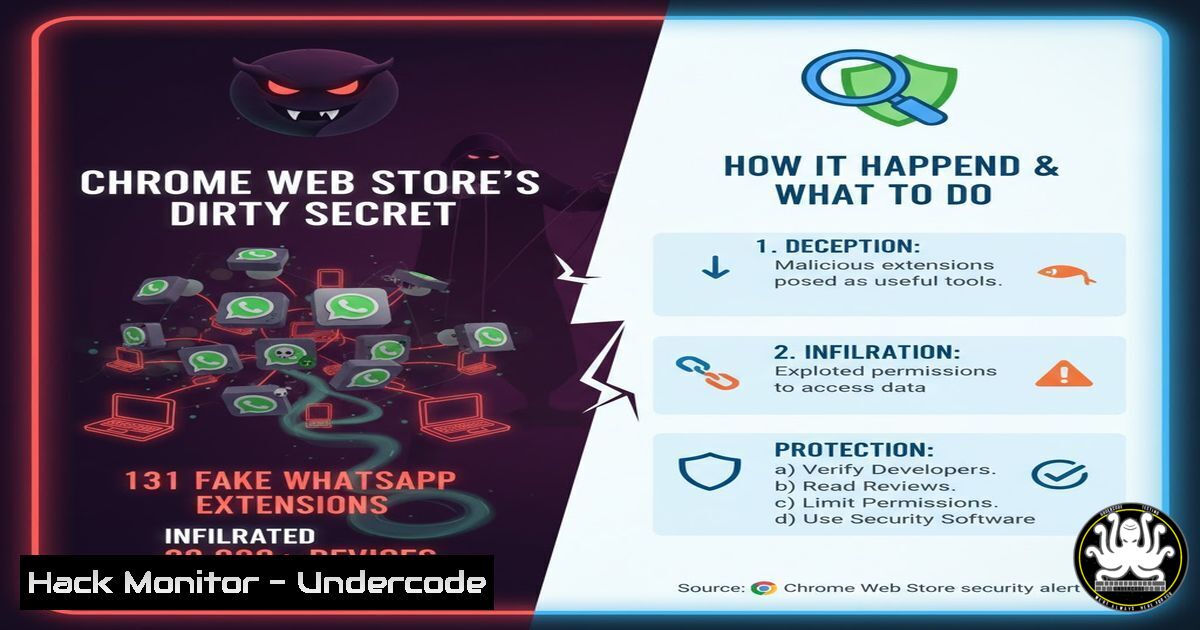
A coordinated campaign of 131 malicious extensions was discovered in the Chrome Web Store, masquerading as WhatsApp automation tools. These extensions, part of a white-label reseller program, shared identical malicious code designed to inject scripts directly into WhatsApp Web. This incident highlights a critical evolution in supply chain attacks, moving beyond traditional software dependencies to abuse browser extension platforms at scale.
Learning Objectives:
- Understand the technical mechanisms used by malicious extensions to inject scripts and bypass security policies.
- Learn how to detect and analyze suspicious browser extension behavior on both Windows and Linux systems.
- Implement enterprise-level controls to manage and monitor browser extension usage.
You Should Know:
1. Detecting Malicious Extension Network Activity
`tcpdump -i any -A ‘host 192.168.1.100 and port 443’`
This command captures and displays network traffic to and from a specific IP address on port 443 (HTTPS). Malicious extensions often communicate with command-and-control servers. Run this command while the suspicious extension is active to monitor for unauthorized data exfiltration. First, identify your network interface using ip addr, then replace the IP with the suspected C2 server address. Analyze the ASCII output (-A flag) for plaintext commands or data being transmitted.
2. Windows PowerShell: Analyzing Loaded Browser Extensions
`Get-ChildItem “HKCU:\Software\Google\Chrome\NativeMessagingHosts” -Recurse | Get-ItemProperty`
This PowerShell command enumerates all Chrome Native Messaging hosts registered in the Windows registry. Malicious extensions often use Native Messaging to execute arbitrary code on the host system. Run this in an elevated PowerShell session to review all authorized Native Messaging hosts. Investigate any unfamiliar entries, particularly those with unusual file paths or publisher information.
3. Chrome DevTools: Monitoring Extension Content Scripts
1. Press F12 to open Chrome DevTools
2. Navigate to the “Sources” tab
3. Expand the “Content scripts” section
4. Select the suspicious extension ID
This process allows you to inspect all content scripts loaded by browser extensions. The WhatsApp malware extensions used content scripts to inject code directly into WhatsApp Web. Look for scripts that modify DOM elements, intercept API calls, or attempt to bypass WhatsApp’s anti-spam protections. Any script manipulating `window.WebAPI` or `XMLHttpRequest` should be investigated immediately.
4. Linux Process Monitoring for Extension Background Scripts
`ps aux | grep -i chrome | grep -E ‘(extension|background)’`
This command lists all Chrome processes related to extensions and background pages. Malicious extensions often run persistent background scripts that survive browser restarts. Monitor these processes for unusual CPU or memory usage. Combine with `lsof -p [bash]` to see what files and network connections each extension process has open, looking for connections to unknown domains.
5. Chrome Policy Enforcement: Enterprise Extension Control
`google-chrome –disable-extensions-except=/allowlist/ –blocklist-extension-urls=blocklist.txt`
Launch Chrome with these flags to implement enterprise-grade extension control. The `–disable-extensions-except` flag only allows extensions from the specified directory, while `–blocklist-extension-urls` blocks extensions from specific URLs. Create an allowlist of approved extensions and block known malicious extension IDs. This prevents employees from installing unauthorized extensions while maintaining business-critical functionality.
6. JavaScript Analysis: Detecting Code Injection
`// Monitor for DOM modifications
const observer = new MutationObserver((mutations) => {
mutations.forEach((mutation) => {
if (mutation.addedNodes.length) {
mutation.addedNodes.forEach((node) => {
if (node.tagName === ‘SCRIPT’ && node.src.includes(‘whatsapp’)) {
console.warn(‘Suspicious script injection:’, node.src);
}
});
}
});
});
observer.observe(document.documentElement, { childList: true, subtree: true });`
This JavaScript code uses the MutationObserver API to detect when new script tags are injected into the DOM—a common technique used by malicious extensions. Implement this in your browser console while testing suspicious extensions to catch real-time injection attempts targeting WhatsApp Web.
7. Windows Event Log Analysis for Extension Installation
`Get-WinEvent -LogName “Application” | Where-Object {$_.Message -like “chromeextension”} | Format-Table TimeCreated, Id, LevelDisplayName, Message -Wrap`
This PowerShell command searches Windows Application event logs for Chrome extension-related events. Malicious extensions often leave traces in event logs during installation and update processes. Look for Event ID 9030 (extension installation) or 9031 (extension update) from the Google Chrome source. Correlate timestamps with user reports of suspicious behavior.
8. Browser Extension Source Code Audit
`cd ~/.config/google-chrome/Default/Extensions/
find . -name “.js” -exec grep -l “eval|Function|chrome.tabs.executeScript” {} \;`
Navigate to Chrome’s extensions directory and search for JavaScript files containing dangerous patterns. The `eval` function, `Function` constructor, and `chrome.tabs.executeScript` are commonly abused for dynamic code execution. This Linux command recursively searches all installed extensions for these red flags. Any extension using these methods to execute remote code should be immediately investigated.
What Undercode Say:
- Extension-based supply chain attacks represent a fundamental shift in enterprise security perimeter
- Traditional endpoint protection fails to monitor browser extension behavior effectively
- The economic incentive of reseller programs ($15k potential revenue) ensures these campaigns will continue
The discovery of 131 coordinated malicious extensions reveals critical gaps in browser security models. Unlike traditional malware, these extensions operate with user consent while violating platform policies—making them extremely difficult to detect using conventional security tools. The white-label reseller program demonstrates how economic incentives drive sophisticated distribution networks, with attackers investing thousands upfront for potential six-figure returns. Enterprises must transition from blacklisting to rigorous allowlisting and continuous behavioral monitoring of approved extensions. The fact that these extensions specifically targeted WhatsApp’s automation protections indicates attackers are focusing on high-value communication platforms where they can monetize access to business accounts and personal data.
Prediction:
Within 12 months, we’ll see a major enterprise breach originating from a malicious browser extension, leading to widespread adoption of extension management platforms and increased regulatory scrutiny of browser store security. The economic model proven by this campaign will be replicated across other browser platforms and popular SaaS applications, creating a new cybersecurity market focused exclusively on browser extension security.
🎯Let’s Practice For Free:
IT/Security Reporter URL:
Reported By: Nickbontrager 131 – Hackers Feeds
Extra Hub: Undercode MoN
Basic Verification: Pass ✅


