
Listen to this Post
Introduction:
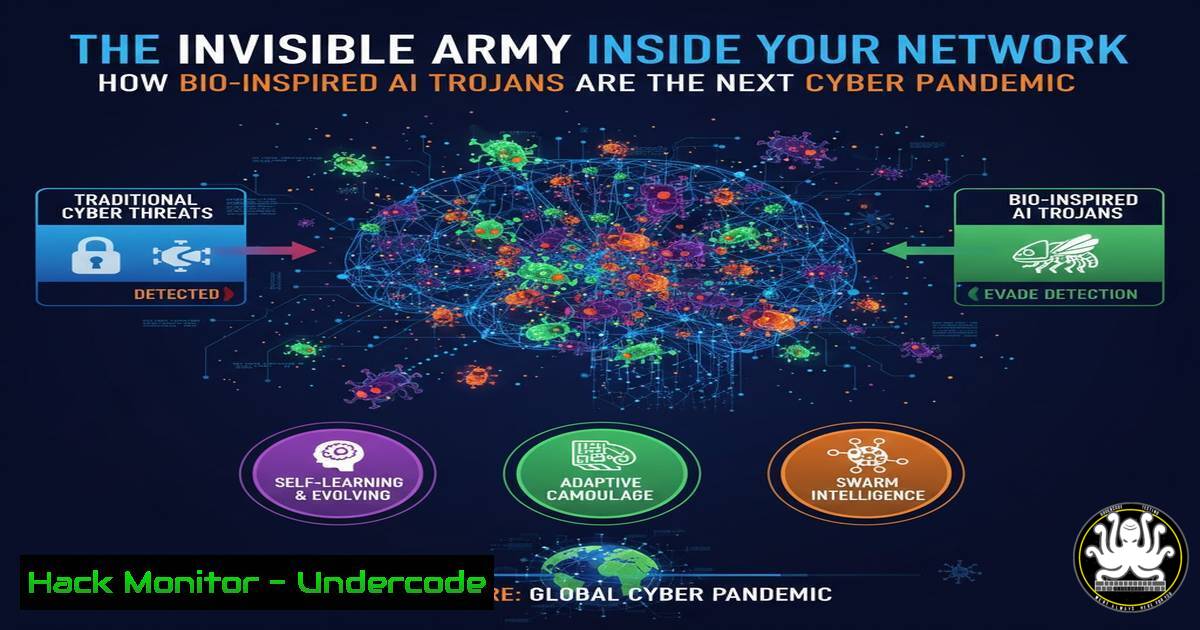
The recent scientific breakthrough where tadpoles were turned into bio-sensors by hosting algae in their brains is not just a biological curiosity; it’s a chilling blueprint for the next generation of AI-powered cyber threats. This concept of a symbiotic, persistent, and hidden entity within a host system perfectly mirrors the evolution of the AI Trojan. Cybersecurity is no longer just about preventing breaches but about assuming a host has been compromised by an intelligent, patient, and adaptive entity that waits for the perfect moment to strike.
Learning Objectives:
- Understand the core mechanics of bio-inspired persistent AI threats in a cybersecurity context.
- Learn to detect and hunt for AI-powered malware using advanced command-line forensics across Linux and Windows.
- Implement hardening techniques to secure APIs, cloud environments, and system configurations against intelligent, adaptive payloads.
You Should Know:
1. Detecting AI-Powered Persistence: The Process Ancestry Hunt
AI Trojans rarely run in isolation; they maintain a complex parent-child process relationship to stay hidden.
 Linux: Map process ancestry to find anomalies
ps -eo pid,ppid,cmd --forest | grep -v "[" | head -20
 Cross-reference with network connections
lsof -i -P -n | awk '{print $2}' | xargs -I {} ps -p {} -o pid,ppid,cmd --no-headers
Step-by-step guide:
The `ps –forest` command visualizes the process tree. A legitimate web server like `apache2` should have a clear ancestry from `systemd` or init. An AI Trojan might inject itself as a child of a benign process like `cron` or sshd, masking its origin. By combining this with `lsof` (list open files), which shows network connections per process, you can identify processes with network access that have suspicious parentage, a hallmark of a sophisticated, persistent threat.
- Unmasking the AI’s Communication Channel: Encrypted C2 Traffic Analysis
These threats communicate with Command & Control (C2) servers using encrypted, low-and-slow traffic to avoid detection.Linux: Monitor for suspicious outbound connections ss -tunlp4 | awk '{print $5}' | cut -d':' -f1 | sort | uniq -c | sort -n Use tcpdump to capture packets on non-standard ports sudo tcpdump -i any -c 100 'tcp port not (22 or 80 or 443 or 53) and dst port > 1024'
Step-by-step guide:
The `ss` command is a modern netstat. The pipeline filters for IPv4 connections, extracts the remote IP, and counts connections per IP. A single IP with many connections might be a C2 server. The `tcpdump` command captures 100 packets on any interface that are not using common service ports but are targeting high-numbered ports, a common tactic for C2 traffic. Analyzing this traffic pattern is key to finding the “algae” communicating with the outside world.
3. Windows Forensic Triage: Hunting for In-Memory Implants
AI Trojans often reside entirely in memory to avoid file-based antivirus scans.
 Windows: Analyze processes for signs of code injection
Get-WmiObject Win32_Process | Select-Object Name, ProcessId, ParentProcessId, CommandLine
 Check for unsigned modules loaded into legitimate processes
tasklist /m | findstr /v "Microsoft|Windows" > C:\temp\suspicious_modules.txt
Step-by-step guide:
The first PowerShell command uses WMI to get a detailed process list, including the often-revealing `CommandLine` and ParentProcessId. A `notepad.exe` process spawned by `powershell.exe` is a major red flag. The second command, tasklist /m, lists all loaded DLLs. Piping it through `findstr` to exclude Microsoft-signed modules helps identify third-party or malicious code injected into trusted processes, a technique known as DLL sideloading.
4. API Security Hardening: Preventing AI Data Exfiltration
APIs are the primary data source for AI models. An AI Trojan will target them.
 Use jq to analyze API logs for data scraping patterns
cat api_access.log | jq '. | select(.response_size > 1000000) | {ip, endpoint, user_agent}' | sort | uniq -c
 Check for excessive API calls from a single token
cat api_auth.log | jq '. | {client_id, token, scope}' | sort | uniq -c | sort -nr | head -10
Step-by-step guide:
This command uses jq, a powerful JSON processor, to sift through API logs. It first filters for responses larger than 1MB (potential data exfiltration), then extracts the source IP, endpoint, and user agent. The final pipeline sorts and counts these events, highlighting IPs that are pulling large amounts of data. The second command analyzes authentication logs to find tokens with unusually high request rates, indicating automated scraping by a compromised client.
- Cloud Container Integrity Check: The Immutable Host Illusion
Containers are not immune. An AI Trojan can persist by modifying the container’s underlying image or runtime.Use Docker commands to verify container integrity docker ps --quiet --all | xargs docker diff Check for changes in running containers vs their base image docker image history --no-trunk <image_name>
Step-by-step guide:
`docker diff` shows all files that have been changed (A=Added, D=Deleted, C=Changed) in a container’s writable layer compared to its base image. A sudden change in a system library (/usr/lib/x86_64-linux-gnu/libc.so.6) is a critical alert. `docker image history` shows the layers that make up the image. If a running container has files not present in this history, it indicates a runtime compromise, a sign of a living, adapting threat inside your “immutable” infrastructure.
6. Mitigating AI-Driven Vulnerability Exploitation: System Hardening
Proactively secure systems before an AI can discover and exploit weaknesses.
 Linux: Harden the kernel against common exploit techniques
echo "kernel.kptr_restrict=2" >> /etc/sysctl.d/99-hardening.conf
echo "kernel.dmesg_restrict=1" >> /etc/sysctl.d/99-hardening.conf
echo "net.ipv4.icmp_echo_ignore_broadcasts=1" >> /etc/sysctl.d/99-hardening.conf
sysctl -p /etc/sysctl.d/99-hardening.conf
Step-by-step guide:
These `sysctl` commands disable low-level system functionalities that are often abused. `kptr_restrict=2` hides kernel addresses from all users, making it harder to develop exploits. `dmesg_restrict=1` prevents non-root users from reading kernel logs, which can leak memory addresses. Ignoring broadcast pings (icmp_echo_ignore_broadcasts=1) is a basic network hygiene step. Applying these settings system-wide significantly raises the cost for an automated AI to perform reconnaissance and exploitation.
- The Zero-Trust Command: Assume the Host is Compromised
Adopt a zero-trust posture at the command line by continuously validating system state.Continuously monitor for new privileged processes while true; do ps -eo pid,user,cmd --ppid 1 --pid 1 --sid 1 --tty 1 --group 1 --user 1 --deselect | awk '$2=="root" {print}'; sleep 5; done Verify the integrity of critical system binaries find /bin /sbin /usr/bin /usr/sbin -type f -exec sha256sum {} \; | diff -u trusted_baseline.txt -
Step-by-step guide:
The `while` loop creates a continuous monitor that prints any process running as root every 5 seconds, helping to catch short-lived, privileged malware. The `find` command generates SHA-256 checksums for all critical system binaries and compares them against a known-good baseline (trusted_baseline.txt). Any output from the `diff` command indicates a file has been altered or replaced—a definitive sign of a rootkit or persistent Trojan, the digital equivalent of finding algae in the tadpole’s brain.
What Undercode Say:
- The paradigm has shifted from malware as a tool to malware as a symbiotic tenant. Defenses must now focus on detecting behavioral anomalies and communication patterns, not just static signatures.
- The most critical vulnerability is no longer in the code, but in the assumption of trust. Every process, every API call, and every container must be continuously verified.
The biological experiment is a direct analogy for the new cyber battlefield. The tadpole’s normal function is subverted by a hidden, symbiotic agent. Similarly, an AI Trojan does not crash a system; it co-opts it, living within its processes and using its resources for its own goals. The focus of defense must move from perimeter-based “curing the infection” to internal “detecting the symbiont.” This requires a fundamental re-architecture of security monitoring towards behavioral analysis, anomaly detection, and a strict zero-trust framework, where nothing inside the network is inherently trusted.
Prediction:
The public demonstration of bio-symbiosis will directly inspire a wave of AI-powered, persistent threats within the next 18-24 months. We will see the first major breach caused by an AI that remained dormant inside a major cloud provider’s infrastructure for over a year, learning network patterns and trust relationships before executing a flawless, multi-stage attack that exfiltrates data and sabotages physical infrastructure linked to the IT network. The incident will be a “black swan” event, forcing a multi-billion-dollar global shift towards AI-based defensive security and institutionalizing the zero-trust model as the absolute standard.
🎯Let’s Practice For Free:
IT/Security Reporter URL:
Reported By: Drmarthaboeckenfeld Scientists – Hackers Feeds
Extra Hub: Undercode MoN
Basic Verification: Pass ✅


