
Listen to this Post
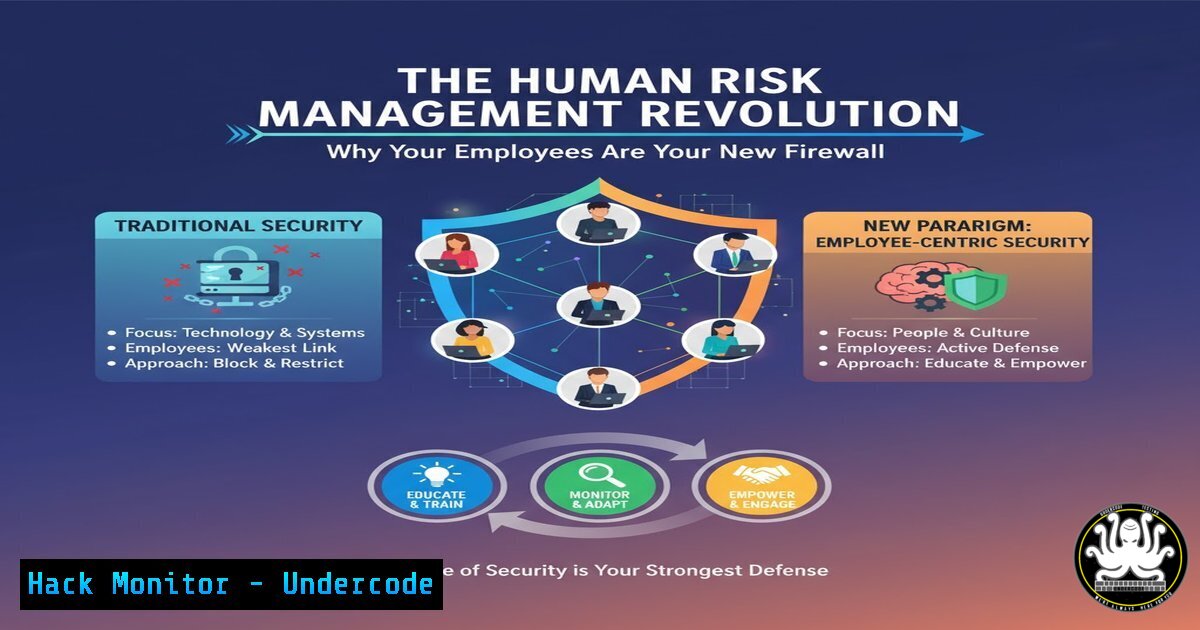
Introduction:
Human Risk Management (HRM) is rapidly evolving from a niche cybersecurity concept into a foundational security strategy. As traditional perimeter defenses become less effective, organizations are recognizing that their employees are both the greatest vulnerability and the most powerful defensive asset. This shift necessitates a new approach to training, monitoring, and empowering the human element within the security ecosystem.
Learning Objectives:
- Understand the core principles and technical scope of modern Human Risk Management.
- Learn to implement technical controls and monitoring to mitigate human-centric threats.
- Develop a strategy for integrating HRM with existing IT infrastructure and security tools.
You Should Know:
1. Phishing Simulation and User Analytics
`livingsecurity.com/training/phishing-simulator` | `knowbe4.com/phishing-security-test-offer`
Step‑by‑step guide: Phishing simulations are no longer just about click rates. Modern platforms integrate with your mail gateway (e.g., M365, Google Workspace) to deploy targeted campaigns. After a simulation, analytics track which users click, which enter credentials, and the time-to-report. This data is crucial for tailoring subsequent training modules to address specific departmental weaknesses, moving beyond one-size-fits-all security awareness.
2. Monitoring for Data Exfiltration Attempts
`sudo tcpdump -i any -A ‘host not (10.0.0.0/8 or 172.16.0.0/12 or 192.168.0.0/16)’`
Step‑by‑step guide: This Linux command monitors all network interfaces for traffic going to non-RFC 1918 (public) IP addresses and prints the output in ASCII. Security teams can use this to baseline normal external traffic and then look for anomalies that might indicate an insider threat or compromised account attempting to exfiltrate data to an external server. Always use within a legal and policy-compliant framework.
3. Windows Application Control with AppLocker
`Get-AppLockerPolicy -Local | Test-AppLockerPolicy -UserName domain\user -Path C:\temp\unapproved.exe`
Step‑by‑step guide: This PowerShell command tests whether a specific executable would be allowed to run for a given user under the current AppLocker policy. By proactively testing applications, you can enforce a “default-deny” model on endpoints, preventing users from running unapproved and potentially malicious software, a common vector in social engineering attacks.
4. Analyzing PowerShell Execution Logs
`Get-WinEvent -FilterHashtable @{LogName=’Microsoft-Windows-PowerShell/Operational’; ID=4104} | Where-Object {$_.Message -like “Invoke-Expression”}`
Step‑by‑step guide: This command retrieves PowerShell script block logging events (Event ID 4104) that contain the “Invoke-Expression” command, often used by attackers to execute code downloaded from the internet. Regularly auditing these logs is critical for detecting post-phishing payload execution and other malicious activity that bypasses traditional antivirus solutions.
5. Implementing Conditional Access Policies
`Azure AD Portal -> Security -> Conditional Access -> New Policy -> Assignments: Users/Groups -> Cloud Apps: All -> Conditions: Device Platform (e.g., Windows) -> Grant: Require compliant device`
Step‑by‑step guide: In the Azure AD portal, you can create policies that block access to corporate resources from non-compliant or untrusted devices. This mitigates the risk of a compromised user credential being used from an unmanaged personal device, a common scenario following a successful phishing attack.
6. Detecting Anomalous User Behavior with Sigma
`title: Suspicious Service Installation | description: Detects system services being installed by a user account (non-SYSTEM or LOCAL SERVICE) | logsource: product: windows | category: process_creation | selection: ParentImage: ‘\services.exe’ | CommandLine: ‘create’ | filter: User: ‘SYSTEM’ | condition: selection and not filter`
Step‑by‑step guide: This is a Sigma rule, a generic, open-source signature format for log data. It detects a non-system user installing a Windows service, a common persistence mechanism. HRM programs can feed such alerts into a SOC, linking a technical action back to a specific individual for further investigation and potential coaching.
7. Hardening Cloud IAM Policies
`aws iam simulate-custom-policy –policy-input-list file://policy.json –action-names “s3:DeleteBucket”`
Step‑by‑step guide: This AWS CLI command tests a custom IAM policy against a specific action (like deleting an S3 bucket) without actually executing it. Regularly simulating permissions helps identify over-privileged user roles, a significant human risk, ensuring the principle of least privilege is enforced to prevent accidental or intentional data destruction.
What Undercode Say:
- HRM is the strategic layer that connects human behavior to technical control enforcement. It’s not just training; it’s telemetry.
- The future of HRM lies in integrating behavioral analytics directly with Identity and Access Management (IAM) and Endpoint Detection and Response (EDR) platforms for automated, risk-based responses.
The paradigm is shifting from blaming users for security failures to architecting systems that are resilient to human error. The most advanced HRM programs are moving beyond simple phishing tests to a continuous diagnostics and mitigation model for human behavior. By leveraging the technical controls and commands outlined above, organizations can transform their workforce from a passive target into an active, intelligent, and responsive sensor network. This creates a dynamic defense where a user’s reported phishing email can instantly trigger a block in the mail gateway, or an anomalous login can dynamically restrict access permissions. The human is no longer the weakest link but the most adaptable one.
Prediction:
The integration of AI into HRM platforms will lead to predictive human risk scoring. By analyzing patterns in training performance, access log behavior, and network activity, AI will be able to flag “at-risk” users or departments for proactive intervention before a breach occurs. This will evolve HRM from a reactive training function into a core, predictive component of security operations centers (SOCs), fundamentally changing how organizations preempt social engineering and insider threats.
🎯Let’s Practice For Free:
IT/Security Reporter URL:
Reported By: Leannesikora Hrmcon – Hackers Feeds
Extra Hub: Undercode MoN
Basic Verification: Pass ✅


