
Listen to this Post
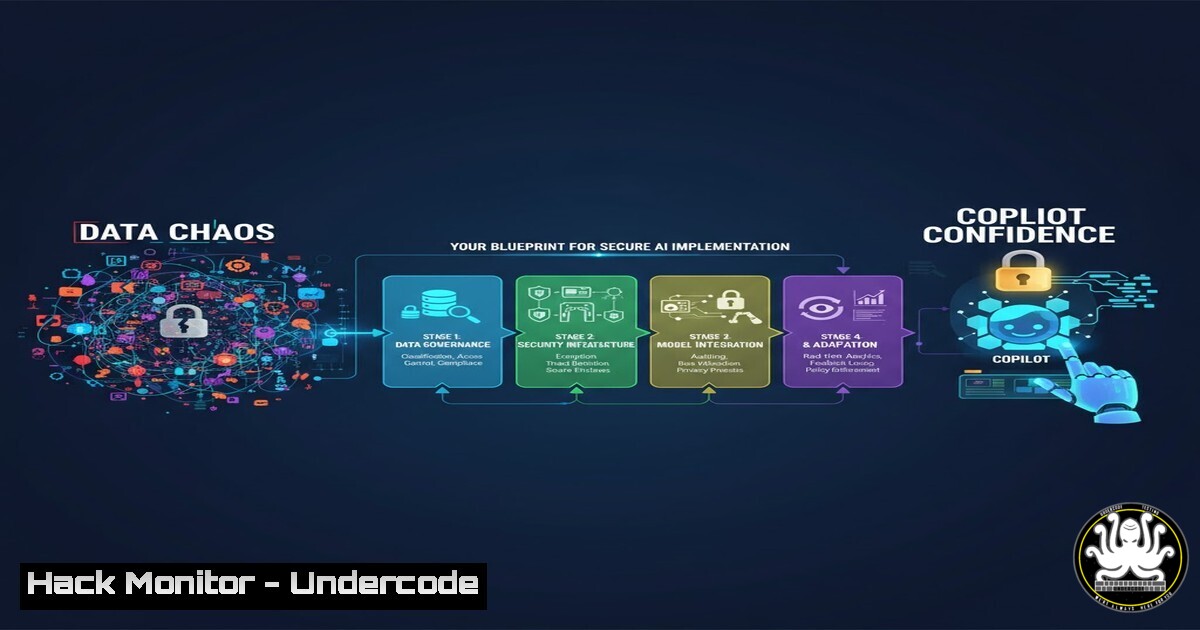
Introduction:
The integration of powerful AI tools like Microsoft 365 Copilot presents a paradigm shift in workplace productivity, but it also introduces significant data security and governance challenges. Organizations are rightfully concerned about data leakage, oversharing, and unmanaged AI risks. This article provides a technical blueprint for establishing the necessary security posture to move from data chaos to Copilot confidence, leveraging the Microsoft Purview and Defender suites.
Learning Objectives:
- Implement core data security controls including sensitivity labels, Data Loss Prevention (DLP), and DSPM for AI.
- Configure information governance policies to manage SharePoint access and Copilot behaviors.
- Establish comprehensive reporting and monitoring for AI usage and risk assessment.
You Should Know:
1. Foundational Data Security with Sensitivity Labels
Sensitivity labels are the cornerstone of classifying and protecting data, ensuring Copilot only interacts with appropriately classified information.
PowerShell: Create a New Sensitivity Label
New-Label -DisplayName "AI-Restricted - Internal Only" -Tooltip "Data not for AI consumption" -ContentType File,Email,Site -AdvancedSettings @{IsProtectionEnabled=$true}
Step-by-step guide: This PowerShell command, executed in the Security & Compliance Center, creates a new sensitivity label named “AI-Restricted – Internal Only”. The `-ContentType` parameter defines the label’s scope (Files, Emails, SharePoint sites). The `-AdvancedSettings` flag enables protection capabilities like encryption and visual markings. After creation, you must publish the label to specific users or groups via a label policy for it to take effect.
2. Automate Data Protection with a DLP Policy
Data Loss Prevention (DLP) policies automatically detect and prevent the unauthorized sharing of sensitive information, a critical control for AI interactions.
PowerShell: New DLP Policy for Credit Card Data
New-DlpCompliancePolicy -Name "Block Credit Card Data to Unauthorized Apps" -ExchangeLocation All -SharePointLocation All -TeamsLocation All -Mode Enable
New-DlpComplianceRule -Name "CCN Detected - Block High-Volume" -Policy "Block Credit Card Data to Unauthorized Apps" -BlockAccess $true -ContentContainsSensitiveInformation @{Name="Credit Card Number"; minCount="5"} -Workload Exchange,SharePoint,Teams
Step-by-step guide: The first command establishes a DLP policy that applies to all Exchange, SharePoint, and Teams locations. The second command creates a rule attached to that policy. This rule triggers when it detects 5 or more credit card numbers (minCount="5") within content and blocks access to that content. This can prevent Copilot from exposing high volumes of sensitive data in its responses.
3. Govern SharePoint Access with Advanced Management
SharePoint Advanced Management provides granular control over sharing and access, mitigating the risk of “shadow AI” where Copilot accesses inappropriately shared data.
PowerShell: Restrict External Sharing on a Site
Set-SPOSite -Identity https://contoso.sharepoint.com/sites/finance -SharingCapability Disabled -ConditionalAccessPolicy AllowLimitedAccess
Step-by-step guide: This command targets a specific SharePoint site (the finance site) and disables all external sharing (-ShardingCapability Disabled). The `-ConditionalAccessPolicy` parameter enforces app-enforced restrictions for greater control. Limiting sharing reduces the attack surface and data sprawl that AI tools could potentially exploit.
4. Control Copilot’s Scope with Management Controls
Copilot Management Controls allow administrators to explicitly include or exclude specific SharePoint sites from being indexed and used by Copilot.
PowerShell: Exclude a Site from Copilot
Set-SPOTenant -CopilotAppsLimitedAccessSite "https://contoso.sharepoint.com/sites/hr-confidential"
Step-by-step guide: This tenant-level command prevents Microsoft 365 Copilot from processing content within the specified HR-confidential site. By adding sensitive or regulated data repositories to this exclusion list, you ensure they remain outside of Copilot’s context, providing a direct mitigation for data leakage concerns.
- Monitor for Anomalies with Defender for Cloud Apps
Defender for Cloud Apps acts as a crucial monitoring tool, detecting unusual activity that could indicate data exfiltration or misuse via AI applications.
KQL Query: Detect High-Volume Download Activity
CloudAppEvents
| where ActionType == "FILE_DOWNLOAD"
| where IsAdminInteractive == false
| where IPAddress !startswith "10."
| summarize TotalDownloads = count(), DownloadedVolume = sum(Bytes) by UserAgent, AccountDisplayName, IPAddress
| where TotalDownloads > 100 or DownloadedVolume > 100000000
| sort by DownloadedVolume desc
Step-by-step guide: This Kusto Query Language (KQL) query, usable in Advanced Hunting, identifies potential mass data exfiltration. It looks for non-admin users downloading files from outside the corporate IP range (10.x), summarizing events by user and volume. A sudden spike in downloads could indicate a user leveraging Copilot or another method to aggregate and export large amounts of data.
6. Harden Identity for AI Service Principals
AI services like Copilot operate under service principals. Ensuring these principals are secure is vital, as they have broad data access.
PowerShell: Audit Service Principal Sign-Ins
Get-AzureADAuditSignInLogs -Filter "appDisplayName eq 'Microsoft Office' and tokenIssuerType eq 'AzureAD' and createdDateTime gt 2024-01-01" -Top 100
Step-by-step guide: This command retrieves the sign-in logs for the “Microsoft Office” service principal (which encompasses Copilot activity) from Azure Active Directory. Regularly auditing these logs for anomalies, such as sign-ins from unexpected locations or with risky detection flags, is essential for detecting compromised AI identities.
7. Implement API Security for AI Integrations
Custom AI integrations often rely on APIs. Securing these endpoints is paramount to prevent data breaches.
Bash: Test for Common API Security Misconfigurations with curl
 Test for missing security headers
curl -I -X GET https://api.contoso.com/v1/ai-endpoint | grep -i "strict-transport-security|x-content-type-options"

Test for improper HTTP methods
curl -X TRACE https://api.contoso.com/v1/ai-endpoint
Step-by-step guide: The first command checks if the API endpoint returns critical security headers like HSTS. The second command tests if the potentially dangerous TRACE method is enabled, which can be used for cross-site tracing attacks. These are basic but essential checks for any API that will handle corporate data in an AI workflow.
What Undercode Say:
- Governance Precedes Enablement: The most critical takeaway is that a robust data security and governance framework is not a follow-up action but a prerequisite for safe AI adoption. Deploying Copilot without sensitivity labels, DLP, and access controls is akin to opening the corporate data warehouse to an unvetted third party.
- Visibility is Non-Negotiable: You cannot secure what you cannot see. The combination of DSPM for AI, Defender for Cloud Apps, and Viva Insights analytics provides the necessary telemetry to understand how AI is being used, what data it’s accessing, and where anomalous—and potentially malicious—patterns occur. Strategic leadership must mandate this level of observability.
The analysis suggests that organizations treating AI readiness as a purely technical, IT-led project will face significant compliance and security hurdles. Success requires an “AI Council” that blends security, compliance, legal, and business leadership to define a responsible strategy. The technical controls are powerful, but they are merely instruments of a broader, strategically defined policy.
Prediction:
The rapid, widespread adoption of generative AI will create a new wave of data-centric security incidents within the next 12-18 months. These will not be traditional “breaches” but rather incidents of mass, unintentional data exposure and policy violation through AI interactions. Organizations that have implemented the layered technical controls outlined above will be positioned to leverage AI for competitive advantage, while those that have not will face regulatory penalties, reputational damage, and a loss of stakeholder trust. The divide between AI-ready and AI-vulnerable organizations will become a key differentiator in enterprise resilience.
🎯Let’s Practice For Free:
IT/Security Reporter URL:
Reported By: Nikkichapple From – Hackers Feeds
Extra Hub: Undercode MoN
Basic Verification: Pass ✅


