Listen to this Post
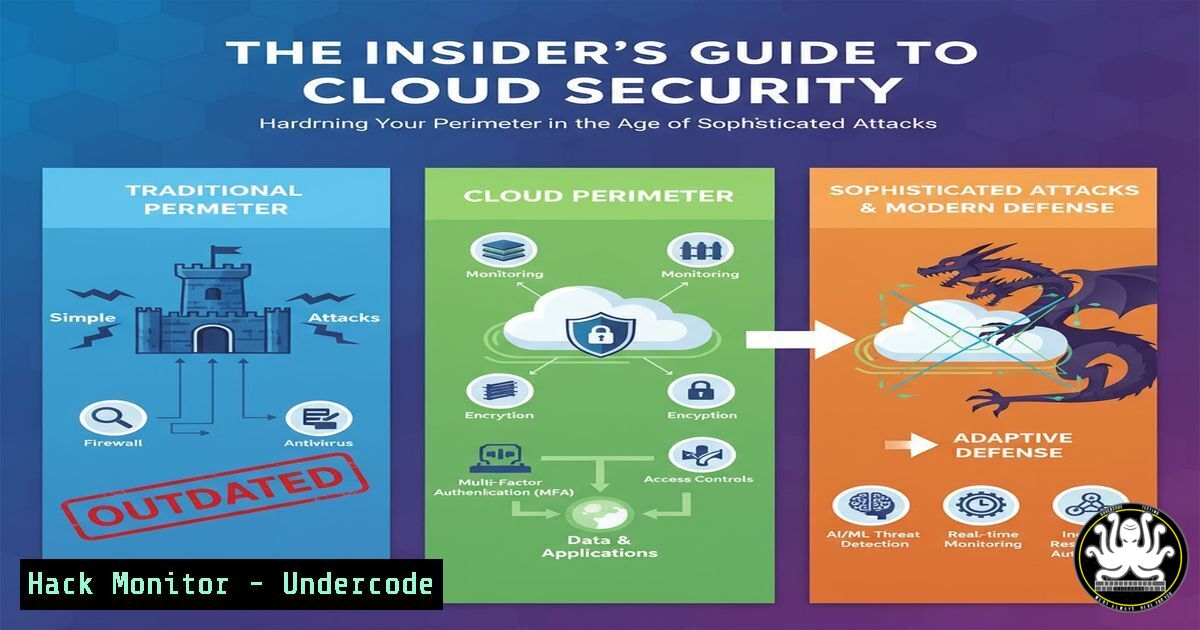
Introduction:
As key personnel transitions at major cybersecurity firms like Cloudflare become public knowledge, it highlights the critical importance of robust, protocol-driven security that operates independently of individual team members. Modern enterprise defense requires a layered approach, hardening everything from DNS and web application firewalls to API endpoints and cloud configurations against increasingly sophisticated threats. This guide provides the essential command-line and configuration toolkit for security professionals to build an resilient security posture.
Learning Objectives:
- Implement critical DNS and network security controls using native tools and protocols.
- Harden web applications and APIs against common exploitation techniques.
- Configure cloud security posture management (CSPM) and logging to detect misconfigurations and threats.
You Should Know:
1. Securing DNS with DNSSEC and DoH
Verifying and enforcing DNS security is a first line of defense against phishing and man-in-the-middle attacks.
Command (Linux – Validate DNSSEC):
`dig @8.8.8.8 cloudflare.com +dnssec +multi`
`delv cloudflare.com`
Step-by-Step Guide:
The `dig` command queries Google’s DNS for Cloudflare’s domain with DNSSEC validation requested. The `+dnssec` flag shows the `RRSIG` (DNS signature) record if present, proving authenticity. The `delv` tool performs a full DNSSEC validation chain, returning an answer only if the chain is secure. To enforce DNS-over-HTTPS (DoH) in a browser, navigate to `about:config` in Firefox and set `network.trr.mode` to `2` and `network.trr.uri` to a provider like `https://cloudflare-dns.com/dns-query`.
2. Web Application Firewall (WAF) Rule Analysis
Understanding and crafting custom WAF rules can block application-layer attacks before they reach your origin server.
Command (cURL – Testing WAF Rules):
`curl -X POST https://yourdomain.com/api/login \
-H “Content-Type: application/json” \
-d ‘{“username”:”admin”, “password”:{“$ne”: “”}}’ \
-v`
Step-by-Step Guide:
This cURL command simulates a NoSQL injection attack, a common technique to bypass authentication. The `-X POST` specifies the method, while the `-d` flag sends a JSON payload with a MongoDB operator `$ne` (not equal). The `-v` flag shows verbose output, allowing you to see the HTTP response code. A well-configured WAF should block this request, returning a `403 Forbidden` or `406 Not Acceptable` instead of a `200 OK` from the application server.
3. Cloud Security Posture Management (CSPM) Scans
Automated scans identify misconfigured cloud resources that expose an organization to data breaches.
Command (AWS CLI – Check for Public S3 Buckets):
`aws s3api list-buckets –query “Buckets[].Name”`
`aws s3api get-bucket-policy-status –bucket YOUR_BUCKET_NAME`
Command (Terraform – Enforce Private S3 Bucket):
resource "aws_s3_bucket" "secure_bucket" {
bucket = "my-secure-bucket"
}

resource "aws_s3_bucket_public_access_block" "example" {
bucket = aws_s3_bucket.secure_bucket.id

block_public_acls = true
block_public_policy = true
ignore_public_acls = true
restrict_public_buckets = true
}
Step-by-Step Guide:
The first AWS CLI command lists all S3 buckets in an account. The second checks the public policy status of a specific bucket. The Terraform code provisions a new S3 bucket with a `public_access_block` configuration that enforces all four settings to prevent public access, a common critical misconfiguration.
4. API Security Testing with OWASP ZAP
Automated security scanners are essential for continuous API testing in DevOps pipelines.
Command (Docker – Running OWASP ZAP Baseline Scan):
`docker run -v $(pwd):/zap/wrk/:rw -t owasp/zap2docker-stable zap-baseline.py \
-t https://your-api-endpoint.com/v1/users \
-g gen.conf \
-r testreport.html`
Step-by-Step Guide:
This command runs the OWASP ZAP (Zed Attack Proxy) baseline scan in a Docker container. The `-v` flag mounts the current directory to the container to save the report. The `-t` flag specifies the target API endpoint. The `-g` flag uses a custom configuration file, and `-r` generates an HTML report. This scan will test for common API vulnerabilities like Broken Object Level Authorization (BOLA) and injection flaws.
5. Linux System Hardening with Auditd
Monitoring system calls and file access is critical for detecting intrusions and policy violations.
Command (Linux – Auditd Rule for /etc/passwd):
`auditctl -w /etc/passwd -p wa -k identity_file_tamper`
`ausearch -k identity_file_tamper | aureport -f -i`
Step-by-Step Guide:
The first command uses `auditctl` to add a watch (-w) on the `/etc/passwd` file. The `-p wa` specifies to watch for write or attribute change events. The `-k` sets a searchable key. The second command, ausearch, queries the audit log for events with that key, and pipes the result to `aureport` for a formatted, human-readable output. This is essential for detecting attempts to create unauthorized user accounts.
6. Windows Security Log Analysis for Lateral Movement
Detecting PsExec and WMI-based lateral movement is key to stopping ransomware attacks.
Command (Windows PowerShell – Query for PsExec Events):
`Get-WinEvent -FilterHashtable @{LogName=’Security’; ID=4624, 4688, 5140} | Where-Object {$_.Message -like “PsExec” -or $_.Message -like “PSEXESVC”}`
Step-by-Step Guide:
This PowerShell command queries the Windows Security log for critical event IDs: `4624` (successful logon), `4688` (new process creation), and `5140` (network share access). It then filters the results for messages containing “PsExec” or “PSEXESVC”, which are hallmarks of the legitimate PsExec tool being used by attackers for lateral movement. This should be integrated into a SIEM for real-time alerting.
7. Container Security and Vulnerability Scanning
Scanning container images for known CVEs prevents deploying vulnerable code into production.
Command (Docker – Scanning with Trivy):
`trivy image –severity CRITICAL your-registry/app:latest`
`trivy image –format template –template “@contrib/html.tpl” -o report.html your-registry/app:latest`
Step-by-Step Guide:
Trivy is a comprehensive open-source vulnerability scanner. The first command scans a container image and outputs only `CRITICAL` severity vulnerabilities to the console. The second command generates a detailed HTML report using a custom template, which can be archived or sent to developers for remediation. This scan should be integrated into the CI/CD pipeline to fail builds that introduce critical vulnerabilities.
What Undercode Say:
- Personnel Changes are a Security Constant, Your Defenses Should Not Be. A robust security posture is defined by automated, documented protocols and least-privilege access, not by the individuals on a team. This incident underscores the need for security architectures that are resilient to organizational flux.
- The Perimeter is Everywhere. Modern defense extends far beyond the network edge to encompass DNS, APIs, cloud configurations, and identity providers. A chain is only as strong as its weakest link, and today’s attackers will find and exploit the single unsecured S3 bucket or unvalidated API endpoint.
The public announcement of a key leader’s departure from a core internet infrastructure company is a data point that threat actors actively monitor. Such intelligence is used to craft highly targeted social engineering campaigns, capitalizing on organizational uncertainty and updated reporting lines. Security teams must be extra vigilant for spear-phishing attempts impersonating IT, HR, or even the departed executive themselves in the weeks following such an announcement. The technical controls outlined above are not just best practices; they are the essential bulwark against the targeted attacks that inevitably follow public-facing corporate changes.
Prediction:
In the next 12-18 months, we will see a significant rise in AI-powered social engineering attacks that leverage real-time corporate intelligence—like executive transitions, partnership announcements, and earnings reports—to create hyper-personalized and convincing lures. These campaigns will be largely automated, making them scalable and increasingly difficult for traditional email filters to catch. The defense will hinge on the widespread adoption of protocol-level security (like mandatory MFA and DMARC), zero-trust architecture principles that verify every request, and advanced user behavior analytics that can detect subtle anomalies indicative of a compromised account, rendering the attacker’s personalized lures ineffective against a hardened, system-agnostic security posture.
🎯Let’s Practice For Free:
IT/Security Reporter URL:
Reported By: Joeylimszesze Today – Hackers Feeds
Extra Hub: Undercode MoN
Basic Verification: Pass ✅


