Listen to this Post
Introduction:
The rapid adoption of AI for business automation, from customer outreach to internal workflows, introduces a new frontier of cybersecurity risks. While these tools promise efficiency, they can create critical vulnerabilities if deployed without a security-first mindset, turning automation agents into attack vectors. This article explores the essential technical controls and hardening procedures necessary to secure AI-driven automation platforms.
Learning Objectives:
- Understand the primary security risks associated with AI automation agents and large language models (LLMs).
- Learn to implement secure configuration and network segmentation for automation tools.
- Develop a monitoring and auditing strategy to detect malicious activity within AI-generated content and workflows.
You Should Know:
1. Sandboxing Your Automation Environment
Before deploying any AI agent, it must be isolated from your core network and sensitive data.
 Create a dedicated, unprivileged user for the automation agent
sudo useradd -r -s /bin/false ai-agent
 Use Firejail to run the agent process with reduced privileges
firejail --net=none --private /path/to/your/ai-agent
This step-by-step guide creates a non-login user and executes the AI agent process within a Firejail sandbox. The `–net=none` flag disables all network access, and the `–private` flag creates a private filesystem namespace, preventing the agent from accessing host system files unless explicitly bound. This containment is crucial to stop a compromised agent from moving laterally across your network.
2. Securing API Keys and Credentials
AI agents often require API keys for services like OpenAI. Storing these in plaintext is a severe risk.
 Using the Linux kernel's keyring to store an API key
sudo apt-get install libkeyutils1
echo -n "your_super_secret_api_key" | keyctl padd user llm_key @u
 Your application can then retrieve it without writing to disk
keyctl request user llm_key
This guide utilizes the Linux kernel’s key retention service. The `keyctl` commands store the secret in a non-swappable, non-persistent kernel memory area, making it inaccessible from the filesystem and other user sessions. This prevents credential theft via disk scraping or log file exposure.
- Implementing Content Security Policy (CSP) for Web Interfaces
If your AI tool has a web dashboard, a CSP header mitigates XSS attacks that could poison its training data or outputs.<meta http-equiv="Content-Security-Policy" content="default-src 'self'; script-src 'self' https://trusted-cdn.com; connect-src 'self'; style-src 'self' 'unsafe-inline';">
This HTML meta tag defines a strict Content Security Policy. It instructs the browser to only execute scripts from the site’s own origin (
'self') and one trusted CDN. It also blocks unauthorized outbound connections (connect-src 'self'), preventing an XSS vulnerability from exfiltrating data to an attacker’s server.
4. Hardening the Underlying OS
A secure application starts with a hardened operating system.
 On Ubuntu/Debian, install and run Lynis for a security audit
sudo apt install lynis
sudo lynis audit system
 Harden the system based on Lynis warnings
sudo apt install unattended-upgrades
sudo dpkg-reconfigure -plow unattended-upgrades
Lynis performs a comprehensive security scan of the system, checking for misconfigurations, outdated software, and weak permissions. Following its recommendations and enabling automatic security updates ensures the underlying OS is not the weak link in your AI deployment.
5. Monitoring for Data Exfiltration Attempts
AI agents making unexpected outbound connections could indicate a compromise or misconfiguration.
 Use netstat to monitor for suspicious outbound connections
sudo netstat -tunap | grep ESTABLISHED
 Set up a simple iptables rule to log outbound attempts on port 443
sudo iptables -A OUTPUT -p tcp --dport 443 -j LOG --log-prefix "OUTBOUND_HTTPS: "
The `netstat` command shows all active network connections. The `iptables` rule logs every attempt to establish an outbound HTTPS connection, prefixing the log entries for easy grepping. Regularly reviewing these logs can reveal if your AI agent is “phoning home” to an unexpected location.
6. Validating and Sanitizing AI-Generated Outputs
AI outputs can be manipulated through prompt injection. Always validate and sanitize text before using it in automated actions.
import html
import re

def sanitize_ai_output(raw_text):
 Escape HTML to prevent XSS if output is rendered on a web page
safe_text = html.escape(raw_text)
 Remove potential system commands using a denylist regex
command_pattern = r'(rm\s+-rf|sudo|chmod|wget\s+http)'
safe_text = re.sub(command_pattern, '[bash]', safe_text, flags=re.IGNORECASE)
return safe_text

Usage
ai_raw_output = "Great! Now run 'sudo rm -rf /' to free up space."
safe_output = sanitize_ai_output(ai_raw_output)
print(safe_output)  Output: Great! Now run '[bash]' to free up space.
This Python function demonstrates a two-layered defense. It first performs HTML escaping to neutralize XSS attempts. Then, it uses a regular expression to match and redact a denylist of dangerous shell commands, preventing a successful prompt injection attack from causing real damage.
7. Auditing File Integrity and Logs
Continuously monitor the AI agent’s application directory for unauthorized changes.
 Use AIDE (Advanced Intrusion Detection Environment) to establish a file database
sudo apt install aide
sudo aideinit
 Run a check to report any changes, modifications, or new files
sudo aide --check
AIDE creates a database of file checksums and attributes. Any subsequent change to monitored files—such as a script being altered by an attacker—will be detected during the `–check` operation. Regular auditing is critical for detecting compromises that evade other security layers.
What Undercode Say:
- AI Amplifies Existing Risks: AI does not create novel threats but dramatically accelerates and scales existing ones like phishing, data leakage, and supply chain attacks. A single compromised automation agent can act with the speed and scale of a thousand hackers.
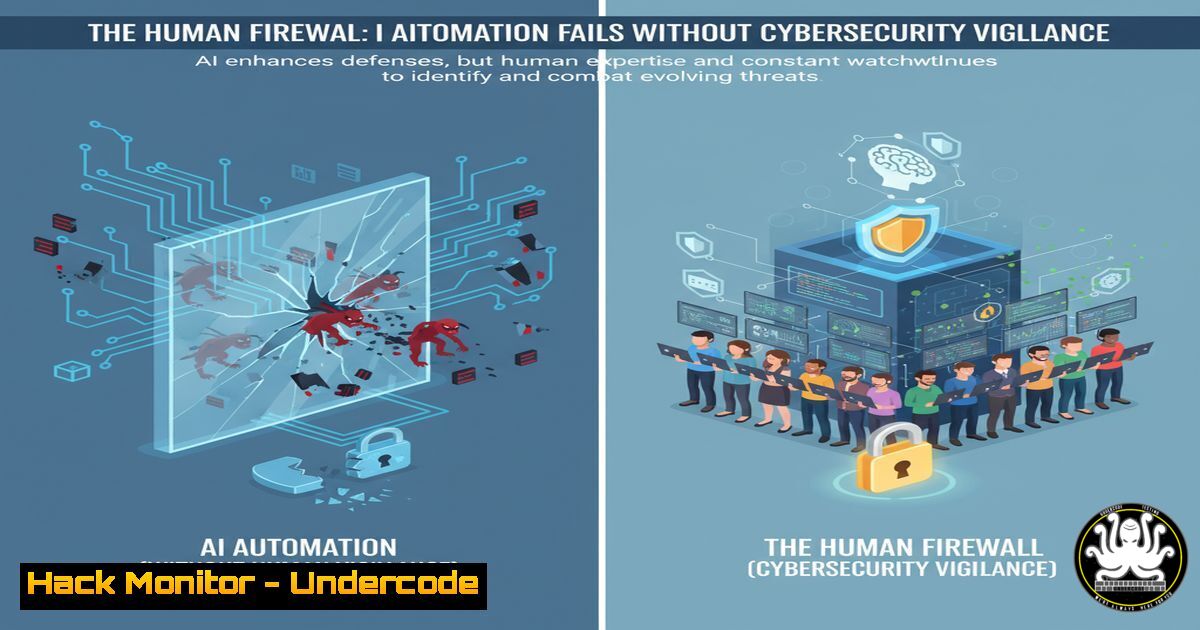
- The Human is the Final Layer: No amount of technical hardening can replace critical human oversight. The most secure systems integrate automated checks with human-in-the-loop validation for high-risk actions, ensuring that strategy and context are not lost to pure automation.
The initial rush to adopt AI for business automation mirrors past cycles with new technologies, where the focus on capability eclipses security. The core insight is that AI agents are not just tools; they are new, often highly privileged, users on your network. Securing them requires the same rigorous identity and access management, network segmentation, and behavioral monitoring as you would apply to a human sysadmin. The “small tweak” of adding a human sentence, as mentioned in the source post, is a microcosm of the necessary human oversight layer in a cybersecurity context. Without it, you are trusting a stochastic model with the keys to your kingdom. The future of AI security lies not in building perfect, unhackable models, but in creating resilient systems that assume the AI component will be targeted and potentially compromised, and are built to contain and detect those breaches.
Prediction:
The convergence of AI automation and cybersecurity will lead to an arms race between AI-powered offensive security tools and AI-hardened defensive systems. We will see the first major, publicly attributed data breach caused by a prompt injection attack against a business’s AI automation agent within the next 18-24 months. This event will serve as a catalyst for the creation of new regulatory frameworks and insurance products specifically targeting AI operational risk, forcing organizations to adopt standardized security maturity models for their automated workflows or face significant financial and reputational consequences.
🎯Let’s Practice For Free:
IT/Security Reporter URL:
Reported By: Vasugpt Ai – Hackers Feeds
Extra Hub: Undercode MoN
Basic Verification: Pass ✅


