
Listen to this Post
Introduction:
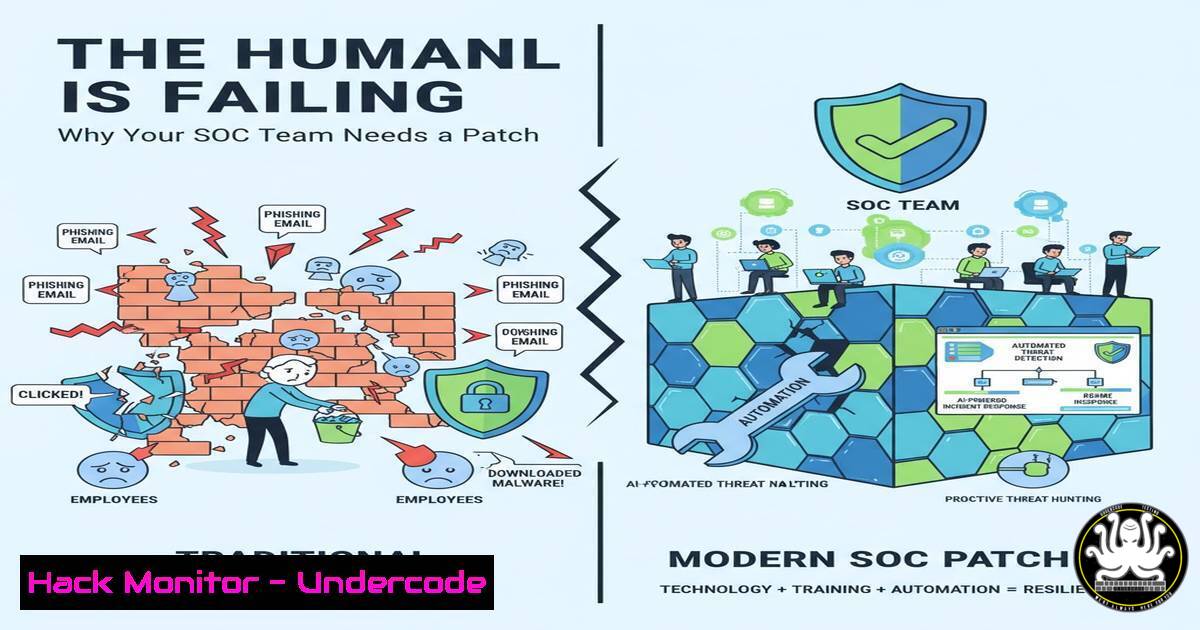
The cybersecurity industry is facing a critical vulnerability that no EDR or next-gen firewall can fix: the mental health of its defenders. As alerts flood in and attack surfaces expand, the professionals “holding the line” are experiencing unprecedented burnout. While we automate defenses against external threats, we often neglect the human operating system. This article explores the technical and operational strategies to build a resilient security culture, shifting from a purely reactive stance to one that safeguards both the network and the people who protect it.
Learning Objectives:
- Understand the correlation between security team burnout and technical debt/inefficiencies.
- Learn how to automate routine security tasks to reduce analyst cognitive load.
- Implement configuration baselines for cloud and on-premise environments that minimize alert fatigue.
You Should Know:
1. Reducing Alert Fatigue via SOAR Implementation
Security teams are drowning in false positives. Instead of hiring more analysts to stare at screens, implement a Security Orchestration, Automation, and Response (SOAR) solution. By automating the triage of low-level alerts, you free up human intellect for genuine threat hunting.
Step‑by‑step guide to automating a Phishing alert:
- Identify the Trigger: Configure your SIEM to send specific alert types (e.g., “Suspicious Email Reported”) to the SOAR tool.
- Create the Playbook: Use a low-code SOAR platform (like Shuffle or Tines) to build a workflow.
3. Automated Enrichment:
- VirusTotal API Call: Extract the hash from the email and query VirusTotal.
Example cURL to VirusTotal (Linux/macOS) curl --request GET \ --url 'https://www.virustotal.com/api/v3/files/{hash}' \ --header 'x-apikey: YOUR_API_KEY' - Whois Lookup: Automate a whois on the sending domain.
whois suspicious-domain.com | grep -E 'Registrar|Creation Date'
- Conditional Logic: If the reputation score is malicious, automatically isolate the endpoint via your EDR API. If benign, close the ticket automatically.
- Outcome: This reduces the “click-to-resolution” time from 20 minutes to 20 seconds, drastically lowering analyst stress.
-
Infrastructure as Code (IaC) for Consistent Cloud Hardening
Configuration drift is a major source of late-night incident calls. By treating your security baselines as code, you ensure that every cloud resource deployed adheres to compliance standards, preventing the “human error” that leads to breaches.
Step‑by‑step guide to scanning Terraform for misconfigurations:
- Write the Infrastructure Code: Define a cloud storage bucket (e.g., AWS S3 or Azure Blob) using Terraform or CloudFormation.
-
Integrate Checkov (Static Analysis): Before deployment, run a static code analysis tool to catch misconfigurations.
Install Checkov (Python)
pip install checkov

Scan the Terraform directory
checkov -d ./terraform/
- Review the Output: The tool will flag public buckets or unencrypted storage.
Example Checkov finding
Check: CKV_AWS_53: "Ensure S3 bucket has block public policy enabled"
FAILED for resource: aws_s3_bucket.example
- Fix the Code: Modify the Terraform file to include the secure configuration before it ever reaches production, ensuring a “secure-by-default” posture.
3. Linux System Hardening and Audit Automation
On-premise servers often run legacy systems that attackers target. Implementing automated audit scripts ensures continuous compliance with standards like CIS Benchmarks.
Step‑by‑step guide to checking for world-writable files (a common privilege escalation vector):
1. SSH into the Server: Connect securely.
2. Run the Audit Command:
 Find all world-writable files in critical system directories
sudo find / -type f -perm -0002 ! -type l -exec ls -ld {} \; 2>/dev/null > world_writable.log
3. Automate the Remediation: If critical files (like `/etc/passwd` or cron jobs) appear, they must be locked down.
 Remove world-writable permission
sudo chmod o-w /path/to/vulnerable/file
4. Cron the Job: Set a daily cron script to email the security team a report of any new world-writable files, catching drift immediately.
4. Windows Attack Path Mapping with BloodHound
Understanding how an attacker moves laterally in a Windows Domain is key to proactive defense. Defenders must use the same tools as attackers to identify “juicy” paths.
Step‑by‑step guide to running a SharpHound collector:
- Execute Collection: On a domain-joined machine (preferably a test environment or via an admin workstation), run SharpHound to gather data.
PowerShell command to run SharpHound.ps1
. .\SharpHound.ps1
Invoke-BloodHound -CollectionMethod All -Domain yourdomain.com -ZipFilename loot.zip
- Analyze in BloodHound: Upload the generated `.zip` file into the BloodHound GUI (Neo4j backend).
- Query for Weakness: Run pre-built queries like “Find Shortest Paths to Domain Admins.”
- Mitigation: The graph might show that a user in “Sales” has administrative rights to a server that Domain Admins log into. Immediately remove that local admin right to break the attack chain.
5. API Security: Fuzzing for Endpoint Vulnerabilities
APIs are the backbone of modern applications and a prime target for breaches. Automated fuzzing can uncover hidden parameters and injection flaws before they are exploited.
Step‑by‑step guide using FFUF (Fuzz Faster U Fool):
- Intercept the Request: Use Burp Suite to capture a valid API request.
- Fuzz for Hidden Endpoints: Use a wordlist to discover undocumented API endpoints.
Fuzzing for admin panels or backup files
ffuf -u https://api.target.com/FUZZ -w /usr/share/wordlists/api_endpoints.txt -mc 200,403
- Fuzz for Parameter Injection: Test the API for SQLi or XSS by injecting payloads into parameters.
ffuf -u 'https://api.target.com/search?name=FUZZ' -w xss_payloads.txt -fr "error"
- Remediation: If a 200 OK returns with an XSS payload, implement proper input sanitization and a Web Application Firewall (WAF) rule.
What Undercode Says:
- Automate the Drudgery: The primary cause of burnout is repetitive, low-level tasks. Investing in SOAR and automation scripts isn’t just about efficiency; it’s a mental health retention strategy.
- Defender Experience (DX) Matters: Just as we optimize User Experience (UX) for customers, we must optimize the Defender Experience. A cluttered SIEM dashboard is a source of cognitive friction leading to missed detections.
The industry is obsessed with “breaking things” (pentesting) but forgets to support the people who have to fix them. The future of security isn’t just zero-trust architectures; it’s zero-burnout cultures. Events like the Cyber House Party are not soft-skills seminars; they are essential maintenance windows for the human firewall.
Prediction:
We will see a rise in “Wellbeing-Integrated” security tooling. Future EDR platforms will not only detect ransomware but will also track analyst workload metrics, automatically rerouting alerts to available team members to prevent cognitive overload. The companies that fail to address mental health will hemorrhage talent to organizations that treat security operations with a human-centric design.
▶️ Related Video (84% Match):
🎯Let’s Practice For Free:
IT/Security Reporter URL:
Reported By: Https: – Hackers Feeds
Extra Hub: Undercode MoN
Basic Verification: Pass ✅


