Listen to this Post
Introduction:
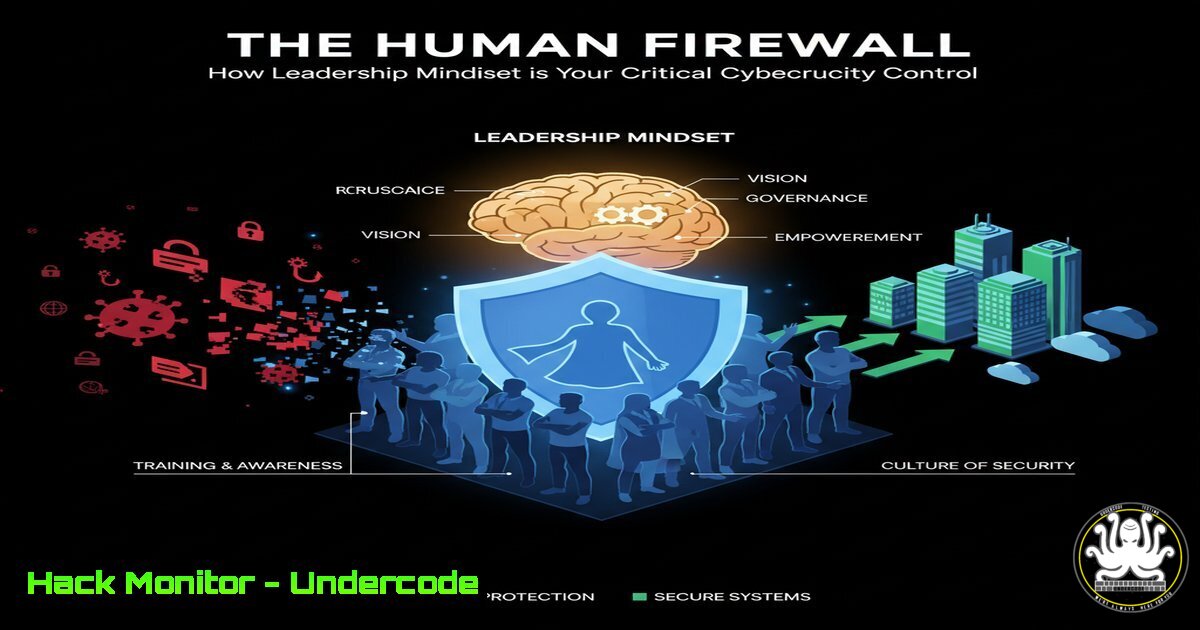
In an era of sophisticated social engineering and insider threats, an organization’s cybersecurity posture is no longer defined solely by its technical controls. The human element, often cited as the weakest link, can be transformed into its greatest asset—the human firewall. This article explores the critical intersection of leadership psychology and cybersecurity, demonstrating how a person-centered approach to team management directly mitigates digital risk.
Learning Objectives:
- Understand how skill gaps and low morale create exploitable security vulnerabilities.
- Learn technical commands and procedures to audit, harden, and monitor user environments.
- Implement leadership strategies that foster a proactive, security-conscious culture.
You Should Know:
1. Auditing User Privileges and Login Histories
A disengaged or inadequately trained employee is a prime target for credential theft and phishing. Proactive leaders must first understand the digital footprint of their teams.
Verified Commands:
Linux:
– `who` & `last` – See currently logged-in users and recent login history.
– `sudo -l` – List the sudo privileges available to the current user.
– `getent group sudo` – List all users with administrative privileges.
– `id
Windows (PowerShell):
– `Get-LocalUser | Select Name, Enabled, LastLogon` – List all local users and their last login time.
– `Get-LocalGroupMember Administrators` – Enumerate members of the local Administrators group.
– `quser` / `query user` – Display users currently logged on to the system.
Step-by-Step Guide:
Regularly auditing user privileges is a foundational security practice. On a Linux system, run `last` to review authentication logs for suspicious login times or origins. Follow up with `getent group sudo` to identify all users with elevated permissions. In a Windows environment, a scheduled PowerShell script using `Get-LocalUser` can flag accounts that haven’t logged in for an extended period, which may be dormant and vulnerable to takeover. The goal is not to spy on employees, but to establish a baseline of normal activity and identify anomalies that could indicate a compromised account.
2. Identifying Skill Gaps with Security Training Assessments
Skill gaps in cybersecurity knowledge are a direct threat vector. Leaders must measure and address these gaps systematically.
Verified Commands/Tools:
– `Wireshark` – Network protocol analyzer to understand traffic.
– `nmap -sV -O
– `sudo grep ‘Failed password’ /var/log/auth.log` – Search for failed SSH login attempts on Linux.
– `Get-WinEvent -FilterHashtable @{LogName=’Security’; ID=4625}` – PowerShell command to retrieve Windows failed logon events.
Step-by-Step Guide:
Simulate a phishing campaign or run a controlled internal vulnerability scan using nmap. The results are not for punishment, but for training. For instance, after a scan, show your team the command `nmap -sV 192.168.1.0/24` and its output, explaining what an attacker learns from open ports like 21 (FTP) or 23 (Telnet). Use log analysis commands like `grep ‘Failed password’` to demonstrate brute-force attacks. This turns abstract threats into tangible, understandable events, directly linking their knowledge to defensive outcomes.
3. Hardening System Configurations
Leaders who “walk in ready to understand” must extend that to understanding their systems’ security configurations. Default settings are often insecure.
Verified Commands/Snippets:
Linux:
– `sudo ufw enable` – Enable the Uncomplicated Firewall.
– `sudo ss -tuln` or `sudo netstat -tuln` – List all listening ports.
– `sudo chmod 600 /etc/shadow` – Ensure the shadow password file has correct permissions.
– `sudo auditctl -w /etc/passwd -p wa -k passwd_change` – Audit any write or attribute changes to the /etc/passwd file.
Windows:
– `Set-ExecutionPolicy Restricted` – Restrict PowerShell script execution by default.
– `secedit /export /cfg C:\sec_policy.inf` – Export the current local security policy for review.
– `netsh advfirewall set allprofiles state on` – Enable the Windows Firewall for all profiles.
Step-by-Step Guide:
Begin by mapping your attack surface. On a Linux server, run `ss -tuln` to see every service listening for connections. Close and disable any unnecessary services. Then, enable the firewall with `sudo ufw enable` and deny all incoming traffic by default (sudo ufw default deny incoming). In Windows, use the `Get-NetFirewallRule` PowerShell cmdlet to audit existing firewall rules, ensuring that only required applications can communicate. This process of minimization is a core tenet of system hardening.
- Mitigating Insider Threat with Monitoring and Integrity Checks
Team tension and low morale can, in extreme cases, manifest as insider threats. Technical controls can help detect and prevent malicious activity.
Verified Commands/Snippets:
Linux (AIDE – Advanced Intrusion Detection Environment):
– `sudo aide –init` – Initialize the AIDE database.
– `sudo aide –check` – Check the system against the database for changes.
– `sudo find / -perm -4000 -type f 2>/dev/null` – Find all SUID files, which are potential privilege escalation vectors.
Windows:
– `Get-FileHash C:\Windows\System32\calc.exe -Algorithm SHA256` – Get the hash of a file to verify its integrity.
– `icacls “C:\Sensitive\File.txt”` – Display the access control list (permissions) for a file.
Step-by-Step Guide:
Implementing file integrity monitoring is crucial. On a Linux system, install AIDE (sudo apt install aide). Run `sudo aide –init` to create a baseline database of critical system files. Move the new database to the active location (sudo mv /var/lib/aide/aide.db.new.gz /var/lib/aide/aide.db.gz). Schedule a daily `aide –check` via cron. Any unauthorized changes to system binaries or config files will be reported, allowing for rapid investigation.
5. Securing Cloud Identity and Access Management (IAM)
A leader’s “person-centered approach” must be mirrored in the cloud by applying the principle of least privilege to user and service roles.
Verified Snippets (AWS CLI & Azure PowerShell):
AWS:
– `aws iam generate-credential-report` – Generates a report of all users and their credential status.
– `aws iam get-account-authorization-details` – Retrieves information about all IAM users, roles, and policies.
– `aws iam list-attached-user-policies –user-name
Azure:
– `Get-AzRoleAssignment` – Lists all role assignments in the current subscription.
– `Get-AzADUser -UserPrincipalName
Step-by-Step Guide:
Cloud misconfigurations are a leading cause of breaches. Regularly run the AWS credential report and scrutinize it for users with old access keys, passwords that never expire, or excessive permissions. Use the command `aws iam list-attached-user-policies` to audit each user’s permissions. The goal is to find and remove any policies that are not strictly necessary for the user’s role, such as an S3 “FullAccess” policy for a developer who only needs read access to a single bucket.
- Fostering a Culture of Proactive Defense with Threat Hunting
Turning a team from reactive to proactive involves empowering them with threat-hunting skills, shifting the culture from “being fixed” to being front-line defenders.
Verified Commands:
– `ps aux –sort=-%mem` – List running processes sorted by memory usage (Linux).
– `Get-Process | Sort-Object WS -Descending | Select-Object -First 10` – Get top 10 processes by working set (memory) (PowerShell).
– `sudo rkhunter –check` – Run a rootkit scan.
– `journalctl -u ssh.service –since “1 hour ago”` – View SSH service logs from the last hour.
Step-by-Step Guide:
Encourage team members to regularly analyze their own systems. A simple start is to look for unusual processes. On Linux, run `ps aux –sort=-%mem` to see which processes are consuming the most memory; investigate any unknown process names. On Windows, the equivalent PowerShell command can highlight potential malware. Incorporate a weekly “hunt” where team members use `journalctl` or the Windows Event Viewer to search for specific event IDs related to failed logins or account lockouts, building their analytical skills and security awareness.
What Undercode Say:
- Culture Eats Configuration for Breakfast: The most sophisticated technical controls will fail if the team culture is one of disengagement or fear. A leader who prioritizes understanding and psychological safety builds a team that is resilient to social engineering and more likely to report security anomalies.
- Visibility is the Precursor to Control: You cannot defend what you cannot see. The technical commands for auditing users, systems, and cloud permissions are not just administrative tasks; they are the literal process of gaining visibility into your digital territory, which is the first step in securing it.
The provided text, while about leadership, is a perfect allegory for modern cybersecurity. A leader who is told a team has “deficits” and chooses to “hold that information lightly” and “understand them” is applying the same non-punitive, investigative mindset required for effective security operations. Blaming users for clicking phishing links is akin to blaming a team for low morale—it solves nothing. The leaders who “get it right” are those who use technical tools not as a weapon of enforcement, but as a diagnostic and educational resource to empower their human firewall, creating a resilient and security-aware organization from the inside out.
Prediction:
The future of cybersecurity will see a convergence of human resources and security operations. The “Courageous Change-Agents” described in the original post will be those who champion security as an enabler of business continuity, not a hindrance. We will see a rise in leadership KPIs tied directly to security culture metrics, and technical tools will become more integrated with behavioral analytics. Organizations that fail to adopt this integrated, human-centric leadership approach will continue to suffer breaches, regardless of their security budget, as advanced attacks will simply bypass technology to exploit the unprepared human element.
🎯Let’s Practice For Free:
IT/Security Reporter URL:
Reported By: Activity 7380755017168809984 – Hackers Feeds
Extra Hub: Undercode MoN
Basic Verification: Pass ✅


