
Listen to this Post
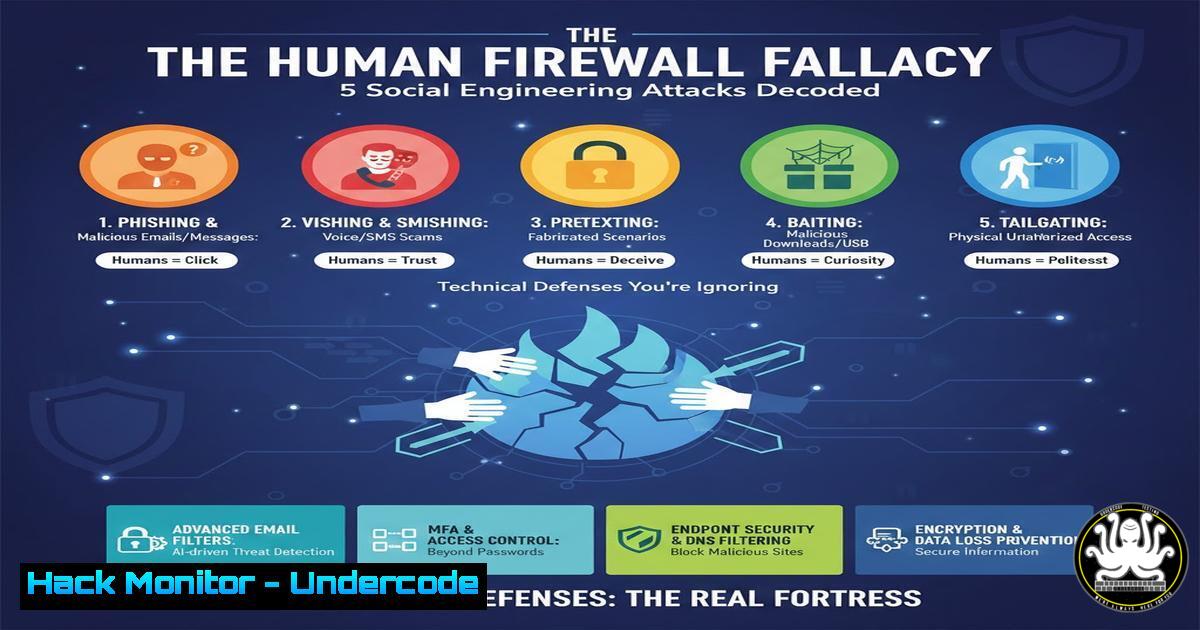
Introduction:
Social engineering remains the most potent threat vector in cybersecurity, bypassing millions in hardware and software defenses by exploiting human psychology. This analysis dissects five prevalent social engineering techniques, moving beyond awareness to provide actionable, technical mitigation strategies that fortify both individual and organizational security postures.
Learning Objectives:
- Understand the technical mechanisms behind phishing, vishing, and social media reconnaissance.
- Implement practical, command-line and configuration-based defenses against typo-squatting and clickjacking.
- Develop a layered verification protocol for unsolicited digital communications.
You Should Know:
- Phishing: Beyond the Spam Filter – Header Analysis and DMARC
Phishing emails often bypass basic filters by spoofing sender addresses. Technical defense requires examining email headers and implementing protocols like DMARC, DKIM, and SPF.
Step-by-step guide:
- Suspect Email Header Analysis: Do not rely on the displayed “From” address. View the full email headers.
Gmail: Open email → Click three dots → Show original.
Outlook: Open email → File → Properties → Internet headers. - Analyze Key Fields: Look for the `Return-Path` and `Received-SPF` fields. Inconsistencies between the `From:` domain and the `Return-Path` domain indicate spoofing.
- Command-Line Domain Verification: Check a domain’s published SPF and DMARC records to see if it’s configured to prevent spoofing.
Use 'dig' to query SPF and DMARC TXT records
dig TXT google.com | grep -E "spf1|v=DMARC"
A valid SPF record will list authorized sending servers. A strong DMARC policy (
p=rejectorp=quarantine) tells receiving servers what to do with failing emails. -
Vishing & Caller ID Spoofing: The SIP Protocol Exploit
Voice phishing (Vishing) exploits VoIP’s Session Initiation Protocol (SIP) to falsify caller ID. Mitigation involves verification workflows, not caller ID trust.
Step-by-step guide:
- Establish a Callback Protocol: If a caller claims to be from your bank/IT, hang up. Use the official phone number from the institution’s verified website or your card—not a number provided by the caller.
- Internal Verification for IT Help Desks: Implement a secret token system or use the company’s internal ticketing system for verification. A legitimate IT ticket should be created before a call is made.
- Technical SIP Hardening (For Organizations): Configure your SIP trunk provider to enable `STIR/SHAKEN` protocols, which digitally sign calls to verify caller ID hasn’t been spoofed.
3. Social Media Reconnaissance (OSINT) for Catfishing
Attackers build convincing fake profiles (catfishing) using Open-Source Intelligence (OSINT) gathered from your and your colleagues’ public profiles.
Step-by-step guide:
- Conduct a Self-Audit: Search for yourself using OSINT tools to see your public footprint.
Use the command-line tool 'theHarvester' for email/domain recon (ethical use only)
Install: sudo apt install theharvester
theharvester -d "yourcompany.com" -b google
- Lock Down Privacy Settings: On LinkedIn, disable “Viewers of this profile also viewed…” and make your connections list private. On all platforms, restrict posts to “Friends Only” and audit app permissions.
- Implement a Corporate Social Media Policy: Mandate employees set professional accounts to “private,” avoid listing specific job roles/tools, and refrain from posting real-time location data.
4. Typo-Squatting & URL Manipulation: Command-Line Vigilance
Attackers register domains like “g00gle.com” or “faceb00k-login.com”. Defense requires manually verifying URLs and using technical checks.
Step-by-step guide:
- Never Click Directly: Hover over links to preview the actual URL in the browser’s status bar. Look for subtle misspellings or wrong top-level domains (.com.co vs .com).
- Use Command-Line URL Analysis Tools: Before visiting a suspect link, analyze it.
Use 'curl' to fetch the HTTP headers without loading the full page
curl -I "http://suspect-site.com"
Check the `Location:` header for redirects. You can also use `whois` to check the domain’s recent creation date—a sign of a malicious squatting domain.
whois suspect-site.com | grep -i "creation date"
5. Clickjacking (UI Redressing): The Invisible Frame Attack
Clickjacking overlays invisible, malicious frames over legitimate buttons. Clicking “Play” on a video might actually click a hidden “Authorize App” button.
Step-by-step guide:
- Browser Defense with Extensions: Install dedicated anti-clickjacking extensions like NoScript (advanced) or uMatrix, which allow granular control over iframes and scripts.
- Test Website Vulnerability (Developer Console): As a website owner, you can test your own pages.
Open your webpage in Chrome/Firefox.
Open Developer Tools (F12).
Search for `


