
Listen to this Post
Introduction:
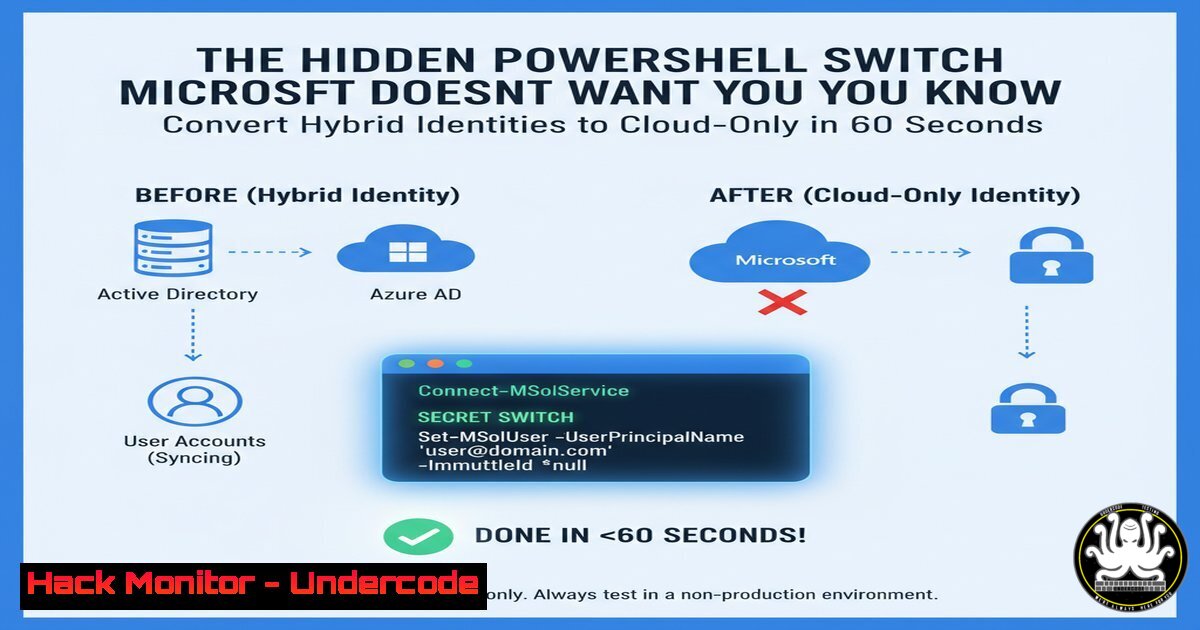
Hybrid identity management has long been a complex challenge for organizations migrating to cloud infrastructure. The traditional methods of converting synchronized users to cloud-native identities involved risky deletion/restoration processes or complete tenant conversions—until now. A recently discovered PowerShell method allows administrators to flip a single property that transforms hybrid users into cloud-managed identities instantly.
Learning Objectives:
- Understand the `isCloudManaged` property and its impact on hybrid identity management
- Master PowerShell commands for manipulating Entra ID user properties
- Implement security best practices for identity source conversion
- Troubleshoot common synchronization issues during conversion
- Develop monitoring strategies for converted cloud identities
You Should Know:
1. The Core PowerShell Command for Identity Conversion
 Connect to Microsoft Graph PowerShell
Connect-MgGraph -Scopes "User.ReadWrite.All","Directory.ReadWrite.All"

Get the target user
$user = Get-MgUser -UserId "[email protected]"

Update the isCloudManaged property
Update-MgUser -UserId $user.Id -AdditionalProperties @{"isCloudManaged" = $true}

Verify the change
Get-MgUser -UserId $user.Id -Property "isCloudManaged"
This PowerShell sequence connects to Microsoft Graph, retrieves a specific user object, and modifies the critical `isCloudManaged` property that determines whether Entra ID or on-premises Active Directory serves as the source of authority. The final command verifies the property change was successful.
2. Pre-Conversion Validation Commands
 Check current synchronization status
Get-MgUser -UserId "[email protected]" -Property "OnPremisesSyncEnabled", "DirectorySyncEnabled"

Verify user isn't blocked for synchronization
Get-MgUser -UserId "[email protected]" -Property "OnPremisesDistinguishedName", "OnPremisesUserPrincipalName"

Check for existing cloud filtering
Get-MgUser -UserId "[email protected]" -Property "OnPremisesExtensionAttributes"
Before converting any user, these validation commands ensure the target account is currently synchronized and identify any potential blockers. The `OnPremisesSyncEnabled` property should return `$true` for hybrid users, while `DirectorySyncEnabled` confirms Azure AD Connect synchronization status.
3. Post-Conversion Verification and Monitoring
 Monitor synchronization errors post-conversion
Get-MgDirectoryObject -ConsistencyLevel eventual -CountVariable countVar -Search '"OnPremisesSyncError"'

Check for cloud-only status confirmation
Get-MgUser -UserId "[email protected]" -Property "CreationType", "UserType"

Verify authentication authority
Get-MgUser -UserId "[email protected]" -Property "AuthenticationPhoneNumber", "StrongAuthenticationRequirements"
After converting users to cloud-only, these monitoring commands verify successful conversion and identify any authentication changes. The `CreationType` property should shift from `Normal` to indicate cloud-native management, while authentication properties confirm the new authority source.
4. Bulk Conversion Script for Multiple Users
 Import CSV and convert multiple users
Import-CSV "C:\UsersToConvert.csv" | ForEach-Object {
$user = Get-MgUser -Filter "userPrincipalName eq '$($<em>.UPN)'"
if ($user) {
Update-MgUser -UserId $user.Id -AdditionalProperties @{"isCloudManaged" = $true}
Write-Output "Converted: $($</em>.UPN)"
}
}

Export conversion log
Get-MgUser -Filter "isCloudManaged eq true" | Select-Object UserPrincipalName, Id | Export-CSV "ConvertedUsers.csv"
This bulk processing script reads user principal names from a CSV file and performs mass conversions to cloud-only management. The script includes logging functionality to track converted users and create audit trails for compliance purposes.
5. Troubleshooting CloudFiltered and Sync Issues
 Identify synchronization blocking
Get-MgUser -UserId "[email protected]" -Property "OnPremisesExtensionAttributes" |
Select-Object -ExpandProperty OnPremisesExtensionAttributes

Check for CloudFiltered status
Get-MgUser -Filter "startswith(DisplayName,'Test')" -Property "OnPremisesSyncEnabled" |
Where-Object {$_.OnPremisesSyncEnabled -eq $false}

Reset synchronization if needed
Set-MgUser -UserId "[email protected]" -OnPremisesSyncEnabled $false
When encountering `CloudFiltered: ObjectUpdatedNotAllowed` errors, these troubleshooting commands help identify synchronization blockers. The extension attributes often contain synchronization metadata that can reveal why certain objects resist conversion.
6. Security Hardening for Converted Privileged Accounts
 Enable PIM for converted privileged accounts
$role = Get-MgRoleManagementDirectoryRoleDefinition -Filter "displayName eq 'Global Administrator'"
New-MgRoleManagementDirectoryRoleAssignment -PrincipalId $user.Id -RoleDefinitionId $role.Id -DirectoryScopeId "/"

Configure conditional access specifically for converted accounts
New-MgIdentityConditionalAccessPolicy -DisplayName "Converted-Users-MFA" -State "enabled" -Conditions @{
UsersInclude = @($user.Id)
ApplicationsInclude = @("All")
LocationsInclude = @("All")
}
After converting privileged accounts to cloud-only, immediately implement Privileged Identity Management (PIM) and conditional access policies. These security measures ensure that newly converted cloud-native accounts don’t become security vulnerabilities during the transition period.
7. Rollback Procedures and Emergency Recovery
 Revert to hybrid management if needed
Update-MgUser -UserId "[email protected]" -AdditionalProperties @{"isCloudManaged" = $false}

Force synchronization cycle
Start-ADSyncSyncCycle -PolicyType Initial

Verify on-premises attributes are preserved
Get-MgUser -UserId "[email protected]" -Property "OnPremisesSecurityIdentifier", "OnPremisesDomainName", "OnPremisesSamAccountName"
In case of conversion issues or unexpected behavior, these rollback commands restore hybrid management and force synchronization cycles. Preserving on-premises attributes during conversion ensures successful reversion to hybrid identity management when necessary.
What Undercode Say:
- This unsupported method represents a significant security advancement for organizations struggling with privileged hybrid account management
- The ability to selectively convert high-risk accounts without full tenant migration provides unprecedented flexibility in identity strategy
The discovery of the `isCloudManaged` property manipulation reveals a critical gap in Microsoft’s official hybrid identity documentation. While Microsoft typically recommends complex migration paths or complete tenant conversions, this PowerShell method offers surgical precision for security-conscious organizations. The technique particularly benefits security teams needing to rapidly convert privileged accounts that represent significant attack surfaces when maintained as hybrid identities. However, the unsupported nature of this method requires careful implementation with robust rollback procedures and comprehensive testing in non-production environments.
Prediction:
Within 12-18 months, Microsoft will formally integrate this capability into their Entra administration portal as organizations increasingly demand granular control over hybrid identity conversions. The current discovery will accelerate adoption of cloud-native privileged identity management, forcing Microsoft to standardize the process and provide official support channels. This evolution will fundamentally shift hybrid identity strategies from all-or-nothing approaches to selective, risk-based conversion methodologies that prioritize security over synchronization convenience.
🎯Let’s Practice For Free:
IT/Security Reporter URL:
Reported By: Danielbradley2 Entra – Hackers Feeds
Extra Hub: Undercode MoN
Basic Verification: Pass ✅


