Listen to this Post
Introduction:
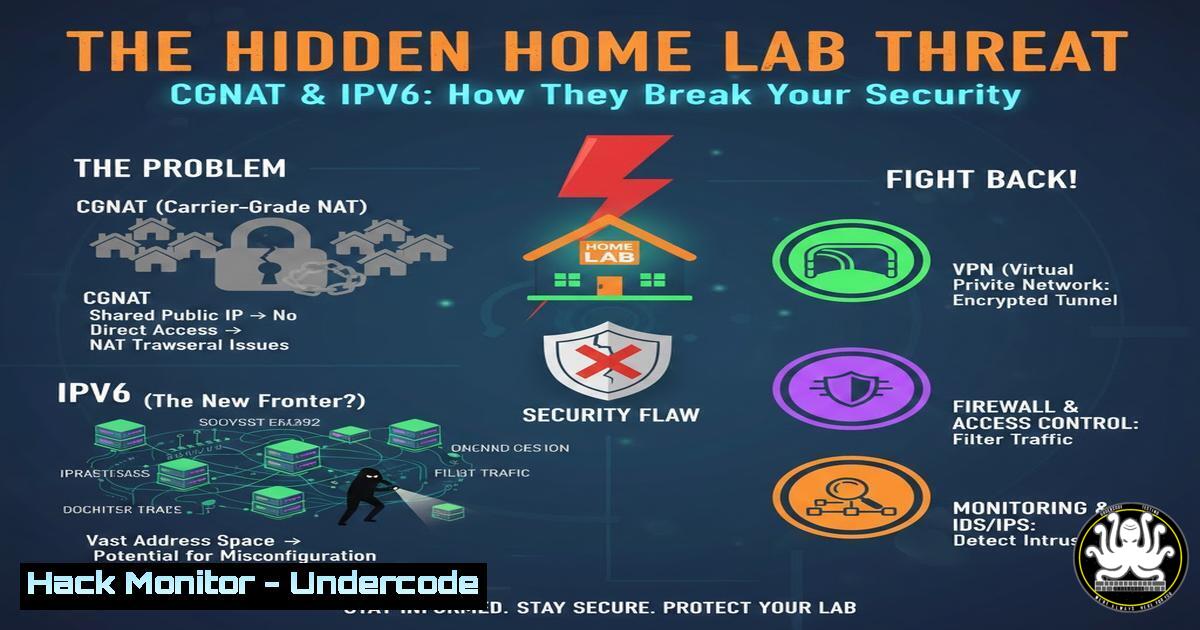
The rise of self-hosting and homelabs has empowered IT professionals to build complex, cloud-like environments at home. However, this often places these systems in direct conflict with evolving ISP architectures like Carrier-Grade NAT (CGNAT) and IPv6, which can silently break critical security services like automated TLS certificate renewal. Understanding and mitigating these issues is essential for maintaining a secure and accessible homelab.
Learning Objectives:
- Understand the security and accessibility risks posed by CGNAT and IPv6 misconfigurations.
- Learn how to implement a DNS-based challenge with Let’s Encrypt as a robust alternative to HTTP validation.
- Master the configuration of Traefik v2.x with OVH’s DNS API for automated certificate management.
- Implement security hardening measures for API tokens and reverse proxy configurations.
- Develop a troubleshooting methodology for homelab service availability.
You Should Know:
- The Invisible Wall: CGNAT and IPv6 Connectivity Issues
The core problem described in the post stems from network-level barriers preventing external access to the homelab. Carrier-Grade NAT (CGNAT) is used by ISPs to conserve IPv4 addresses by sharing a single public IP among multiple subscribers. This breaks the fundamental requirement for the HTTP-01 challenge from Let’s Encrypt, which requires your server to be directly reachable from the public internet on ports 80 and 443. Similarly, misconfigured or poorly supported IPv6 can introduce unpredictable routing, further complicating the situation. While disabling IPv6 and checking CGNAT status are valid initial troubleshooting steps, they are often outside of a user’s direct control.
Step‑by‑step guide explaining what this does and how to use it.
Check for CGNAT: Compare the IP address reported by your router’s WAN interface with your public IP as seen by a service like `curl ifconfig.me` or ipinfo.io/ip. If they are different, you are likely behind CGNAT.
Diagnose IPv6: Use the `ip a` command on Linux to check for an IPv6 address (inet6). Test connectivity with ping6 google.com. Inconsistent results can indicate an ISP-related IPv6 issue.
Port Forwarding Check: Even without CGNAT, verify that ports 80 and 443 are forwarded correctly to your Traefik instance. On your router’s public IP, use `nmap -p 80,443 your.router.ip` from an external network to confirm they are open.
- The Superior Solution: Migrating to a DNS-01 Challenge
When HTTP-01 is not viable, the DNS-01 challenge is the definitive solution. This method does not require inbound connectivity to your server. Instead, you prove ownership of your domain by creating a specific TXT record in your DNS zone. Let’s Encrypt can then query the public DNS to validate this record. This approach is not only more reliable behind CGNAT but is also the only way to issue wildcard certificates (.yourdomain.com) with Let’s Encrypt.
Step‑by‑step guide explaining what this does and how to use it.
1. Identify your DNS provider (e.g., OVH, Cloudflare, AWS Route53) and ensure you have an account with API access.
2. Generate a dedicated API token/key for Traefik. This token should have the minimum permissions necessary to read and write TXT records for your specific domain zone. Never use your global account credentials.
3. Configure Traefik to use this DNS challenge. This involves modifying your static Traefik configuration (e.g., traefik.yml) or your dynamic file provider configuration to specify the DNS resolver.
3. Configuring Traefik v2.x with OVH DNS API
Traefik has a built-in library of DNS providers, including OVH, which automates the DNS-01 challenge process. The following example uses a Docker Compose setup.
Step‑by‑step guide explaining what this does and how to use it.
1. Create OVH Application Credentials: Log in to your OVH account, go to the “API” section, and create a new set of application keys. Note down the Application Key, Application Secret, and Consumer Key.
2. Create a Docker Compose File for Traefik:
 docker-compose.traefik.yml
version: '3.8'

services:
traefik:
image: traefik:v2.10
container_name: traefik
restart: unless-stopped
security_opt:
- no-new-privileges:true
ports:
- "80:80"
- "443:443"
environment:
- OVH_ENDPOINT=ovh-eu  Use 'ovh-ca' for OVH Canada
- OVH_APPLICATION_KEY=your_application_key
- OVH_APPLICATION_SECRET=your_application_secret
- OVH_CONSUMER_KEY=your_consumer_key
volumes:
- /var/run/docker.sock:/var/run/docker.sock:ro
- ./traefik-data/acme.json:/acme.json
- ./traefik-data/traefik.yml:/traefik.yml:ro
- ./traefik-data/dynamic/:/dynamic/:ro
command:
- --configfile=/traefik.yml
3. Create the Static Traefik Configuration (`traefik.yml`):
 traefik.yml
api:
dashboard: true
insecure: true  Disable this in production and secure the dashboard!

entryPoints:
web:
address: ":80"
http:
redirections:
entryPoint:
to: websecure
scheme: https
websecure:
address: ":443"

certificatesResolvers:
myresolver:
acme:
email: [email protected]
storage: /acme.json
dnsChallenge:
provider: ovh
delayBeforeCheck: 0
resolvers:
- "1.1.1.1:53"
- "8.8.8.8:53"
4. Secure the `acme.json` file: Run `chmod 600 ./traefik-data/acme.json` on the host to ensure only the owner can read/write this file containing your certificate data.
4. Securing Your DNS API Credentials
Storing API secrets in plaintext environment variables is a significant security risk. A more secure approach is to use Docker secrets or a dedicated secrets file that is excluded from version control.
Step‑by‑step guide explaining what this does and how to use it.
1. Create a Secrets File: Create a file named secrets.env.
OVH_APPLICATION_KEY=your_application_key
OVH_APPLICATION_SECRET=your_application_secret
OVH_CONSUMER_KEY=your_consumer_key
2. Modify the Docker Compose File: Update the `environment` section to use env_file.
services:
traefik:
...
env_file:
- ./secrets.env
...
3. Add to .gitignore: Ensure `secrets.env` and `acme.json` are listed in your `.gitignore` file to prevent accidental exposure.
5. Hardening Your Traefik Deployment
A reverse proxy is a critical security boundary and must be hardened. Enabling the dashboard without proper authentication and exposing it to the public internet is a severe vulnerability.
Step‑by‑step guide explaining what this does and how to use it.
1. Create HTTP Basic Authentication: Generate a hashed password using `htpasswd` or an online tool. `echo $(htpasswd -nb user securepassword) | sed -e s/\\$/\\$\\$/g`
2. Create a Dynamic Configuration File (`dynamic/dashboard.yml`):
 dynamic/dashboard.yml
http:
middlewares:
secHeaders:
headers:
frameDeny: true
sslRedirect: true
stsIncludeSubdomains: true
stsPreload: true
stsSeconds: 31536000
auth:
basicAuth:
users:
- "user:$$apr1$$9Cv/OMGj$$ZomWQzuQbL.3RCSbCDq4j."
routers:
api:
rule: "Host(<code>traefik.yourdomain.com</code>)"
entryPoints:
- "websecure"
service: api@internal
middlewares:
- auth
- secHeaders
tls:
certResolver: myresolver
This configuration secures the dashboard with a password, forces HTTPS, and adds critical security headers.
What Undercode Say:
- Resilience Over Convenience: The HTTP-01 challenge, while simple, creates a single point of failure dependent on your ISP’s infrastructure. Proactively adopting the DNS-01 challenge builds a more resilient and professional homelab architecture that is immune to CGNAT and restrictive firewall policies.
- The Principle of Least Privilege is Non-Negotiable: The incident highlights the critical need for granular API security. The OVH tokens used should be scoped with precise permissions—only allowing TXT record modifications for the specific domain—to minimize the blast radius if they are ever compromised. This is a foundational practice for all cloud and DevOps security.
This incident is a microcosm of a larger trend: the consumer internet infrastructure (CGNAT, IPv6) is increasingly at odds with prosumer and professional activities like self-hosting. The solution isn’t to fight the ISP, but to adapt application-layer services to be more agile. The move to DNS-based validation is a prime example of this adaptation. Furthermore, the process of securing API keys and hardening the Traefik instance demonstrates a maturity in security posture that is essential. This is no longer just about getting a service online; it’s about maintaining its security, integrity, and availability in a hostile network environment.
Prediction:
The convergence of homelabs, remote work, and edge computing will force a reckoning with consumer ISP practices. We predict a growing market for “prosumer” internet tiers that offer static IPv4 addresses or native IPv6 support without CGNAT. Simultaneously, the security tooling around automated certificate management (like Traefik, Cert-Manager) will deepen their integration with DNS providers, making DNS-01 the default and most secure method for TLS issuance, even in environments without connectivity restrictions. This will push homelab enthusiasts and SMBs towards more cloud-native, API-driven security practices.
🎯Let’s Practice For Free:
IT/Security Reporter URL:
Reported By: Nagib Berdjouh – Hackers Feeds
Extra Hub: Undercode MoN
Basic Verification: Pass ✅


