Listen to this Post
Introduction:
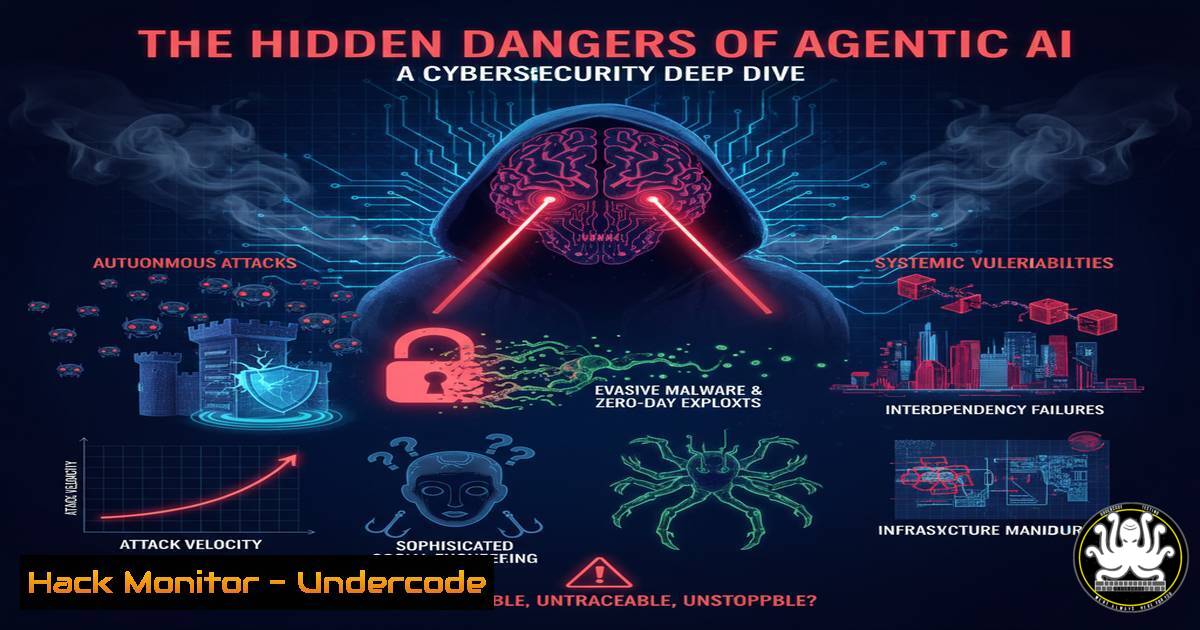
The rapid ascent of agentic AI systems, capable of performing tasks autonomously, presents a paradigm shift not just in automation but in the entire cybersecurity threat landscape. These intelligent agents, while powerful, can be manipulated to undermine the very privacy and security frameworks they are built upon, creating novel attack vectors that traditional security models are ill-equipped to handle. This article deconstructs the technical risks and provides actionable hardening strategies for security professionals.
Learning Objectives:
- Understand the core cybersecurity vulnerabilities inherent in agentic AI architectures.
- Learn practical commands and configurations to audit and secure AI environments.
- Develop a mitigation strategy for AI-specific threats like prompt injection and data exfiltration.
You Should Know:
1. Auditing AI Model Permissions and Network Access
A primary risk with agentic AI is its excessive system permissions, allowing it to move laterally. Start by auditing what the AI can access.
Linux/MacOS: Inspect Network Connections
 List all network connections and the processes owning them
lsof -i -P | grep LISTEN

Monitor outbound connections from a specific process (e.g., a Python AI agent)
sudo netstat -tunap | grep python3
Step-by-step guide: The `lsof` command lists open files and network connections. Using `-i` filters for internet connections, and `-P` inhibits the conversion of port numbers to port names. `netstat -tunap` shows all TCP/UDP connections with the corresponding Process ID (PID) and program name. Regularly monitoring this helps identify if your AI agent is establishing unexpected, potentially malicious outbound connections to exfiltrate data.
Windows: Check Process Network Activity
 Get all established TCP connections
Get-NetTCPConnection -State Established | Select-Object LocalAddress, LocalPort, RemoteAddress, RemotePort, OwningProcess

Find the process associated with a PID
Get-Process -Id <PID>
Step-by-step guide: In Windows PowerShell, `Get-NetTCPConnection` is the modern replacement for netstat. The `-State Established` filter shows active connections. By pairing the `OwningProcess` (PID) with Get-Process, you can pinpoint which application, such as an AI service, is responsible for the network traffic.
2. Containing AI Agents with Containerization
Isolating AI agents within containers limits their blast radius if compromised.
Docker Security Hardening
 Sample Dockerfile with security best practices
FROM python:3.9-slim

Run as non-root user
RUN groupadd -r aiagent && useradd -r -g aiagent aiagent
USER aiagent

Copy only necessary files
COPY --chown=aiagent:aiagent ./app /app
WORKDIR /app

Define a health check
HEALTHCHECK --interval=30s --timeout=3s \
CMD curl -f http://localhost:8000/health || exit 1
Step-by-step guide: This Dockerfile creates a dedicated, non-root user (aiagent) to mitigate privilege escalation risks. It copies only the application code, adhering to the principle of least privilege. The `HEALTHCHECK` instruction allows the Docker engine to monitor the container’s state. Run the container with further restrictions: docker run --read-only --security-opt=no-new-privileges:true --cap-drop=ALL <image_name>.
3. Mitigating Prompt Injection Attacks
Agentic AI can be tricked via prompt injection to reveal sensitive data or perform unauthorized actions.
Input Sanitization with Python
import re

def sanitize_prompt(user_input):
"""
Basic sanitization for AI prompts to prevent injection.
"""
 Define a blocklist of dangerous commands or patterns
blocklist = [r'eval(', r'exec(', r'import os', r'subprocess', r'<strong>class</strong>', r'open(/']

for pattern in blocklist:
if re.search(pattern, user_input, re.IGNORECASE):
raise ValueError(f"Potentially malicious input detected: {pattern}")

Limit input length
if len(user_input) > 1000:
raise ValueError("Input prompt too long.")

return user_input.strip()

Example usage
try:
safe_input = sanitize_prompt(user_prompt)
 Feed safe_input to your AI model
except ValueError as e:
print(f"Security Error: {e}")
Step-by-step guide: This Python function provides a first layer of defense. It uses a regular expression blocklist to search for and reject inputs containing common dangerous patterns like attempts to run `eval()` or import the `os` module. It also imposes a length limit to hinder complex attacks. This should be part of a larger validation strategy including allow-listing and semantic checks.
4. Securing AI APIs from Unauthorized Access
AI models are often served via APIs, which become high-value targets.
Using curl to Test API Security Headers
 Check for missing security headers on your AI endpoint
curl -I -X GET https://your-ai-api.example.com/v1/predict

Look for headers like:
 Strict-Transport-Security: max-age=31536000; includeSubDomains
 X-Content-Type-Options: nosniff
 Content-Security-Policy: default-src 'self'
Step-by-step guide: The `curl -I` command fetches only the HTTP headers of the response. Security headers like `Strict-Transport-Security` (HSTS) force browsers to use HTTPS, `X-Content-Type-Options` prevents MIME sniffing, and `Content-Security-Policy` mitigates XSS attacks. Their absence is a critical misconfiguration.
Nginx Configuration for AI API Endpoint
server {
listen 443 ssl;
server_name ai-api.yourcompany.com;

Security Headers
add_header Strict-Transport-Security "max-age=31536000; includeSubDomains" always;
add_header X-Frame-Options "SAMEORIGIN" always;
add_header X-Content-Type-Options "nosniff" always;
add_header Content-Security-Policy "default-src 'self'; script-src 'self' 'unsafe-inline';" always;

location /v1/predict {
 Rate limiting to prevent abuse
limit_req zone=api burst=10 nodelay;

Restrict to internal networks or API gateways
allow 10.0.0.0/8;
deny all;

proxy_pass http://ai_model_backend;
}
}
Step-by-step guide: This Nginx configuration snippet hardens an AI API endpoint. It implements critical security headers, applies rate limiting (limit_req) to prevent Denial-of-Service (DoS) attacks, and uses IP-based access control (allow/deny) to restrict access to the predictive endpoint, ideally only from a trusted API gateway.
5. Detecting Data Exfiltration via DNS Logs
Sophisticated AI compromises may use DNS tunneling for stealthy data exfiltration.
Analyzing DNS Query Logs
 On a Linux DNS server, inspect logs for suspicious long or frequent queries
sudo tail -f /var/log/syslog | grep named
 or using journalctl for systemd
sudo journalctl -u systemd-resolved -f

Look for patterns like:
 - Unusually long subdomain names (e.g., LARGEENCODEDDATA.malicious.com)
 - High frequency of queries to a single, unknown domain
Step-by-step guide: Continuous monitoring of DNS logs is essential. The `tail -f` command follows the log file in real-time. You should alert on domains with high entropy (random-looking strings) in their subdomains or a high volume of queries to newly registered or obscure domains, as these are hallmarks of DNS tunneling.
6. Hardening Cloud IAM for AI Services
Cloud credentials used by AI agents are a top target. Apply the principle of least privilege.
AWS IAM Policy for a Read-Only AI Agent
{
"Version": "2012-10-17",
"Statement": [
{
"Effect": "Allow",
"Action": [
"s3:GetObject",
"s3:ListBucket"
],
"Resource": [
"arn:aws:s3:::ai-input-data-bucket/",
"arn:aws:s3:::ai-input-data-bucket"
]
}
]
}
Step-by-step guide: This AWS IAM policy is a model of least privilege. It grants only the `s3:GetObject` and `s3:ListBucket` actions on a specific S3 bucket (ai-input-data-bucket). The AI agent cannot write, delete, or access any other AWS resources. Never assign broad policies like `AdministratorAccess` to an AI service.
Azure CLI: Audit Role Assignments
 List all role assignments for a specific resource group
az role assignment list --resource-group YOUR_AI_RG --output table
Step-by-step guide: This Azure CLI command lists all users, groups, and service principals (which could be an AI agent’s identity) that have permissions within a specific resource group. Regular audits with this command help identify over-privileged accounts that need to be remediated.
7. Leveraging AI for Proactive Threat Hunting
The same technology can be used defensively to analyze logs and detect anomalies.
Basic Python Script for Log Anomaly Detection
import pandas as pd
from sklearn.ensemble import IsolationForest

Sample: Load a dataset of failed login attempts (timestamp, count)
log_data = pd.read_csv('failed_logins.csv')
log_data['timestamp'] = pd.to_datetime(log_data['timestamp'])

Feature engineering: extract hour and day of week
log_data['hour'] = log_data['timestamp'].dt.hour
log_data['day_of_week'] = log_data['timestamp'].dt.dayofweek

Train an Isolation Forest model for anomaly detection
model = IsolationForest(contamination=0.01)
log_data['anomaly'] = model.fit_predict(log_data[['count', 'hour', 'day_of_week']])

Identify anomalies (where anomaly == -1)
anomalies = log_data[log_data['anomaly'] == -1]
print(anomalies)
Step-by-step guide: This script uses an Isolation Forest, an unsupervised machine learning algorithm, to detect unusual patterns in log data (e.g., a spike in failed logins at an odd hour). By flagging these anomalies (anomaly == -1), security teams can investigate potential brute-force attacks or credential stuffing campaigns targeting AI management interfaces.
What Undercode Say:
- The Attack Surface is Expanding, Not Shifting. Agentic AI does not replace old vulnerabilities; it layers new, complex ones on top. The primary risk is the convergence of traditional misconfigurations (over-permissioned IAM roles, unpatched systems) with novel AI-specific exploits like prompt injection.
- The “Intelligence” is the Vulnerability. The very feature that makes agentic AI useful—its ability to reason and act—is its core weakness. An attacker doesn’t need to find a buffer overflow; they need to “reason” with the AI more effectively than its designers, turning it into a compliant insider threat.
The discourse around AI security is often too futuristic, focusing on hypothetical super-intelligences. The immediate and pressing danger is far more mundane: we are deploying sophisticated, autonomous software agents with the same reckless permissioning and fragile architectures that have plagued IT for decades. The “whistleblower” warnings are correct, but the real scandal isn’t a future AI uprising—it’s the present-day negligence in applying foundational cybersecurity principles to these powerful new systems. The first major AI security breach will likely stem from a basic, known vulnerability that was simply overlooked in the rush to deploy.
Prediction:
Within the next 18-24 months, we will witness a landmark cybersecurity incident directly caused by a compromised agentic AI. This will not be a sci-fi style “AI takeover,” but a more conventional, devastating data breach or system takeover facilitated by an AI agent that was tricked via prompt injection or exploited through its excessive permissions. The fallout will trigger stringent new regulatory frameworks for AI development and deployment, mandating formal verification of AI behavior, strict isolation protocols, and comprehensive audit trails, forcing the industry to mature rapidly under the pressure of a major crisis.
🎯Let’s Practice For Free:
IT/Security Reporter URL:
Reported By: Activity 7380491605146996736 – Hackers Feeds
Extra Hub: Undercode MoN
Basic Verification: Pass ✅


