Listen to this Post
Introduction:
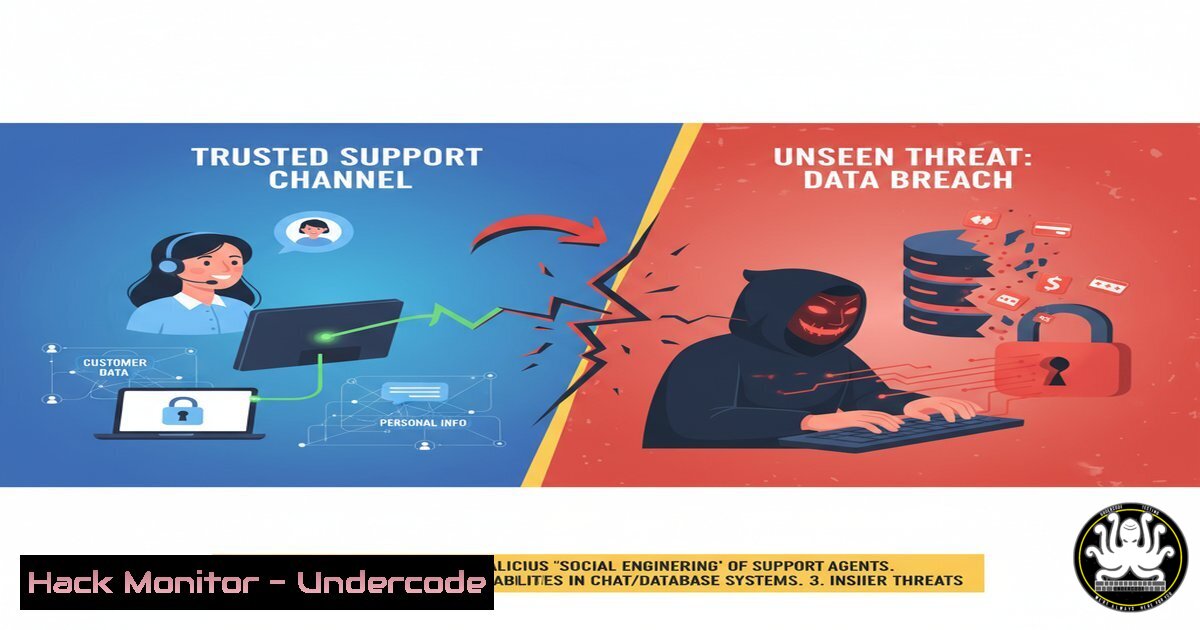
A recent incident involving a Discord account ban and subsequent communication with its Trust & Safety team reveals a critical, often overlooked attack vector: insider threats and data mishandling within support systems. This case study underscores how the very channels designed to help users can become sources of data exposure, highlighting the need for robust data governance and secure communication protocols.
Learning Objectives:
- Understand the mechanisms of data exfiltration through support tickets and trust systems.
- Learn essential commands for detecting unauthorized data access and system changes.
- Implement hardening techniques for both Windows and Linux environments to mitigate insider risks.
You Should Know:
1. Auditing User Access and Login History
In the context of a potential data breach, knowing who accessed a system and when is paramount.
Windows (PowerShell):
 Get all logon events from the security log
Get-EventLog -LogName Security -InstanceId 4624, 4625 -Newest 50 | Format-Table TimeGenerated, Id, Message -Wrap

Query specific logon events in detail
Get-WinEvent -FilterHashtable @{LogName='Security'; ID=4624} | Select-Object -First 10 | Format-List
Linux:
 View last logins
last -a

Check authentication logs for SSH and sudo attempts
sudo tail -f /var/log/auth.log
 For systems using journalctl:
sudo journalctl _COMM=sshd -f
This step-by-step guide allows an administrator to trace user access. The Windows PowerShell commands query the Security event log for successful (4624) and failed (4625) logon events, providing a timeline of access. The Linux commands (last and auth.log/journalctl monitoring) offer a real-time and historical view of who logged in and when, which is crucial for identifying if an account has been compromised and used for unauthorized data access.
2. Monitoring for Data Exfiltration Attempts
Detecting data leaving your network is a key defense against breaches.
Windows (PowerShell):
 Monitor established network connections
Get-NetTCPConnection -State Established | Where-Object {$_.RemoteAddress -ne "0.0.0.0"} | Select-Object LocalAddress, LocalPort, RemoteAddress, RemotePort, OwningProcess

Check for large outbound transfers with Resource Monitor (GUI)
 Start via: resmon
Linux:
 Monitor network connections in real-time
sudo netstat -tunap

Alternatively, use ss for faster output
sudo ss -tunap

Use iftop to monitor bandwidth usage per connection
sudo iftop -P
These commands provide a live view of network connections. `netstat` and `ss` on Linux show all active TCP/UDP connections and the processes associated with them, allowing you to spot connections to unexpected external IP addresses. `iftop` then drills down into bandwidth usage, helping to identify large, sustained data transfers that could indicate exfiltration.
3. Hardening File System Permissions
Preventing unauthorized access to sensitive files is a first line of defense.
Linux:
 Find files with broad permissions (world-readable)
find /home /opt -type f -perm -o=r -ls 2>/dev/null

Set strict permissions on a sensitive directory
sudo chmod 700 /home/user/private_data
sudo chown root:root /etc/passwd /etc/shadow
sudo chmod 644 /etc/passwd
sudo chmod 000 /etc/shadow
Windows (Command Prompt):
 Use icacls to view and modify permissions
icacls "C:\SensitiveData"

Remove inherited permissions and grant access only to Administrators
icacls "C:\SensitiveData" /inheritance:r
icacls "C:\SensitiveData" /grant:r "Administrators:(F)"
The Linux `find` command proactively scouts for files that are readable by everyone, a common misconfiguration. The `chmod` and `chown` commands are used to enforce the principle of least privilege. On Windows, `icacls` is a powerful tool for viewing and restructuring Access Control Lists (ACLs), ensuring only authorized users and groups have access.
4. Analyzing Running Processes for Anomalies
Malware or unauthorized scripts used to access data will often appear as a running process.
Linux:
 View a detailed tree of running processes
ps auxwf

Look for processes owned by non-standard users
ps aux | awk '{if($1 != "root" && $1 != "www-data" && $1 != "postfix") print}'

Monitor for new processes in real-time
sudo watch -n 1 'ps aux --sort=-%cpu | head -n 10'
Windows (PowerShell):
 Get a detailed list of processes with owners
Get-WmiObject Win32_Process | Select-Object Name, ProcessId, CommandLine, @{Name="Owner";Expression={$_.GetOwner().User}}

Use Task Manager (GUI) for a user-friendly overview
 Start via: taskmgr
These commands help build a baseline of normal system activity. The Linux `ps auxwf` shows a process tree, which can reveal parent-child relationships indicative of a script launching other tools. The PowerShell command goes beyond simple process listing by including the command line and owner, which can reveal scripts or executables running with stolen credentials.
5. Securing Communication and Data in Transit
The Discord incident involved data exposure via email. Ensuring your own communications are encrypted is vital.
Using GnuPG (GPG) for Email Encryption:
 Generate a new key pair
gpg --full-generate-key

Export your public key to share
gpg --armor --export [email protected] > mypubkey.asc

Encrypt a file for a recipient
gpg --encrypt --recipient [email protected] sensitive_document.txt

Decrypt a file sent to you
gpg --decrypt secret_message.txt.gpg > secret_message.txt
This step-by-step guide introduces strong end-to-end encryption for sensitive communications. GPG uses public-key cryptography, meaning you can share your public key freely, but only the holder of the corresponding private key can decrypt messages. This prevents a “man-in-the-middle” on the email server from reading the contents, a core lesson from the Trust & Safety doxing incident.
6. Implementing Logging and Integrity Monitoring
Tracking changes to critical files can provide an audit trail after a breach.
Linux (Using AIDE – Advanced Intrusion Detection Environment):
 Initialize the AIDE database
sudo aideinit

Copy the new database to the active location
sudo cp /var/lib/aide/aide.db.new.gz /var/lib/aide/aide.db.gz

Run a manual check
sudo aide --check

Update the database after authorized changes
sudo aide --update
Windows (Using PowerShell for Simple Integrity Checks):
 Generate a file hash (e.g., SHA256) for a critical system file
Get-FileHash C:\Windows\System32\kernel32.dll -Algorithm SHA256

Create a baseline of hashes for a directory
Get-ChildItem C:\SensitiveScripts\ | Get-FileHash -Algorithm SHA256 | Export-Csv .\file_hashes_baseline.csv -NoTypeInformation
AIDE on Linux creates a database of file checksums and attributes. Any unauthorized change—such as a trojaned system binary or a modified configuration file—will be detected during the next check. The Windows `Get-FileHash` cmdlet allows for the creation of a simple baseline to manually verify the integrity of critical files against a known-good state.
7. Proactive Threat Hunting with Command Line Forensics
After an incident, you must hunt for indicators of compromise (IoCs).
Linux:
 Search for files modified in the last 3 days
find / -type f -mtime -3 -ls 2>/dev/null | grep -v "/proc/"

Check crontab for malicious scheduled tasks
sudo crontab -l -u root
sudo cat /etc/crontab
sudo ls -la /etc/cron.

Look for hidden files and directories
find / -name "." -type d -ls 2>/dev/null
Windows (PowerShell):
 Search the registry for common persistence locations
Get-ChildItem -Path 'HKLM:\SOFTWARE\Microsoft\Windows\CurrentVersion\Run', 'HKCU:\SOFTWARE\Microsoft\Windows\CurrentVersion\Run'

Check scheduled tasks
Get-ScheduledTask | Where-Object {$_.State -eq "Running"} | Select-Object TaskName, TaskPath

Find recently created files on the C: drive
Get-ChildItem C:\ -Recurse -File -ErrorAction SilentlyContinue | Where-Object {$_.CreationTime -gt (Get-Date).AddDays(-3)} | Select-Object FullName, CreationTime
These are proactive hunting commands. The Linux `find` commands look for recent changes and hidden artifacts. Checking `crontab` is essential as attackers often establish persistence via scheduled jobs. On Windows, the PowerShell commands inspect common auto-start extensibility points (ASEPs) like the Run keys and Scheduled Tasks, which are frequently abused to maintain access.
What Undercode Say:
- Support Systems are the New Attack Vector: The most trusted channels, like customer support and “Trust & Safety” teams, can become single points of failure for data privacy. Organizations must apply the same security rigor to these systems as they do to their external perimeter.
- The Human Firewall is Critical: Technical controls can be bypassed by human error or malice. Security awareness training must extend to all employees, especially those in non-technical roles handling sensitive user data, to prevent accidental doxing and data leaks.
The Discord incident is not an isolated case but a symptom of a broader systemic issue. It demonstrates that data breach models focusing solely on external hackers are obsolete. The insider threat—whether malicious or accidental—is amplified when support ticketing systems, which often contain a treasure trove of PII and account details, lack proper access controls and auditing. The irony of a “Trust & Safety” team causing a breach should be a wake-up call for every company to re-evaluate their internal data handling policies. Security is a culture, not just a set of firewalls.
Prediction:
This incident foreshadows a future where sophisticated social engineering and insider exploitation will increasingly target low-security internal platforms like HR portals, support ticketing systems, and corporate social media accounts. We will see a rise in “supply chain” data breaches, where attackers compromise a third-party service with weaker security to gain access to the data of its more secure clients. The line between external and internal threats will continue to blur, forcing a paradigm shift towards Zero-Trust architectures even for internal business applications.
🎯Let’s Practice For Free:
IT/Security Reporter URL:
Reported By: Activity 7380099176044511232 – Hackers Feeds
Extra Hub: Undercode MoN
Basic Verification: Pass ✅


