
Listen to this Post
Introduction:
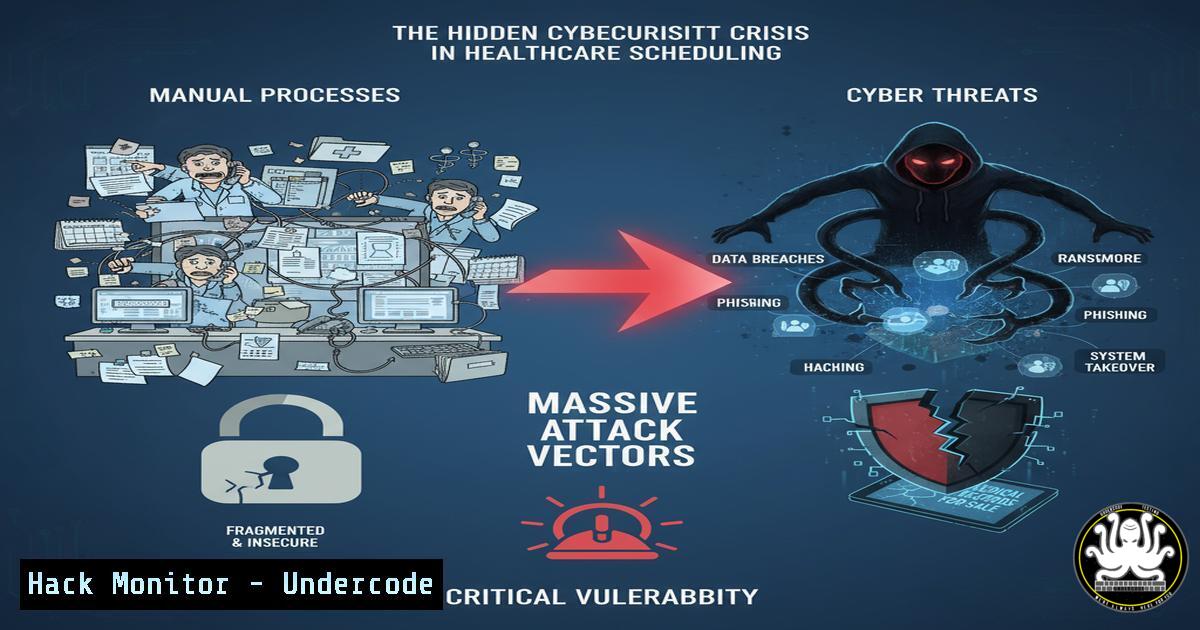
The persistent reliance on manual scheduling in healthcare institutions, primarily via spreadsheets, creates more than just operational inefficiency—it establishes a critical and often overlooked cybersecurity vulnerability. These decentralized, unsecured files containing sensitive staff data become low-hanging fruit for threat actors, exposing entire networks to ransomware and data exfiltration attacks. The migration to AI-powered platforms like Coalshift represents not only an operational upgrade but a necessary evolution in healthcare’s cybersecurity posture.
Learning Objectives:
- Identify the specific cybersecurity risks inherent in manual, spreadsheet-based scheduling systems.
- Implement hardened security configurations for Windows and Linux systems handling sensitive personnel data.
- Develop a proactive defense strategy for protecting healthcare data and applications from endpoint to API.
You Should Know:
1. Securing the Endpoint: Hardening Windows Workstations
Healthcare workstations accessing scheduling data are primary targets. These commands enforce critical security policies.
`gpresult /R`
This Group Policy Result tool displays the effective policy settings applied to a specific user and computer. In a healthcare context, it verifies that mandatory security settings like encrypted connections and application whitelisting are active on devices accessing staff schedules.
Step-by-Step Guide:
1. Open Command Prompt as Administrator.
2. Type `gpresult /R` and press Enter.
- Review the “Computer Configuration” and “User Configuration” sections.
- Confirm that policies like “Require encrypted connection” and “Software Restriction Policies” are correctly applied, preventing unauthorized access to scheduling files.
`Get-MpComputerStatus | fl RealTimeProtectionEnabled, IoavProtectionEnabled`
This PowerShell cmdlet checks the status of Windows Defender Antivirus components, ensuring real-time and browser-based protection are active—a first line of defense against malware delivered via phishing attacks targeting administrative staff.
2. Linux Server Hardening for Application Hosting
AI scheduling platforms like Coalshift often reside on Linux servers. These commands are fundamental for locking down that environment.
`sudo ufw enable && sudo ufw default deny incoming && sudo ufw default allow outgoing`
This series of commands enables the Uncomplicated Firewall (UFW), sets a default policy to deny all incoming connections, and allows all outgoing traffic. This “deny-by-default” posture is crucial for any server hosting a web application.
Step-by-Step Guide:
1. Connect to your Linux server via SSH.
- Execute `sudo ufw enable` to start the firewall.
- Run `sudo ufw default deny incoming` to block all unsolicited inbound traffic.
- Run `sudo ufw default allow outgoing` to permit the server to make outbound calls (e.g., for updates, API calls).
- Then, explicitly allow necessary ports, e.g., `sudo ufw allow 443/tcp` for HTTPS.
`sudo grep ‘PasswordAuthentication no’ /etc/ssh/sshd_config`
This command checks the SSH configuration to ensure password-based logins are disabled, enforcing key-based authentication only. This prevents brute-force attacks on server admin accounts.
3. Vulnerability Assessment and Patch Management
Unpatched systems are a primary entry point. These commands help identify and manage vulnerabilities.
`sudo apt list –upgradable`
On Debian/Ubuntu systems, this command lists all packages that have available updates. Regular execution is critical for patching known exploits that could compromise a server hosting scheduling applications.
Step-by-Step Guide:
- Run `sudo apt update` to refresh the list of available packages.
- Execute `sudo apt list –upgradable` to see which installed packages can be updated.
- Review the list for critical infrastructure (e.g.,
openssl,linux-kernel). - Schedule the updates with `sudo apt upgrade` during a maintenance window.
`nmap –script vuln `
This Nmap command runs a suite of scripts against a target to check for known vulnerabilities. It should be used internally to proactively scan for weaknesses in servers and workstations.
4. API Security and Data Integrity
Modern platforms rely on APIs. Securing them is non-negotiable when handling sensitive staff data.
`curl -H “Authorization: Bearer
This `curl` command simulates an API call to a scheduling platform, using a Bearer token for authentication. The security of this token is paramount, as it grants direct access to sensitive data.
Step-by-Step Guide:
- Generate a secure API token within the application (e.g., Coalshift) with the principle of least privilege.
- Use the command `curl -H “Authorization: Bearer YOUR_TOKEN_HERE” https://api.coalshift.cz/v1/schedules` to fetch schedule data.
- The `-o output.json` flag saves the response to a file for processing.
- CRITICAL: Store the API token in a secure vault, never in plaintext scripts. Use environment variables.
`openssl s_client -connect api.coalshift.cz:443`
This command opens a TLS/SSL connection to the API endpoint, allowing you to inspect the certificate details and verify the connection is properly encrypted, ensuring data in transit is protected.
5. Logging, Monitoring, and Incident Detection
Robust logging is essential for detecting and responding to breaches.
`sudo tail -f /var/log/auth.log | grep ‘Failed password’`
This command tails the authentication log on a Linux system in real-time, filtering for failed login attempts. A sudden surge indicates a potential brute-force attack.
Step-by-Step Guide:
1. SSH into your application or database server.
2. Run `sudo tail -f /var/log/auth.log`.
- In a separate window, simulate a failed login.
- Observe the log entries in real-time to understand the pattern of an attack.
`Get-WinEvent -FilterHashtable @{LogName=’Security’; ID=4625} -MaxEvents 10`
This PowerShell command retrieves the last 10 failed Windows login events (Event ID 4625) from the Security log, crucial for identifying brute-force attempts on workstations.
6. Data Encryption at Rest and in Transit
Protecting data wherever it resides is a core tenet of healthcare compliance (like HIPAA, GDPR).
`sudo find /path/to/schedules -name “.xlsx” -exec gpg –encrypt –recipient ‘[email protected]’ {} \;`
This command finds all legacy Excel schedule files and encrypts them using GPG, rendering the data useless if exfiltrated.
Step-by-Step Guide:
- Ensure GPG is installed (
sudo apt install gnupg). - Import the public key of the recipient (e.g.,
[email protected]). - Run the `find` command to locate all `.xlsx` files in a specified directory.
- The `-exec` flag runs `gpg –encrypt` on each file, creating an encrypted `.gpg` version.
5. Securely delete the original unencrypted files.
`sudo ss -tuln | grep :443`
This `ss` command lists all listening ports and filters for port 443 (HTTPS), confirming that your web services are using encrypted communication.
7. Network Segmentation and Access Control
Isolate sensitive systems to limit the blast radius of a potential breach.
`sudo iptables -A FORWARD -s 192.168.1.0/24 -d 10.0.1.0/24 -j DROP`
This advanced `iptables` command creates a rule to block all forwarded packets from the general user network (192.168.1.0/24) to the secure server network (10.0.1.0/24), enforcing network segmentation.
Step-by-Step Guide:
- Identify your network segments (e.g., User LAN, Server DMZ).
- Plan your segmentation strategy (e.g., user workstations should not directly access database servers).
- On a gateway or firewall, implement the rule
sudo iptables -A FORWARD -s [bash] -d [bash] -j DROP. - Test connectivity to ensure the rule is effective. Access should now be routed through a secured application layer.
`netsh advfirewall firewall add rule name=”Block_Server_Network” dir=out action=block remoteip=10.0.1.0/24`
On Windows, this command creates an outbound firewall rule to block traffic to the server network segment, achieving a similar segmentation goal on the endpoint.
What Undercode Say:
- The transition from manual spreadsheets to centralized, AI-driven platforms is fundamentally a cybersecurity upgrade, shrinking the attack surface from hundreds of vulnerable files to a single, hardened application.
- The human element remains the weakest link; security training for administrative staff on phishing and data handling is as critical as any technical control, especially during a platform migration.
The underlying narrative of the Coalshift post is operational efficiency, but the subtext is a massive reduction in cyber risk. Centralizing data within a professionally developed and maintained platform allows security teams to focus their efforts on protecting one frontier—the application and its infrastructure—instead of chasing shadows across countless unmanaged spreadsheets. This consolidation enables the implementation of robust security controls like MFA, comprehensive logging, and API security monitoring that are simply impossible to enforce on a folder full of Excel files. The 30-day trial is not just a test of features; it’s a pilot for a more secure operational model.
Prediction:
The continued reliance on decentralized, manual data management tools in critical sectors like healthcare will lead to a significant, targeted ransomware campaign in the next 12-18 months. Threat actors will increasingly weaponize macros and exploit unprotected shared drives to gain an initial foothold, leading to the encryption or exfiltration of highly sensitive personnel and patient data. This will force regulatory bodies to explicitly mandate the phasing out of such practices in favor of centralized, secure, and auditable platforms, making cybersecurity a primary driver, rather than a secondary benefit, of digital transformation in healthcare.
🎯Let’s Practice For Free:
IT/Security Reporter URL:
Reported By: Michaluhlir V – Hackers Feeds
Extra Hub: Undercode MoN
Basic Verification: Pass ✅


