
Listen to this Post
Introduction:
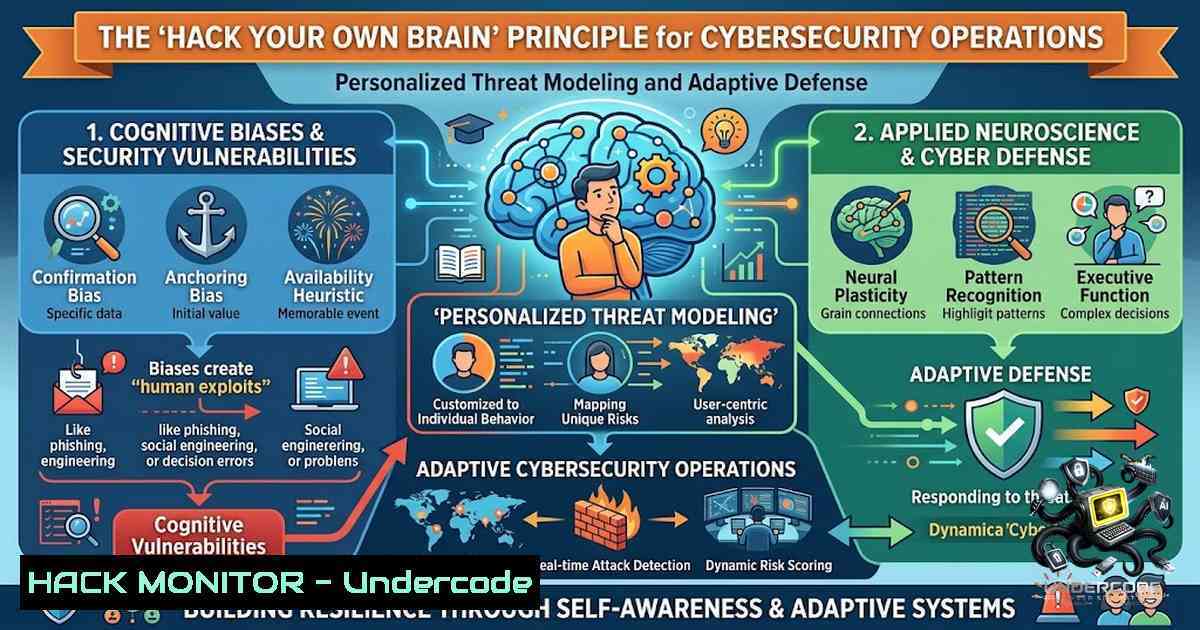
In the high-stakes world of cybersecurity, the industry is often flooded with “universal” frameworks and rigid playbooks that promise a one-size-fits-all solution to threat mitigation. However, just as productivity gurus fail to account for individual cognitive diversity, generic security checklists often miss the nuances of an organization’s unique attack surface. The most effective security posture is not built on copying a competitor’s strategy or adhering strictly to a vendor’s recommended settings; rather, it is cultivated by understanding the specific vulnerabilities, workflows, and human elements of your own environment. This article explores how moving from a “how-to” mentality to a “how-you” approach can revolutionize threat detection, incident response, and overall security hygiene by treating your infrastructure as a unique entity that requires a custom-coded defense strategy.
Learning Objectives & Secrets:
- Objective 1: Personalized Asset Inventory – Learn to map your digital estate not by generic templates, but through active reconnaissance and tailored discovery scripts that identify shadow IT and undocumented APIs specific to your development cycles.
- Objective 2: Dynamic Risk Scoring – Secret tip: Move beyond static CVSS scores. Implement a dynamic risk matrix that incorporates your specific business context and environmental variables, allowing you to prioritize vulnerabilities that actually threaten your operational continuity.
- Objective 3: Adaptive Response Playbooks – Secret tip: Develop response protocols that are not rigid “runbooks” but flexible decision trees. These should adapt based on the time of day, on-call personnel availability, and current network load, ensuring that your human analysts aren’t forced into a workflow that doesn’t fit their cognitive rhythm or the technical reality.
You Should Know:
1. Customizing the Reconnaissance Phase: Beyond Automated Scanners
Most organizations rely on automated vulnerability scanners like Nessus or OpenVAS, but these tools often produce a sea of false positives that desensitize security teams. The “Hack Your Own Brain” approach to recon involves writing custom scripts that query your specific application logic. For instance, if you are running a microservices architecture, a generic scan might miss a misconfigured internal registry. Instead, you should use the `curl` and `jq` commands to interact with your API gateways and check for exposed endpoints that aren’t in the public documentation.
Step‑by‑step guide explaining what this does and how to use it:
First, identify your API base URL and use `curl` to fetch the OpenAPI specification. Compare this against your current running instances.
– Linux Command: `curl -s https://api.yourdomain.com/v2/swagger.json | jq ‘.paths | keys’ > api_endpoints.txt`
– Windows Command (using PowerShell): `Invoke-WebRequest -Uri “https://api.yourdomain.com/v2/swagger.json” | Select-Object -ExpandProperty Content | ConvertFrom-Json | Select-Object -ExpandProperty paths | ForEach-Object { $_.PSObject.Properties.Name }`
This extracts the documented paths. You can then write a simple bash loop to test for common misconfigurations, such as the absence of rate limiting. By tailoring this to your specific framework, you focus on relevant threats, not generic ones. This creates a baseline of “known good” behavior, allowing you to spot anomalies that truly matter.
2. Adaptive Firewall Rule Management: The “Context-Aware” Layer
Traditional firewall rules are static. They don’t account for the varying needs of your business hours or development sprints. Using the “how you” method, you can implement a time-based dynamic firewall management system using `cron` jobs and `iptables` or `netsh` on Windows. This allows you to tighten security during off-hours, blocking non-essential ports, and easing restrictions during peak development times without sacrificing the human element of alert fatigue.
Step‑by‑step guide explaining what this does and how to it:
Utilize `cron` to modify `iptables` rules based on a schedule.
– Linux Setup: Create a script in /usr/local/bin/dynamic_firewall.sh:
!/bin/bash
HOUR=$(date +%H)
if [ $HOUR -lt 8 ] || [ $HOUR -gt 20 ]; then
 Nighttime: Block SSH from external except jump-box
iptables -A INPUT -p tcp --dport 22 ! -s 192.168.1.100 -j DROP
else
 Daytime: Allow SSH globally if needed, but alert on logins
iptables -D INPUT -p tcp --dport 22 ! -s 192.168.1.100 -j DROP 2>/dev/null
fi
– Windows PowerShell (Task Scheduler): Use `Set-1etFirewallRule` to disable RDP access after hours: Set-1etFirewallRule -DisplayName "Remote Desktop" -Enabled False.
This reduces the attack surface significantly during high-risk times (midnight) while ensuring development teams aren’t hindered during working hours, reducing the urge to disable security controls altogether.
- API Security: Tailoring Rate Limiting to User Behavior
One-size-fits-all rate limiting often leads to denial-of-service for legitimate users (false positives) or insufficient protection for sensitive endpoints. By analyzing your own user behavior patterns—using tools like Elasticsearch to analyze request logs—you can define custom rate limits per endpoint and per user role.
Step‑by‑step guide explaining what this does and how to use it:
First, analyze your historical API logs to find the 95th percentile of requests per minute for standard users.
– Linux Command: `zgrep “GET /api/v1/data” /var/log/nginx/access.log | awk ‘{print $1}’ | sort | uniq -c | sort -1r | head -20`
This reveals your heaviest users. For those users, implement a higher limit, but enforce stricter logic on security-sensitive endpoints like /api/v1/auth.
– Configuration (Nginx): Set `limit_req_zone $binary_remote_addr zone=mylimit:10m rate=10r/s;` but you can map specific IPs to a separate “whitelist” zone. This contextual approach prevents lockouts during business reviews, stopping the cycle of “security is blocking my work.”
4. Incident Response: The ‘Cognitive Load’ Playbook
Incident response playbooks often fail because they are too rigid. If you force a first responder to follow a 50-step checklist during a ransomware attack, they will inevitably miss steps. The secret is to create a “cheat sheet” that prioritizes actions based on the type of attack and the current state of the victim (e.g., is it a production database or a staging environment?).
Step‑by‑step guide explaining what this does and how to use it:
Create a Python script that acts as a decision-support tool. It asks the responder three questions (e.g., “Is PII involved? Yes/No”, “Is it a ransomware variant? Yes/No”, “Is the system critical? Yes/No”).
Based on the inputs, the script outputs the top 3 actions. For example, if it is a non-critical staging server with no PII, the script suggests `kill -9 $(lsof -t -i:4444)` and restore from snapshot, rather than initiating the full company-wide DR plan.
– Linux Command to kill a malicious process: `sudo kill -9 $(sudo lsof -t /var/log/secure)` (to kill processes holding the secure log open, indicative of a log-clearing trojan).
– Windows Command: `taskkill /PID [bash] /F`
This reduces the friction of responding, ensuring that the human analyst uses their brain on high-level strategy rather than remembering mundane commands.
5. Cloud Hardening: Custom Policies over Default Templates
Cloud providers offer “best practice” policies, but these often conflict with your actual workload. For example, AWS’s managed policies often allow overly broad permissions. Using the “how you” approach, you trace the actual API calls made by your EC2 instances and Lambda functions over a week.
Step‑by‑step guide explaining what this does and how to use it:
Enable CloudTrail and use `aws-cli` to analyze the actions taken by a specific role.
– Command: `aws cloudtrail lookup-events –lookup-attributes AttributeKey=ResourceName,AttributeValue=my-production-role –max-items 100 –query ‘Events[].CloudTrailEvent’ | jq ‘.[] | fromjson | .eventName’ | sort | uniq`
Generate a policy based only on these actions. This is called a “least-privilege” policy but derived from real usage, not assumptions.
– Implementation: Create a new policy using aws iam create-policy --policy-1ame custom-logic --policy-document file://custom-policy.json. This dramatically reduces your blast radius. If a key is compromised, the attacker can only perform the actions you actually use, not the generic “Admin” actions often recommended in quick-starts.
6. Log Management: Contextual Filtering
Sending terabytes of logs to a SIEM is expensive and creates noise. Instead, focus on “anomalies” relative to your baseline. Use `grep` and `awk` to pre-filter logs before ingestion to ensure only unusual events reach the analyst dashboard. This prevents analysts from drowning in data and missing the “one weird line” that indicates a breach.
Step‑by‑step guide explaining what this does and how to use it:
Extract failed login attempts from auth logs, but filter out known internal IPs (the ones that are constantly failing due to service accounts).
– Linux Command: `sudo grep “Failed password” /var/log/auth.log | grep -v “192.168.1.100” | awk ‘{print $1, $2, $3, $9, $11}’ | sort | uniq -c`
This gives you a concise list of distinct external sources attempting logins. You can then script this to automatically add IPs that exceed a threshold of 5 attempts into a `hosts.deny` file (or firewall). This is a hyper-personalized Intrusion Prevention System (IPS) that only triggers on behavior that is unnatural for your network.
What Undercode Say:
- Key Takeaway 1: Defense-in-Depth is Personal – Just as a neurodivergent leader needs a custom organizational rhythm, a corporate network requires a security posture that is tailored to its specific traffic patterns, business logic, and human workflows. Generic frameworks are starting points, not endpoints.
- Key Takeaway 2: Automation Enables Human Focus – By scripting mundane tasks (like log filtering and dynamic firewall rules), you free up your security analysts to engage in “deep work” (hunting for complex threats) rather than “shallow work” (ticket triage). This alignment with human cognitive strengths is the ultimate “hack” for a resilient security team.
- Analysis: The cybersecurity industry faces a burnout crisis driven by alert fatigue and repetitive, non-contextual tasks. By adopting a “how you” mindset, we shift from being reactive rule-followers to proactive architects of our own security logic. This requires a deep understanding of one’s own infrastructure—a skill set that is often neglected in favor of buying the next “AI-powered” tool. The tools are only as good as the parameters we set, and those parameters should be derived from intimate knowledge of our own digital ecosystem, not a vendor’s generic recommendation.
Prediction:
- +1 Shift to Behavioral Analytics: The future of SIEM and EDR will move away from signature-based detection to “behavioral baselines” generated by machine learning specific to each individual deployment, customizing security rulesets to the enterprise’s unique “rhythm” without manual intervention.
- +1 Rise of the ‘Security Coach’ Role: Just as the original post mentions coaching for leadership, there will be a rise in “Security Human Factors” specialists who analyze how developers and security staff interact with tools, redesigning workflows to reduce friction and error rates, making security a natural part of the development cycle rather than an external blocker.
- -1 Increased Complexity of Custom Scripts: While personalization is key, the heavy reliance on custom bash/PowerShell scripts for security hardening introduces a risk of misconfiguration. If not properly version-controlled and tested, these “personalized” rules could create new, obscure vulnerabilities unique to that organization, making them harder for generic scanners to identify and fix.
▶️ Related Video (78% Match):
🎯Let’s Practice For Free:
🎓 Live Courses & Certifications:
Join Undercode Academy for Verified Certifications
🚀 Request a Custom Project:
Secure, high-velocity infrastructure and disruptive technological engineering. Contact our engineering team for high-tier development and proprietary systems:
[email protected]
💎 Smart Architecture | 🛡️ Secure by Design | ⭐ Trusted by Thousands
IT/Security Reporter URL:
Reported By: https://lnkd.in/p/eRDiZY8y – Hackers Feeds
Extra Hub: Undercode MoN
Basic Verification: Pass ✅


