Listen to this Post
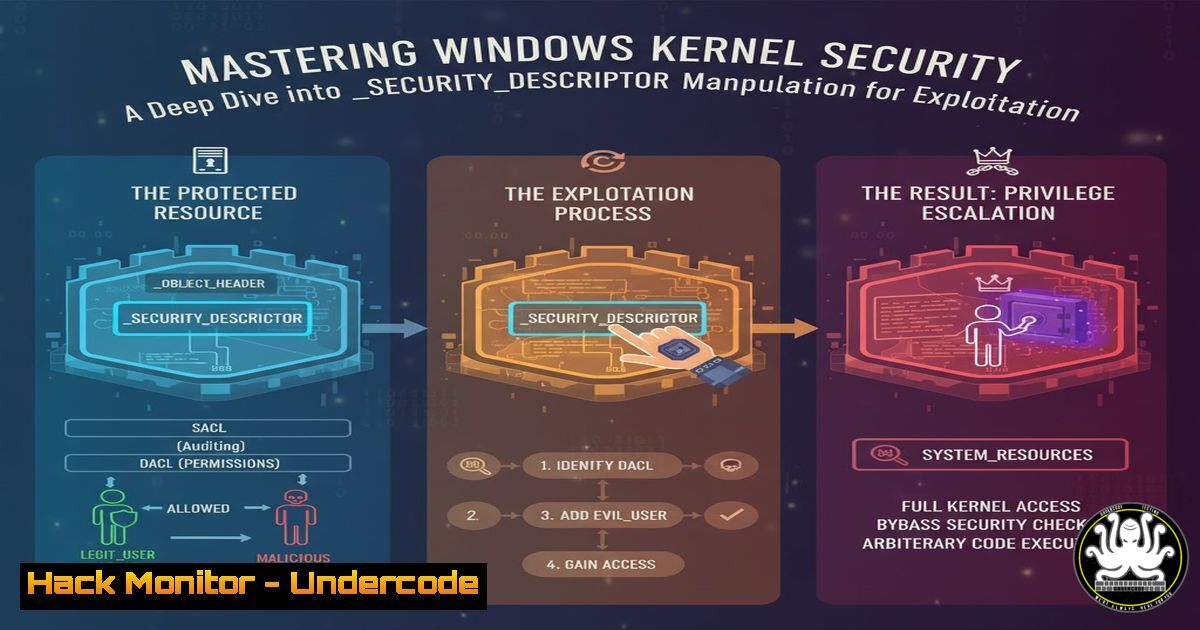
Introduction:
In the intricate world of Windows kernel exploitation, understanding and manipulating security structures is a fundamental skill. This article delves into the _SECURITY_DESCRIPTOR structure, a core Windows security component, demonstrating how low-level manipulation enables privilege escalation and process injection, critical techniques for advanced red team operations and vulnerability research.
Learning Objectives:
- Understand the structure and function of the Windows _SECURITY_DESCRIPTOR
- Learn to analyze and modify security descriptors using WinDbg
- Develop shellcode stubs to manipulate process permissions for exploitation
You Should Know:
1. Understanding _SECURITY_DESCRIPTOR Structure
The _SECURITY_DESCRIPTOR is the fundamental Windows structure controlling object security. Here’s how to examine it in WinDbg:
 WinDbg Commands:
dt nt!_SECURITY_DESCRIPTOR
!sd 0xffffe7893b440500 1
dt nt!_SECURITY_DESCRIPTOR 0xffffe7893b440500
Step-by-step guide:
The `dt` command displays type information for the structure, showing the control flags, owner, group, and ACL pointers. The `!sd` extension formats and displays a security descriptor at a given address. The final number (1) specifies verbose output. This reveals the security descriptor’s revision, control flags, owner SID, group SID, and discretionary ACL (DACL) which contains the access control entries (ACEs) defining permissions.
2. Locating Process Security Descriptors
To manipulate process security, you must first locate its security descriptor within the EPROCESS structure.
 WinDbg Process Security Analysis:
!process 0 0 notepad.exe
dt nt!_EPROCESS Object.SecurityDescriptor 0xffffe7893b440500
!object 0xffffe7893b440500
Step-by-step guide:
The `!process` command finds the EPROCESS structure address for notepad.exe. The `dt` command then displays the Object.SecurityDescriptor field specifically. Alternatively, `!object` on an object handle returns detailed information including the security descriptor. This provides the memory address of the security descriptor controlling notepad’s access rights.
3. Analyzing Access Control Lists (ACLs)
The DACL within the security descriptor contains the actual permission entries. Here’s how to examine it:
 ACL Examination Commands:
dt nt!_ACL
!acl 0xffffe7893b440510
dx ((nt!_ACE)0xffffe7893b440520)->Mask
Step-by-step guide:
After obtaining the security descriptor address, use `!acl` to parse and display the DACL. This shows each ACE with its type (ALLOW/DENY), SID (security identifier), and access mask. The `dx` command can examine specific ACE structures to understand the exact permissions (READ, WRITE, EXECUTE, etc.) granted or denied.
4. Modifying Security Descriptors Programmatically
Kernel shellcode often needs to modify security descriptors. Here’s the essential structure and operations:
// C Structure and Operations:
typedef struct _SECURITY_DESCRIPTOR {
UCHAR Revision;
UCHAR Sbz1;
SECURITY_DESCRIPTOR_CONTROL Control;
PSID Owner;
PSID Group;
PACL Sacl;
PACL Dacl;
} SECURITY_DESCRIPTOR, PISECURITY_DESCRIPTOR;

// Critical WinAPI Functions:
SetSecurityDescriptorDacl()
SetEntriesInAclW()
InitializeSecurityDescriptor()
Step-by-step guide:
The structure defines the security descriptor layout. `InitializeSecurityDescriptor()` prepares a new descriptor. `SetSecurityDescriptorDacl()` associates a DACL with the descriptor, while `SetEntriesInAclW()` modifies existing ACLs. In exploitation, these APIs are called from kernel context to reduce restrictions on target processes.
5. Shellcode Stub for Permission Modification
Here’s the assembly/C hybrid approach for creating permission-modification shellcode:
; x64 Assembly Shellcode Skeleton:
start:
mov r15, [gs:0x188] ; Get current _KTHREAD
mov r15, [r15 + 0xB8] ; Get _EPROCESS
mov rcx, r15 ; Target process EPROCESS
call find_security_descriptor
; Modify DACL to grant full access
ret

find_security_descriptor:
mov rax, [rcx + 0x3E8] ; Object.SecurityDescriptor offset
and rax, 0xFFFFFFFFFFFFFFF0 ; Clear flags
ret
Step-by-step guide:
This shellcode stub locates the current process’s EPROCESS, then navigates to its security descriptor. The key operation clears the descriptor flags and modifies the DACL pointer to grant full access. The exact offset (0x3E8) may vary between Windows versions, requiring version-specific adjustment.
6. Validating Security Descriptor Changes
After modification, verify the changes took effect:
 Validation Commands:
!sd [bash] 1
!process [bash] 7
!object [bash] with full permissions
Step-by-step guide:
Use `!sd` on the modified descriptor address to confirm DACL changes. The `!process` command with detail level 7 shows process security information. Finally, attempt to open the object handle with previously denied permissions to validate the security reduction was successful.
7. Exploitation Integration and Mitigations
Integrating the shellcode into full exploitation chain:
// Exploitation Integration Code:
VOID ExploitPrimitive() {
PVOID shellcode_addr = MapShellcode();
PEPROCESS target_proc = FindTargetProcess();
ModifyProcessSecurity(target_proc, shellcode_addr);
// Proceed with injection
}

// Mitigation Commands (Defense):
bcdedit /set {current} nointegritychecks on
bcdedit /set loadoptions DISABLE_INTEGRITY_CHECKS
Enable Controlled Folder Access
Step-by-step guide:
The exploitation code maps the security modification shellcode, locates the target process, and applies the security changes. Defensively, disabling integrity checks prevents some kernel exploits, while Controlled Folder Access blocks unauthorized modifications. Regular security descriptor auditing using `!sd` and process monitoring is crucial for detection.
What Undercode Say:
- Kernel security descriptor manipulation remains a potent technique despite modern mitigations
- Understanding Windows security structures is more valuable than relying on automated tools
- The gap between documentation and practical exploitation requires hands-on debugging skills
The technical analysis reveals that while Microsoft has hardened the kernel significantly, fundamental structures like _SECURITY_DESCRIPTOR remain accessible to sufficiently privileged code. Milton V.’s approach of combining documentation study with practical debugging provides a methodology that bypasses surface-level protections. The ability to generate custom shellcode for specific security contexts demonstrates that kernel exploitation continues evolving alongside defense mechanisms. This technical arms race ensures that deep structural knowledge will remain relevant despite increasing platform complexity.
Prediction:
As Windows continues implementing virtualization-based security and hypervisor-protected code integrity, direct kernel object manipulation will become more challenging. However, the fundamental need to manage security descriptors ensures they’ll remain accessible to some privileged components. Future exploitation will likely shift toward compromising these privileged components or finding gaps in the virtualization layer, maintaining the cat-and-mouse game between attackers and defenders at an increasingly complex architectural level.
🎯Let’s Practice For Free:
IT/Security Reporter URL:
Reported By: Milton Wetw0rk – Hackers Feeds
Extra Hub: Undercode MoN
Basic Verification: Pass ✅


