
Listen to this Post
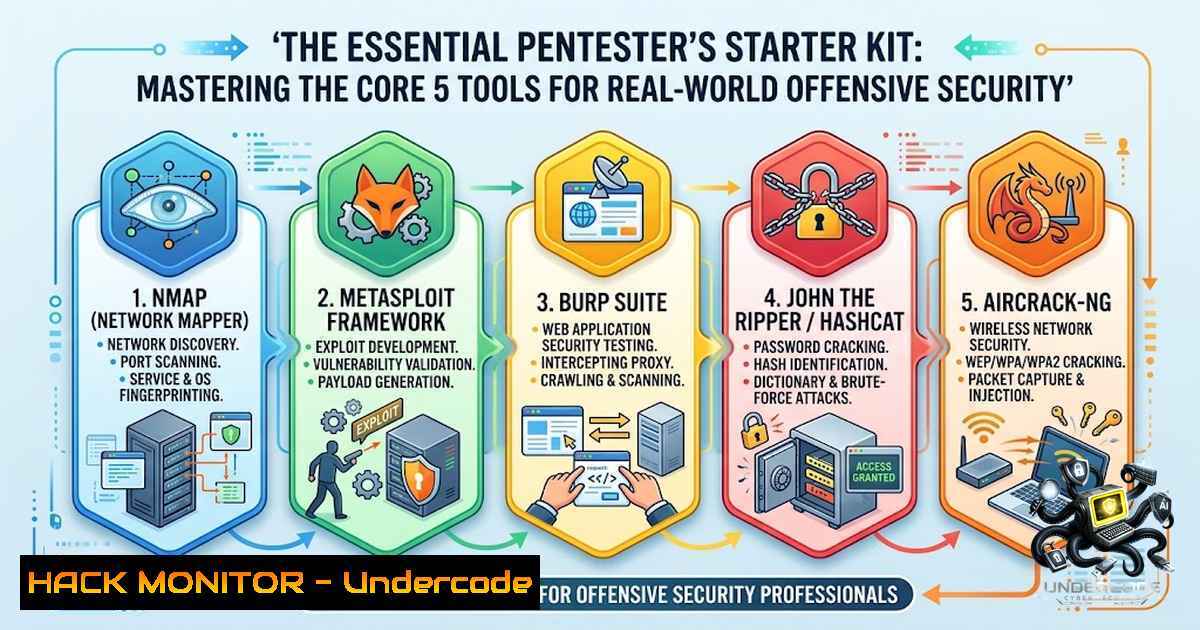
Introduction:
The cybersecurity industry often overwhelms beginners with expansive toolkits like Kali Linux, fostering the misconception that volume equates to capability. In reality, professional penetration testing relies on a core methodology built around understanding network topography, application logic, and system architecture rather than memorizing command syntax. This article distills the practical wisdom of industry mentors, focusing on the foundational five tools that build a scalable skillset, emphasizing that proficiency in mapping (Nmap) and navigation (Linux CLI) forms the bedrock for all advanced exploitation and analysis.
Learning Objectives & Secrets:
- Objective 1: Master Network Enumeration with Nmap: Move beyond basic port scanning to understand service versioning and OS fingerprinting, allowing you to map attack surfaces efficiently.
- Objective 2 Secret Tips: Intercept and Manipulate Web Traffic with Burp Suite: Learn to use the Repeater and Intruder tools not just for fuzzing, but for chaining complex logic flaws that automated scanners miss.
- Objective 3 Secret Tips: Analyze Protocol Behavior with Wireshark: Focus on following TCP streams and extracting files from unencrypted protocols (HTTP/FTP) to understand data leakage vectors.
You Should Know:
1. Network Reconnaissance and Footprinting with Nmap
Nmap is the industry standard for network discovery. It sends crafted packets to target hosts and analyzes the responses to determine which ports are open, what services (e.g., HTTP, SSH, SMB) are listening, and the operating system running. For a beginner, understanding the difference between a SYN scan (-sS) and a full TCP connect scan (-sT) is crucial for remaining stealthy. This tool validates the attack surface before any exploit is attempted.
Step‑by‑step guide: How to perform a basic reconnaissance scan.
Objective: Discover live hosts and open ports on a target network (e.g., 192.168.1.0/24).
- Ping Sweep (Host Discovery): Identify which IPs are online.
nmap -sn 192.168.1.0/24
- Port Scan (SYN Stealth): Scan the most common ports quickly on a target IP.
nmap -sS -T4 -p 1-1000 192.168.1.10
- Service and Version Detection: Discover the exact software and version running on open ports.
nmap -sV -sC -p 80,443,22 192.168.1.10
– -sV: Enables version detection.
– -sC: Runs default NSE scripts for basic vulnerability checks.
4. OS Fingerprinting: Determine the target operating system.
nmap -O 192.168.1.10
Windows Command Alternative: While Nmap is cross-platform, Windows users can leverage PowerShell for basic port testing using Test-1etConnection:
Test-1etConnection 192.168.1.10 -Port 80
2. Web Application Interception with Burp Suite
Burp Suite acts as a man-in-the-middle proxy between your browser and the web application. It allows you to pause and modify every request and response. This is essential for testing how a server handles malicious data passed via URL parameters, cookies, and headers. Beginners often fail to realize that logic flaws (e.g., price manipulation, privilege escalation) are discovered by intercepting requests during normal browsing.
Step‑by‑step guide: Intercepting and modifying a HTTP request.
Objective: Capture a login request and manipulate parameters to test for SQL Injection or authentication bypass.
- Configure Proxy: In Burp Suite, go to the `Proxy` tab >
Options. Confirm the listener is active on port8080. - Browser Setup: Configure your browser to use `localhost:8080` as the HTTP/HTTPS proxy. Install Burp’s CA certificate to intercept HTTPS traffic without errors.
- Intercept ON: In the `Proxy` tab >
Intercept, click “Intercept is on.” - Trigger Request: Perform an action in the browser (e.g., login, clicking a link).
- Analyze and Modify: View the raw HTTP request in Burp. Change a parameter value. For example, if the POST body contains
username=admin&password=pass, change it tousername=admin' OR '1'='1&password=pass. - Forward: Click `Forward` to send the tampered request to the server. Analyze the response to see if the manipulation was successful.
Security Hardening (API/Web): When building APIs, validate input server-side exclusively. Client-side validation is merely a user experience feature. Implement strict allowlists of characters for each input field.
3. Network Traffic Analysis with Wireshark
While Nmap shows you how to connect, Wireshark shows you what is actually happening on the wire. It captures raw network frames. For a pentester, Wireshark is vital for validating findings; if you are trying a Man-in-the-Middle (MITM) attack, Wireshark confirms if you are actually seeing the traffic. It also clarifies dependencies: a failed exploit might be due to a DNS resolution issue or a malformed packet that Wireshark can reveal.
Step‑by‑step guide: Capturing and filtering HTTP Login Credentials.
Objective: Capture network traffic and filter for POST requests containing password fields.
- Select Interface: Open Wireshark and select your active network interface (e.g., eth0, Wi-Fi).
- Start Capture: Click the blue shark fin icon to start capturing.
- Apply Filters: To focus on HTTP traffic, type `http` in the filter bar and press Enter.
- Find Login Details: Right-click on an HTTP packet, select `Follow` >
TCP Stream. This reconstructs the entire session. - Analyze Credentials: Look for the POST request payload within the stream. You will often see clear-text parameters like
user=admin&pass=letmein.
Linux Command: Use `tcpdump` for command-line packet capture:
sudo tcpdump -i eth0 -s 0 -A 'port 80'
This captures HTTP packets and displays the ASCII payload (-A), showing any clear-text data sent. To save to a file for Wireshark analysis, use -w capture.pcap.
4. Framework Exploitation Structure with Metasploit
Metasploit is an exploitation framework. Beginners often use it to run a one-liner exploit. The secret is understanding the structure: `Modules` (exploit, auxiliary, payload), `Payloads` (the shellcode), and `Options` (target IP, port). This framework teaches you the lifecycle of an attack: reconnaissance (auxiliary modules), exploitation, and post-exploitation. It standardizes how vulnerabilities are used, making it easier to switch between different types of attacks once you understand the syntax.
Step‑by‑step guide: Using a Metasploit auxiliary module to scan for SMB vulnerabilities.
Objective: Use the SMB auxiliary scanner to identify hosts with Null Session authentication vulnerabilities.
1. Launch Metasploit:
msfconsole
2. Search for SMB Scanner:
search smb_login
3. Use the Module:
use auxiliary/scanner/smb/smb_login
4. Set Options:
set RHOSTS 192.168.1.0/24
set SMBUser Administrator
set SMBPass password123
– For scanning blank passwords, set `SMBPass` to an empty string or "".
5. Run:
run
This will attempt to authenticate with the provided credentials across the entire subnet.
Post-Exploitation Tip: After gaining a `meterpreter` session, use the `hashdump` command to extract local user password hashes. Use `load kiwi` and `creds_all` to dump clear-text passwords from memory.
5. Linux Command Line (The Force Multiplier)
The Linux command line is the interface through which all security tools operate. A pentester must be comfortable with text editors (vi/nano), file permissions (chmod), process management (ps/kill), and network management (netstat/ss). Without this, the analyst is a “script kiddie,” unable to adapt if a script fails. The CLI allows for efficient scripting (Bash/Python) to automate reconnaissance across hundreds of systems, a necessary skill for modern cloud and enterprise operations.
Step‑by‑step guide: Essential commands for system navigation and data extraction.
Objective: Navigate to a web directory, find configuration files, and grep for passwords.
1. Navigate:
cd /var/www/html
2. List Contents:
ls -la Shows hidden files and permissions
3. Search for Files:
find . -1ame ".conf" Finds all configuration files in the current directory
4. Extract Information:
grep -r "password" . Recursively searches files in the current folder for the string "password"
5. Check Network Connections:
ss -tulpn Shows listening ports and associated processes (-p requires root)
Windows Command Line (CMD/PowerShell):
- List Processes: `tasklist`
– Networking: `netstat -ano` (shows connections with Process IDs) - Find Strings: `findstr /si “password” .config`
What Undercode Say:
- Key Takeaway 1: Mastery Requires a Foundation: The path to offensive security is not a race to learn “hacking tools” but a journey to understand computer architecture. The “Big Five” are merely magnifying glasses; the actual science is in understanding the TCP/IP stack, HTTP protocol, and OS file structures.
- Key Takeaway 2: Adaptation Over Memorization: The cybersecurity landscape evolves daily. A pentester’s value lies in their ability to adapt fundamental knowledge to new technologies (Cloud, IoT, AI). Relying on exploit-db one-liners is a career limiter; understanding how to chain simple logic flaws is where true expertise resides.
Analysis: The mentor’s advice reflects a shift from “tool-heavy” education to “foundational-heavy” learning. The implication is that the industry suffers from imposter syndrome driven by the sheer volume of tools. By isolating the essentials, the mentor aims to build confidence through competency. This pragmatic approach ensures that the beginner learns why an exploit works, not just that it works. Furthermore, it emphasizes the “purple team” mindset: to hack effectively, you must understand how the network and applications are built correctly.
Prediction:
- -1: The ease of access to powerful tools like Metasploit may continue to flood the job market with candidates who lack the deep networking knowledge to troubleshoot complex cloud-1ative environments, leading to an over-reliance on automated vulnerability scanners and an increase in unpatched “logic” vulnerabilities.
- +1: As AI code-generation tools become mainstream, the ability to debug and exploit poorly generated software logic will become a highly specialized niche, leading to a new wave of AI-specific toolchains that build upon the fundamentals of these five core tools, keeping the role of the manual pentester relevant and necessary.
▶️ Related Video (80% Match):
🎯Let’s Practice For Free:
🎓 Live Courses & Certifications:
Join Undercode Academy for Verified Certifications
🚀 Request a Custom Project:
Secure, high-velocity infrastructure and disruptive technological engineering. Contact our engineering team for high-tier development and proprietary systems:
[email protected]
💎 Smart Architecture | 🛡️ Secure by Design | ⭐ Trusted by Thousands
IT/Security Reporter URL:
Reported By: https://lnkd.in/p/eWYiGpZe – Hackers Feeds
Extra Hub: Undercode MoN
Basic Verification: Pass ✅


