
Listen to this Post
Introduction:
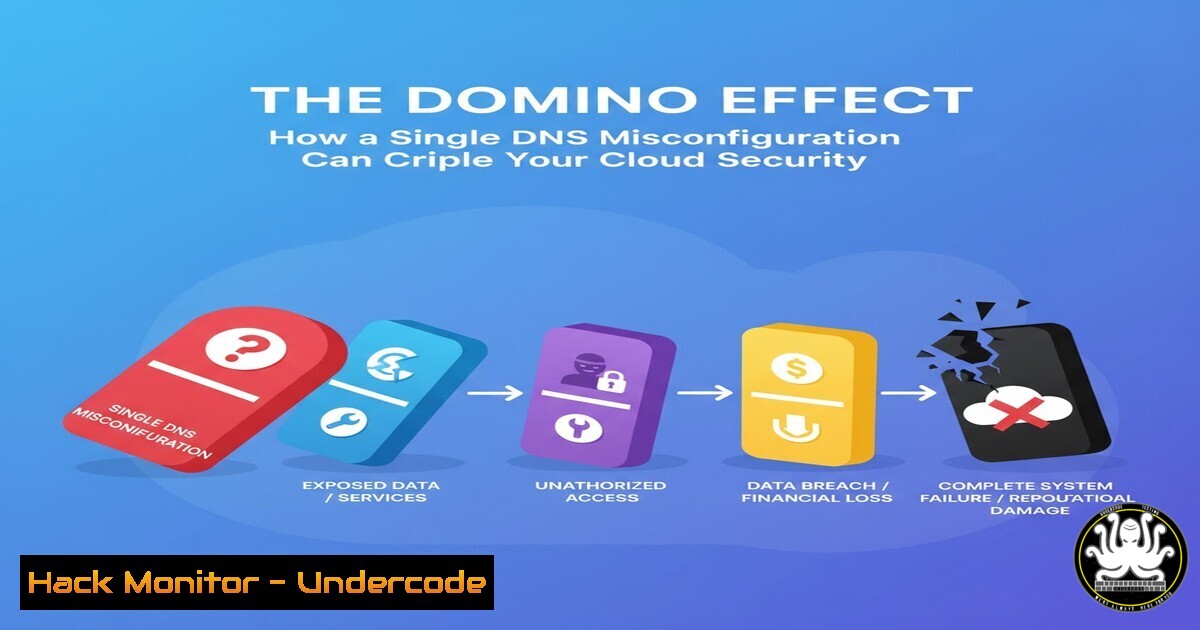
A recent widespread outage impacting major services like Signal and Slack, originating from an Amazon Web Services (DS) disruption, has thrown a harsh spotlight on the fragility of modern cloud infrastructure. This incident underscores that the core vulnerability often lies not in advanced attack vectors, but in fundamental misconfigurations of critical systems like the Domain Name System (DS). Relying on a single point of failure, especially for a service as foundational as DS, creates a domino effect that can bring global digital operations to a standstill, proving that cost-cutting in critical infrastructure is a high-risk gamble.
Learning Objectives:
- Understand the critical role of DS in cloud architecture and its associated security risks.
- Learn to implement robust DS configurations, including monitoring, hardening, and redundancy.
- Acquire practical command-line skills to troubleshoot DS issues and secure your network resolution services.
You Should Know:
1. Understanding the DS Query Chain
When you type a domain name into your browser, your system doesn’t immediately go to a global authority. It follows a hierarchical query chain. A misconfiguration at any level in this chain can lead to service outages.
Commands & Tutorials:
– `nslookup google.com` (Windows/Linux): Basic query to check if a domain resolves.
– `dig google.com` (Linux/macOS): More detailed query showing the full answer section and authority.
– `dig +trace google.com` (Linux/macOS): Traces the entire DS resolution path from root servers to the authoritative server.
– `ipconfig /displaydns` (Windows): Displays the local DS resolver cache.
– `systemd-resolve –status` (Linux with systemd): Shows the current DS configuration on your system.
Step-by-Step Guide:
Using `dig +trace` is an excellent way to diagnose where a DS failure occurs. Run the command in your terminal. It will first show the root DS servers (.), then the Top-Level Domain (TLD) servers (e.g., .com), and finally the authoritative name servers for google.com. If the trace fails at the TLD or authoritative level, the problem is with the domain’s DS provider or configuration, not your local network. This helps isolate the fault during an outage, just like the one experienced with AWS.
2. Implementing DS-over-HTTPS (DoH) for Privacy
Standard DS queries are sent in plaintext, allowing network eavesdroppers to see every website you visit. DoH encrypts your DS queries by sending them over an HTTPS connection, enhancing user privacy.
Commands & Tutorials:
- Firefox Configuration: Navigate to
about:config, search fornetwork.trr, and set `network.trr.mode` to `2` (Use DoH by default) and `network.trr.uri` to a provider like `https://cloudflare-ds.com/dns-query`. - Windows Command Line: Use `netsh` to set DoH: `netsh dns add encryption server=1.1.1.1 dohtemplate=https://cloudflare-ds.com/dns-query`.
- Linux with systemd-resolved: Edit `/etc/systemd/resolved.conf` and add:
`DS=1.1.1.1cloudflare-ds.com 1.0.0.1cloudflare-ds.com`
`DSOverTLS=yes`
Then run `sudo systemctl restart systemd-resolved`.
Step-by-Step Guide:
To enable DoH in Firefox, open a new tab and type `about:config` in the address bar. Accept the risk warning. Search for the preference network.trr.mode. Double-click it and change its value from `0` (Disabled) to `2` (Use DoH by default). Next, search for `network.trr.uri` and set its value to `https://cloudflare-ds.com/dns-query`. Close the tab. Your DS queries from Firefox are now encrypted, protecting your browsing metadata from interception on local networks.
3. Hardening Your DS Server Configuration
If you run your own DS server (e.g., BIND9), hardening its configuration is critical to prevent it from being used in amplification attacks or becoming a vector for cache poisoning.
Commands & Code Snippets:
– `sudo named-checkconf(Linux): Validates the syntax of your BIND configuration file.named.conf.options`:
- BIND9 Snippet for
options {
directory "/var/cache/bind";
allow-recursion { trusted-acls; };
allow-query-cache { none; };
recursion no;
version "Not Available";
dnssec-validation auto;
allow-transfer { none; };
};
– `ufw allow from 192.168.1.0/24 to any port 53` (Linux): Configures a firewall to only allow DS queries from your local network.
Step-by-Step Guide:
Edit your BIND9 configuration file, typically located at /etc/bind/named.conf.options. Add the options listed above. `recursion no;` prevents your server from being used as an open resolver. `version “Not Available”;` hides your BIND version from probes. `allow-transfer { none; };` blocks unauthorized zone transfers. After making changes, run `sudo named-checkconf` to check for syntax errors, then restart BIND with sudo systemctl restart bind9. This significantly reduces your server’s attack surface.
4. Cloud DS Health Checks and Failover
Major cloud providers like AWS Route 53 and Azure DS offer health checks and failover routing policies. These are essential for building resilience against the type of outage described in the article.
Commands & Tutorials:
- AWS CLI: `aws route53 get-health-check-status –health-check-id
`
– AWS CLI: `aws route53 list-health-checks`
– Azure CLI: `az network dns record-set list –resource-group MyResourceGroup –zone-name myzone.com`
Step-by-Step Guide:
In the AWS Management Console, navigate to Route 53. To create a failover setup, you first create a health check that monitors your primary endpoint (e.g., an IP or another domain). Then, create two record sets for the same domain name: a PRIMARY record that is associated with the health check, and a SECONDARY record with a different IP. Configure the failover routing policy. If the health check for the PRIMARY record fails, Route 53 will automatically route all traffic to the SECONDARY record, minimizing downtime.
5. Leveraging DNSSEC for Data Integrity
DS Security Extensions (DNSSEC) adds a layer of trust to the DS by enabling cryptographic verification of DS data. It prevents attackers from hijacking the DS resolution process and redirecting users to malicious sites (cache poisoning).
Commands & Tutorials:
– `dig +dnssec google.com` (Linux/macOS): Performs a DS query and requests DNSSEC records.
– `delv google.com` (Linux/macOS): A diagnostic tool that automatically performs DNSSEC validation and shows the chain of trust.
– dig +multi @9.9.9.9 google.com: Queries the Quad9 DS service which automatically validates DNSSEC.
Step-by-Step Guide:
To check if a domain is properly protected by DNSSEC, use the `delv` command. Open your terminal and type delv google.com. If DNSSEC is correctly configured and validated, the output will show the IP address(es) for `google.com` and end with “fully validated”. If there is a problem (e.g., bogus data), the command will return an error message. This allows you to verify the integrity of the DS responses you are receiving.
6. Monitoring DS with Continuous Query Tools
Proactive monitoring can alert you to DS anomalies before they cause a full outage. Tools like `dnstop` and `tshark` can provide real-time visibility into your DS traffic.
Commands & Tutorials:
– `sudo dnstop -l 4 eth0` (Linux): Monitors DS traffic on interface eth0, updating every 4 seconds.
– `sudo tshark -i eth0 -f “port 53” -Y “dns”` (Linux): Captures and displays all DS packets for deep analysis.
– `netstat -an | findstr :53` (Windows): Checks what services are listening on the DS port (53).
Step-by-Step Guide:
Install `dnstop` on a Linux system acting as a DS server using your package manager (sudo apt install dnstop). Run `sudo dnstop -l 4 eth0` (replace `eth0` with your network interface). The tool will present a live, refreshing screen showing the top DS queries, requestors, and response codes. A sudden spike in NXDOMAIN (non-existent domain) or SERVFAIL (server failure) responses can be an early indicator of a misconfiguration or an ongoing attack, allowing for swift intervention.
What Undercode Say:
- Single Point of Failure is a Strategic Flaw: The reliance on a single cloud provider’s DS infrastructure is an architectural anti-pattern. Resilience must be designed in from the start, not bolted on as an afterthought.
- Cost-Cutting on Core Infrastructure is a False Economy: The initial savings of using a “cheap” cloud DS solution are instantly obliterated by the operational and reputational damage of a single major outage. Investing in a robust, multi-provider strategy is not an expense; it’s insurance.
The recent AWS DS outage is not an anomaly but a symptom of a larger issue: the commoditization of critical infrastructure without a corresponding investment in resilience. The commentary from industry experts highlights a fundamental disconnect between business priorities and technical reality. Treating core services like DS as a “set-and-forget” component is a profound mistake. The analysis suggests that many organizations prioritize dividend payouts and short-term cost savings over robust engineering, creating systemic risk. This event serves as a stark warning that in the interconnected cloud ecosystem, your security and availability are only as strong as your weakest dependency. A Managed Service Provider (MSP) with a security-first mindset can provide the necessary expertise to architect these systems correctly, moving beyond the “cheap and cheerful” approach to one that is truly secure and reliable.
Prediction:
The frequency and impact of single-provider cloud infrastructure failures will catalyze a significant shift in enterprise architecture over the next 2-3 years. We will see a rapid adoption of multi-cloud and hybrid strategies specifically for foundational services like DS, leveraging technologies like service meshes and intelligent global server load balancing (GSLB) to automate failover. The concept of “Provider Diversity” will become a non-negotiable KPI in risk management frameworks, moving from a best practice to a core compliance requirement. Companies that fail to decentralize their critical dependencies will face not only operational disruption but also increased scrutiny from investors and insurers, making resilience a direct contributor to market valuation.
🎯Let’s Practice For Free:
IT/Security Reporter URL:
Reported By: Bernhard Biedermann – Hackers Feeds
Extra Hub: Undercode MoN
Basic Verification: Pass ✅


