
Listen to this Post
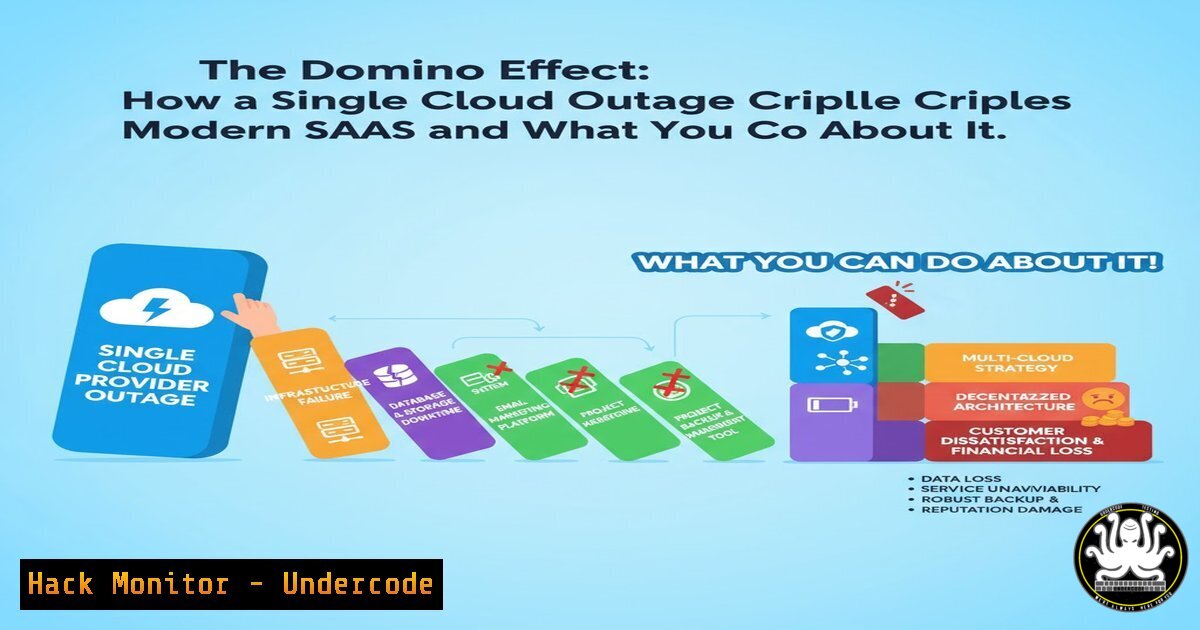
Introduction:
A single AWS outage can bring the digital world to a grinding halt, as evidenced by the recent event that downed services like Signal, Slack, and Asana. This incident is a stark reminder of the profound concentration risk inherent in the modern software supply chain. Understanding the technical underpinnings of cloud infrastructure and hardening your systems against such cascading failures is no longer optional; it’s a core tenet of cybersecurity and operational resilience.
Learning Objectives:
- Understand the key AWS services and architectural patterns that, when disrupted, cause widespread outages.
- Learn critical commands for diagnosing connectivity and service health during a cloud incident.
- Implement proactive hardening and failover strategies to mitigate the impact of third-party cloud dependencies.
You Should Know:
- Diagnosing DNS and HTTP Connectivity During an Outage
When a major cloud provider has an issue, your first step is to diagnose where the failure is occurring. These commands help determine if the problem is local, network-related, or with the service itself.
Verified Commands & Snippets:
`dig STATUS.api.aws.amazon.com +short` (Linux/macOS): Queries DNS for the AWS API endpoint. A failure to resolve indicates a DNS issue.
`nslookup status.aws.amazon.com` (Windows): The Windows equivalent for DNS lookup.
`curl -I -m 10 https://status.aws.amazon.com/` (Linux/macOS/Windows): Tests HTTP connectivity to the AWS status page. The `-I` fetches only headers and `-m 10` sets a 10-second timeout.
`traceroute status.aws.amazon.com` (Linux/macOS): Traces the network path to the target, showing where packets may be dropping.
`Test-NetConnection status.aws.amazon.com -Port 443` (Windows PowerShell): Tests if you can reach the host on the specified port.
Step-by-Step Guide:
First, use `dig` or `nslookup` to confirm DNS resolution. If it resolves, use `curl` to check if the web service is responding with a `200 OK` status. If `curl` hangs or times out, use `traceroute` to identify the network hop where the connection fails. This systematic approach isolates the problem from your local machine to the service.
2. Interpreting the AWS Health Dashboard and API
During an outage, the AWS Management Console may be inaccessible. The public status dashboard and its API become critical sources of truth.
Verified Commands & Snippets:
`curl -s https://health.aws.amazon.com/health/status | grep -A 10 -B 5 “us-east-1” | head -20` (Linux/macOS): A basic scrape to look for status mentions of the critical `us-east-1` region.
`aws health describe-events –region us-east-1 –profile your-profile` (AWS CLI): The official way to fetch service health events programmatically. Requires AWS CLI configured.
`aws cloudwatch describe-alarms –state-value ALARM –region us-east-1 –output table` (AWS CLI): Lists all CloudWatch alarms in an `ALARM` state, which can indicate ongoing issues.
Step-by-Step Guide:
Configure the AWS CLI with a profile that has the `health:DescribeEvents` permission. During an incident, run `aws health describe-events` to get a JSON feed of ongoing issues. Cross-reference this with your CloudWatch alarms to see if your specific resources are affected.
3. Implementing Application-Level Circuit Breakers
A circuit breaker pattern prevents an application from repeatedly trying to call a failing external service, conserving resources and allowing for graceful degradation.
Verified Code Snippet (Node.js with `opossum` library):
const CircuitBreaker = require('opossum');
const axios = require('axios');

const options = {
timeout: 5000, // 5 second timeout
errorThresholdPercentage: 50, // Open after 50% failure
resetTimeout: 30000 // Wait 30 seconds before trying again
};

async function callExternalService(url) {
const response = await axios.get(url);
return response.data;
}

const breaker = new CircuitBreaker(callExternalService, options);
breaker.fallback(() => 'Service unavailable due to cloud outage. Using cached data.');

// Usage
breaker.fire('https://api.external-saas.com/data')
.then(console.log)
.catch(console.error);
Step-by-Step Guide:
Install the `opossum` library (npm install opossum). Wrap your function that calls an external SaaS API with the circuit breaker. Configure the timeout, errorThresholdPercentage, and `resetTimeout` based on your tolerance. The `fallback` function provides a default response when the breaker is open, allowing your app to remain functional.
4. Hardening Kubernetes Deployments for Cloud Zone Failure
If your service runs on AWS EKS, distributing pods across multiple Availability Zones (AZs) is crucial for surviving an AZ outage.
Verified Kubernetes Snippet (Pod Anti-Affinity):
apiVersion: apps/v1
kind: Deployment
metadata:
name: resilient-app
spec:
replicas: 6
selector:
matchLabels:
app: resilient-app
template:
metadata:
labels:
app: resilient-app
spec:
affinity:
podAntiAffinity:
preferredDuringSchedulingIgnoredDuringExecution:
- weight: 100
podAffinityTerm:
labelSelector:
matchExpressions:
- key: app
operator: In
values:
- resilient-app
topologyKey: topology.kubernetes.io/zone
containers:
- name: app
image: my-app:latest
resources:
requests:
memory: "128Mi"
cpu: "100m"
limits:
memory: "512Mi"
cpu: "500m"
Step-by-Step Guide:
This Deployment YAML uses `podAntiAffinity` with `topologyKey: topology.kubernetes.io/zone` to instruct the Kubernetes scheduler to prefer distributing pods across different AWS AZs. While not a guaranteed placement (preferredDuringScheduling), it significantly increases resilience. Combine this with a `replicas` count higher than your number of AZs.
5. Configuring Multi-Region Database Backups with AWS CLI
Relying on a single region for data is a massive risk. Automating cross-region backups is a foundational security and recovery control.
Verified AWS CLI Commands:
aws rds create-db-snapshot --db-instance-identifier my-db --db-snapshot-identifier my-db-manual-backup --region us-east-1: Creates a manual RDS snapshot in the source region.
aws rds copy-db-snapshot --source-db-snapshot-identifier arn:aws:rds:us-east-1:123456789012:snapshot:my-db-manual-backup --target-db-snapshot-identifier my-db-copy --region eu-west-1 --kms-key-id alias/aws/rds: Copies the snapshot to a different region (e.g., eu-west-1). The `–kms-key-id` is required for encryption.
aws s3 sync s3://my-primary-bucket s3://my-dr-bucket --source-region us-east-1 --region eu-west-1: Syncs S3 buckets across regions for data resilience.
Step-by-Step Guide:
First, create a snapshot of your critical RDS instance. Then, use the `copy-db-snapshot` command, providing the full ARN of the source snapshot and specifying the destination region. This process can be automated using AWS Lambda and EventBridge to run on a schedule. For S3, the `sync` command is an efficient way to keep a DR bucket updated.
6. Leveraging Terraform for Multi-Cloud Fallback
Using Infrastructure as Code (IaC), you can define critical resources like DNS in a cloud-agnostic way, allowing for quick failover.
Verified Terraform Snippet (Multi-Cloud DNS with AWS Route53 & Cloudflare):
 Primary record in AWS Route53
resource "aws_route53_record" "primary" {
zone_id = aws_route53_zone.primary.zone_id
name = "app.example.com"
type = "A"
ttl = 60
records = [aws_eip.lb.public_ip]
}

Secondary record in Cloudflare provider
resource "cloudflare_record" "secondary" {
zone_id = var.cloudflare_zone_id
name = "app"
type = "A"
value = hcloud_server.backup.ipv4_address
ttl = 120
 Use a higher TTL for the backup to imply less frequent change
}
Step-by-Step Guide:
This Terraform configuration manages DNS records in two separate providers. In normal operation, users are directed to the AWS infrastructure via Route53 (aws_route53_record.primary). In a full AWS outage scenario, you can manually or automatically (via a health check script) update the Cloudflare record’s `proxied` flag or use its Load Balancer to direct traffic to a backup infrastructure hosted on a different cloud, like Hetzner (hcloud_server.backup.ipv4_address).
7. Scripting Health Checks for Automated Failover
Automate the decision to failover by scripting health checks that look for cloud-specific symptoms.
Verified Bash Script Snippet:
!/bin/bash
PRIMARY_ENDPOINT="https://api.yourapp.com/health"
BACKUP_ENDPOINT="https://backup.yourapp.com/health"
CLOUDFLARE_API_EMAIL="[email protected]"
CLOUDFLARE_API_KEY="your-global-api-key"
ZONE_ID="your-cloudflare-zone-id"
RECORD_ID="your-dns-record-id"

Check primary endpoint with strict timeout
if curl -f -s -m 10 $PRIMARY_ENDPOINT > /dev/null; then
echo "Primary is healthy."
else
echo "Primary is down. Checking backup..."
if curl -f -s -m 10 $BACKUP_ENDPOINT > /dev/null; then
echo "Backup is healthy. Triggering DNS failover."
 Use Cloudflare API to update DNS record
curl -X PATCH "https://api.cloudflare.com/client/v4/zones/$ZONE_ID/dns_records/$RECORD_ID" \
-H "X-Auth-Email: $CLOUDFLARE_API_EMAIL" \
-H "X-Auth-Key: $CLOUDFLARE_API_KEY" \
-H "Content-Type: application/json" \
--data '{"type":"A","name":"app.example.com","content":"'"$(curl -s http://169.254.10.1/)"'","ttl":120,"proxied":false}'
fi
fi
Step-by-Step Guide:
This script first checks the primary health endpoint with a 10-second timeout (-m 10). If it fails, it checks the backup endpoint. If the backup is healthy, it uses the Cloudflare API to update the DNS record for `app.example.com` to point to the backup infrastructure’s IP address. This script should be run from a reliable, third-party location outside your primary cloud.
What Undercode Say:
- The Cloud is Someone Else’s Computer, Not a Panacea. The outage proves that outsourcing infrastructure does not eliminate risk; it merely transfers and concentrates it. Architectures must be designed with an explicit “assume failure” mindset, treating major cloud regions as single points of failure.
- Resilience is a Security Control. The inability to operate during an outage is a availability security incident. The techniques outlined—circuit breakers, multi-zone deployments, and multi-region backups—are as critical to security posture as any vulnerability patch.
The concentration of the global SaaS ecosystem on a single cloud provider’s region creates a systemic risk that is both a technical and a business problem. While the cloud offers incredible scalability, this event demonstrates that a “lift-and-shift” mentality is insufficient. Future-proof security and DevOps strategies must be inherently multi-cloud or, at a minimum, aggressively multi-region and designed for graceful degradation. The tools and commands provided are not just for disaster recovery; they are the building blocks for a mature, resilient, and secure operational model in an unpredictable environment.
Prediction:
The financial and reputational damage from this and future outages will accelerate the adoption of true multi-cloud and edge-computing architectures. We will see a surge in tools and services that abstract complexity away from single providers, such as service meshes that enable seamless failover and Kubernetes distributions that natively span clouds. Regulatory bodies may also begin to scrutinize the critical infrastructure status of major cloud providers, potentially leading to mandates for resilience and interoperability to protect the digital economy.
🎯Let’s Practice For Free:
IT/Security Reporter URL:
Reported By: Mccartypaul Theres – Hackers Feeds
Extra Hub: Undercode MoN
Basic Verification: Pass ✅


