Listen to this Post
Introduction:
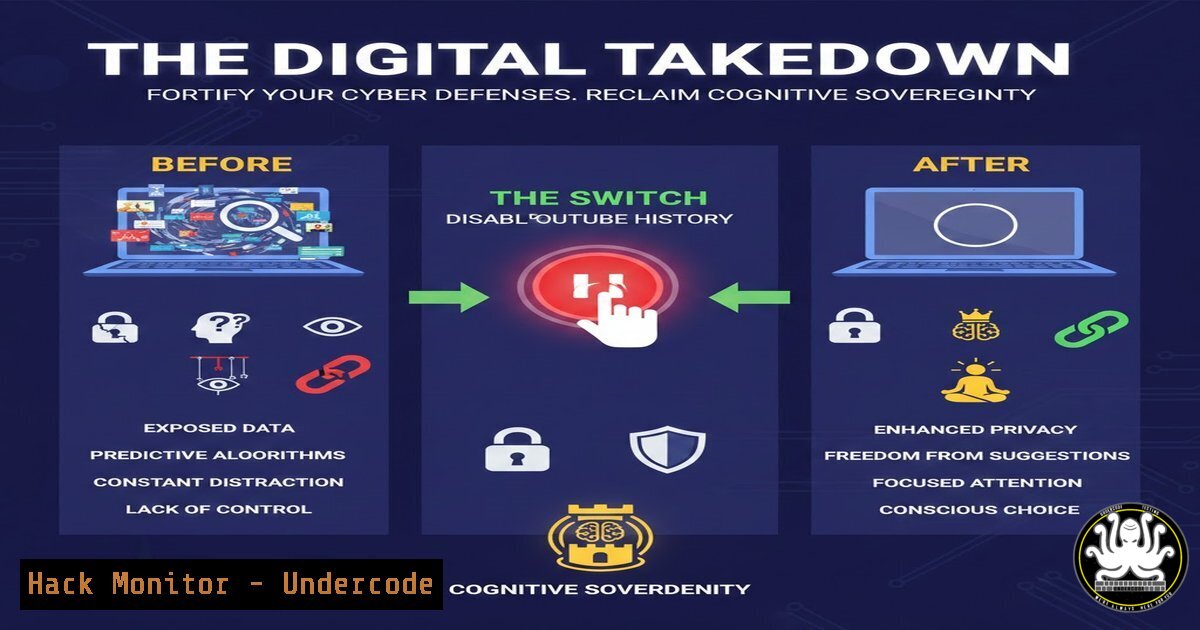
In an era of algorithmic manipulation and attention economics, a simple act of disabling YouTube history functions as both a productivity hack and a cybersecurity hygiene measure. This deliberate decoupling from personalized content feeds not only restores mental clarity but also disrupts the extensive data harvesting pipelines that fuel micro-targeting and potential social engineering attacks. What appears as a digital detox strategy simultaneously serves as a practical implementation of data minimization principles essential in modern threat landscapes.
Learning Objectives:
- Understand the correlation between platform personalization and vulnerability to social engineering
- Implement technical controls to limit behavioral data collection across digital platforms
- Develop a threat-modeled approach to everyday digital interactions that reduces attack surface
You Should Know:
- The Psychology Behind Algorithmic Manipulation and Social Engineering
Personalization algorithms don’t just recommend content—they systematically map your cognitive patterns, emotional triggers, and behavioral tendencies. Cybersecurity professionals recognize this data collection as fuel for highly targeted social engineering campaigns. When attackers understand your interests, viewing habits, and emotional vulnerabilities through leaked or aggregated data, they can craft phishing messages with significantly higher success rates.
Step-by-step guide explaining what this does and how to use it:
– Recognize that every click, pause, and search creates behavioral biometrics
– Understand that data brokers aggregate this information from multiple sources
– Acknowledge that reduced personalization equals reduced data fingerprinting
– Implement the YouTube history disablement as documented in the original post:
1. Open YouTube app or website
- Navigate to Profile → Your Data in YouTube
- Toggle OFF both Watch History and Search History
– Complement this with regular deletion of existing history through the same interface
2. Data Minimization as a Core Security Principle
The European Union’s GDPR and other privacy regulations enshrine data minimization as a fundamental principle—collect only what’s necessary. This applies equally to individual security postures. By disabling tracking features, you actively reduce the attack surface available to both platform providers and potential threat actors who might compromise these data repositories.
Step-by-step guide explaining what this does and how to use it:
– Conduct a personal data inventory across all platforms
– Identify non-essential data collection points (location history, voice recordings, viewing habits)
– Systematically disable or limit each non-essential data collection stream
– For YouTube specifically, also disable “Ad Personalization” in Google Account settings
– Regularly export and delete historical data through Google Takeout
3. Browser and DNS-Level Implementation for Comprehensive Protection
Client-side technical controls provide deeper enforcement of privacy preferences than platform settings alone. Implementing DNS filtering and browser hardening creates multiple layers of defense against tracking, even when platform-specific settings are reset or overlooked.
Step-by-step guide explaining what this does and how to use it:
– Install privacy-focused browsers like Brave or Firefox with strict privacy configurations
– Implement DNS-over-HTTPS using services like Cloudflare (1.1.1.1) or Quad9
– For Windows, configure DoH via Network Settings or registry:
Registry path: HKEY_LOCAL_MACHINE\SYSTEM\CurrentControlSet\Services\Dnscache\Parameters
Create DWORD: DoHEnabled = 1
Create String: DoHServer = "https://1.1.1.1/dns-query"
– For Linux, modify systemd-resolved configuration:
Edit /etc/systemd/resolved.conf
Add: DNS=1.1.1.1cloudflare-dns.com
Add: DNSOverTLS=yes
sudo systemctl restart systemd-resolved
– Use browser extensions like uBlock Origin, Privacy Badger, and Decentraleyes
4. Corporate Environment Hardening Against Attention Engineering
Organizations face significant productivity drains and security risks from employee engagement with algorithmically optimized content. Implementing technical controls at the network level can reduce these risks while respecting employee privacy.
Step-by-step guide explaining what this does and how to use it:
– Configure enterprise firewall rules to block tracking domains:
 Example iptables rules for blocking YouTube tracking
iptables -A OUTPUT -d www.youtube.com -j DROP
iptables -A OUTPUT -d youtubei.googleapis.com -j DROP
iptables -A OUTPUT -d www.googletagmanager.com -j DROP
– Deploy DNS filtering solutions like Pi-hole in corporate networks:
 Pi-hole blocklist addition for Google tracking
pihole -b s.youtube.com www.youtube.com youtube.com googleads.g.doubleclick.net
– Implement group policy objects (GPO) for Windows environments to disable recommended content
– Use enterprise management tools to enforce browser security configurations
5. API Security and Third-Party Access Management
The YouTube ecosystem extends beyond the primary interface to numerous third-party applications and API integrations. Each connection represents a potential data leakage point that requires active management.
Step-by-step guide explaining what this does and how to use it:
– Audit connected applications through Google Account security settings
– Revoke access to unused or unnecessary third-party applications
– Monitor API usage through Google Cloud Console for unusual patterns
– Implement OAuth 2.0 scope validation for any applications requiring YouTube access
– Regularly review and rotate API keys using Google Cloud Platform dashboard
6. Behavioral Analytics Countermeasures for Advanced Users
For security professionals and high-value targets, more advanced techniques may be necessary to obfuscate behavioral patterns and defeat sophisticated tracking mechanisms.
Step-by-step guide explaining what this does and how to use it:
– Implement script-based automation to introduce noise into viewing patterns
– Use containerization techniques to isolate browsing sessions
– Configure Tor browser for sensitive research activities
– Develop Python scripts to interact with YouTube Data API without personalization:
from googleapiclient.discovery import build
from googleapiclient.errors import HttpError

API client without user context
youtube = build('youtube', 'v3', developerKey=API_KEY)

Search without personalization
request = youtube.search().list(
q='cybersecurity tutorials',
part='snippet',
type='video',
maxResults=10
)
response = request.execute()
– Utilize virtual machines with snapshot restoration to maintain clean environments
7. Developing Organizational Policies for Digital Attention Security
Formalizing attention protection through policy creates sustainable organizational practices that complement technical controls and raise security awareness.
Step-by-step guide explaining what this does and how to use it:
– Draft acceptable use policies that address algorithmic content consumption
– Conduct security awareness training that includes attention engineering risks
– Implement technical enforcement through mobile device management (MDM) solutions
– Establish regular audits of employee digital hygiene practices
– Create incident response procedures for social engineering attacks stemming from behavioral data leaks
What Undercode Say:
- The decision to disable YouTube history represents a fundamental shift from reactive to intentional technology engagement, mirroring the principle of least privilege in access control
- This simple action disrupts the data feedback loop that powers not just content recommendation but potentially sophisticated social engineering campaigns
The original post correctly identifies the connection between personalization and distraction, but underestimates the cybersecurity implications. From a security perspective, behavioral data collected through engagement patterns represents critical intelligence for attackers conducting reconnaissance. The detailed profiles created by platforms like YouTube become valuable assets for threat actors looking to craft convincing pretexting scenarios. While the immediate benefit is cognitive liberation, the security benefit is reduced digital footprint and minimized behavioral fingerprinting. Organizations should consider similar data minimization approaches not just for privacy compliance but as active threat reduction strategies. The technical implementation, while simple in this case, demonstrates the effectiveness of addressing human factors in security—often the most vulnerable attack vector.
Prediction:
The growing awareness of attention engineering’s security implications will drive development of more sophisticated personalization-disabled interfaces across platforms. We’ll see enterprise security frameworks incorporating “attention hygiene” as a measurable control within the next 2-3 years, with regulatory bodies potentially mandating non-personalized viewing options as part of digital safety standards. The convergence of cybersecurity and digital wellness will spawn new categories of tools designed specifically to minimize behavioral data exposure while maintaining platform functionality.
🎯Let’s Practice For Free:
IT/Security Reporter URL:
Reported By: Rosvi Focusmode – Hackers Feeds
Extra Hub: Undercode MoN
Basic Verification: Pass ✅


