Listen to this Post
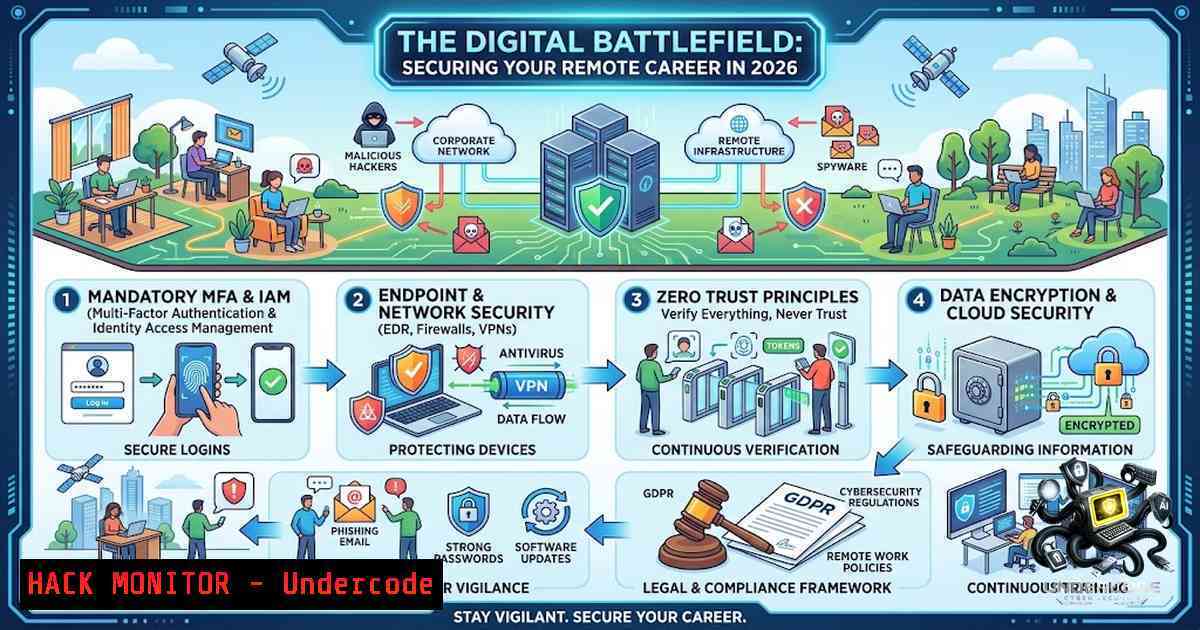
Introduction:
The landscape of remote work has evolved into a complex ecosystem where opportunity meets unprecedented cyber risk. As the 2026 job market expands through decentralized platforms, threat actors are increasingly targeting both job seekers and remote infrastructure. This article curates 30 prime remote job resources while delivering the technical armor—from network hardening to OSINT-driven application security—necessary to navigate this digital frontier without becoming a vulnerability statistic.
Learning Objectives & Secrets:
- Objective 1: Master the technical vetting of remote job platforms by analyzing SSL/TLS configurations, WHOIS records, and HTTP security headers to distinguish legitimate portals from credential-harvesting honeypots.
- Objective 2 Secret Tip: Leverage automated browser isolation (e.g., using Firefox Multi-Account Containers or a dedicated Dockerized browsing environment) when submitting applications to prevent cross-site tracking and mitigate zero-day drive-by exploits.
- Objective 3 Secret Tip: Implement a zero-trust application submission workflow by encrypting your resume/CV with a unique GPG key per platform, allowing you to track data leaks and unauthorized forwarding to the source.
You Should Know:
1. Hardening Your Workstation for Remote Job Hunting
Before traversing the 30 listed platforms, your local environment must be fortified against initial access vectors. Attackers often embed malicious macros in “job description” PDFs or use SEO poisoning to rank fake portals above legitimate ones. Begin by executing a baseline system audit.
For Linux (Ubuntu/Debian):
 Update package lists and upgrade all packages to patch known vulnerabilities
sudo apt update && sudo apt full-upgrade -y
 Install and configure UFW (Uncomplicated Firewall) to block all inbound traffic except established connections
sudo ufw default deny incoming && sudo ufw default allow outgoing
sudo ufw allow out 53,80,443/tcp  DNS, HTTP, HTTPS
sudo ufw enable
 Audit listening services and open ports
sudo ss -tulpn | grep LISTEN
 Check for unauthorized SUID binaries which could lead to privilege escalation
find / -perm -4000 -type f 2>/dev/null
For Windows (PowerShell as Administrator):
 Enable Microsoft Defender real-time monitoring and cloud-delivered protection
Set-MpPreference -DisableRealtimeMonitoring $false
Set-MpPreference -SubmitSamplesConsent 2
 Use the built-in Windows Firewall to block all inbound connections by default
Set-1etFirewallProfile -Profile Domain,Public,Private -DefaultInboundAction Block
 Run a full system scan
Start-MpScan -ScanType FullScan
 Review scheduled tasks for persistence mechanisms
Get-ScheduledTask | Where-Object {$_.State -1e "Disabled"}
Step-by-step guide:
- Isolate Job Search Activities: Create a dedicated user account or virtual machine for job applications. This compartmentalizes risk; if a malicious site compromises this environment, your personal data remains segregated.
- DNS Hardening: Configure your system to use reputable DNS resolvers like Quad9 (9.9.9.9) or Cloudflare (1.1.1.1) which filter known malicious domains. On Linux, edit
/etc/resolv.conf; on Windows, configure via network adapter settings. - Browser Lockdown: Install uBlock Origin and Privacy Badger extensions to block malvertising and tracking pixels that often serve as C2 channels. Disable WebRTC to prevent IP leaks by using extensions like WebRTC Leak Prevent.
2. Platform Vetting: A Technical Deep-Dive
Each of the 30 platforms presents a unique attack surface. For instance, sites like `remotive.io` and `goremote.io` are community-driven and may host user-generated content, introducing XSS (Cross-Site Scripting) risks. Perform these checks before creating accounts:
Step-by-step guide:
- Certificate Validation: Use OpenSSL to verify the certificate chain and ensure no man-in-the-middle (MITM) proxies are intercepting traffic.
openssl s_client -connect powertofly.com:443 -servername powertofly.com -showcerts
Look for a valid chain back to a trusted root CA and ensure the certificate is not expired.
-
Header Analysis: Employ `curl` to examine security headers that protect against common attacks.
curl -I https://remotehub.io
Key headers to verify: `Strict-Transport-Security` (HSTS), `X-Frame-Options` (anti-clickjacking), `Content-Security-Policy` (CSP), and `X-Content-Type-Options` (MIME sniffing prevention). Absence of CSP is a red flag; it indicates the site may not sanitize inputs robustly.
-
WHOIS and Reputation: Query domain age and registration details. A domain registered within the last 6 months with private WHOIS details is suspect. Use `whois` command or online utilities. For example:
whois remotebaba.com | grep -i "creation date"
Cross-reference with VirusTotal’s URL scanner to check if the domain has been flagged for phishing or malware distribution.
-
API Endpoint Enumeration: Many platforms use REST APIs. Use browser developer tools (Network tab) to observe API calls during login. Look for unencrypted transmission of sensitive fields (e.g., passwords sent in plaintext via `application/x-www-form-urlencoded` without TLS). Ensure all authentication tokens are stored in HttpOnly, Secure cookies, not in localStorage (vulnerable to XSS).
3. Securing Your Digital Identity and Credentials
In 2026, credential stuffing is a primary attack vector. Job platforms often lack robust rate-limiting or MFA enforcement. You must assume that a breach on one platform will be used to pivot to another.
Step-by-step guide:
- Password Policy: Never reuse passwords. Use a local password manager like KeePassXC or Bitwarden (self-hosted) with a master passphrase of at least 16 characters. Generate passwords like
x9Lp!Qw2Zt&mR7. - Email Aliasing: Use an email aliasing service (e.g., SimpleLogin) to generate unique aliases per platform. If `jobs.laravel.io` is breached and you receive spam at that alias, you know the source immediately and can deactivate it.
- OSINT on Yourself: Perform a google dork search to see what information about you is publicly exposed.
site:linkedin.com "Your Full Name" AND "resume"
Use tools like `theHarvester` to enumerate emails and subdomains associated with your domain.
theHarvester -d yourpersonalsite.com -b google
- Monitor for Leaks: Use `haveibeenpwned.com` API to check if your email appears in known breaches. You can automate this with a cron job:
curl -s https://haveibeenpwned.com/api/v3/breachedaccount/[email protected]
4. API Security for Remote Work Communication Channels
Remote job acquisition often involves communication via Slack, Zoom, or Microsoft Teams. These SaaS tools are laden with APIs that, if misconfigured, can expose sensitive conversations and files.
Step-by-step guide:
- Review OAuth Permissions: When connecting your calendar or cloud drives to job platforms, scrutinize the OAuth scopes requested. Revoke any token that requests excessive permissions like `offline_access` or `files.read.write` unnecessarily.
– For Google Workspace, check at myaccount.google.com/permissions.
– For Microsoft, navigate to account.microsoft.com/privacy.
2. Inspect Webhooks: If using automation tools (e.g., Zapier or n8n), ensure webhooks are not publicly accessible. Use HMAC signature verification to validate that incoming requests originate from the intended source.
import hmac
def verify_signature(payload, signature, secret):
computed = hmac.new(secret.encode(), payload, hashlib.sha256).hexdigest()
return hmac.compare_digest(computed, signature)
3. Encrypt Attachments: Before uploading resumes containing your address, phone number, and references, encrypt them using GPG and share the decryption password via a separate secure channel (e.g., Signal). This ensures that even if the platform’s S3 bucket is exposed, your data remains ciphertext.
5. Cloud Hardening for Remote Collaboration
Many remote roles require access to company AWS, Azure, or GCP environments. The initial interview process may involve code tests or shared cloud resources. Treat any provided access keys as potentially compromised.
Step-by-step guide:
- Assume Role: Instead of using long-term access keys, request temporary STS credentials from the interviewer or platform. For AWS:
aws sts assume-role --role-arn "arn:aws:iam::ACCOUNT-ID:role/InterviewRole" --role-session-1ame "CandidateSession"
- Use a Bastion Host: If SSH access is required for a technical test, never connect directly from your host. Spin up a micro EC2 instance as a jump box with strict security groups (source IP limited to your VPN endpoint) and connect through that.
- Audit Logs: Immediately after any session, clear your shell history (
history -con Linux) and review CloudTrail or Azure Activity Logs for the activities performed under your identity to ensure no unauthorized changes were made inadvertently.
6. Vulnerability Exploitation and Mitigation in Online Portals
While applying, you might encounter platforms with vulnerable file upload features (resume upload). This is a classic vector for RCE (Remote Code Execution). Conversely, if you are a security researcher, these can be entry points for responsible disclosure.
Step-by-step guide:
- Test Upload Restrictions: Before uploading your resume, attempt to upload a benign file named `test.txt` with content
XSS_Payload. Check if the filename is reflected in the response or file listing page. If ` Manage ConsentFunctional Always activeThe technical storage or access is strictly necessary for the legitimate purpose of enabling the use of a specific service explicitly requested by the subscriber or user, or for the sole purpose of carrying out the transmission of a communication over an electronic communications network.PreferencesThe technical storage or access is necessary for the legitimate purpose of storing preferences that are not requested by the subscriber or user.StatisticsThe technical storage or access that is used exclusively for statistical purposes. The technical storage or access that is used exclusively for anonymous statistical purposes. Without a subpoena, voluntary compliance on the part of your Internet Service Provider, or additional records from a third party, information stored or retrieved for this purpose alone cannot usually be used to identify you.MarketingThe technical storage or access is required to create user profiles to send advertising, or to track the user on a website or across several websites for similar marketing purposes.