Listen to this Post
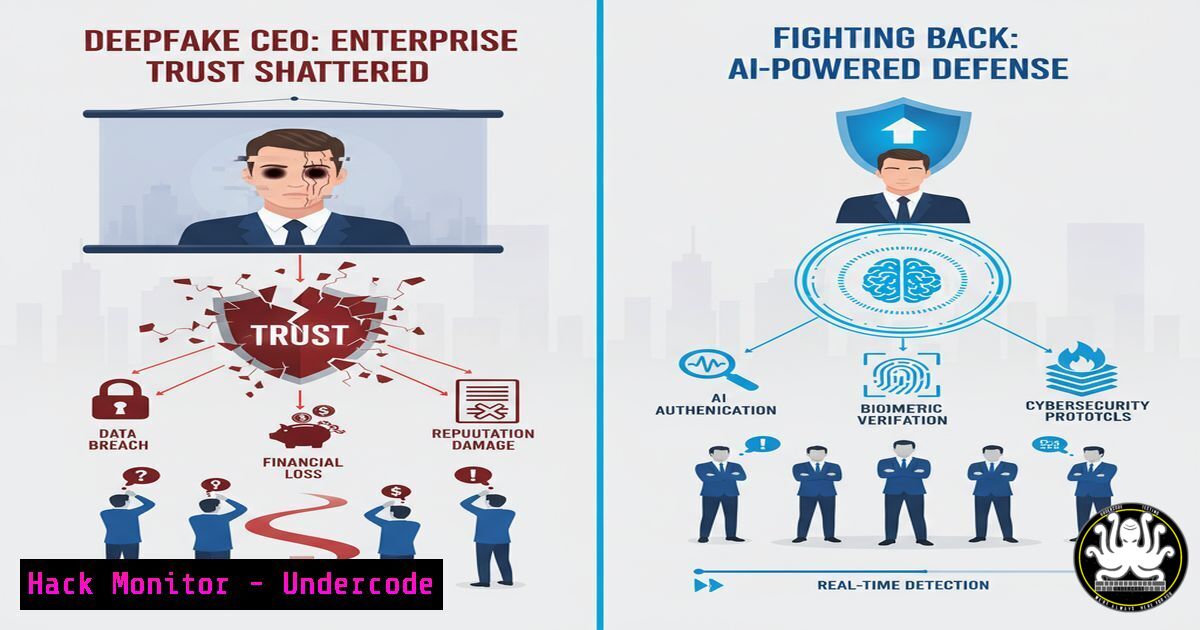
Introduction:
A finance professional wires $25.6 million in 30 minutes after a Zoom call with his CFO and colleagues. The only problem? Everyone on the call was a deepfake. This 2025 incident at Arup, alongside a similar attempt targeting Ferrari’s CEO, signals a new era of cybercrime where AI is weaponized to exploit human trust directly. This article provides a technical deep dive into the tools, commands, and procedures organizations must implement to detect and defend against this escalating threat.
Learning Objectives:
- Understand the technical mechanisms behind deepfake generation and real-time communication spoofing.
- Implement multi-layered verification protocols for executive communications and financial transactions.
- Deploy and utilize open-source and commercial tools to detect audio and video manipulation.
You Should Know:
1. Establishing a Zero-Trust Communication Protocol
The foundational defense is a policy that no sensitive action is authorized solely via a single communication channel, especially video or voice.
Step-by-step guide:
This is a procedural safeguard, not a single command. The core principle is mandatory multi-factor authentication (MFA) for actions, applied to communication channels.
1. Define Critical Actions: List transactions requiring verification (e.g., wire transfers over $X, data access changes).
2. Mandate Out-of-Band Verification: Any request for a critical action received via video call, email, or chat must be confirmed through a separate, pre-established channel.
3. Implement a Challenge Word/Code System: As mentioned in the comments, use a dynamic code or challenge word that is changed regularly and communicated securely (e.g., via a secure mobile app). The employee must receive this code from the requester via the secondary channel.
4. Document the Procedure: Ensure the process is formalized in security policies and reinforced through regular training.
- Analyzing Network Traffic for Anomalies During Video Conferences
Real-time deepfake video streams may exhibit anomalies in network traffic patterns or originate from suspicious locations.
Verified Command/Tool: Wireshark
Wireshark is a free and open-source packet analyzer used to examine network traffic.
Step-by-step guide:
- Install Wireshark: `sudo apt-get install wireshark` (Linux) or download from wireshark.org (Windows).
- Capture Traffic: Select the active network interface during a video conference and start capturing packets.
- Apply Filters: Use display filters to isolate traffic:
`ip.addr ==` to see traffic to/from the meeting server.
`ssl` or `tls` to inspect encrypted handshakes (though content will be encrypted).
4. Look for Anomalies:
GeoIP Mismatch: Use Wireshark’s GeoIP database to check if the source IP of the participant’s stream matches their expected location.
Unusual Protocols: Look for non-standard protocols mixed with the RTP/RTCP streams used for video.
Jitter and Latency Inconsistencies: While subjective, an AI-generated video feed might have different network characteristics than a genuine webcam feed. This requires establishing a baseline for normal traffic.
- Using Python to Detect Deepfakes with Machine Learning Libraries
Several Python libraries can be used to analyze images and videos for signs of deepfake manipulation, such as inconsistencies in blinking, facial landmarks, or texture.
Verified Code Snippet: Using DeepFace
DeepFace is a lightweight facial analysis framework.
 Install the library: pip install deepface
from deepface import DeepFace
import cv2

Analyze a single frame from a video call recording
img_path = "suspicious_frame.png"
analysis = DeepFace.analyze(img_path, actions=['emotion', 'age', 'gender', 'race'], detector_backend='opencv')

Check for inconsistencies. For example, if the claimed emotion in the audio doesn't match the facial analysis.
print("Emotion:", analysis[bash]['dominant_emotion'])
print("Apparent Age:", analysis[bash]['age'])

A more advanced approach is to use a dedicated deepfake detection model like MesoNet
 This would require a separate model setup and inference code.
Step-by-step guide:
- Environment Setup: Ensure Python 3.7+ is installed. Create a virtual environment: `python -m venv deepfake_env` and activate it.
2. Install Dependencies: `pip install deepface opencv-python`
- Capture a Frame: During a suspicious call, if permitted by policy and law, take a screenshot or export a frame from the recording.
- Run the Analysis: Execute the script above. While not foolproof, significant mismatches between analyzed attributes and expected values could be a red flag warranting further verification.
4. Hardening Zoom/Teams Configurations Against Unauthorized Entry
Preventing unauthorized access to meetings is the first line of defense.
Verified Settings for Zoom:
These are administrative settings within the Zoom web portal.
1. Require a Passcode for All Meetings: This should be enabled at the account level.
2. Enable Waiting Rooms: Use waiting rooms for all meetings and ensure the host manually admits participants.
3. Restrict Screen Sharing: Set screen sharing to “Host Only” by default.
4. Disable “Join Before Host”: Prevent participants from entering a meeting unsupervised.
5. Allow only Authenticated Users to Join: Restrict entry to users logged into your organization’s Zoom account.
5. Forensic Audio Analysis with SoX
Audio deepfakes can leave digital artifacts. SoX (Sound eXchange) is a command-line utility for audio manipulation and analysis.
Verified Linux Command:
 Install SoX: sudo apt-get install sox
 Record a segment of the audio from a call (e.g., using Audacity or <code>arecord</code>)

Generate a spectrogram to visualize audio frequencies
sox suspected_audio.wav -n spectrogram -o analysis.png

Analyze for noise floors and artifacts. Clean, human-generated speech has specific patterns.
 AI-generated audio might have anomalies like a lack of background noise, consistent harmonic patterns, or glitches at segment boundaries.
Step-by-step guide:
- Obtain a Clean Sample: Securely export a segment of the audio from the recorded call.
- Generate Spectrograms: Use the SoX command above to create a visual representation (
analysis.png). - Compare with a Baseline: Generate a spectrogram from a known, genuine audio recording of the same speaker. Look for stark differences in the frequency distribution and noise patterns. This requires trained analysis.
6. Implementing FIDO2 Security Keys for Ultimate Verification
For the highest level of assurance, physical security keys that use the FIDO2/WebAuthn standard can verify identity cryptographically.
Step-by-step guide:
This is a hardware-based solution.
- Procure Keys: Purchase FIDO2-compliant security keys (e.g., YubiKey, Thetis Key).
- Integrate with Identity Provider: Configure your Identity Provider (e.g., Okta, Azure AD) to allow FIDO2 as an authentication method.
- Enroll Executives: Key executives involved in high-stakes communications enroll their security keys.
- Verification Workflow: When a request is made, the verifying employee can request that the executive proves their identity by using their security key to sign a challenge via a secure web portal. This is virtually impossible to deepfake.
7. Leveraging Microsoft’s Video Authenticator Tool
Microsoft offers a tool designed to analyze photos and videos for subtle manipulation indicators missed by the human eye.
Verified Tool: Microsoft Video Authenticator
(Note: Access may be restricted or part of specific Microsoft programs like the AI for Good Lab).
1. Access the Tool: Check the Microsoft website or Azure AI services for availability.
2. Upload Media: Provide a still frame or video segment to the tool.
3. Analyze the Result: The tool returns a confidence score and highlights areas with a high probability of manipulation. It looks for blending boundaries and subtle grayscale elements invisible to humans.
What Undercode Say:
- Trust, But Encrypt and Verify. The era of trusting sensory input (sight, sound) is over. Every critical communication must be cryptographically verified.
- The Human Layer is the New Firewall. Technical defenses are crucial, but the ultimate decision-point is a human employee. Training them to confidently challenge authority is the most critical control.
The Arup and Ferrari cases are not anomalies; they are the vanguard. The $40 billion projection in AI fraud losses by 2027 is not a distant forecast but a rapidly approaching reality. The technical countermeasures outlined—from traffic analysis with Wireshark to cryptographic verification with FIDO2 keys—form a essential defense-in-depth strategy. However, technology alone is insufficient. The core vulnerability is procedural and cultural. Organizations that succeed will be those that seamlessly integrate these technical tools into a company-wide culture of “Zero-Trust Communication,” where verifying the identity of a CEO on a video call becomes as routine as locking an office door. The attackers are moving at AI speed; our defenses must evolve just as fast.
Prediction:
By 2027, deepfake attempts will become so pervasive and sophisticated that real-time, AI-powered detection integrated directly into communication platforms (Zoom, Teams, Slack) will become a standard, paid enterprise feature. We will see the rise of “Communication Security” as a dedicated category within cybersecurity, focused solely on verifying human identity in digital interactions. Furthermore, regulatory bodies will begin mandating specific controls for publicly traded companies to prevent deepfake-induced financial fraud, making the protocols described in this article a compliance requirement, not just a best practice. The arms race between generative AI and detection AI will define the next decade of digital trust.
🎯Let’s Practice For Free:
IT/Security Reporter URL:
Reported By: Greg Jones – Hackers Feeds
Extra Hub: Undercode MoN
Basic Verification: Pass ✅


