Listen to this Post
Introduction:
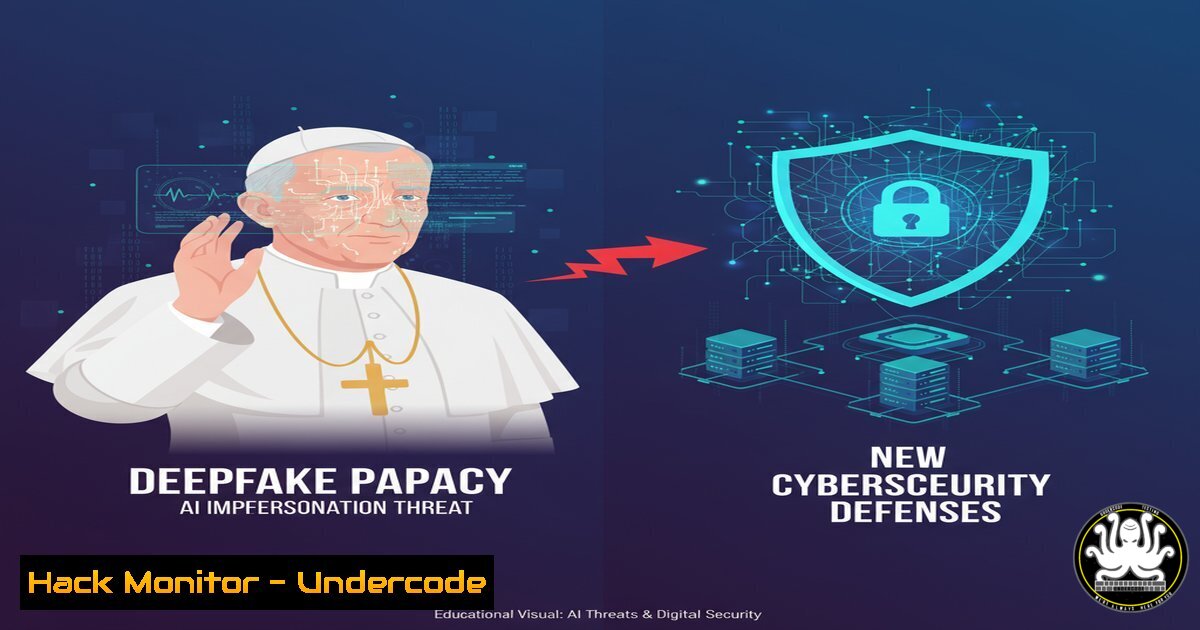
The Pope’s recent rejection of an AI avatar request highlights a critical inflection point for digital trust. This incident transcends theological debate, exposing a pervasive cybersecurity threat: the weaponization of generative AI for sophisticated impersonation attacks. Organizations must now defend against hyper-realistic digital forgeries that can damage reputations, manipulate markets, and erode public trust.
Learning Objectives:
- Understand the technical mechanisms behind deepfakes and AI-powered impersonation.
- Learn to implement detection and mitigation strategies for AI-generated media.
- Develop an incident response plan tailored to deepfake and digital impersonation attacks.
You Should Know:
1. Detecting Deepfakes with Metadata Analysis
A deepfake’s first line of defense is often hidden within a file’s metadata. Tools like `exiftool` can reveal crucial details about a file’s origin and manipulation history.
Step‑by‑step guide explaining what this does and how to use it.
What it does: `exiftool` is a powerful command-line application for reading, writing, and editing meta information in a wide variety of files. It can reveal the creation software, modification dates, and camera model, which can be inconsistent with a purported source in a deepfake.
How to use it:
- Install `exiftool` on your system (e.g., `sudo apt install libimage-exiftool-perl` on Ubuntu).
- Navigate to the directory containing the suspect image or video file.
3. Run the command: `exiftool
`</h2>

<ol>
<li>Scrutinize fields like <code>Software</code>, <code>Create Date</code>, <code>Modify Date</code>, and <code>History</code>. An image claiming to be a raw photo from a press camera but showing `Software: Adobe Photoshop 2024` is an immediate red flag.</li>
</ol>

<h2 style="color: yellow;">2. Python Script for Basic Audio Deepfake Detection</h2>

AI-generated audio can be detected by analyzing its acoustic properties. This Python script uses the `librosa` library to check for the absence of natural pauses and breath sounds.

Step‑by‑step guide explaining what this does and how to use it.
 What it does: This script loads an audio file and analyzes its root-mean-square (RMS) energy over time. Human speech has natural variations and pauses; some AI-generated audio can be unnaturally continuous.

<h2 style="color: yellow;"> How to use it:</h2>

<h2 style="color: yellow;">1. Install required libraries: `pip install librosa numpy`</h2>

<ol>
<li>Create a Python file (e.g., <code>audio_analyzer.py</code>) with the following code:
[bash]
import librosa
import numpy as np</li>
</ol>

def analyze_audio(file_path):
y, sr = librosa.load(file_path)
rmse = librosa.feature.rms(y=y)
rmse_mean = np.mean(rmse)
rmse_std = np.std(rmse)
print(f"Mean RMS Energy: {rmse_mean}")
print(f"RMS Energy Standard Deviation: {rmse_std}")
 A very low standard deviation may indicate a lack of dynamic range, common in synthetic speech.
if rmse_std < 0.01:  This threshold may need adjustment
print("Warning: Audio exhibits unusually low dynamic range. Potential synthetic origin.")
else:
print("Audio dynamic range appears normal.")

analyze_audio("suspect_audio.wav")
3. Run the script: `python audio_analyzer.py`
3. Web Application Hardening Against Model Injection
AI models that power avatars are often served via APIs. Securing these endpoints is paramount to prevent attackers from poisoning or manipulating the model.
Step‑by‑step guide explaining what this does and how to use it.
What it does: This command uses `iptables` to create a strict firewall rule, restricting inbound traffic to your AI model’s API port only from a pre-approved, trusted front-end server, mitigating direct attack attempts.
How to use it:
- Identify the IP address of your legitimate web server (e.g.,
192.168.1.100). - Assume your AI API runs on port
8080.
3. On the server hosting the API, run:
`sudo iptables -A INPUT -p tcp –dport 8080 -s 192.168.1.100 -j ACCEPT`
`sudo iptables -A INPUT -p tcp –dport 8080 -j DROP`
4. This two-rule sequence first allows traffic from your specific web server, then drops all other connection attempts to port 8080.
4. Windows Command for Monitoring Unauthorized Process Access
Impersonation attacks may involve malware that captures data. Windows Auditing can log when a process accesses another process’s memory, a common technique for credential theft.
Step‑by‑step guide explaining what this does and how to use it.
What it does: This audit policy configuration enables detailed tracking of process-level interactions, which can be crucial for detecting tools like Mimikatz that operate by interacting with the `lsass.exe` process to extract passwords from memory.
How to use it:
1. Open Command Prompt as Administrator.
- Enable the necessary audit policy using the `auditpol` command:
`auditpol /set /subcategory:”Other Object Access Events” /success:enable`
- You must also enable auditing for the specific process (like
lsass.exe) through its Security Descriptor. This is complex but can be configured via Group Policy Editor (gpedit.msc) under: Computer Configuration > Windows Settings > Security Settings > System Services. Find the service, edit its properties, and set the security for `SYSTEM` to have “Query Template” audited. - Events will then be logged to the Windows Security log (Event ID 4656, 4663), which can be collected by a SIEM.
5. Digital Signature Verification for Media Assets
To combat fake official communications, organizations should implement a system where all official media is cryptographically signed.
Step‑by‑step guide explaining what this does and how to use it.
What it does: Using GnuPG (GPG), you can create a digital signature for a video or image file. Anyone with the public key can verify that the file originated from the trusted source and has not been altered, providing a robust defense against tampering.
How to use it:
1. Signing (by the official source):
`gpg –detach-sign –armor official_statement.jpg`
This creates a file `official_statement.jpg.asc` containing the signature.
2. Verification (by the public):
First, import the official public key: `gpg –import official_public_key.asc`
Then, verify the signature: `gpg –verify official_statement.jpg.asc official_statement.jpg`
A “Good signature” message confirms authenticity.
6. Cloud Hardening: Restricting S3 Bucket Permissions
Deepfake models or training data stored in cloud buckets like AWS S3 are high-value targets. Misconfigured permissions are a common cause of leaks.
Step‑by‑step guide explaining what this does and how to use it.
What it does: This AWS CLI command checks and, if necessary, removes any dangerous public access policies attached to an S3 bucket, ensuring that sensitive AI assets are not exposed to the entire internet.
How to use it:
- Ensure the AWS CLI is installed and configured with appropriate credentials.
2. List buckets: `aws s3 ls`
- Check the public access block configuration for a specific bucket:
`aws s3api get-public-access-block –bucket my-ai-models-bucket`
- If not properly configured, apply a strict policy:
`aws s3api put-public-access-block –bucket my-ai-models-bucket –public-access-block-configuration BlockPublicAcls=true,IgnorePublicAcls=true,BlockPublicPolicy=true,RestrictPublicBuckets=true`
7. Network Traffic Analysis for Data Exfiltration
After a successful impersonation, attackers may exfiltrate data. Monitoring for unusual outbound connections is key.
Step‑by‑step guide explaining what this does and how to use it.
What it does: This `tcpdump` command captures all outbound traffic on a server’s network interface that is not destined for a known, trusted IP range (e.g., your corporate network), helping to identify potential data exfiltration to unknown destinations.
How to use it:
- Identify your network interface (e.g.,
eth0) usingip a. - Run `tcpdump` as root to monitor suspicious traffic:
`tcpdump -i eth0 -n dst net not 10.0.0.0/8 and not 192.168.0.0/16`
3. This command will print a real-time log of all packets going to destinations outside the common private IP ranges (10.x.x.x and 192.168.x.x). A high volume of traffic to an unfamiliar external IP warrants immediate investigation.
What Undercode Say:
- Identity is the New Firewall. Technical perimeter defenses are no longer sufficient. The primary battlefront has shifted to verifying the authenticity of digital personas, messages, and media. Security protocols must now be built around cryptographic attestation and behavioral anomaly detection for identities, both human and AI.
- Proactive Detection is Non-Negotiable. Relying on human observation to spot deepfakes is a losing strategy. Organizations must integrate AI-powered detection tools that analyze media fingerprints, network traffic patterns, and user behavior before a malicious payload executes or misinformation spreads. The cost of reaction is catastrophic reputational damage.
The Pope’s stance is a canary in the coal mine for corporate and governmental security. The technology to create a convincing digital double of a CEO or world leader is already accessible. The cybersecurity industry’s response must be twofold: first, developing and democratizing detection tools to create a “digital immune system” against synthetic media, and second, advocating for and implementing legal and technical frameworks of digital provenance. The era where “seeing is believing” is over; the new standard is “verify, then trust.”
Prediction:
The next 18-24 months will see a surge in “Executive Impersonation” attacks, moving beyond crude phishing emails to AI-driven video and audio deepfakes used for fraudulent wire transfers, stock market manipulation, and geopolitical instability. This will force a rapid maturation of the “Deepfake Detection as a Service” (DDaaS) market and catalyze the mandatory adoption of content authenticity standards (like the Coalition for Content Provenance and Authenticity’s C2PA) by major social media and news platforms. Failure to integrate these defenses will render an organization’s public communications untrustworthy.
🎯Let’s Practice For Free:
IT/Security Reporter URL:
Reported By: Michael Tchuindjang – Hackers Feeds
Extra Hub: Undercode MoN
Basic Verification: Pass ✅


