
Listen to this Post
Introduction:
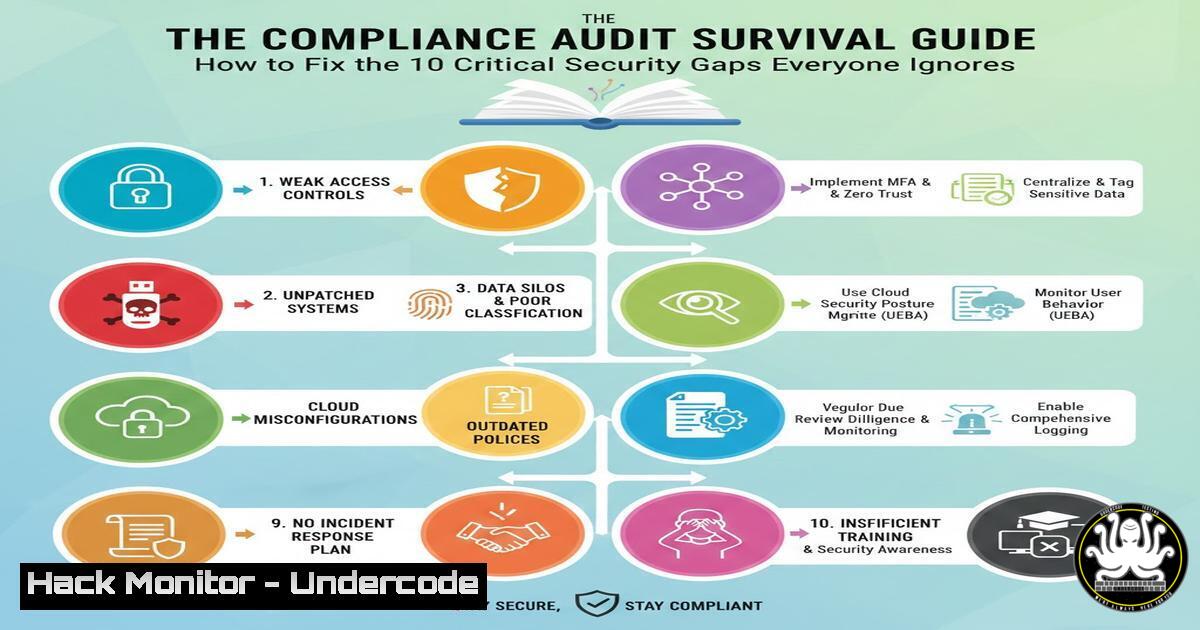
Cybersecurity audits often reveal a chaotic reality hidden beneath the surface of corporate IT environments. The humorous LinkedIn post by Larisa M. highlights common, unspoken truths about audit preparedness—or the lack thereof. From shadow IT to legacy system vulnerabilities, these points underscore systemic weaknesses in governance, access control, and documentation that attackers are all too ready to exploit.
Learning Objectives:
- Identify and remediate common shadow IT assets like unauthorized password spreadsheets and unsanctioned cloud applications.
- Implement proactive security controls and documentation practices to ensure continuous compliance, not just last-minute panics.
- Harden legacy systems and enforce strict access review protocols to mitigate critical vulnerabilities.
You Should Know:
1. Eradicating the Shadow Password Repository
The shared Excel spreadsheet containing passwords is a catastrophic security failure, centralizing credentials in an unprotected, easily compromised file. This practice violates fundamental principles of credential management and provides a goldmine for attackers.
Step‑by‑step guide explaining what this does and how to use it.
Step 1: Identify Existing Spreadsheets. Use command-line tools to search for common file names on network shares and endpoints.
Windows (PowerShell):
Get-ChildItem -Path C:\, \NetworkShare -Include "password.xls", "creds.xls" -Recurse -ErrorAction SilentlyContinue
Linux (bash):
find /home /shared -name "password.xlsx" -o -name "creds.xls" 2>/dev/null
Step 2: Migrate to a Password Manager. Enforce the use of a dedicated enterprise password manager (e.g., Bitwarden, 1Password, Keeper). These tools provide secure vaults, access logging, and role-based access control.
Step 3: Establish a Credential Management Policy. Formally prohibit the storage of credentials in plaintext documents and mandate the use of the approved corporate password vault.
2. Taming the Legacy System Beast
Systems running on unsupported operating systems like Windows Server 2008 represent one of the most significant risks. They no longer receive security patches, leaving them vulnerable to publicly known exploits.
Step‑by‑step guide explaining what this does and how to use it.
Step 1: Discover and Inventory. Create a comprehensive asset list to identify all legacy systems.
Using Nmap for Network Discovery:
nmap -sV -O 192.168.1.0/24 --script smb-os-discovery -oN network_scan.txt
Analyze results for OS versions like “Windows Server 2008 R2”.
Step 2: Risk Mitigation. If immediate replacement is impossible, isolate the system.
Windows Firewall Rule (Block all non-essential traffic):
New-NetFirewallRule -DisplayName "Isolate Legacy Server" -Direction Inbound -Action Block -Enabled True
Step 3: Plan for Migration. Document the business case for upgrading or replacing the system, highlighting the financial and reputational risk of a breach.
3. Uncovering and Controlling Shadow IT
Unauthorized SaaS applications and downloads, often blamed on departments like Marketing, create unmanaged attack surfaces. These assets are outside the purview of the security team and are rarely configured securely.
Step‑by‑step guide explaining what this does and how to use it.
Step 1: Monitor Network Egress Traffic. Use firewall and proxy logs to identify traffic to unknown or high-risk SaaS domains.
Example Splunk SPL Query:
index=proxy sourcetype=csv action="allowed" | stats count by dest_domain | where count > 1000 | sort - count
Step 2: Implement a Cloud Access Security Broker (CASB). Tools like Microsoft Defender for Cloud Apps or Netskope can automatically discover and assess the risk of cloud applications used in your environment.
Step 3: Create a Sanctioned App Catalog. Work with business units to approve and securely configure necessary applications, providing a clear and secure alternative to shadow IT.
4. Automating Access Recertification
The “vacationing critical employee” problem highlights a failure in access review processes. Privileged access must be regularly audited and revoked when no longer required, independent of any single individual’s availability.
Step‑by‑step guide explaining what this does and how to use it.
Step 1: Extract User Access Lists.
Linux (List sudoers):
getent group sudo | cut -d: -f4
Windows (List Local Administrators):
Get-LocalGroupMember -Group "Administrators"
Step 2: Schedule Automated Access Reviews. Use your Identity and Access Management (IAM) platform or Active Directory to run quarterly access certification campaigns. Managers should be required to confirm or revoke their team members’ access.
Step 3: Integrate with HR. Automate the de-provisioning process by linking IAM systems to the HR database, ensuring accounts are disabled immediately upon termination.
- Building a “Single Source of Truth” for Documentation
The frantic creation of a “compliant” folder before an audit is a symptom of poor documentation hygiene. Security policies and procedures must be living documents, not artifacts created for show.
Step‑by‑step guide explaining what this does and how to use it.
Step 1: Centralize Documentation. Use a wiki platform like Confluence or SharePoint. Structure it around your compliance framework (e.g., NIST, ISO 27001).
Step 2: Automate Evidence Collection. Use scripts and APIs to pull configuration and log data directly into your documentation.
Example: Python script to check disk encryption status on macOS/Linux hosts and output to a report.
import subprocess
import json
result = subprocess.run(['fdesetup', 'status'], capture_output=True, text=True)
print(f"Encryption Status: {result.stdout}")
Step 3: Assign Ownership and Review Cycles. Make policy maintenance a formal, recurring task with clear owners and deadlines.
6. Hardening Email Security Against Internal Threats
The “progressively desperate emails” are not just a cultural joke; they represent a communication chain that could be spoofed or intercepted, leading to business email compromise (BEC).
Step‑by‑step guide explaining what this does and how to use it.
Step 1: Implement DMARC, DKIM, and SPF. These protocols prevent email spoofing and domain impersonation.
Example SPF DNS Record (TXT):
"v=spf1 include:spf.protection.outlook.com -all"
Step 2: Configure Anti-Phishing Policies. In Microsoft 365 Defender or similar, set policies to flag external senders who try to impersonate your executives or domain.
Step 3: Train Users on BEC. Conduct regular simulations and training so employees can recognize suspicious follow-up requests for payments or data.
What Undercode Say:
- Proactivity Over Panic: A compliant state must be a continuous condition, not a last-minute achievement. The “48-hour folder” is a red flag indicating a broken security program.
- Embrace Automation for Governance: Manual processes for access reviews and evidence collection are unreliable and unsustainable. Automation is the only path to verifiable and maintainable compliance.
- The Human Element is a Control, Not a Flaw: The “legacy engineer” is a single point of failure. Their knowledge must be systematically documented and integrated into the organization’s institutional memory.
The post’s humor effectively masks a serious critique of modern cybersecurity practices. The reliance on tribal knowledge, the existence of shadow IT, and the reactive compliance mindset are not just funny anecdotes; they are critical vulnerabilities. A robust security program systematically eliminates these “joke” items by replacing them with automated, documented, and repeatable processes. The goal is to make the pre-audit frenzy a thing of the past.
Prediction:
The reactive “audit panic” culture is unsustainable. In the next 3-5 years, we will see a major shift towards fully integrated Compliance-as-Code platforms. Security frameworks will be programmed directly into infrastructure, with continuous monitoring and automated evidence generation becoming the standard. Organizations that fail to adapt will face not only failed audits but also increased breach likelihood, exacerbated by regulations that will begin to penalize poor security hygiene itself, not just the breaches that result from it. The “legacy engineer” will be replaced by an AI-powered knowledge base that captures institutional memory, making security and compliance a default state of operations.
🎯Let’s Practice For Free:
IT/Security Reporter URL:
Reported By: Larisa M – Hackers Feeds
Extra Hub: Undercode MoN
Basic Verification: Pass ✅


