Listen to this Post
Introduction:
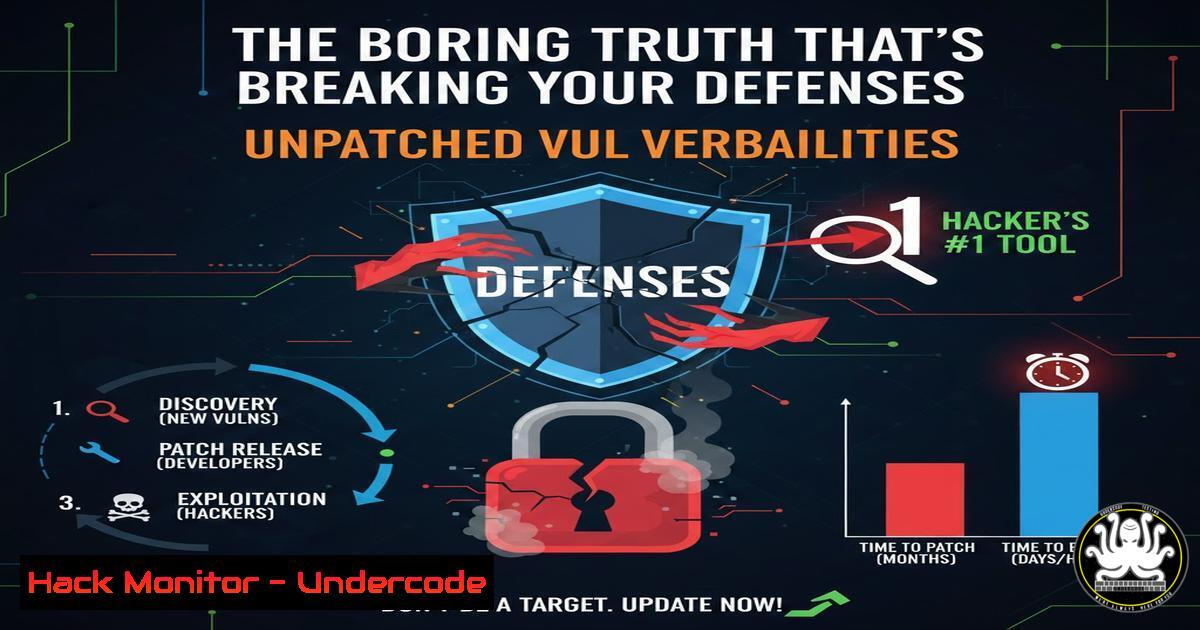
In the high-stakes world of cybersecurity, the narrative often focuses on sophisticated zero-day exploits and advanced persistent threats. However, the stark reality, as highlighted by cybersecurity professionals, is far more mundane and preventable. The majority of successful breaches originate from unaddressed, known vulnerabilities—fundamental weaknesses in systems, configurations, and protocols that are routinely ignored. This article delves into the critical discipline of Vulnerability Management, moving beyond theory to provide actionable, technical steps for identifying, prioritizing, and remediating the common flaws that constitute your most likely attack surface.
Learning Objectives:
- Understand the technical mechanisms behind common vulnerability classes like unpatched services, weak configurations, and excessive privileges.
- Implement practical, hands-on commands and tools for vulnerability scanning, patch validation, and configuration hardening across Windows and Linux environments.
- Develop a proactive workflow for continuous vulnerability assessment and mitigation to fundamentally reduce organizational risk.
You Should Know:
- Vulnerability Scanning & Enumeration: The First Step to Visibility
Before you can fix a problem, you must find it. Automated vulnerability scanners are essential for mapping your attack surface. We’ll use the open-source powerhouse OpenVAS (Greenbone Vulnerability Manager) for a comprehensive scan.
Step‑by‑step guide:
- Setup: Install OpenVAS on a dedicated scanning machine (e.g., Ubuntu Server).
sudo apt update && sudo apt install openvas
sudo gvm-setup  This runs the initial setup, which can take considerable time
sudo gvm-start
- Target Definition: Log into the Greenbone web interface (https://localhost:9392). Navigate to `Configuration > Targets` and create a new target. Define the IP range or specific hosts you are authorized to scan.
- Scan Configuration: Go to
Scan > Tasks. Create a new task, select your target, and choose a scan configuration like “Full and fast.” - Execution & Analysis: Start the task. Once complete, review the report under
Scan > Reports. Critical findings will be tagged with CVSS scores. Prioritize “High” and “Critical” vulnerabilities related to missing patches and open services.
2. Patching: The Non-Negotiable Baseline
Unpatched systems are low-hanging fruit. Effective patch management requires both procedure and verification.
Step‑by‑step guide:
- Linux (Debian/Ubuntu): Use `apt` with security-focused options.
Update package lists and apply all security updates unattended
sudo apt update && sudo apt upgrade --only-upgrade security -y
Verify kernel version
uname -r
Check for specific package updates (e.g., OpenSSL)
apt list --upgradable | grep openssl
- Windows (via PowerShell): Automate and audit with PowerShell cmdlets.
Install the PSWindowsUpdate module if needed
Install-Module -Name PSWindowsUpdate -Force
Download and install all available updates
Get-WindowsUpdate -AcceptAll -Install -AutoReboot
Verify installed updates
Get-HotFix | Sort-Object InstalledOn -Descending | Select-Object -First 10
3. Configuration Hardening: Eliminating Weak Defaults
Default configurations are designed for ease of use, not security. Let’s harden two common attack vectors: SSH and SMB.
Step‑by‑step guide:
- SSH Server Hardening (Linux): Edit
/etc/ssh/sshd_config.Disable root login and password authentication PermitRootLogin no PasswordAuthentication no Use key-based authentication only Restrict protocol version Protocol 2 Limit user access AllowUsers admin_user_1 admin_user_2 Restart SSH service sudo systemctl restart sshd
- SMB Hardening (Windows): Use PowerShell to disable SMBv1, a notoriously insecure protocol.
Disable SMBv1 server and client components
Set-SmbServerConfiguration -EnableSMB1Protocol $false -Force
Set-SmbClientConfiguration -EnableSMB1Protocol $false -Force
Verify SMBv1 is disabled
Get-SmbServerConfiguration | Select EnableSMB1Protocol
Get-SmbClientConfiguration | Select EnableSMB1Protocol
- Principle of Least Privilege (PoLP): Containing the Blast Radius
Excessive privileges turn a compromised user account into a system-wide breach. Implement JIT (Just-In-Time) and JEA (Just Enough Administration) models.
Step‑by‑step guide:
- Linux (via
sudo): Instead of giving users full `sudo` access, restrict commands.Edit the sudoers file visudo sudo visudo Grant a user permission to ONLY restart a specific service username ALL=(ALL) /bin/systemctl restart nginx
- Windows (via Privileged Access Workstations & Restricted Groups): Use Group Policy to enforce membership in privileged groups like Administrators.
1. Open `Group Policy Management Editor`.
- Navigate to
Computer Configuration > Policies > Windows Settings > Security Settings > Restricted Groups. - Add a group “Administrators” and define its mandatory members (e.g., Domain Admins, specific local admin account). This policy will remove any unauthorized users added to the local Administrators group.
5. Protocol Security: Phasing Out the Insecure Legacy
Outdated protocols like TLS 1.0, SSL, and weak ciphers are easy to exploit. Enforce modern standards.
Step‑by‑step guide:
- Disabling Weak TLS Protocols on a Web Server (Nginx): Modify the SSL configuration in your site’s Nginx config file.
ssl_protocols TLSv1.2 TLSv1.3;
ssl_ciphers ECDHE-RSA-AES256-GCM-SHA512:DHE-RSA-AES256-GCM-SHA512;
ssl_prefer_server_ciphers off;
- Auditing with Nmap: Use Nmap’s `ssl-enum-ciphers` script to audit your services.
nmap --script ssl-enum-ciphers -p 443 yourwebsite.com
What Undercode Say:
- Fundamentals Are Force Multipliers: Investing time in automated patch management, strict configuration baselines, and privilege governance yields a higher return on security investment than chasing the latest advanced threat intelligence feed. Consistency beats complexity.
- The Attacker’s Calculus: Attackers are economic actors. They will always follow the path of least resistance. By systematically eliminating the “boring” vulnerabilities—unpatched software, default credentials, unnecessary services—you raise the cost of an attack to a level where most adversaries will move on to a softer target.
Prediction:
The future of vulnerability exploitation will see a continued divergence. While elite threat actors will indeed leverage novel zero-days, the mainstream attack landscape will be dominated by the automated exploitation of known, unmitigated vulnerabilities at scale, particularly in cloud and API misconfigurations. The rise of AI-powered offensive security tools will further automate the discovery and weaponization of these common weaknesses, making manual patching cycles obsolete. Organizations that fail to implement fully automated, continuous vulnerability assessment and remediation pipelines will find themselves compromised not by advanced hackers, but by scripts scanning for flaws that were fixed in updates months or years prior. The gap between those who master the fundamentals and those who neglect them will become the most significant security chasm.
▶️ Related Video (76% Match):
🎯Let’s Practice For Free:
IT/Security Reporter URL:
Reported By: Juancholadisla Cybersecurity – Hackers Feeds
Extra Hub: Undercode MoN
Basic Verification: Pass ✅


