Listen to this Post
Introduction:
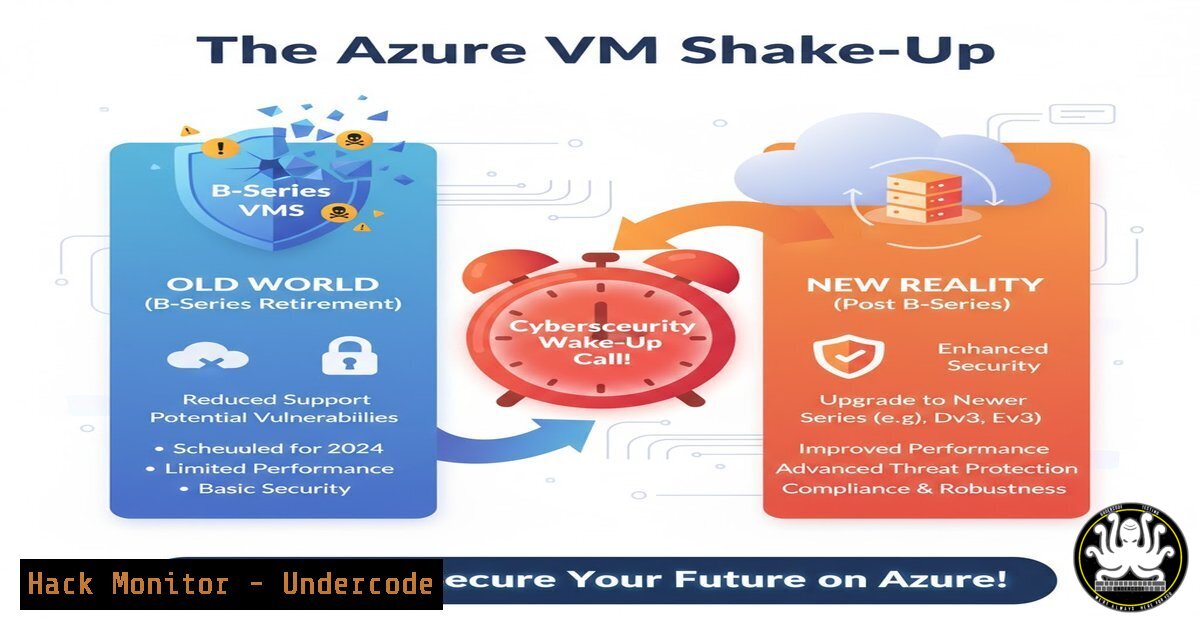
Microsoft’s announcement to retire the entire Burstable B-series VM family by October 2028 is more than a simple hardware refresh; it’s a critical inflection point for cloud security posture. Organizations clinging to these cost-effective VMs for dev/test or lightweight production workloads must now architect a migration strategy that not only maintains performance but, more importantly, seizes the opportunity to embed modern security controls and hardening practices from the ground up. Proactive migration is the new security compliance.
Learning Objectives:
- Understand the security implications of migrating from legacy Azure VM series to modern instances.
- Learn to inventory and assess your current Azure VM footprint for retirement risks.
- Acquire the command-line skills to automate discovery, hardening, and migration steps.
You Should Know:
1. Inventory Your Azure VM Estate
Before any migration can be planned, you must have a complete and accurate inventory of all deployed VMs, specifically identifying the B-series instances slated for retirement. This is the foundational step of any security or operational review.
Verified Azure CLI Command List:
 Login to your Azure subscription
az login

List all VMs across all resource groups, showing name, resource group, and VM size
az vm list --query "[].[name, resourceGroup, hardwareProfile.vmSize]" --output table

List all VMs in a subscription, including their power state and location
az vm list -o table

Get detailed information for a specific VM, including its SKU and image details
az vm show --resource-group myResourceGroup --name myVM --query "{Name:name, Size:hardwareProfile.vmSize, Image:storageProfile.imageReference}" -o json
Step-by-step guide:
The first command (az vm list) is your starting point. It provides a high-level overview. The `–query` parameter is powerful for filtering the JSON output to show only the most relevant columns: VM name, its resource group, and the VM size. Once you’ve identified a VM of interest (e.g., a ‘Standard_B2s’), use `az vm show` to drill down into its specific configuration, such as the underlying OS image. This detailed view is crucial for planning a like-for-like or, preferably, an upgraded migration.
2. Identify Precisely Which B-Series VMs Are Affected
The retirement affects the entire Burstable B-Series (e.g., B1, B2s, B4ms), not just specific sizes. Automating the discovery of these VMs allows for scalable assessment and tracking.
Verified PowerShell & CLI Commands:
 PowerShell: Get all VMs and filter for B-series
Get-AzVM | Select-Object Name, ResourceGroupName, @{Name="VMSize"; Expression={$<em>.HardwareProfile.VmSize}} | Where-Object {$</em>.VMSize -like "Standard_B"}

Azure CLI alternative to find all B-series VMs
az vm list --query "[?contains(hardwareProfile.vmSize, 'Standard_B')].{Name:name, ResourceGroup:resourceGroup, Size:hardwareProfile.vmSize}" -o table
Step-by-step guide:
These commands use a filter to isolate VMs with a size (vmSize) that contains the string ‘Standard_B’. The PowerShell cmdlet `Get-AzVM` retrieves all VMs, and the output is piped to `Where-Object` to apply this filter. The Azure CLI version uses a JMESPath query `[?contains(hardwareProfile.vmSize, ‘Standard_B’)]` to achieve the same result directly on the server side, which can be more efficient for large subscriptions. Run this in your environment to generate the definitive list of VMs requiring action.
3. Assess Network Security Configurations
Migrating a VM is not just about moving compute; it’s about recreating its security perimeter. You must document existing Network Security Groups (NSGs) and other networking rules to re-apply them correctly, or improve upon them, in the new environment.
Verified Azure CLI Commands:
 Get the effective network security rules for a VM's NIC
az network nic list-effective-nsg --resource-group myResourceGroup --name myNic

List all NSGs in a resource group
az network nsg list --resource-group myResourceGroup --query "[].[name, location]" -o table

Show all rules for a specific NSG
az network nsg rule list --resource-group myResourceGroup --nsg-name myNSG -o table
Step-by-step guide:
The most critical command here is az network nic list-effective-nsg. A VM’s effective security rules are a combination of rules applied at the subnet level and the network interface (NIC) level. This command aggregates these rules, giving you the true picture of what traffic is allowed or denied. Before decommissioning any old VM, run this on its NIC and document the output. Use this as a blueprint to configure the NSG for your new, modern VM series.
- Harden Your New Target VMs with Security Baselines
A migration is the perfect time to enforce security baselines. Utilize Azure’s cloud-native tools to deploy hardened images and apply configurations automatically, moving beyond the often less-secure state of legacy deployments.
Verified Commands & Configurations:
 Create a VM with a Managed Identity from the start (critical for secure access to other Azure services)
az vm create --resource-group myRG --name myNewSecureVM --image Ubuntu2204 --size Standard_D2s_v3 --assign-identity

Install the Azure VM Guest Configuration extension for auditing (Preview)
az vm extension set --publisher Microsoft.GuestConfiguration --name ConfigurationforLinux --resource-group myRG --vm-name myNewSecureVM

Use Azure Disk Encryption (Example for Linux VM)
az vm encryption enable --resource-group myRG --name myNewSecureVM --disk-encryption-keyvault myKeyVault
Step-by-step guide:
When creating your replacement VM (az vm create), immediately assign a system-managed identity with --assign-identity. This is a security best practice for allowing the VM to authenticate to services like Azure Key Vault without storing secrets in code. Next, consider extending your security posture by installing the Guest Configuration extension, which allows you to audit settings inside the VM against defined policies. Finally, for data-at-rest protection, enable Azure Disk Encryption, which integrates with your Key Vault.
5. Leverage Azure Policy for Continuous Compliance
Reactive migration is not enough. Use Azure Policy to ensure that any new VMs deployed in your environment do not use the retired series and adhere to your organizational security standards, preventing future technical debt.
Verified Azure CLI & PowerShell:
 Get a list of all built-in policies related to VMs
az policy definition list --query "[?contains(displayName, 'VM')].{DisplayName:displayName, Name:name}" -o table

Assign a built-in policy to deny certain VM SKUs (e.g., B-series) in a specific resource group
az policy assignment create --name 'Deny-B-Series-VMs' --display-name 'Deny B-Series VMs' --policy 7335b5c4-4b3a-4de8-8a8c-4f6b6e7a37a0 --params '{"listOfAllowedSkus": {"value": ["Standard_D2s_v3", "Standard_DS1_v2"]}}' --resource-group myTargetRG

PowerShell: Get policy assignment compliance state
Get-AzPolicyState -ResourceGroupName myTargetRG -Filter "PolicyAssignmentName eq 'Deny-B-Series-VMs'"
Step-by-step guide:
This process moves you from manual checks to automated governance. First, use `az policy definition list` to discover relevant policies. The key step is using `az policy assignment create` to assign the “Allowed virtual machine size SKUs” policy. You provide the policy’s ID and a parameter object (--params) that specifies an allow list of approved VM sizes (e.g., D-series, E-series), effectively denying the creation of any B-series VMs. This ensures compliance is enforced automatically.
- Automate the Migration with Azure Resource Manager (ARM)
For repeatable, secure, and scalable migrations, infrastructure-as-code (IaC) is non-negotiable. ARM templates or Terraform configurations allow you to define your new, secure VM environment in code, version it, and deploy it consistently.
Sample ARM Template Snippet:
{
"$schema": "https://schema.management.azure.com/schemas/2019-04-01/deploymentTemplate.json",
"contentVersion": "1.0.0.0",
"parameters": { ... },
"variables": { ... },
"resources": [
{
"type": "Microsoft.Compute/virtualMachines",
"apiVersion": "2023-03-01",
"name": "[parameters('vmName')]",
"location": "[resourceGroup().location]",
"identity": {
"type": "SystemAssigned"
},
"properties": {
"hardwareProfile": {
"vmSize": "Standard_D2s_v3"
},
"storageProfile": { ... },
"networkProfile": { ... },
"osProfile": { ... }
}
},
{
"type": "Microsoft.Network/networkSecurityGroups",
"apiVersion": "2023-05-01",
"name": "myNewNSG",
"properties": {
"securityRules": [ ... ]
}
}
]
}
Step-by-step guide:
An ARM template defines your desired state. This snippet highlights a VM resource of a modern size (Standard_D2s_v3) with a system-assigned identity already configured. Notice the simultaneous definition of a Network Security Group (Microsoft.Network/networkSecurityGroups) within the same template. This codifies the entire secure environment. You would deploy this using az deployment group create --resource-group myRG --template-file template.json, ensuring every deployment is identical and adheres to your security baseline.
What Undercode Say:
- Migration is a Mandatory Security Hardening Exercise. Treating the B-series retirement as a simple “lift-and-shift” is a missed opportunity and introduces risk. The four-year notice period is a gift; use it to architect more secure, identity-centric, and policy-driven workloads on modern hardware that supports the latest security features.
- Governance is Your First Line of Defense. The ability to instantly discover non-compliant resources and proactively prevent their deployment via Policy is more valuable than any single security tool. This event proves that cloud security is inextricably linked to cost and operational management.
The retirement of the B-series is a clear signal from Microsoft that the “cheap and cheerful” cloud era is maturing into a “secure and sustainable” one. Organizations that view this solely as a cost and performance issue are overlooking the profound security benefits. Modern VM series offer better underlying security enclaves, support for confidential computing, and more robust integration with Azure’s security management plane. The real threat isn’t the 2028 deadline; it’s the accumulated security technical debt of maintaining outdated architectures. The most secure organizations will use this catalyst to fully embrace infrastructure-as-code and policy-driven governance, making their environments not only compliant with this change but inherently more resilient to the next one.
Prediction:
The forced migration from B-series VMs is a precursor to a broader industry-wide consolidation of cloud compute offerings. We predict that by 2030, cloud providers will aggressively retire first-generation and budget-oriented services that lack integrated, zero-trust security capabilities. This will push the market towards a model where advanced security features (like default encryption, mandatory identity, and continuous compliance auditing) are no longer optional add-ons but are baked into the core, standardized compute fabric. Organizations that fail to develop agile, automated migration and hardening processes today will face significant operational and security disruptions tomorrow, potentially ceding competitive advantage to more cloud-nimble rivals.
🎯Let’s Practice For Free:
IT/Security Reporter URL:
Reported By: Markuslintuala Azure – Hackers Feeds
Extra Hub: Undercode MoN
Basic Verification: Pass ✅


