Listen to this Post
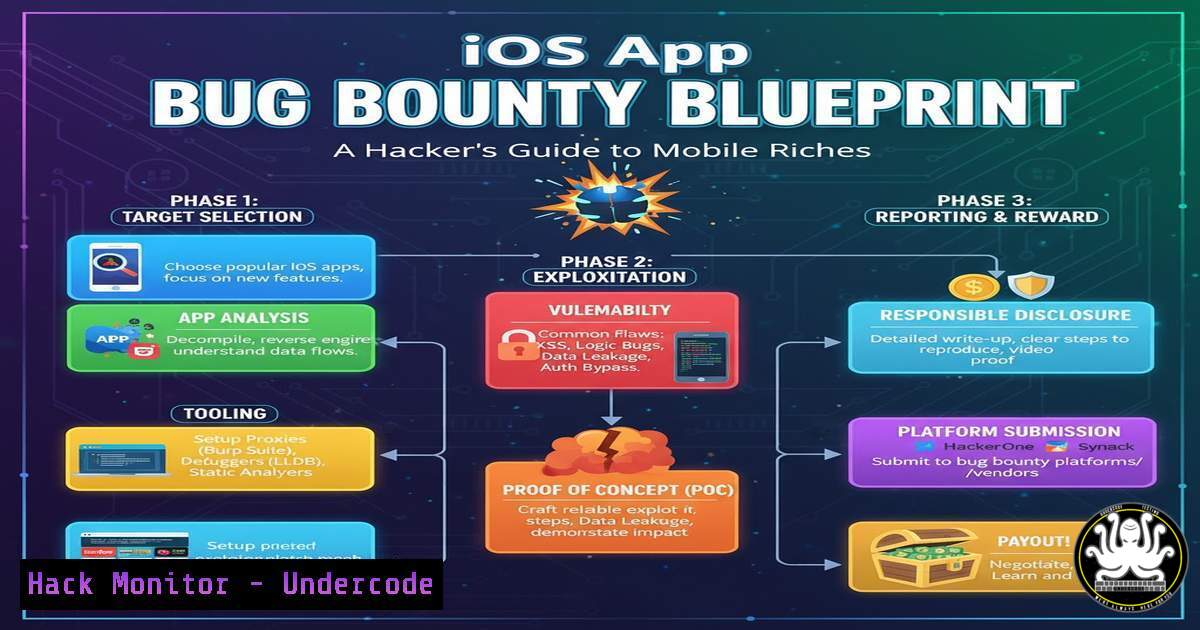
Introduction:
The landscape of mobile application security is a modern-day gold rush, with iOS applications representing a particularly lucrative target for ethical hackers. Mastering the specialized tools and methodologies for iOS pentesting is no longer a niche skill but a critical competency for uncovering critical vulnerabilities that traditional scanners miss. This guide provides a tactical roadmap for penetrating iOS app defenses and claiming high-value bug bounties.
Learning Objectives:
- Master the core tools and techniques for static and dynamic analysis of iOS applications.
- Understand and exploit common iOS-specific vulnerabilities, including insecure data storage and improper platform usage.
- Learn to bypass common iOS security controls like Certificate Pinning and App Transport Security (ATS).
You Should Know:
1. Acquiring the iOS Application IPA
The first step is obtaining the application’s IPA (iOS App Store Package) file for analysis. This file is the core binary that can be decompiled and inspected.
Verified Commands & Tutorials:
- Using `ipatool` (Command Line):
`ipatool download –bundle-identifier com.example.app –output ~/Downloads/`
This command uses a third-party tool to download the IPA directly from the App Store for a given bundle identifier. You must be logged into a macOS system with a valid Apple ID that has downloaded the app previously.
- Using Cydia Impactor (Historical Method):
While largely obsolete due to Apple’s restrictions, the methodology involved using Cydia Impactor to sideload a developer-signed IPA onto a jailbroken device. Modern alternatives involve direct download services or using objection to pull decrypted IPAs from a jailbroken device.
Step-by-step guide:
To get started with ipatool, first install it via Python pip (pip install ipatool). Authenticate with the App Store using `ipatool auth login` with your Apple ID credentials. Once authenticated, you can search for the app ID and download the IPA as shown in the command above, providing a clean package for static analysis.
2. Static Analysis with MobSF
Mobile Security Framework (MobSF) is an automated, all-in-one mobile application pentesting framework capable of static and dynamic analysis.
Verified Commands & Tutorials:
- Running MobSF (Docker):
`docker pull opensecurity/mobile-security-framework-mobsf`
`docker run -it -p 8000:8000 opensecurity/mobile-security-framework-mobsf`
This pulls the latest MobSF Docker image and runs it, making the interface available at `http://localhost:8000`.
- MobSF Static Analysis Output Review:
After uploading an IPA, MobSF generates a report. Key findings to prioritize include:
– `Info.plist` misconfigurations (e.g., `NSAllowsArbitraryLoads` set totrue). - Hardcoded secrets like API keys identified by regular expressions.
- Insecure binary protections (e.g., PIE or Stack Canaries disabled).
Step-by-step guide:
After starting the MobSF container, access the web UI, upload your target IPA, and let the analysis complete. Scrutinize the “Code Analysis” section for insecure coding patterns and the “File Analysis” section for sensitive information in plaintext files. The “API Analysis” section is crucial for identifying endpoints and parameters for further dynamic testing.
3. Dynamic Analysis with Frida for Runtime Manipulation
Frida is a dynamic instrumentation toolkit that allows you to inject snippets of JavaScript into running applications, making it ideal for bypassing security controls.
Verified Commands & Code Snippets:
- Bypassing SSL Pinning with Frida:
`frida -U -f com.example.app -l ssl-pinning-bypass.js –no-pause`
This command injects a Frida script (ssl-pinning-bypass.js) into the target app on a USB-connected device (-U) immediately on startup (-f).
- Example Frida Script (hook_ssl_pinning.js):
Java.perform(function() {
var TrustManager = Java.use("javax.net.ssl.X509TrustManager");
TrustManager.checkServerTrusted.implementation = function(chain, authType) {
console.log("[+] Bypassing SSL Pinning");
};
});
This script hooks the `checkServerTrusted` method in the Android/iOS runtime (conceptually similar for both, though the actual class names differ for iOS CFNetwork) and neutralizes it, allowing interception of HTTPS traffic.
Step-by-step guide:
Install Frida on your computer (pip install frida-tools) and the Frida server on your jailbroken iOS device. Run the Frida command with a prepared pinning bypass script. Simultaneously, set up a proxy like Burp Suite as the system proxy for your device. The Frida script will prevent the app from rejecting Burp’s certificates, allowing you to intercept and manipulate all HTTP/HTTPS traffic.
4. Inspecting Insecure Data Storage
iOS apps often insecurely store data in Plist files, SQLite databases, or the Keychain. Using a jailbroken device, you can directly access these storage locations.
Verified Commands & Tutorials:
- SSH into Jailbroken Device & Browse App Sandbox:
`ssh root@`
`find /var/mobile/Containers/Data/Application -name “.sqlite” -o -name “.plist”`
This SSHes into the device and searches the application data directories for all database and plist files.
- Dumping Keychain Entries with Keychain-Dumper:
`scp keychain_dumper root@:/var/tmp/`
`ssh root@ “chmod +x /var/tmp/keychain_dumper && /var/tmp/keychain_dumper”`
This copies the keychain_dumper binary to the device and executes it to extract all keychain entries accessible to the user, often revealing passwords, tokens, and certificates.
Step-by-step guide:
After jailbreaking your test device and installing OpenSSH, connect to it. Use the `find` command to locate the target application’s sandbox directory. Once found, use `cat` for Plist files or `sqlite3` for databases to inspect their contents for sensitive data like session tokens or passwords stored in plaintext.
5. Testing for Binary Protection Bypasses
iOS binaries have built-in protections that must be bypassed for effective analysis. Tools like `otool` and `objc` are essential.
Verified Commands & Tutorials:
- Checking for PIE (Position Independent Executable) with
otool:
`otool -hv | grep PIE`
This checks the binary headers. If the PIE flag is not present, the binary loads at a fixed memory address, making Return-Oriented Programming (ROP) attacks easier.
- Using `class-dump` to Generate Headers:
`class-dump /path/to/application/binary`
This tool generates readable Objective-C header files from the runtime binary, revealing class structures, method names, and potential attack surfaces for dynamic hooking.
Step-by-step guide:
Extract the main application binary from the IPA (it’s in the `Payload/
6. Exploiting Deep Links and URL Schemes
iOS apps often register custom URL schemes (myapp://) for inter-app communication. These can be a source of vulnerabilities like scheme hijacking or parameter injection.
Verified Commands & Tutorials:
- Listing Registered URL Schemes from Info.plist:
`grep -A 10 “CFBundleURLSchemes” Payload/MyApp.app/Info.plist`
This command searches the `Info.plist` file for the array defining the app’s custom URL schemes.
- Triggering a Deep Link from Safari or Terminal:
Open Safari on a device and type: `myapp://profile?user_id=123`
Or use the terminal on a macOS/iOS system: `xcrun simctl openurl booted “myapp://profile?user_id=123″`
Step-by-step guide:
Extract the `Info.plist` file from the IPA and convert it from binary to XML if necessary (plutil -convert xml1 Info.plist). Search for `CFBundleURLSchemes` to identify all custom schemes. Manually test each scheme by triggering it from Safari or a terminal. Attempt to bypass validation by injecting unexpected data types (e.g., SQL commands in a `user_id` parameter) or by seeing if the app triggers sensitive actions without proper authentication.
7. Assessing App Transport Security (ATS) Misconfigurations
ATS is Apple’s enforcement of HTTPS. Misconfigurations can allow connections over insecure HTTP.
Verified Commands & Tutorials:
- Reviewing ATS Exceptions in Info.plist:
`cat Payload/MyApp.app/Info.plist | grep -A 5 -B 5 “NSExceptionDomains”`
This displays the ATS configuration, highlighting any domains that are exempt from the HTTPS requirement. -
Network Interception to Confirm HTTP Traffic:
Use Burp Suite or OWASP ZAP as a system proxy. If traffic to a domain listed under `NSExceptionDomains` is sent over HTTP, it confirms an ATS misconfiguration that can lead to man-in-the-middle attacks.
Step-by-step guide:
After identifying the app’s ATS settings via the Info.plist, configure your proxy tool. Execute all app functionalities while monitoring the proxy’s HTTP history tab. If you observe any plain HTTP traffic to domains that are not explicitly excluded in the ATS settings, this is a finding. Furthermore, any `NSExceptionDomains` that set `NSExceptionAllowsInsecureHTTPLoads` to `true` should be scrutinized, as they permanently allow HTTP for that domain.
What Undercode Say:
- The barrier to entry for professional iOS pentesting is lowering, with automated tools like MobSF and accessible frameworks like Frida democratizing high-level vulnerability discovery.
- The most critical findings often lie not in complex memory corruption bugs, but in logical flaws, misconfigurations, and the misuse of platform security features, which are abundant in production apps.
The shift towards mobile-first everything has made iOS application security a frontline concern. While Apple’s walled garden provides robust baseline security, it also creates a false sense of impermeability among developers. This gap between perceived and actual security is where bug bounty hunters thrive. The methodologies outlined here are not just academic; they are the proven playbook for uncovering vulnerabilities that automated scanners cannot comprehend, particularly business logic flaws and insecure direct object references. As apps become more complex, the attack surface expands, ensuring that skilled manual testers will remain in high demand for the foreseeable future. The real differentiator is no longer just finding a flaw, but understanding the application’s business context to demonstrate its maximum impact.
Prediction:
The techniques for iOS exploitation will become increasingly automated and integrated into DevOps pipelines, shifting security left. However, this will be met with more sophisticated, AI-driven obfuscation and runtime application self-protection (RASP) technologies within apps themselves. The future of iOS bug bounties will be an arms race between AI-powered offensive tooling and AI-enhanced defensive code, raising the stakes and the potential rewards for hunters who can think creatively beyond automated scripts.
🎯Let’s Practice For Free:
IT/Security Reporter URL:
Reported By: Phyowathonewin Bugbounty – Hackers Feeds
Extra Hub: Undercode MoN
Basic Verification: Pass ✅


