Listen to this Post
Introduction:
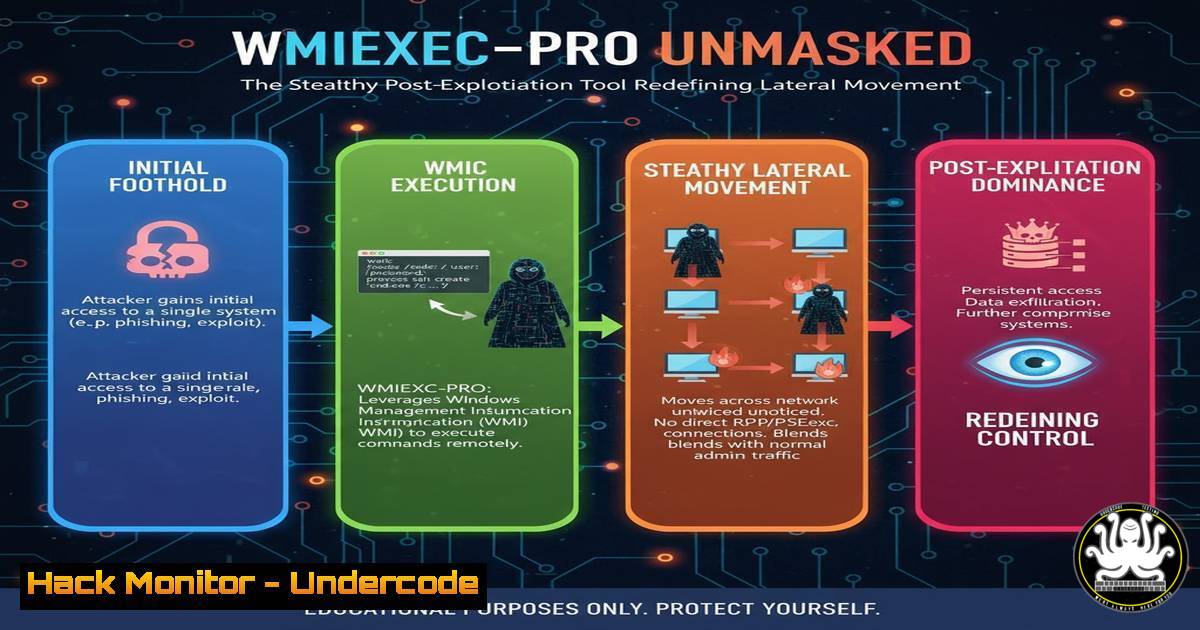
A new, sophisticated post-exploitation framework dubbed “Wmiexec-pro” is emerging, building upon the infamous Impacket wmiexec script to enable stealthier lateral movement and command execution within compromised networks. This evolution represents a significant shift for red teams and a formidable challenge for blue teams, as it enhances the native Windows Management Instrumentation (WMI) protocol for covert operations. Understanding its mechanics and the corresponding telemetry is no longer optional for modern defense.
Learning Objectives:
- Decipher the technical enhancements that differentiate Wmiexec-pro from its predecessors.
- Identify and collect the critical forensic artifacts and telemetry generated by its activity.
- Develop and implement robust detection strategies to counter this advanced threat.
You Should Know:
1. The Fundamental Shift: From Impacket to “Pro”
The original Impacket `wmiexec.py` script is a staple in an attacker’s toolkit, using WMI to execute commands on a remote host. Wmiexec-pro modifies this approach to reduce its network and process creation footprint, making traditional detection methods less effective.
2. Key Telemetry Sources for Detection
To hunt for Wmiexec-pro, you must know where to look. The primary sources of telemetry are Windows Event Logs and, more critically, Elastic Endpoint Security or similar EDR solutions.
3. Detecting Remote WMI Process Creation
Wmiexec-pro leverages the `Win32_Process` WMI class to create processes remotely. This action is logged in Windows Event logs and can be a primary indicator.
Verified Command/Query:
 Windows Event ID to monitor for WMI process creation
Get-WinEvent -FilterHashtable @{LogName='Microsoft-Windows-WMI-Activity/Operational'; ID=5861} | Where-Object {$<em>.Message -like "Win32_Process" -and $</em>.Message -like "Create"}
Step-by-step guide:
This PowerShell command queries the WMI-Activity operational log for Event ID 5861, which indicates a method was called. The `Where-Object` filter narrows the results to events involving the `Win32_Process` class and a `Create` method, which is the exact technique used by Wmiexec-pro to spawn a process. Regularly running this query on critical servers can help identify initiation points of lateral movement.
4. Analyzing Process Creation Chains
EDR telemetry provides the detailed process tree necessary to spot the parent-child relationships that are hallmarks of this attack.
Verified Command/Query:
 EQL query for Elastic EDR to find wmiprvse.exe spawning unusual children
process where event.action == "start" and process.name : "wmiprvse.exe" and
process.parent.name : "svchost.exe" and
not process.child.name : ("conhost.exe", "whoami.exe", "cmd.exe", "powershell.exe")
Step-by-step guide:
This Elastic Query Language (EQL) statement hunts for process start events where the WMI provider host process (wmiprvse.exe) is the parent. It first confirms the legitimate parent of `wmiprvse.exe` is svchost.exe. The critical part is the `not` clause, which excludes common, benign child processes. If `wmiprvse.exe` spawns anything else (e.g., rundll32.exe, mshta.exe), this query will flag it for investigation.
5. Hunting for Fileless Execution via WMI
Wmiexec-pro can execute commands without dropping files by using the `Win32_Process` Create method to run a command interpreter.
Verified Command/Query:
 Sigma rule to detect WMI fileless execution
title: WMI Fileless Execution
logsource:
product: windows
service: wmi
detection:
selection:
EventID: 5861
MethodName: 'Create'
ClassName: 'Win32_Process'
ParameterValue|contains: 'cmd.exe /c'
condition: selection
Step-by-step guide:
This Sigma rule (convertible to your SIEM’s native query language) is designed to detect the core technique. It triggers on the same WMI event (5861) for the `Create` method of Win32_Process. The key field is ParameterValue; by filtering for instances containing 'cmd.exe /c', you are directly targeting the command execution argument passed through WMI. Deploying this rule provides a high-fidelity alert for this fileless behavior.
6. Monitoring for Named Pipes
Wmiexec-pro uses named pipes for communication. Monitoring for pipes with specific, semi-randomized names can reveal its presence.
Verified Command/Query:
 Sysmon Event ID 17 (Pipe Created) and 18 (Pipe Connected) hunting
(EventID:17 OR EventID:18) AND PipeName|contains: "wmi"
Step-by-step guide:
Sysmon logs pipe creation (Event ID 17) and connection (Event ID 18). This simple filter looks for any pipe whose name contains “wmi”. While legitimate WMI activity uses pipes, the context is key. Correlate these events with suspicious parent processes or remote IP addresses. A pipe named similarly to `wmi__` created by a process from a non-admin user’s context could be a strong indicator.
7. Network Security Controls: Blocking the Protocol
While detection is crucial, prevention at the network layer remains a valid strategy. Restricting WMI traffic can halt this and similar attacks.
Verified Command/Query:
 Windows Firewall Rule to block WMI (ports 135, 445, dynamic RPC) on workstations
New-NetFirewallRule -DisplayName "Block WMI Inbound" -Direction Inbound -Protocol TCP -LocalPort 135,445 -Action Block -Profile Domain,Private,Public
Step-by-step guide:
This PowerShell command creates a new Windows Firewall rule to block inbound TCP traffic on ports 135 (RPC Endpoint Mapper) and 445 (SMB), which are used by WMI. This is a drastic measure and should be applied carefully. It is most suitable for workstation segments where inbound WMI connections from other hosts are not required for legitimate administration, effectively breaking this lateral movement path.
What Undercode Say:
- The abstraction and enhancement of known offensive tools are a growing trend, forcing defenders to move beyond signature-based detection and into behavioral and telemetry analysis.
- The battle is shifting from preventing initial execution to containing lateral movement, making endpoint and network telemetry the new primary battlefield.
The emergence of Wmiexec-pro is a natural evolution in the offensive security landscape. It signifies a move towards “living off the land” with greater stealth, directly weaponizing built-in administrative protocols. For blue teams, this means that a deep, contextual understanding of Windows internals and the telemetry they produce is no longer a niche skill but a fundamental requirement. Relying on alerts for `wmic.exe` or the standard Impacket script is insufficient. The defense must now analyze process trees, WMI method calls, and named pipe artifacts in concert to discern malicious intent from legitimate administrative activity. This tool is a clear signal that post-exploitation tradecraft is advancing, and our detection engineering must advance in lockstep.
Prediction:
Wmiexec-pro is a harbinger of a broader trend where open-source offensive tools will be forked, customized, and hardened to evade common detection rules. This will lead to a proliferation of “bespoke” malware variants used in targeted attacks, making shared intelligence slightly less reliable. Consequently, defense strategies will need to pivot towards detecting underlying techniques and anomalous behavior rather than specific tool signatures, accelerating the industry-wide adoption of behavioral analytics and anomaly detection platforms. The focus will be on the “how” and “why” of an action, not just the “what.”
🎯Let’s Practice For Free:
IT/Security Reporter URL:
Reported By: Daniel Koifman – Hackers Feeds
Extra Hub: Undercode MoN
Basic Verification: Pass ✅


