
Listen to this Post
Introduction:
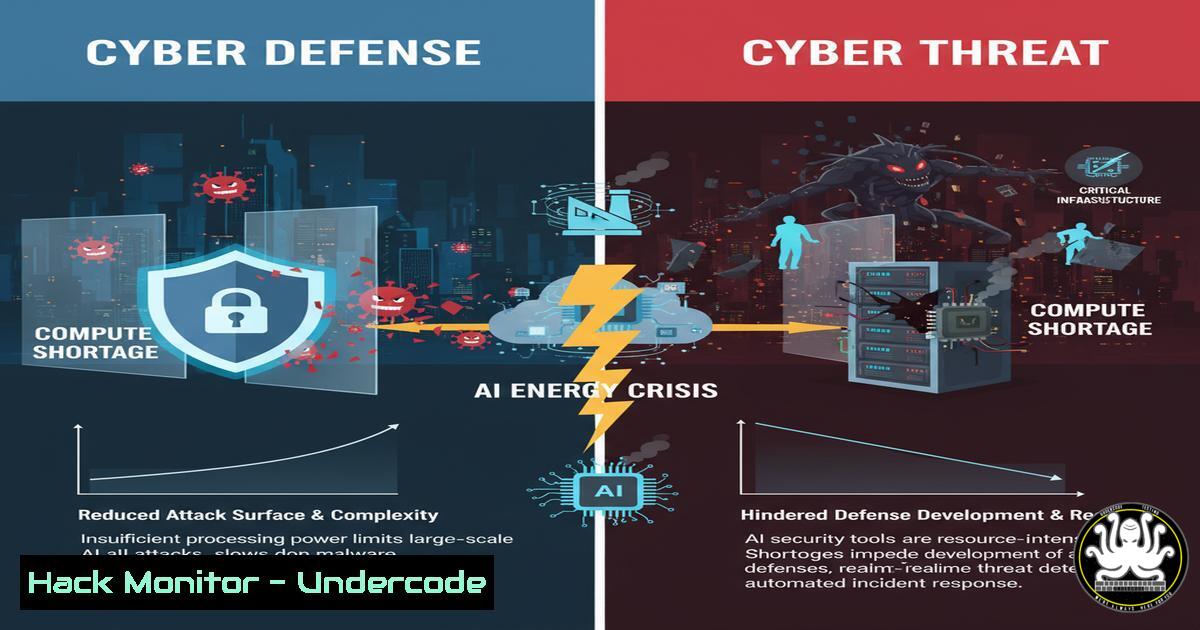
The breakneck evolution of Artificial Intelligence is colliding with a fundamental physical constraint: global energy capacity. This isn’t a speculative bubble; it’s a compute arms race with profound implications for cybersecurity. As nations and corporations vie for limited AI resources, the attack surface shifts from software vulnerabilities to the very hardware and power grids that fuel intelligence, creating a new frontier of operational technology (OT) and supply chain risks.
Learning Objectives:
- Understand the link between AI compute demand, energy infrastructure, and emerging cyber threats.
- Learn to harden Linux and Windows systems against resource-hijacking attacks like cryptojacking, which are precursors to AI compute theft.
- Master cloud security commands to audit and secure AI workloads and training environments.
- Develop skills to detect and mitigate vulnerabilities in API-driven AI services and containerized deployments.
- Analyze network traffic to identify data exfiltration from compromised AI models.
You Should Know:
1. Securing Linux Against Resource Hijacking
AI training workloads are immense, making unprotected servers prime targets for resource theft. These commands help lock down a Linux system.
 Check for unauthorized processes consuming high CPU (common in cryptojacking)
ps aux --sort=-%cpu | head -10

Audit active network connections to identify data exfiltration
netstat -tunlp

Configure UFW (Uncomplicated Firewall) to allow only essential ports
sudo ufw enable
sudo ufw allow ssh
sudo ufw allow 80,443/tcp

Monitor system logs for brute force attacks
sudo tail -f /var/log/auth.log

Set strict permissions on critical directories
chmod 700 /home/$USER/
chmod 600 /home/$USER/.ssh/
Step-by-step guide: Begin by establishing a baseline of normal system behavior. Use `ps aux` regularly to identify processes consuming abnormal CPU cycles, a key indicator of a compromised system running unauthorized AI workloads or cryptocurrency miners. The `netstat` command reveals all listening ports and established connections, helping you spot covert channels. Enabling UFW provides a fundamental network barrier, while log monitoring offers real-time intrusion detection.
2. Hardening Windows for AI Workstation Security
Windows systems used for AI development are high-value targets. These commands and configurations are critical.
 Get a list of all running services to identify potential malware
Get-Service | Where-Object {$_.Status -eq 'Running'}

Enable Windows Defender Application Guard for browser isolation
Enable-WindowsOptionalFeature -Online -FeatureName Windows-Defender-ApplicationGuard

Check network statistics similar to netstat
Get-NetTCPConnection | Where-Object {$_.State -eq 'Established'}

Audit PowerShell script execution logs
Get-WinEvent -LogName "Microsoft-Windows-PowerShell/Operational" | Select-Object -First 20

Harden the system against pass-the-hash attacks
Set-ItemProperty -Path "HKLM:\SYSTEM\CurrentControlSet\Control\Lsa" -Name "DisableDomainCreds" -Value 1
Step-by-step guide: PowerShell is your primary tool for Windows security. Regularly audit running services to spot malicious daemons. Isolating browser activity with Application Guard prevents credential theft from phishing attacks targeting AI researchers. Monitoring PowerShell logs is essential, as it’s a common attack vector. Finally, registry tweaks can mitigate lateral movement techniques used by advanced persistent threats.
3. Cloud AI Workload and API Security
Cloud platforms host the majority of AI training. Misconfigurations here can lead to massive data leaks and compute abuse.
 AWS CLI command to list all S3 buckets and their encryption status
aws s3api list-buckets --query "Buckets[].Name"
aws s3api get-bucket-encryption --bucket YOUR_BUCKET_NAME

Scan for publicly accessible EC2 instances
aws ec2 describe-instances --query "Reservations[].Instances[?PublicIpAddress!=null].{IP:PublicIpAddress,ID:InstanceId}"

Azure CLI to check for storage account blob anonymity
az storage account list --query "[].{name:name, resourceGroup:resourceGroup}"

GCP gcloud command to audit IAM policies project-wide
gcloud asset analyze-iam-policy --organization=YOUR_ORG_ID
Step-by-step guide: In the cloud, identity and access management (IAM) and public exposure are the biggest risks. Use the AWS, Azure, and GCP CLI tools to continuously audit your environment. The `aws s3api` commands help ensure training data repositories are not publicly readable. The EC2 scan identifies instances that are accidentally exposed to the internet, a common error in fast-paced AI development teams.
4. Container and Kubernetes Security for AI Pipelines
AI models are increasingly deployed in containers. A compromised container is a direct path to model theft and poisoning.
 Scan a Docker image for vulnerabilities using Trivy (must be installed)
trivy image YOUR_AI_MODEL_IMAGE:latest

List all running containers and their exposed ports
docker ps --format "table {{.Names}}\t{{.Image}}\t{{.Ports}}"

Kubernetes command to view pod security contexts
kubectl get pods -o jsonpath='{range .items[]}{.metadata.name}{"\t"}{.spec.securityContext}{"\n"}{end}'

Check for secrets stored in environment variables
kubectl get pods -o jsonpath='{range .items[]}{.metadata.name}{"\n"}{.spec.containers[].env[]}{"\n\n"}{end}'
Step-by-step guide: Integrate vulnerability scanning into your CI/CD pipeline. Before deploying a new AI model version, run `trivy` to catch critical CVEs. The `docker ps` and `kubectl` commands provide runtime visibility. The most critical step is ensuring no API keys, database credentials, or model access tokens are stored in plaintext within environment variables, a frequent misconfiguration.
5. API Security for AI Model Endpoints
Exposed model APIs are low-hanging fruit for data exfiltration and adversarial attacks.
 Use curl to test for common API security headers
curl -I https://api.your-ai-service.com/v1/predict

Test for SQL injection in user input fields (using a test endpoint)
curl -X POST https://api.your-ai-service.com/v1/query -d "input=' OR '1'='1"

Use nmap to scan for open ports on your API server
nmap -sV -p 1-65535 YOUR_API_SERVER_IP

Check for TLS/SSL vulnerabilities
nmap --script ssl-enum-ciphers -p 443 YOUR_API_SERVER_IP
Step-by-step guide: The API layer is where your AI model interacts with the world. The `curl -I` command should reveal headers like `Strict-Transport-Security` and Content-Security-Policy. Testing for basic injection flaws is crucial, even if the primary input is a tensor, as supporting endpoints often have traditional vulnerabilities. Regular `nmap` scans from an external perspective help you see what an attacker sees.
6. Network Traffic Analysis for AI Data Leaks
The output of an AI model is intellectual property. Monitoring egress traffic is essential to detect theft.
 Use tcpdump to capture traffic on a specific port for analysis
sudo tcpdump -i any -w ai_traffic.pcap port 443

Analyze captured traffic with Wireshark's command-line tool, tshark
tshark -r ai_traffic.pcap -Y "http.request" -T fields -e http.host -e http.request.uri

Monitor for large outbound data transfers
iftop -P -i eth0

Check iptables rules for data egress controls
sudo iptables -L -v -n
Step-by-step guide: Data exfiltration can be slow and stealthy. Use `tcpdump` to capture baseline traffic from your inference servers. Tools like `tshark` can then parse this data to identify anomalous HTTP requests to unknown domains. `iftop` provides a real-time view of bandwidth usage, flagging large, unauthorized data transfers that could indicate a model or dataset being siphoned out.
7. System Hardening and Compliance Auditing
A proactive stance is required to protect the entire AI stack from the OS upwards.
 Run the Lynis security auditing tool on Linux
sudo lynis audit system

Check for critical security updates on Ubuntu/Debian
sudo apt list --upgradable | grep -i security

On Windows, audit using the Microsoft Security Compliance Toolkit
 Download the baselines and use LGPO.exe to apply them.

Linux command to check for files with the SUID bit set (potential privilege escalation)
find / -perm -4000 -type f 2>/dev/null
Step-by-step guide: Security is not a one-time action but a continuous process. Automated tools like Lynis provide a comprehensive checklist for system hardening. Prioritizing and applying security patches is non-negotiable, as AI servers are high-value targets. Finally, regularly auditing for abnormal file permissions, like world-writable scripts or unnecessary SUID binaries, closes common privilege escalation paths.
What Undercode Say:
- The scarcity of AI compute transforms energy infrastructure and data centers into Tier-1 national security assets, making them primary targets for state-sponsored cyberattacks.
- The consolidation of AI training to a few cloud providers creates concentrated points of failure; a successful breach of a major cloud AI platform could compromise the intellectual property of thousands of organizations simultaneously.
The energy and compute constraints highlighted by industry leaders are not merely economic issues; they are the new parameters of cybersecurity. The traditional perimeter has dissolved, replaced by a fragile supply chain of silicon and electricity. Defending AI isn’t just about writing secure code for models; it’s about physically and logically securing the colossal, power-hungry infrastructure they run on. This creates a paradoxical situation where the same scarcity that drives innovation also incentivizes unprecedented levels of cyber-espionage and sabotage. The organizations that will thrive are those that integrate hardware, energy, and cloud security into a unified defense strategy, recognizing that the attack on AI is an attack on its entire operational ecosystem.
Prediction:
The AI compute shortage will catalyze a new wave of hyper-sophisticated cyber-physical attacks. We will see the first major successful attack on a national power grid specifically intended to disrupt a rival nation’s AI training cycle, effectively a “compute denial” strike. This will blur the lines between cyber warfare and economic competition, forcing a global reckoning on the governance and physical protection of critical AI infrastructure. The response will be the rapid militarization of AI data center security and the rise of “compute sovereignty” as a core national policy.
🎯Let’s Practice For Free:
IT/Security Reporter URL:
Reported By: Thompete There – Hackers Feeds
Extra Hub: Undercode MoN
Basic Verification: Pass ✅


