Listen to this Post
Introduction:
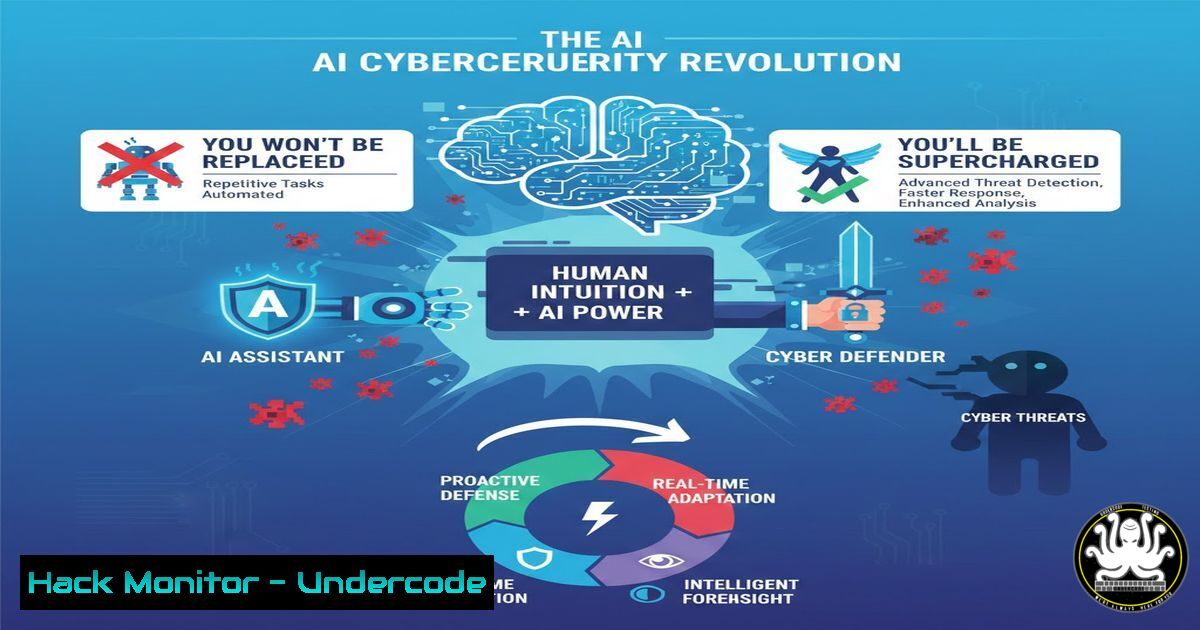
The rapid advancement of Artificial Intelligence (AI) is sending ripples of uncertainty through the cybersecurity industry, with many professionals questioning their future relevance. However, senior experts consistently argue that AI is not a replacement but a powerful force multiplier. This article delves into the emerging symbiotic relationship between human intuition and machine efficiency, outlining how this partnership is fundamentally upgrading the cybersecurity profession.
Learning Objectives:
- Understand the distinct and complementary roles of AI and human intelligence in a modern security operations center (SOC).
- Learn practical steps and commands to integrate AI-powered tools into your security workflow for log analysis and threat hunting.
- Develop a forward-looking strategy to evolve your skill set from performing repetitive tasks to overseeing strategic, AI-driven security initiatives.
You Should Know:
1. Automating Log Analysis with AI-Powered Tools
The core strength of AI in cybersecurity lies in its ability to process and analyze vast quantities of data at speeds impossible for humans. While AI identifies anomalies, the human analyst provides the critical context of business operations, organizational politics, and real-world feasibility.
Step‑by‑step guide explaining what this does and how to use it.
AI tools like Elastic Security, Splunk ES with Machine Learning, or open-source options like the ELK Stack with machine learning plugins can automate initial log analysis.
– Step 1: Ingest Logs. Centralize logs from all sources (firewalls, endpoints, servers, cloud services).
– On a Linux syslog server, you might configure rsyslog to collect data:
 /etc/rsyslog.conf - Ensure these lines are uncommented
module(load="imtcp")
input(type="imtcp" port="514")
– Step 2: Train the AI Model. Most modern SIEMs have built-in unsupervised ML models. You can guide them by labeling known-bad and known-good events to improve detection accuracy over time.
– Step 3: Review Correlated Alerts. Instead of reviewing millions of individual logs, you will be presented with a handful of high-fidelity “incidents” that bundle related anomalies. Your job is to investigate these bundles.
– Step 4: Contextualize and Act. This is the human role. The AI flags a user logging in from a new country. You use your knowledge—is this user on vacation? Did they just be assigned a new project requiring travel?—to decide if it’s a true threat.
2. Shifting from Detection to Proactive Threat Hunting
AI handles the low-hanging fruit, freeing you to focus on sophisticated, human-centric threats that exploit procedural gaps and social engineering. Threat hunting becomes less about sifting data and more about testing hypotheses.
Step‑by‑step guide explaining what this does and how to use it.
- Step 1: Formulate a Hypothesis. Based on your understanding of the threat landscape, ask a question. E.g., “An attacker who phished a user’s credentials may be trying to move laterally using PsExec.”
- Step 2: Query with AI Assistance. Use your SIEM’s natural language query or built-in hunt packages to search for related activity.
- In a Windows environment, you could proactively hunt for PsExec execution by querying for specific process creations:
PowerShell Command to search for PsExec execution events Get-WinEvent -FilterHashtable @{LogName='Security'; ID=4688} | Where-Object {$_.Message -like "PsExec"} - Step 3: Analyze the Intent. AI can show you the “what” (PsExec was executed). You determine the “why.” Was it an IT admin performing maintenance or an attacker?
3. Hardening the Human Perimeter with AI Assistants
Attackers exploit human weaknesses. AI can now assist in simulating phishing campaigns and generating security awareness training content tailored to the latest threats, but the human manager must enforce the culture and policies.
Step‑by‑step guide explaining what this does and how to use it.
- Step 1: Deploy an AI-Driven Phishing Simulation Tool. Platforms like KnowBe4 or Cofense use AI to generate convincing, varied phishing templates.
- Step 2: Analyze Results. The tool provides analytics on click rates and reporting rates.
- Step 3: Conduct the “Human” Follow-up. Use the data to have one-on-one conversations with repeat offenders, understand their workflow, and provide targeted training. The AI identifies the vulnerability; you perform the human-centric remediation.
4. Integrating AI into Vulnerability Management
AI can rapidly analyze new vulnerabilities (CVEs), cross-reference them with your specific asset inventory, and predict the most likely paths of exploitation. This shifts your role from prioritization to strategic mitigation.
Step‑by‑step guide explaining what this does and how to use it.
- Step 1: Feed Asset Data. Ensure your vulnerability scanner (e.g., Tenable, Qualys) has an accurate and updated inventory of all assets, including their business criticality.
- Step 2: Let AI Prioritize. The AI tool will score vulnerabilities not just by CVSS score, but by true risk to your environment—considering exploit availability, network proximity, and asset value.
- Step 3: Execute Strategic Patching. You lead the effort to patch the AI-prioritized list, coordinating with IT and business units to minimize disruption. You handle the organizational politics that the AI cannot see.
5. The Future: AI-Augmented Incident Response
During an incident, AI can automatically contain threats by isolating endpoints, but the human expert manages the communication, legal considerations, and long-term strategic recovery.
Step‑by‑step guide explaining what this does and how to use it.
- Step 1: Establish Automated Playbooks. In your EDR/XDR platform (e.g., CrowdStrike, SentinelOne), configure automated containment actions for high-confidence malware detections.
- Step 2: Maintain Human Oversight. Ensure there is an approval loop or a clear policy for when automatic isolation is triggered to avoid business disruption.
- Step 3: Lead the Post-Mortem. The AI provides a timeline of the attack. You lead the meeting to ask “Why did this happen?” and “How do we prevent it next time?”, addressing both technical and human root causes.
What Undercode Say:
- Augmentation, Not Replacement: The consensus is clear: AI will automate tasks, not jobs. The role of the cybersecurity professional is evolving from a hands-on operator to a strategic conductor of an AI-powered security orchestra.
- Context is King: AI’s fundamental limitation is its lack of deep, human-like context. It cannot understand office politics, nuanced business relationships, or the creative intent of a determined attacker. This human understanding is your enduring value proposition.
The analysis from industry leaders suggests a deliberate and inevitable shift. The professionals who will thrive are those who eagerly learn to leverage AI tools, integrating them into their daily workflows. This is not a threat to job security but an opportunity to offload tedious, repetitive work and elevate one’s focus to more complex, interesting, and strategically valuable problems. Resistance to this evolution is the only true career risk.
Prediction:
The integration of AI in cybersecurity will create a stratified job market. Entry-level roles focused on manual log review will diminish, while demand will surge for mid-to-senior level professionals who can manage AI systems, interpret their complex outputs, and make strategic decisions. The “supercharged” analyst, fluent in both security fundamentals and AI collaboration, will become the industry standard, leading to more robust and resilient organizational defenses against an increasingly automated threat landscape.
🎯Let’s Practice For Free:
IT/Security Reporter URL:
Reported By: Neriya Iluz – Hackers Feeds
Extra Hub: Undercode MoN
Basic Verification: Pass ✅


