
Listen to this Post
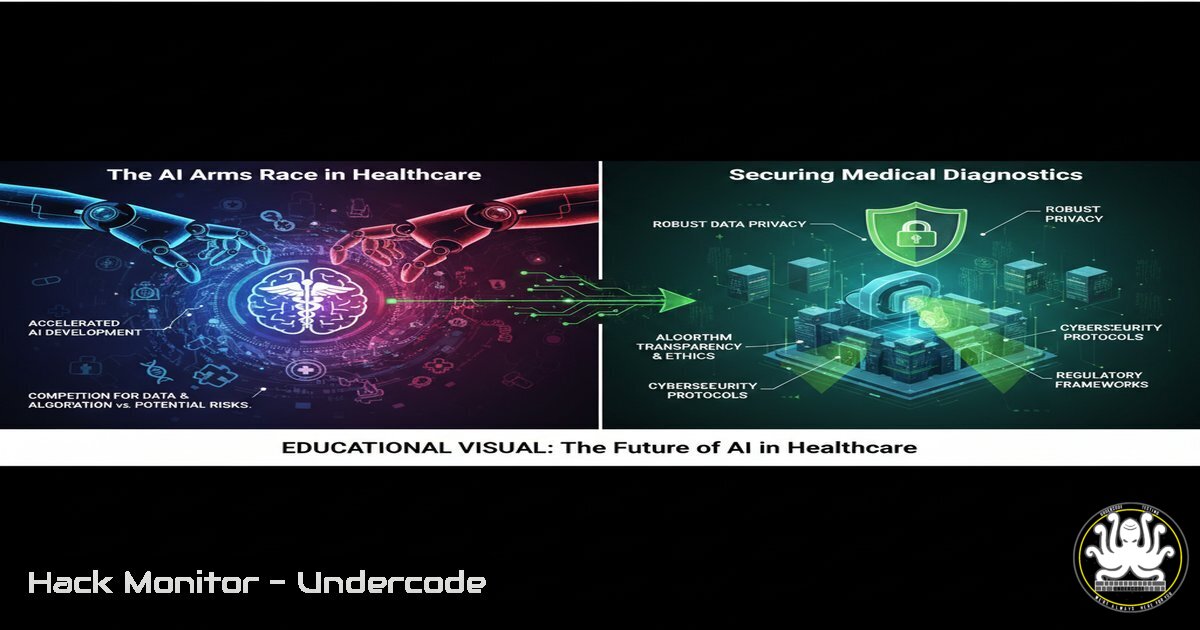
Introduction:
The integration of advanced Artificial Intelligence (AI) like DOLPHIN AI into healthcare diagnostics represents a paradigm shift in disease detection and treatment. However, this convergence of cutting-edge AI and sensitive Protected Health Information (PHI) creates a vast and attractive attack surface for cybercriminals, demanding a new era of cybersecurity vigilance. This article explores the critical security implications and necessary defenses for AI-powered medical systems.
Learning Objectives:
- Understand the unique cybersecurity threats targeting AI-driven healthcare platforms and patient data.
- Learn essential commands and techniques for securing AI model pipelines, data lakes, and API endpoints.
- Develop a proactive security posture to mitigate risks associated with AI inference and training environments.
You Should Know:
1. Securing the AI Data Pipeline
The data used to train medical AI models is a high-value target. Adversaries may attempt to poison the training data or exfiltrate sensitive PHI.
Verified Command – Linux Data Integrity Check:
 Use find to locate and checksum all critical data files
find /ai_data_lake/ -name ".csv" -o -name ".parquet" -exec sha256sum {} \; > /secure_audit/checksums_$(date +%Y%m%d).log

Monitor for unauthorized changes in real-time using inotifywait
inotifywait -m -r -e modify,create,delete /ai_data_lake/ --format '%w%f %e' | while read file; do
echo "ALERT: Unauthorized change detected in AI data lake: $file at $(date)" | systemd-cat -t "AI_SECURITY"
done
Step-by-step guide: The `find` command recursively locates all CSV and Parquet files (common AI data formats) and generates a SHA-256 checksum for each, logging them for baseline integrity. The `inotifywait` utility then provides real-time filesystem monitoring, triggering an immediate system log alert via `systemd-cat` if any modifications, creations, or deletions occur within the data lake directory, indicating potential tampering.
2. Hardening API Endpoints for AI Inference
APIs that serve AI model predictions are prime targets for exploitation, data leakage, and model theft.
Verified Command – Nginx Security Hardening Snippet:
 /etc/nginx/sites-available/ai_inference_api
server {
listen 443 ssl http2;
server_name api.medical-ai.example.com;

Strong TLS & Cipher Suites only
ssl_ciphers ECDHE-RSA-AES256-GCM-SHA512:DHE-RSA-AES256-GCM-SHA512;
ssl_prefer_server_ciphers off;

Rate Limiting to prevent abuse
limit_req_zone $binary_remote_addr zone=ai_inference:10m rate=1r/s;
limit_req zone=ai_inference burst=5 nodelay;

location /v1/predict {
 Input validation and size limits
client_max_body_size 1m;
proxy_set_header X-Input-Size $request_length;

Security Headers
add_header X-Content-Type-Options nosniff always;
add_header X-Frame-Options DENY always;
add_header Strict-Transport-Security "max-age=63072000; includeSubDomains; preload" always;

proxy_pass http://ai_model_backend:8080;
}
}
Step-by-step guide: This Nginx configuration snippet secures an AI inference API endpoint. It enforces modern TLS ciphers, implements rate limiting (limit_req_zone) to prevent Denial-of-Service attacks, restricts the maximum upload size (client_max_body_size) to block large malicious payloads, and adds critical security headers to prevent MIME sniffing and clickjacking. The `proxy_pass` directive securely forwards validated requests to the actual AI model backend.
3. Container Security for AI Model Isolation
Medical AI models are often deployed in containers. Ensuring their runtime security is paramount.
Verified Command – Docker Security Hardening:
 Run an AI model container with enhanced security constraints
docker run -d \
--name medical-ai-inference \
--user 1001:1001 \  Run as non-root user
--read-only \  Mount root filesystem as read-only
--security-opt=no-new-privileges:true \
--cap-drop ALL \  Drop all capabilities
--cap-add NET_BIND_SERVICE \  Explicitly add only required capability
--memory="512m" --memory-swap="512m" \  Memory limits
--cpus="1.0" \
-v /encrypted_model_volume:/model:ro \  Read-only model volume
-p 8080:8080 \
medical-ai:latest
Step-by-step guide: This `docker run` command deploys an AI model container with a hardened security posture. It runs the container as a non-root user (--user), makes the root filesystem read-only (--read-only), drops all Linux capabilities and adds back only the minimal one required (--cap-drop ALL --cap-add), limits memory and CPU resources to prevent resource exhaustion attacks, and mounts the model volume as read-only to protect the intellectual property of the AI model.
4. Auditing Access to Sensitive Medical Datasets
Controlling and monitoring who accesses PHI is a core requirement of regulations like HIPAA.
Verified Command – Windows PowerShell Audit Script:
 Enable detailed file auditing for a directory containing PHI
auditpol /set /subcategory:"File System" /success:enable /failure:enable

PowerShell script to query the Security log for specific access events
Get-WinEvent -FilterHashtable @{LogName='Security'; ID=4663; StartTime=(Get-Date).AddHours(-24)} |
Where-Object { $<em>.Properties[bash].Value -eq "C:\AI_Data\PatientRecords\" } |
Select-Object TimeCreated, @{Name="Username";Expression={$</em>.Properties[bash].Value}}, @{Name="File";Expression={$<em>.Properties[bash].Value}} |
Export-Csv -Path "C:\Audits\PHI_Access_Report</em>$(Get-Date -Format 'yyyyMMdd').csv" -NoTypeInformation
Step-by-step guide: First, use `auditpol` to enable success and failure auditing for the file system. The PowerShell script then queries the last 24 hours of the Windows Security log for Event ID 4663 (file access attempts). It filters for events related to the specific PHI directory, extracts the timestamp, username, and filename, and exports the results to a CSV report for compliance review and anomaly detection.
5. Network Segmentation for AI Research Environments
Isolating AI development and training networks from the corporate network limits the blast radius of a potential breach.
Verified Command – Linux iptables / Windows Firewall:
 Linux iptables: Isolate the AI research subnet (192.168.50.0/24)
iptables -A FORWARD -s 192.168.50.0/24 -d 192.168.10.0/24 -j DROP
iptables -A FORWARD -s 192.168.10.0/24 -d 192.168.50.0/24 -p tcp --dport 22 -j ACCEPT
iptables -A FORWARD -s 192.168.10.0/24 -d 192.168.50.0/24 -j DROP
 Windows Firewall: Block outbound traffic from AI workstations except to approved repos
New-NetFirewallRule -DisplayName "Block AI-Lab Outbound" -Direction Outbound -Protocol Any -Action Block -Profile Any -RemoteAddress 192.168.50.0/24
New-NetFirewallRule -DisplayName "Allow AI-Lab to Repo" -Direction Outbound -Protocol TCP -Action Allow -RemoteAddress 10.1.1.50 -RemotePort 443
Step-by-step guide: The Linux `iptables` commands prevent the AI research subnet (192.168.50.0/24) from communicating with the main corporate network (192.168.10.0/24), only allowing SSH access for management. The Windows PowerShell commands achieve a similar goal, first blocking all outbound traffic from the AI lab subnet, then creating a specific allow rule for HTTPS traffic to a single, approved software repository.
6. Detecting Model Inversion & Membership Inference Attacks
Adversaries can use a model’s API to reconstruct training data or determine if a specific individual’s data was in the training set.
Verified Command – Python-based Anomaly Detection Snippet:
 Pseudocode for logging and detecting inference attack patterns
import logging
from collections import defaultdict

Configure structured logging
logging.basicConfig(filename='ai_inference_audit.log', level=logging.INFO, format='%(asctime)s - %(message)s')

user_query_count = defaultdict(int)

def log_and_analyze_inference(user_id, input_data, prediction):
 Log all inference requests
logging.info(f"USER:{user_id} | INPUT_SHAPE:{input_data.shape} | PREDICTION:{prediction}")

Simple rate-based anomaly detection
user_query_count[bash] += 1
if user_query_count[bash] > 1000:  Threshold
alert_security_team(f"Potential Model Inversion Attack from User: {user_id}")

Detect high-confidence queries on unusual inputs (potential membership inference)
if prediction.confidence > 0.99 and is_input_anomalous(input_data):
alert_security_team(f"Potential Membership Inference Attack Detected")
Step-by-step guide: This Python pseudocode demonstrates a basic monitoring system. It logs every inference request with user ID, input parameters, and the result. It implements a simple rate limiter to flag users making an excessive number of queries—a sign of a model inversion attack. It also checks for high-confidence predictions on anomalous input data, which could indicate a membership inference attempt to confirm if specific data was in the training set.
- Cryptographic Hashing of Patient Data for Anonymized Training
Before using patient data for AI training, it should be de-identified. Hashing identifiers is a common technique.
Verified Command – Python Hashing Script:
import hashlib
import pandas as pd

def anonymize_patient_data(input_csv, output_csv):
df = pd.read_csv(input_csv)

Hash direct identifiers using SHA-256 with a unique salt
SALT = b'your_unique_system_salt_here'  Store securely, separate from data
df['patient_id_hashed'] = df['patient_id'].apply(lambda x: hashlib.sha256(SALT + x.encode()).hexdigest())

Remove the original identifier
df_anonymized = df.drop(columns=['patient_id', 'name', 'email'])

Keep only necessary medical features for the model
features_to_keep = ['patient_id_hashed', 'biomarker_1', 'biomarker_2', 'diagnosis']
df_anonymized = df_anonymized[bash]

df_anonymized.to_csv(output_csv, index=False)

Usage
anonymize_patient_data('raw_patient_data.csv', 'anonymized_training_data.csv')
Step-by-step guide: This Python script uses the Pandas library to load a dataset containing PHI. It hashes the direct patient identifier using SHA-256 with a unique, securely stored salt, making it practically impossible to reverse. It then drops the original identifiers and other unnecessary Personally Identifiable Information (PII), creating a new dataset suitable for anonymized AI model training while preserving the statistical utility of the medical biomarkers.
What Undercode Say:
- Data Integrity is Non-Negotiable: The value of a medical AI model is entirely dependent on the integrity of its training data. A poisoned dataset will produce a compromised diagnostic tool, making data pipeline security as critical as model security.
- The API is the New Perimeter: For cloud-deployed AI, the inference API is the primary interface exposed to the internet. Hardening this endpoint against injection, theft, and abuse is the single most important defensive action.
The convergence of AI and healthcare is inevitable and holds immense promise, as seen with DOLPHIN AI. However, the industry’s traditional slow pace of security adoption is a catastrophic mismatch for the rapidly evolving threat landscape targeting AI systems. The core challenge is twofold: protecting the sensitive PHI consumed by these models and securing the intellectual property of the models themselves from theft or corruption. A breach here is no longer just about data leakage; it’s about the loss of trust in a system designed to save lives. Proactive, layered security embedded from the data collection stage through to model deployment is not just best practice—it is a fundamental ethical requirement.
Prediction:
The next major healthcare breach will not be a simple database exfiltration but a sophisticated, multi-vector attack targeting the AI diagnostic pipeline itself. We will see incidents involving trained models being stolen and held for ransom, “model poisoning” attacks that subtly alter a diagnostic algorithm to render it ineffective or malicious, and “adversarial inference” used to de-anonymize patient records at scale. This will force a regulatory explosion, leading to mandatory, auditable security frameworks specifically for clinical AI, similar to HIPAA but focused on algorithmic assurance and data integrity. The organizations that invest now in securing their AI infrastructure will not only be compliant but will become the trusted leaders in the future of digital medicine.
🎯Let’s Practice For Free:
IT/Security Reporter URL:
Reported By: Supertechph Dolphin – Hackers Feeds
Extra Hub: Undercode MoN
Basic Verification: Pass ✅


